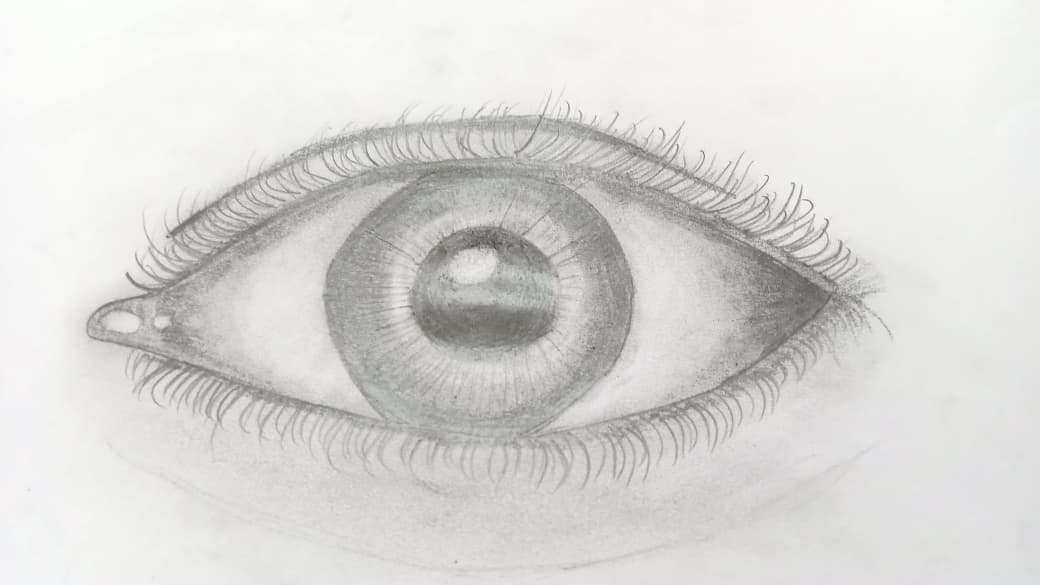
A comprehensive repository containing 11 foundational OpenCV tutorials and 13 real-world computer vision applications, designed to take you from basic image processing to advanced AI-powered vision systems. This collection demonstrates the full spectrum of computer vision capabilities, enabling machines to perceive, interpret, and interact with visual data.
- ✨ Features
- 🏗️ Repository Structure
- 🎯 OpenCV Tutorials (1-11)
- 🚀 Computer Vision Applications (1-13)
- 🛠️ Technologies Stack
- ⚙️ Environment Setup
- 🚀 Getting Started
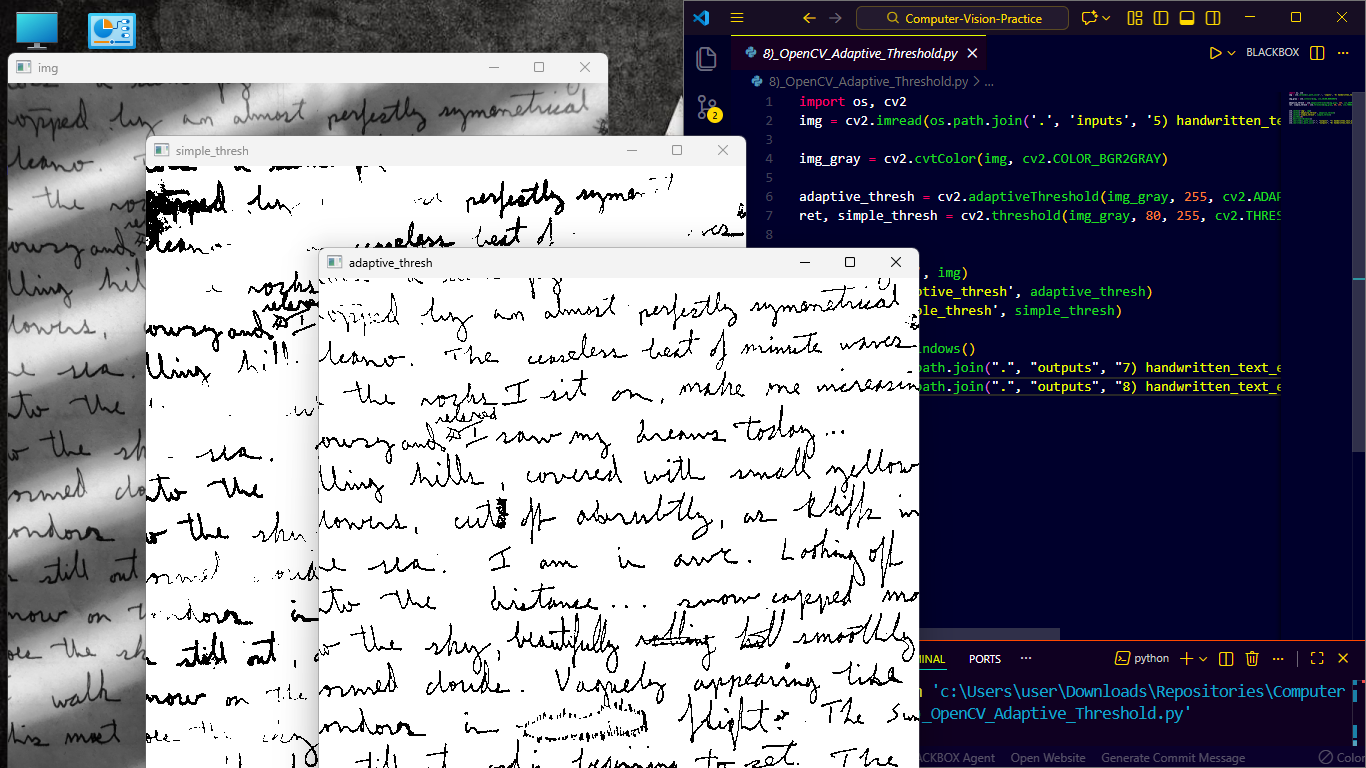
- 🔧 Customization
- 📊 Expected Outputs
- ©️ Certification
- 🤝 Contributing
- 🙏 Acknowledgments
- 📄 License
🧠 Foundational Learning: 11 step-by-step OpenCV tutorials covering core concepts
🚀 Real-World Applications: 13 production-ready computer vision projects
🛠️ Multi-Platform: Local processing, cloud services (AWS), and edge computing
📊 Diverse Domains: Medical imaging, gesture control, OCR, object tracking, and more
⚡ Performance Optimized: Efficient implementations with various AI frameworks
📁 Computer-Vision-Practice/
│
├── # 🎬 OPENCV TUTORIALS (11 Foundation Files)
├── 1)_OpenCV_Image_Inp_Outp.py
├── 2)_OpenCV_Video_Inp_Outp.py
├── 3)_OpenCV_Webcam_Inp_Outp.py
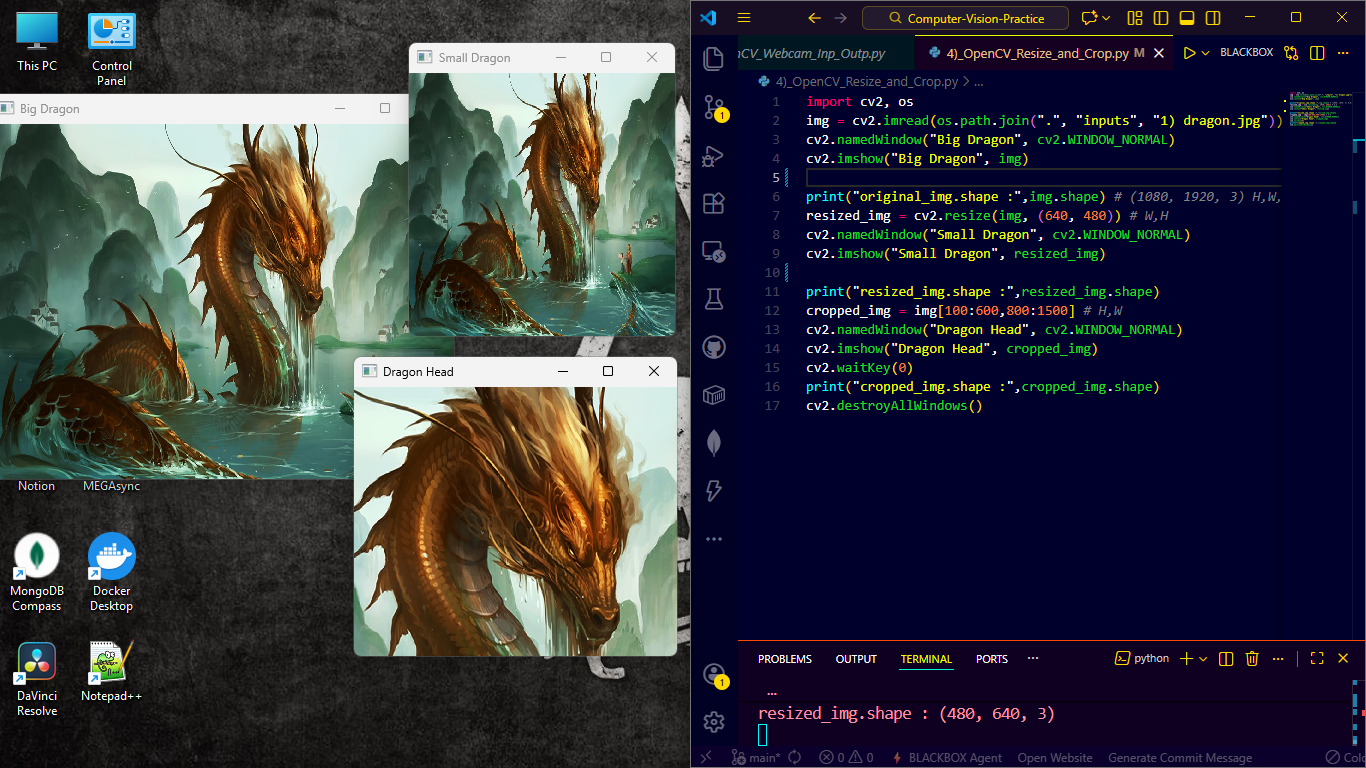
├── 4)_OpenCV_Resize_and_Crop.py
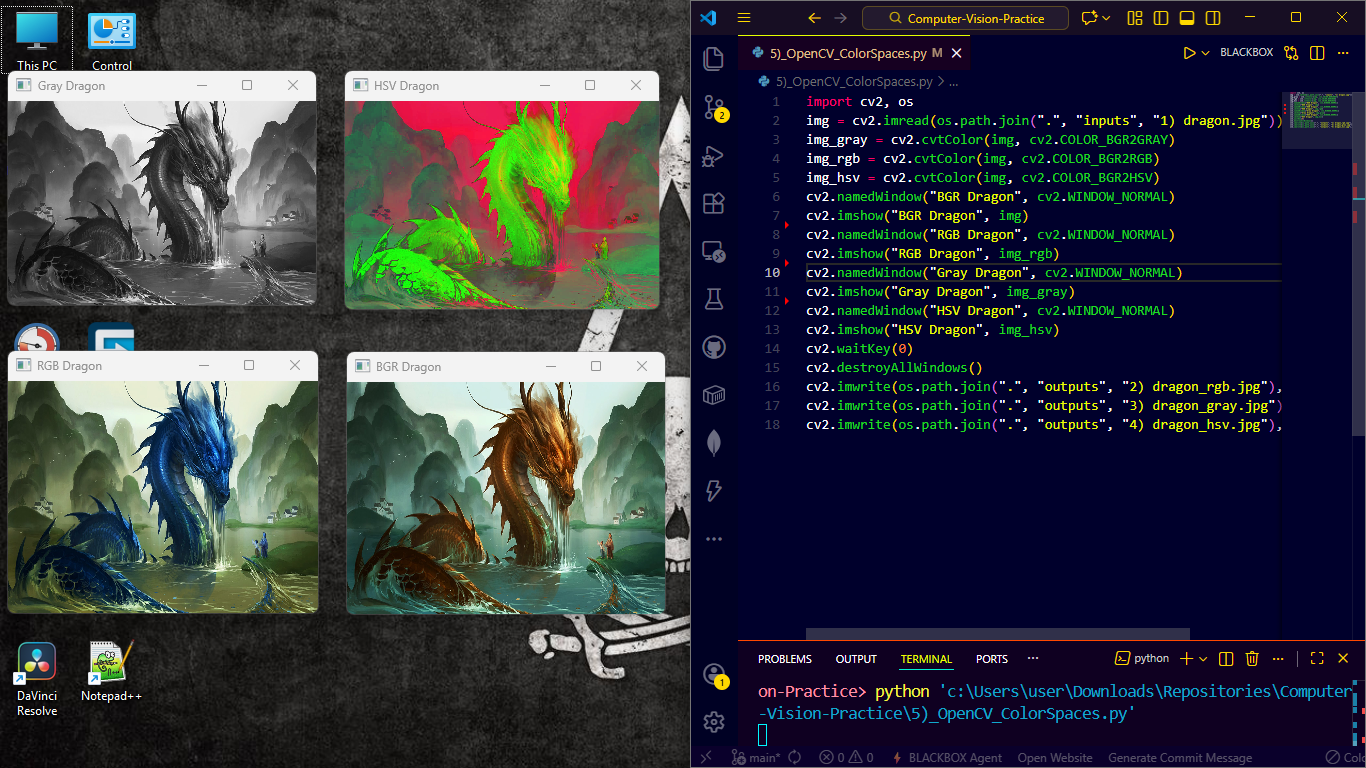
├── 5)_OpenCV_ColorSpaces.py
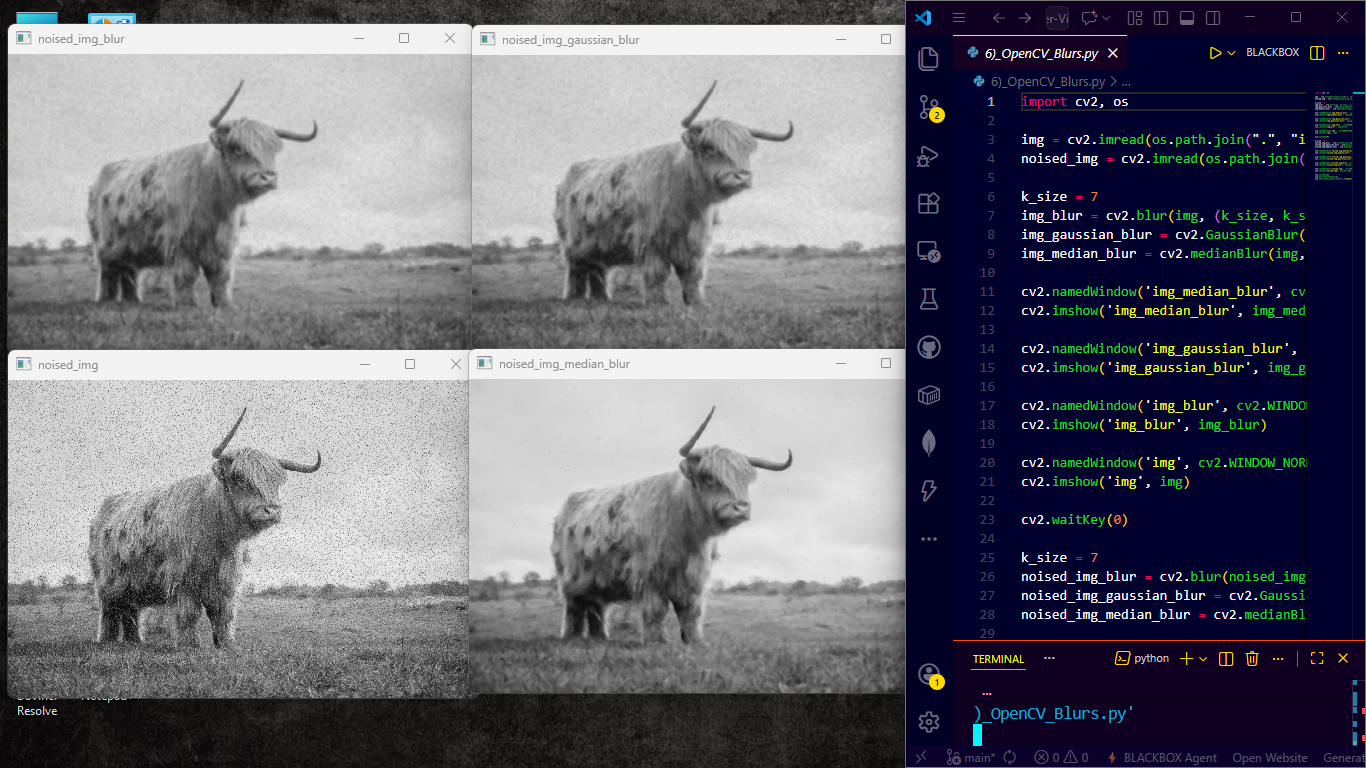
├── 6)_OpenCV_Blurs.py
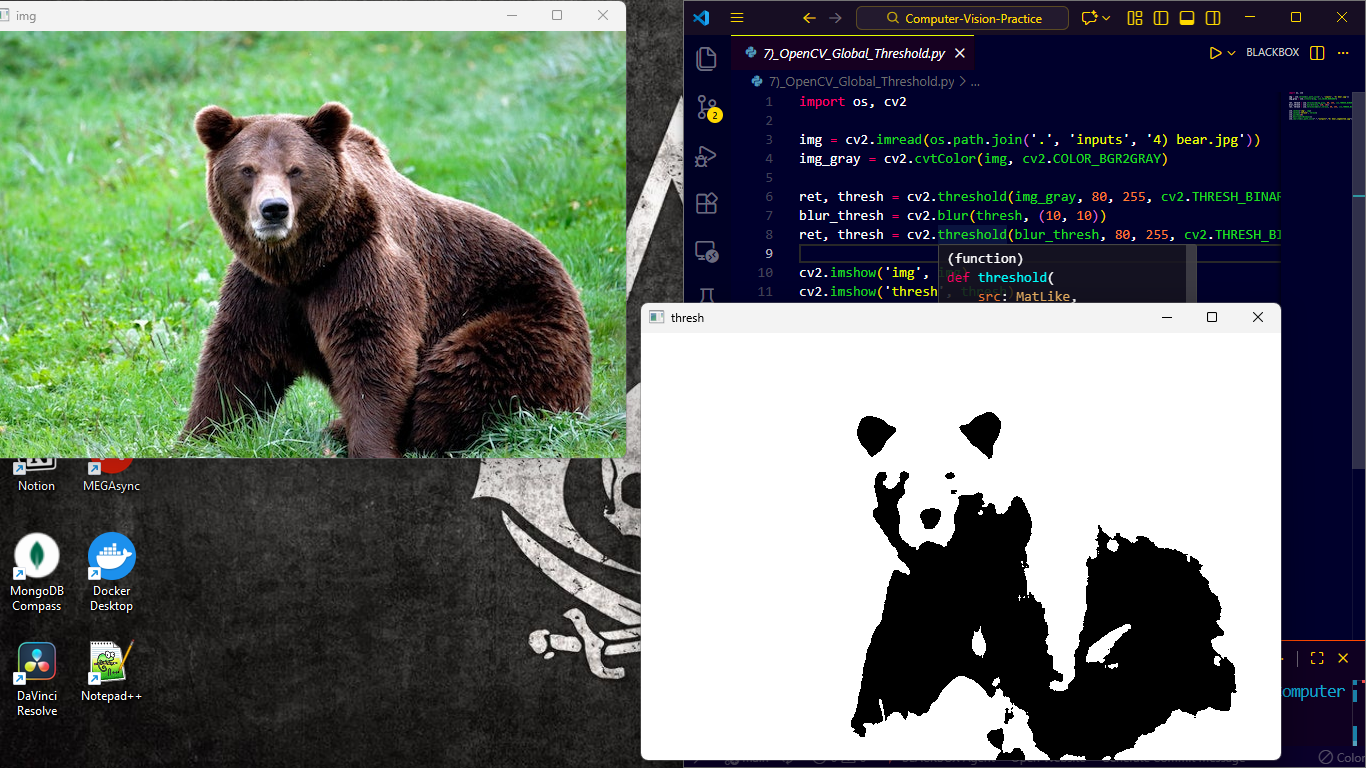
├── 7)_OpenCV_Global_Threshold.py
├── 8)_OpenCV_Adaptive_Threshold.py
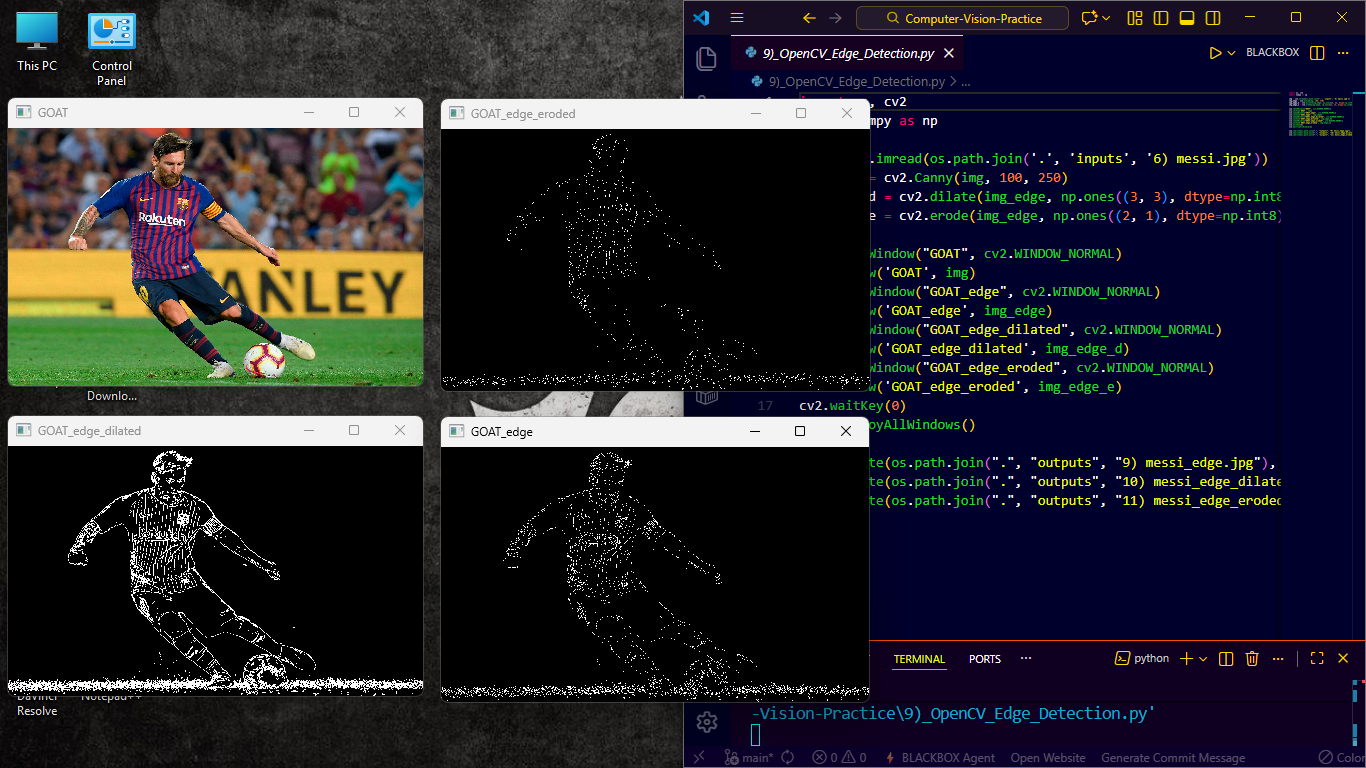
├── 9)_OpenCV_Edge_Detection.py
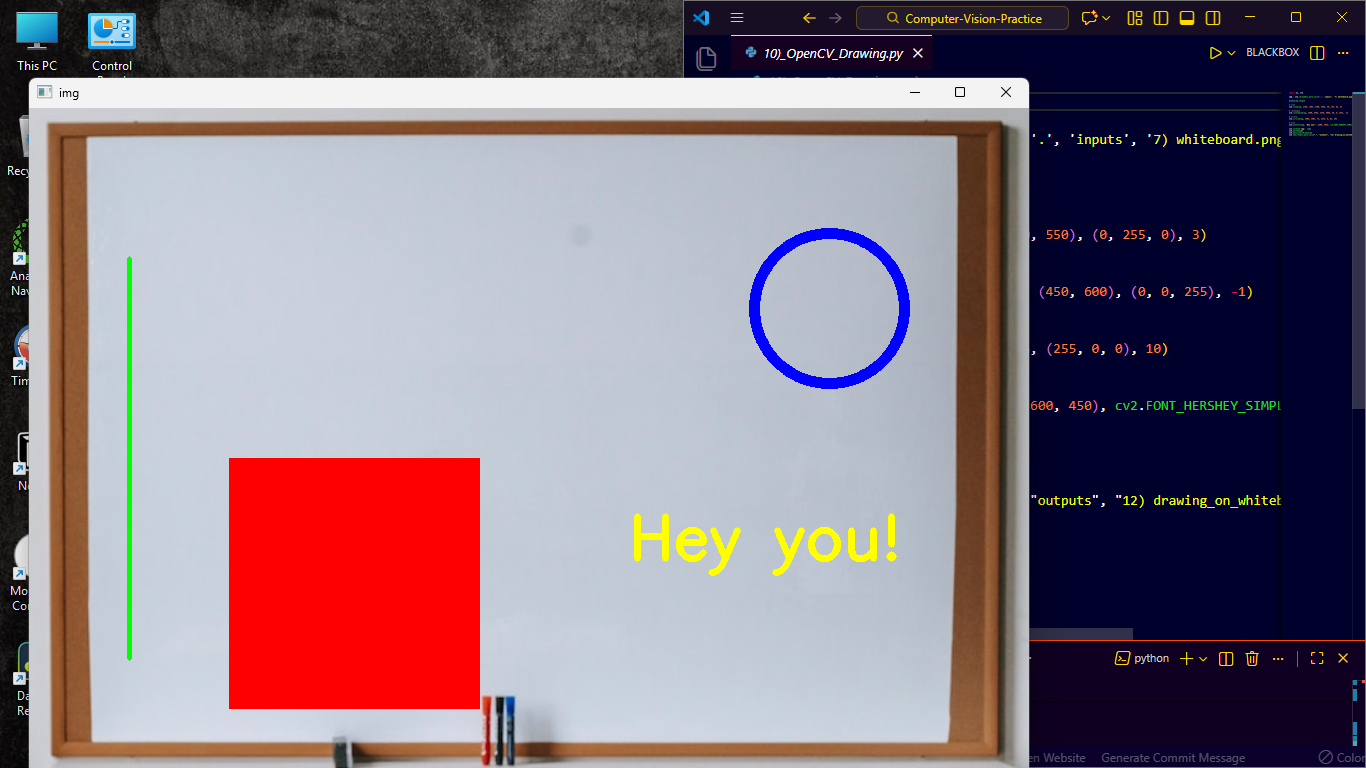
├── 10)_OpenCV_Drawing.py
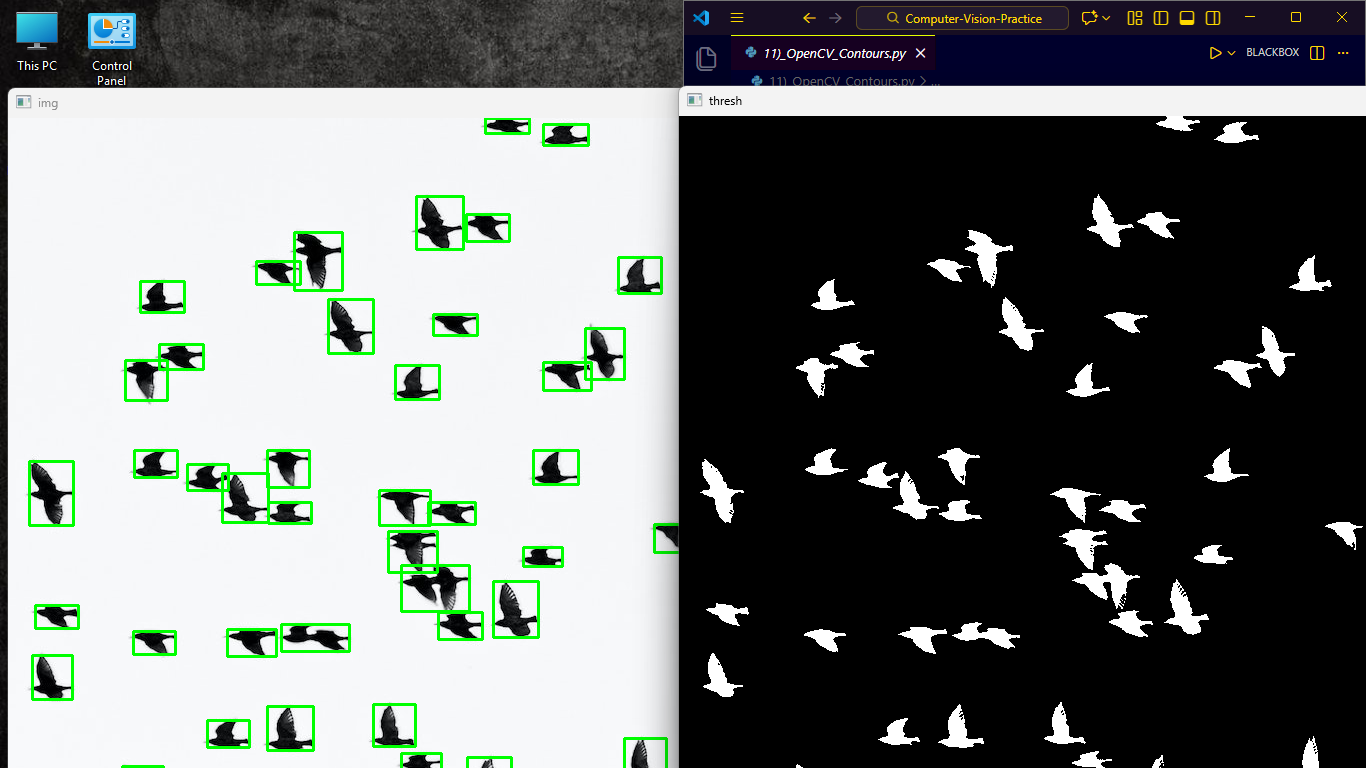
└── 11)_OpenCV_Contours.py
│
├── 📁 # 🗃️ OPENCV COURSE JUPYTER FILES (11 Conceptual Knowledge Notes)
│   ├── 1_Getting_Started_with_Images.ipynb
│   ├── 2_Image_Manipulations_Crop_Resize_Flip_and_Modify_Pixels.ipynb
│   ├── 3_Annotating_Images.ipynb
│   ├── 4_Image_Enhancement_Mathematical_Operations.ipynb
│   ├── 5_Writing_Video_using_OpenCV.ipynb
│   ├── 6_Image_Alignment.ipynb
│   ├── 7_Panorama.ipynb
│   ├── 8_HDR.ipynb
│   ├── 9_Object_Tracking.ipynb
│   ├── 10_TF_Object_Detection.ipynb
│   └── 11_OpenPose.ipynb
|
├── 📁 # 🚀 APPLICATIONAL PROJECTS (13 Real-World Applications)
│   ├── 1)_Color_Detection_of_Objects/
│   ├── 2)_Face_Anonymizer_Image_Video_Webcam/
│   ├── 3)_Text_Detection_OCR/
│   ├── 4)_Image_Classifier_Empty_or_Not_Parking_Lot/
│   ├── 5)_Feature_Extraction_with_Inference/
│   ├── 6)_Emotion_Recognition_with_Face_Mask/
│   ├── 7)_Sign_Language_Detection_for_N_Alphabets/
│   ├── 8)_Pneumonia_Classifier_XRayIMGs/
│   ├── 9)_YoloV11Nano_Object_Tracking/
│   ├── 10)_AWS_Rekognition_FullAccess_IAM/
│   ├── 11)_Parking_Spot_Counter/
│   ├── 12)_AWS_Lambda_and_API_Gateway/
│   └── 13)_Hand_Gesture_Volume_Control/
|
├── 📁 # 🖼️ DEMO IMAGES (Visual Results Gallery)
│   │
│   ├── # Representative Image (1 Image)
│   │   └── Logo.png   → Image for This Readme
│   │
│   ├── # OpenCV Tutorial Demos (11 Images)
│   │   ├── OpenCV1.png    → Image Input/Output Demo
│   │   ├── OpenCV2.png    → Video Processing Demo
│   │   ├── OpenCV3.png    → Webcam Capture Demo
│   │   ├── OpenCV4.png    → Resize & Crop Demo
│   │   ├── OpenCV5.png    → Color Spaces Demo
│   │   ├── OpenCV6.png    → Blur Effects Demo
│   │   ├── OpenCV7.png    → Global Thresholding Demo
│   │   ├── OpenCV8.png    → Adaptive Thresholding Demo
│   │   ├── OpenCV9.png    → Edge Detection Demo
│   │   ├── OpenCV10.png   → Drawing Functions Demo
│   │   └── OpenCV11.png   → Contour Detection Demo
│   │
│   └── # Applicational Project Demos (20 Images)
│       ├── AppProj1.png      → Color Detection Results
│       ├── AppProj2.png      → Face Anonymizer Output
│       ├── AppProj3.png      → Text Detection & OCR
│       ├── AppProj4.png      → Parking Lot Classification
│       ├── AppProj5.png      → Feature Extraction
│       ├── AppProj6.1.png    → Emotion Recognition - Happy
│       ├── AppProj6.2.png    → Emotion Recognition - Sad
│       ├── AppProj6.3.png    → Emotion Recognition - Angry
│       ├── AppProj7.1.png    → Sign Language - Letter A
│       ├── AppProj7.2.png    → Sign Language - Letter B
│       ├── AppProj7.3.png    → Sign Language - Letter C
│       ├── AppProj8.1.png    → Pneumonia X-Ray - Normal
│       ├── AppProj8.2.png    → Pneumonia X-Ray - Positive
│       ├── AppProj8.3.png    → Pneumonia X-Ray - Heatmap
│       ├── AppProj9.png      → YOLO Object Tracking
│       ├── AppProj10.png     → AWS Rekognition Dashboard
│       ├── AppProj11.png     → Parking Spot Counter UI
│       ├── AppProj12.png     → AWS Lambda API Response
│       ├── AppProj13.1.png   → Hand Gesture - Volume Up
│       └── AppProj13.2.png   → Hand Gesture - Volume Down
│
├── 📁 # 📥 INPUTS (8 Sample Input Files)
│   ├── dragon.jpg              → Colorful dragon for tutorials
│   ├── sample_video.mp4        → Sample video for processing
│   ├── cow_salt_pepper.png     → Noisy image for denoising
│   ├── bear.jpg                → Image for segmentation
│   ├── handwritten_text.png    → Handwritten notes for OCR
│   ├── messi.jpg               → Portrait for edge detection
│   ├── whiteboard.png          → Whiteboard for drawing demo
│   └── birds.jpg              → Multiple objects for contours
│
├── 📁 # 📤 OUTPUTS (13 Generated Output Files)
│   ├── dragon_bgr.jpg                    → BGR color space
│   ├── dragon_rgb.jpg                    → RGB color space
│   ├── dragon_gray.jpg                   → Grayscale conversion
│   ├── dragon_hsv.jpg                    → HSV color space
│   ├── cleaned_cow_salt_pepper.png       → Denoised image
│   ├── bear_segmented.jpg                → Segmented bear
│   ├── handwritten_text_extracted_global.png → Global threshold OCR
│   ├── handwritten_text_extracted_adaptive.png → Adaptive threshold OCR
│   ├── messi_edge.jpg                    → Canny edge detection
│   ├── messi_edge_dilated.jpg            → Dilated edges
│   ├── messi_edge_eroded.jpg             → Eroded edges
│   ├── drawing_on_whiteboard.png         → Annotations demo
│   └── contoured_birds.jpg              → Detected contours
│
├── .gitignore             → Git ignore configuration
├── environment.yml        → Conda environment specification
├── requirements.txt       → Python package dependencies
└── README.md             → This documentation file
Learn to read, display, and save images in various formats using OpenCV's core functions.
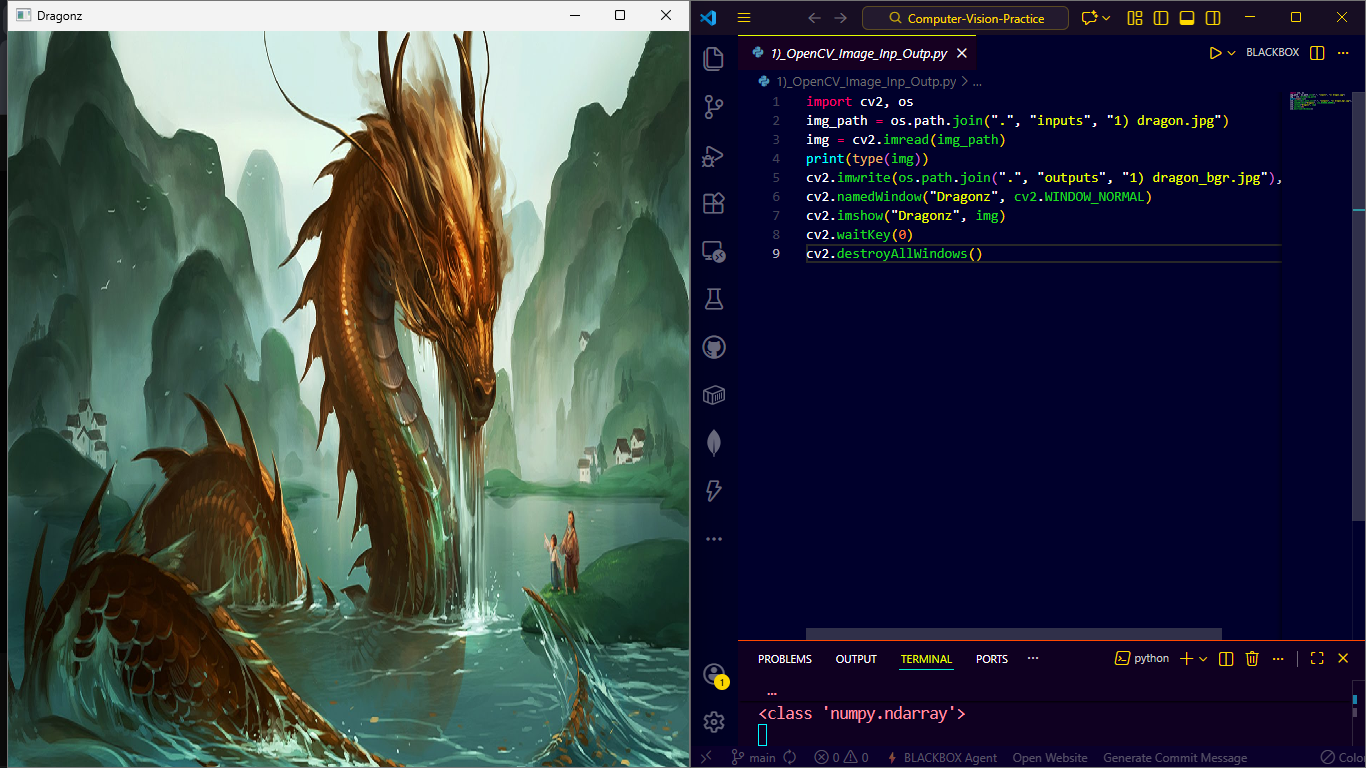
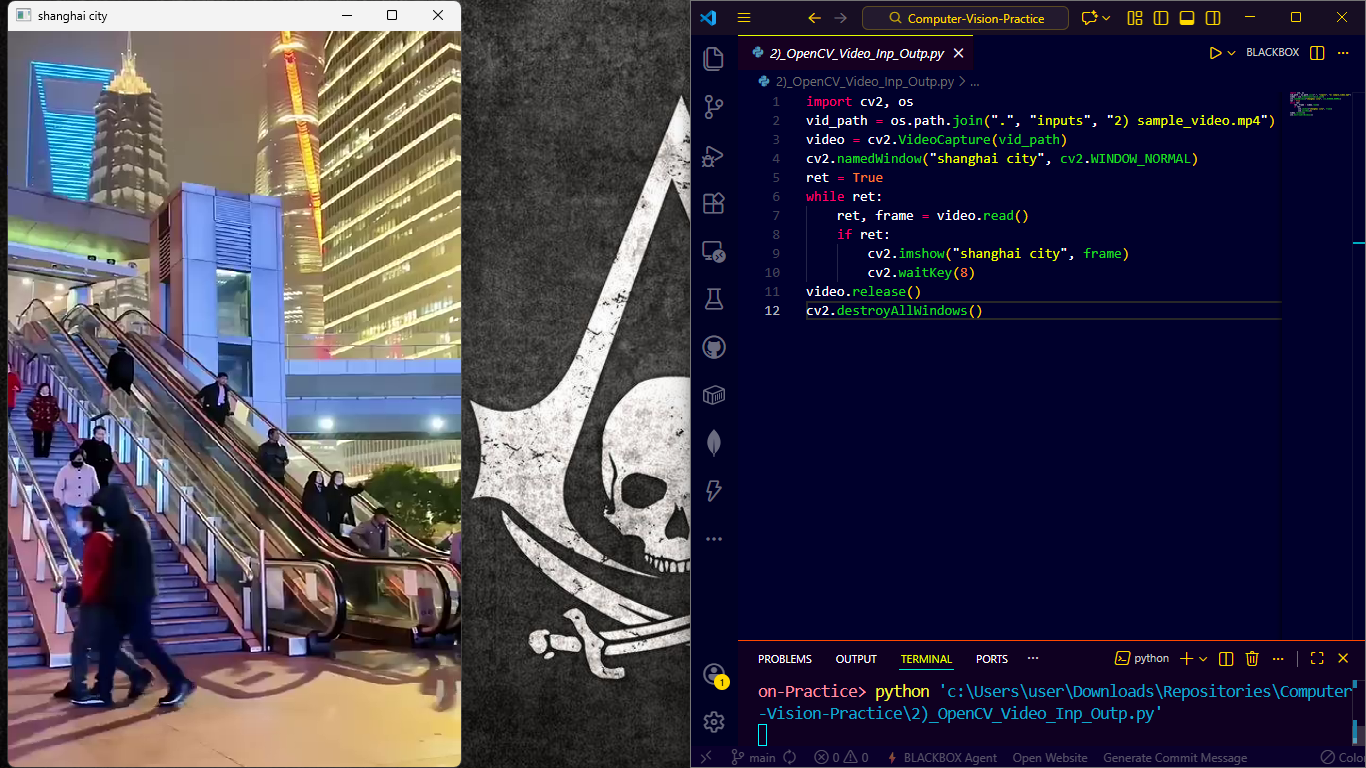
Process video files frame-by-frame with efficient streaming techniques.
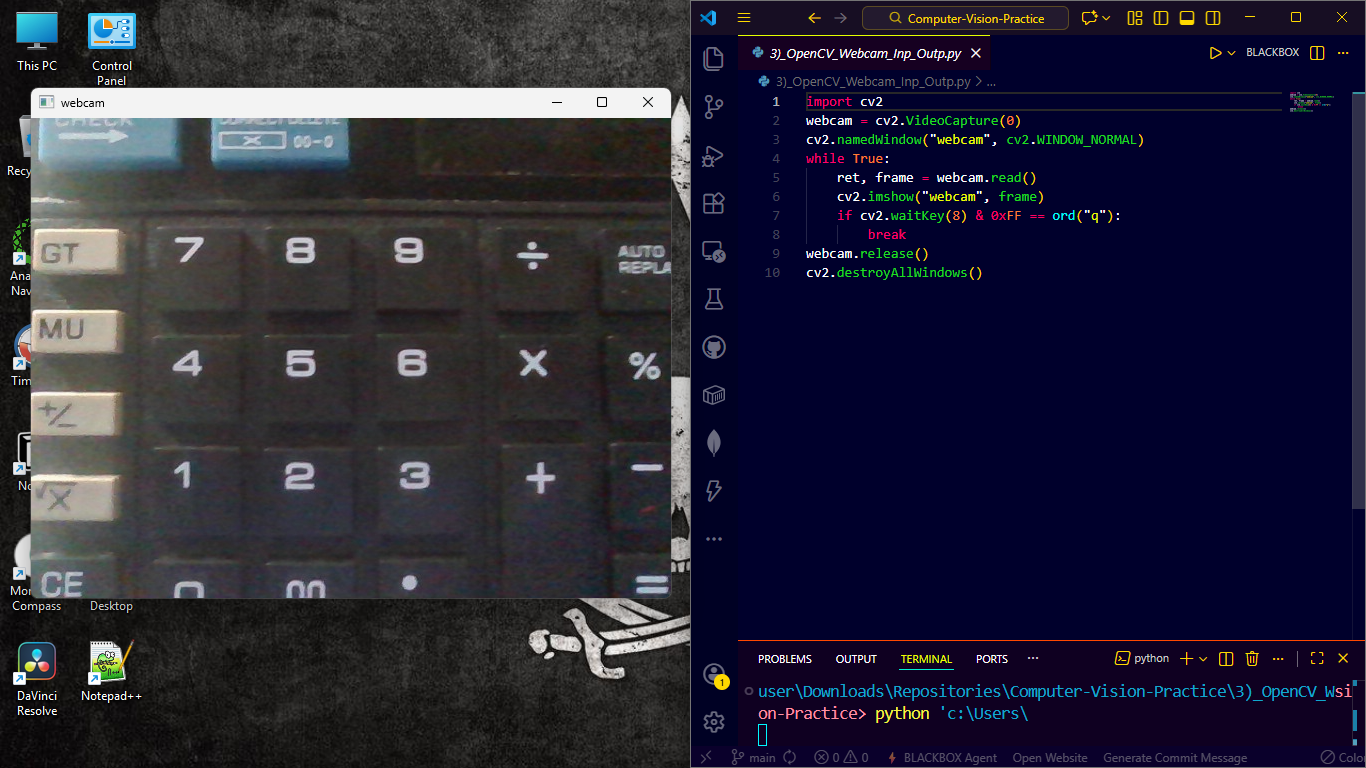
Real-time webcam capture and processing for interactive applications.
Resizing, cropping, and geometric transformations for image preprocessing.
BGR, RGB, HSV, Grayscale conversions and their practical applications.
Gaussian, Median, and Bilateral filtering for noise reduction and smoothing.
Binary and Otsu's thresholding methods for image segmentation.
Local thresholding techniques for uneven lighting conditions.
Canny, Sobel, and Laplacian edge detection algorithms.
Annotations, shapes, and text overlays on images and videos.
Finding and analyzing object boundaries in images.
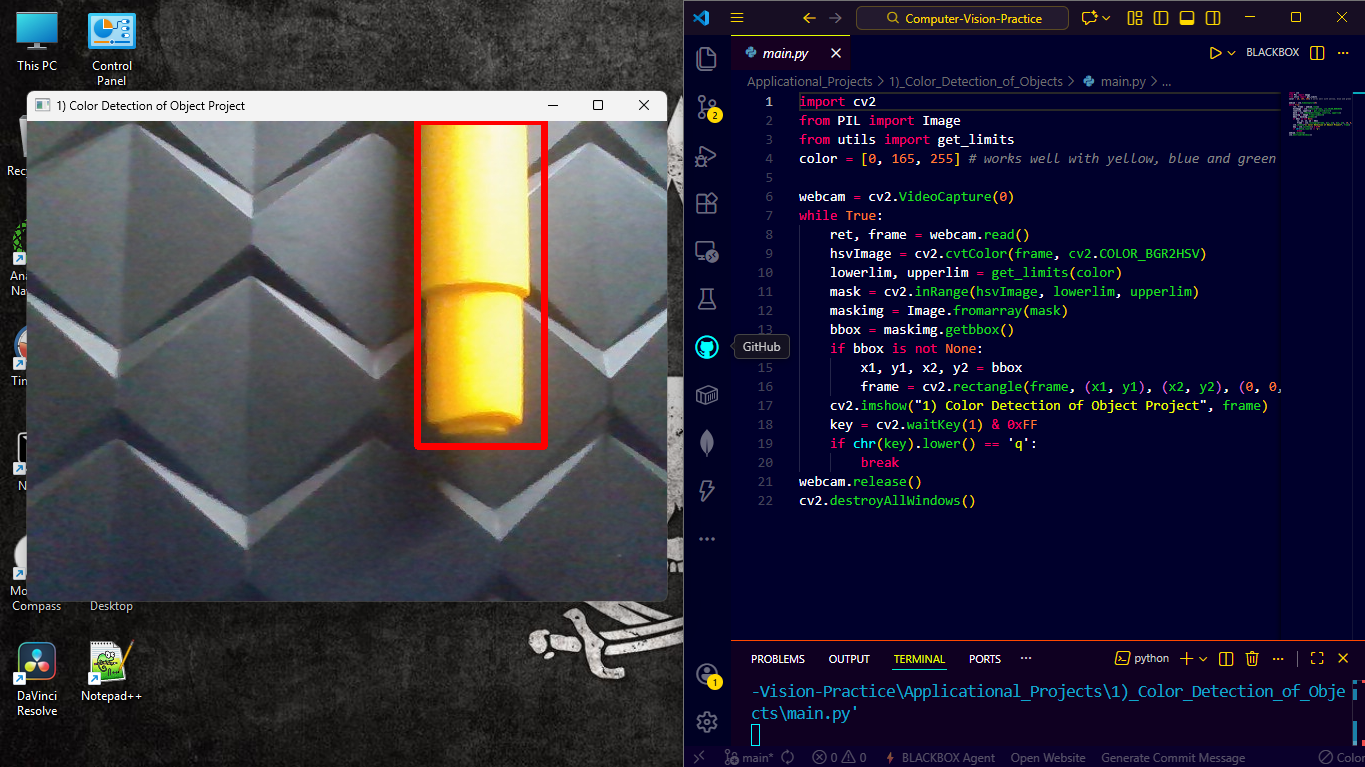
Real-time object detection based on color ranges with adjustable HSV sliders.
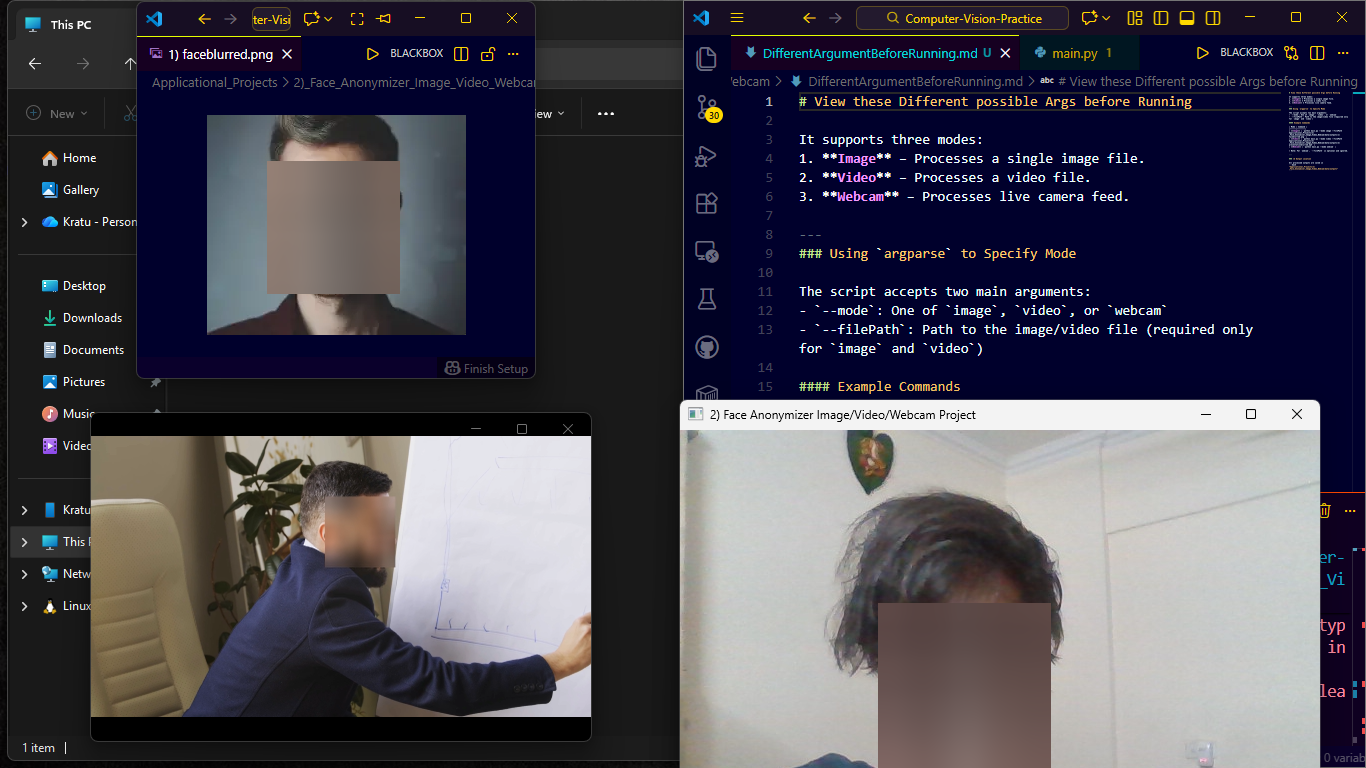
Privacy-preserving face blurring/masking for images, videos, and live streams.
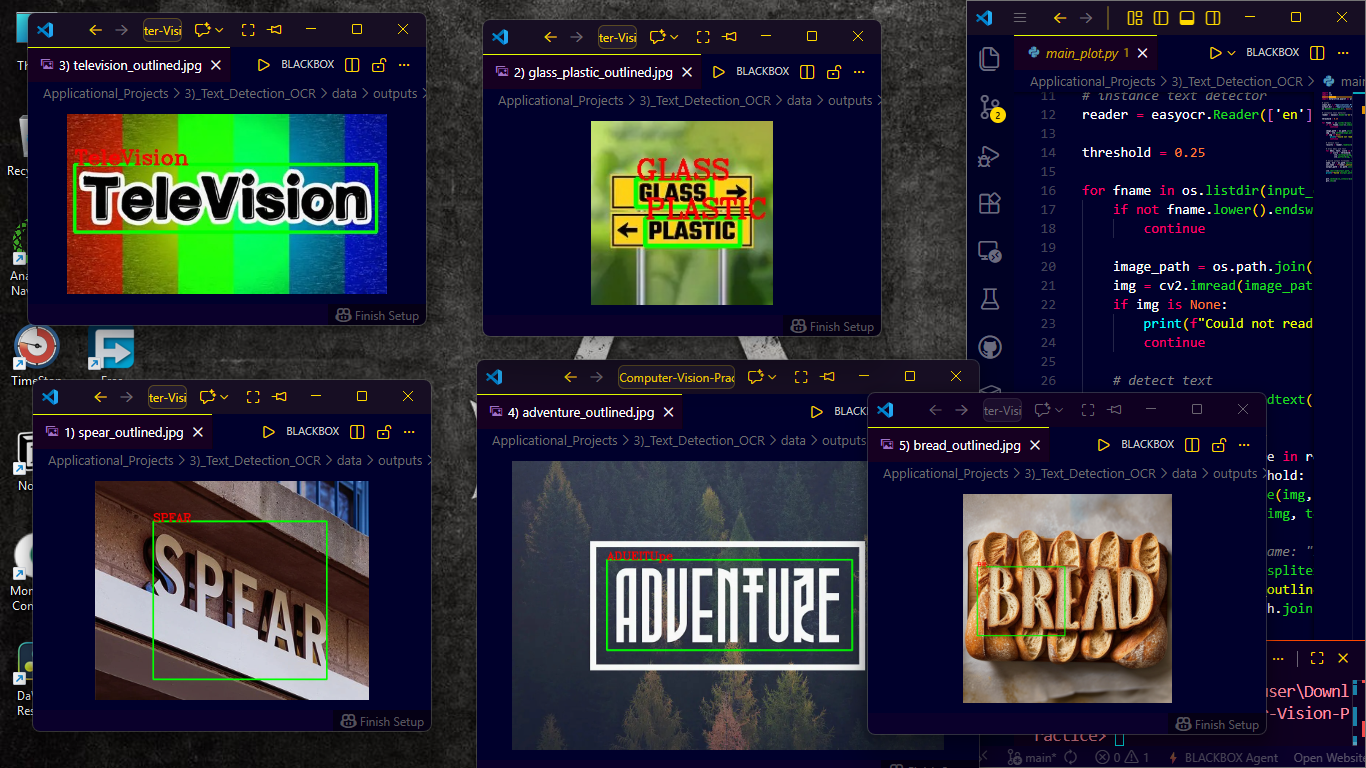
Multi-engine OCR (Tesseract, EasyOCR) with text localization and extraction.
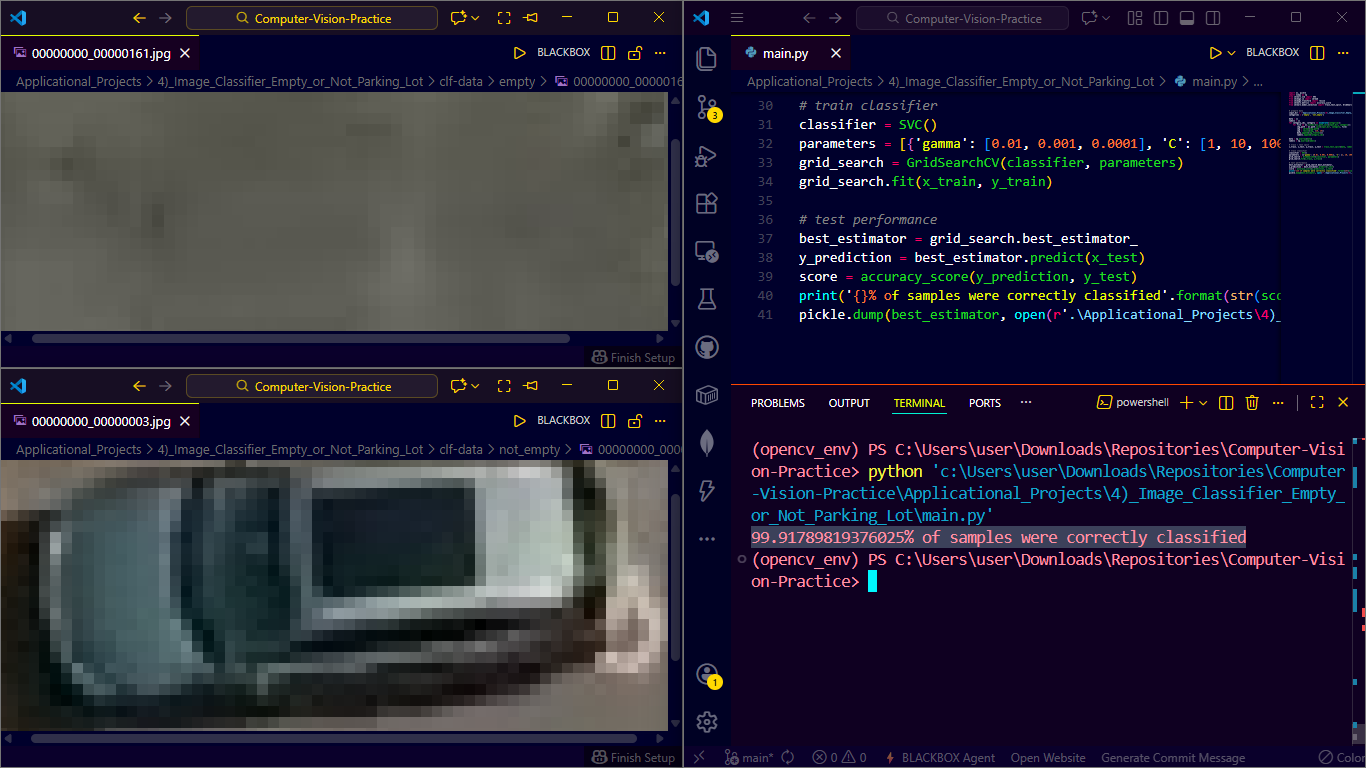
Binary classification for parking space occupancy using custom CNN.
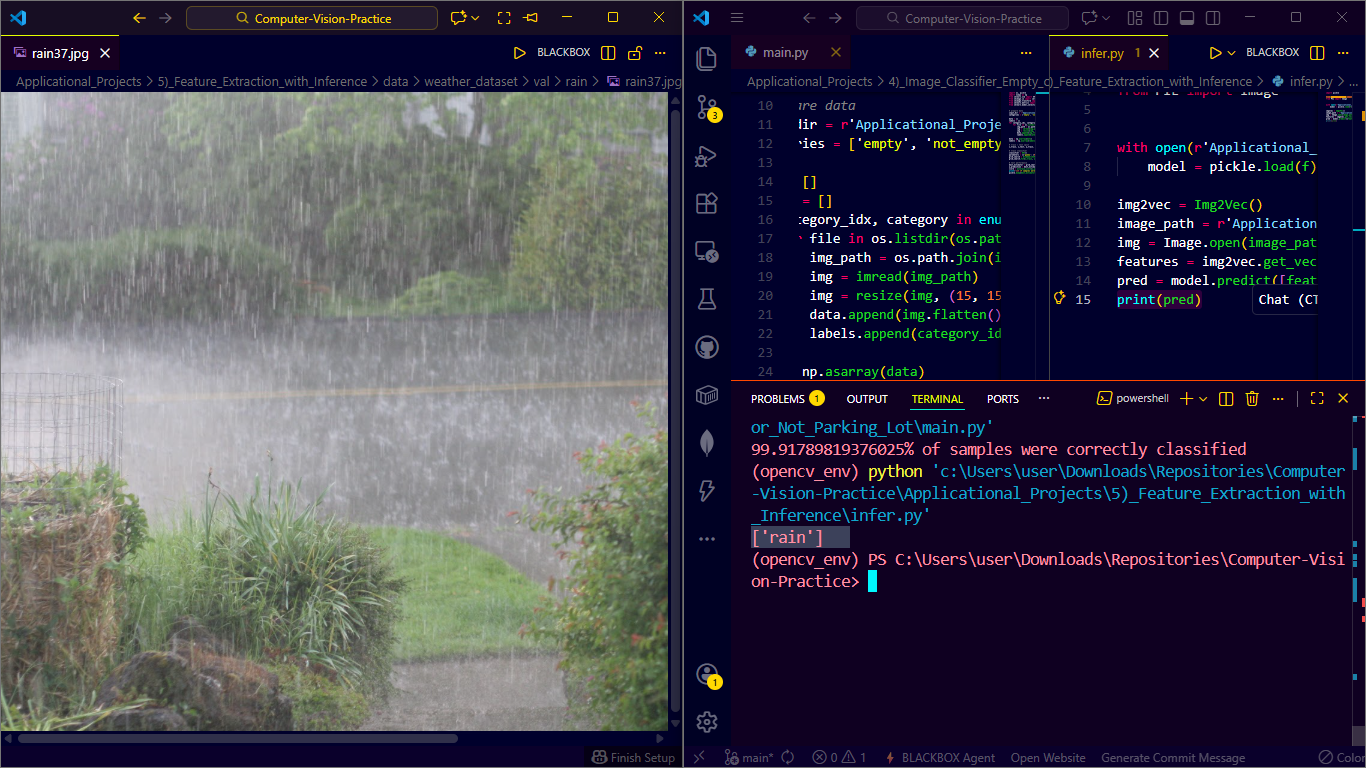
Deep feature extraction with pre-trained models for image retrieval.
Facial emotion classification with mask detection using MediaPipe.
| Happy Emotion | Sad Emotion | Surprised Emotion |
|---|---|---|
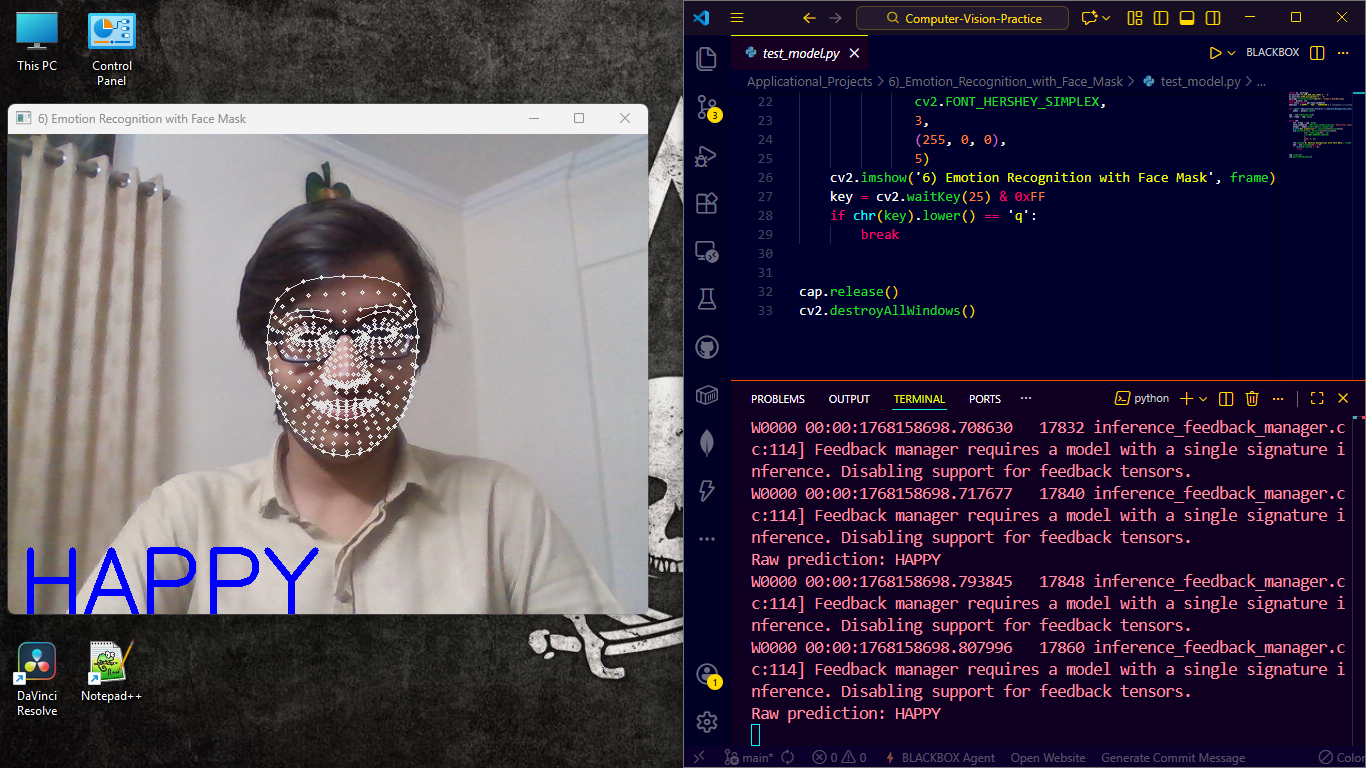 |
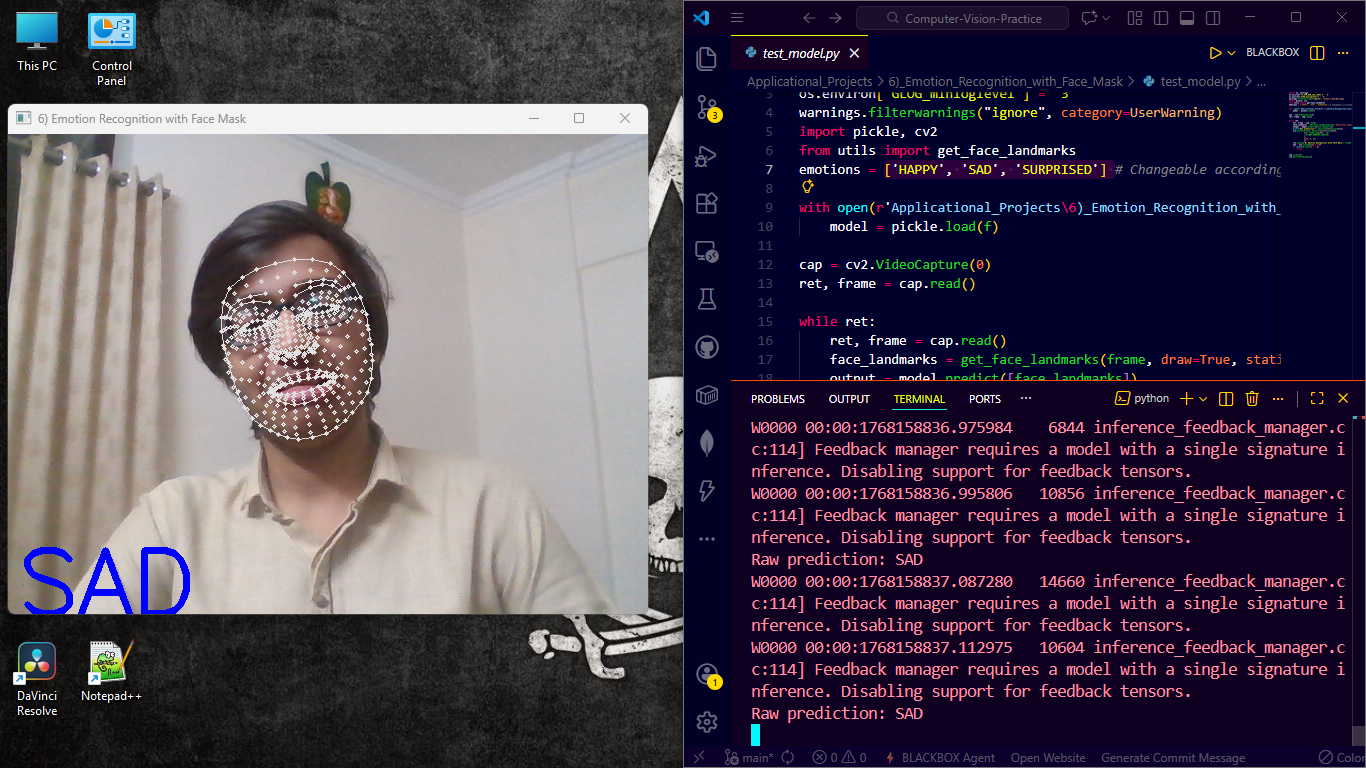 |
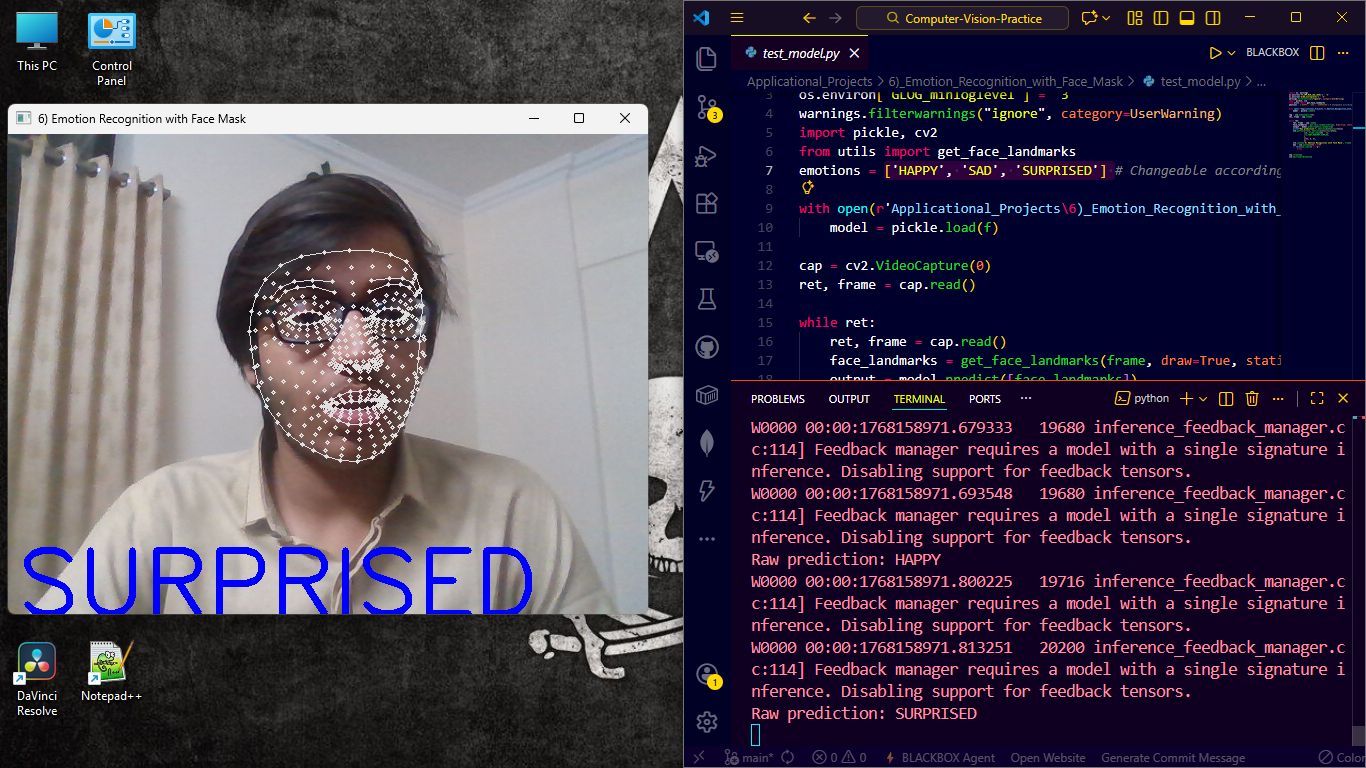 |
Real-time ASL alphabet recognition with custom dataset and CNN.
| Letter K | Letter R | Letter A |
|---|---|---|
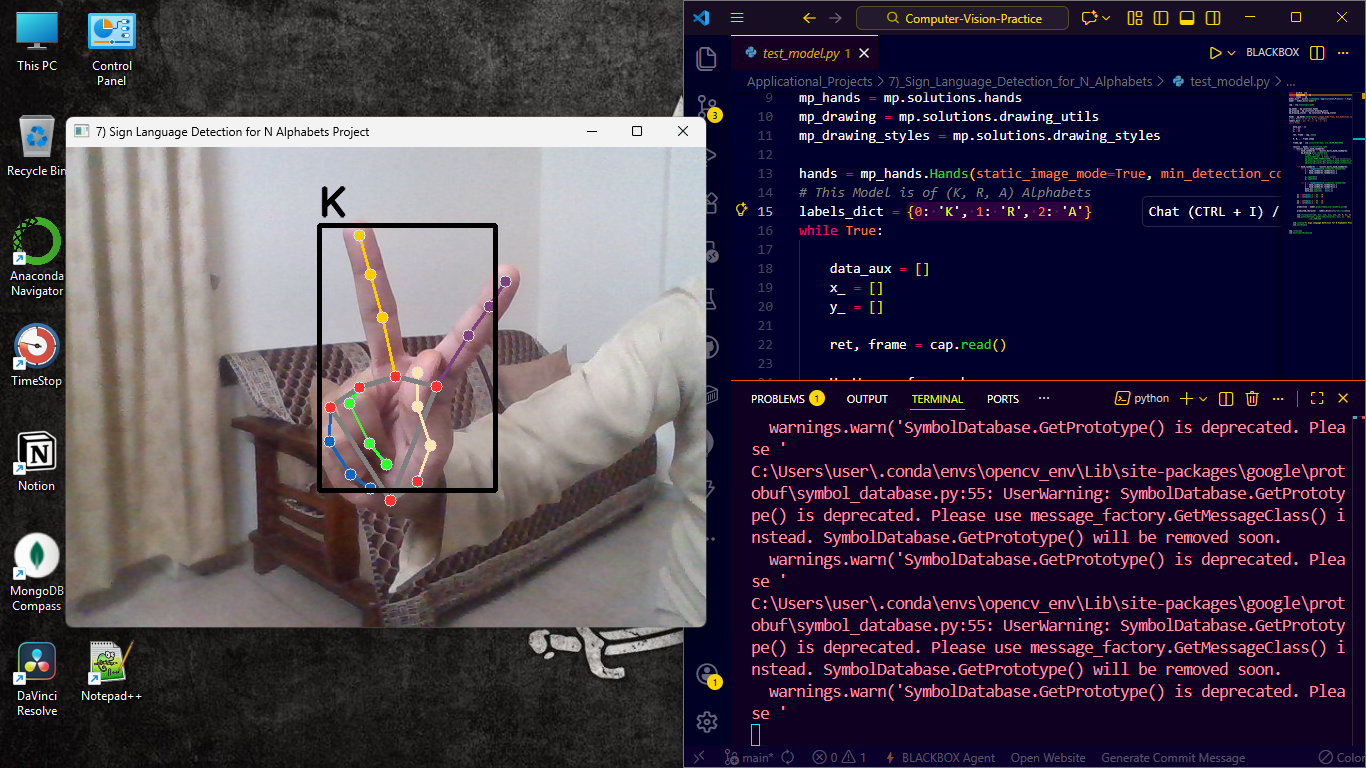 |
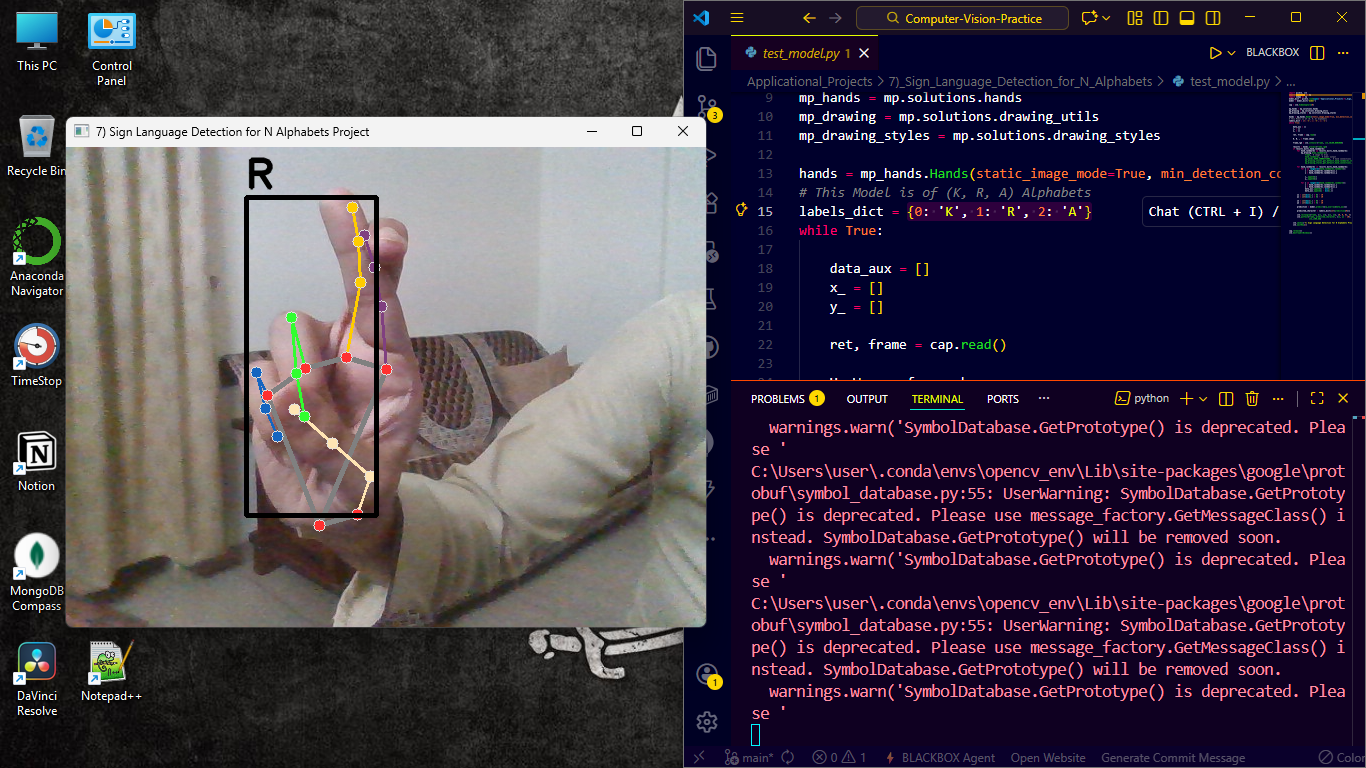 |
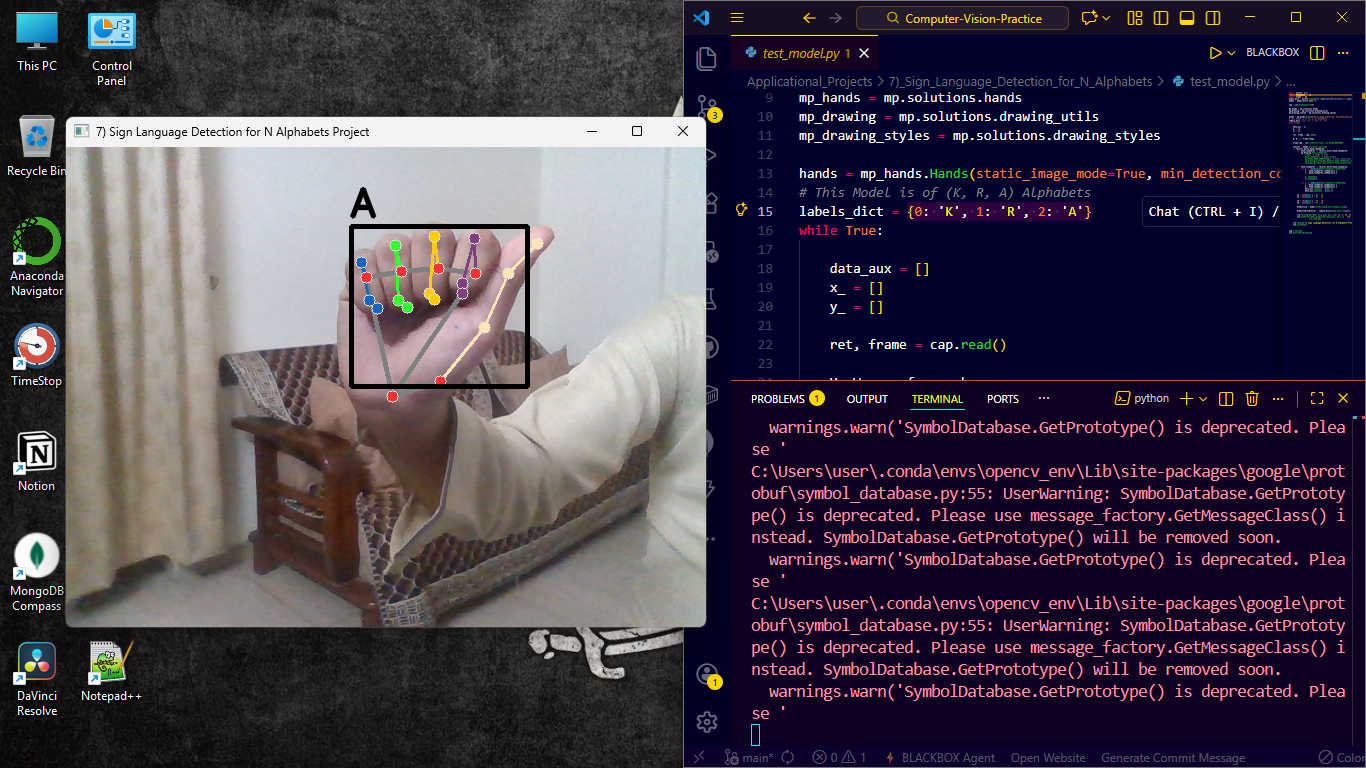 |
Medical image analysis for pneumonia detection from chest X-rays.
| Site Header | Normal X-Ray | Positive Case |
|---|---|---|
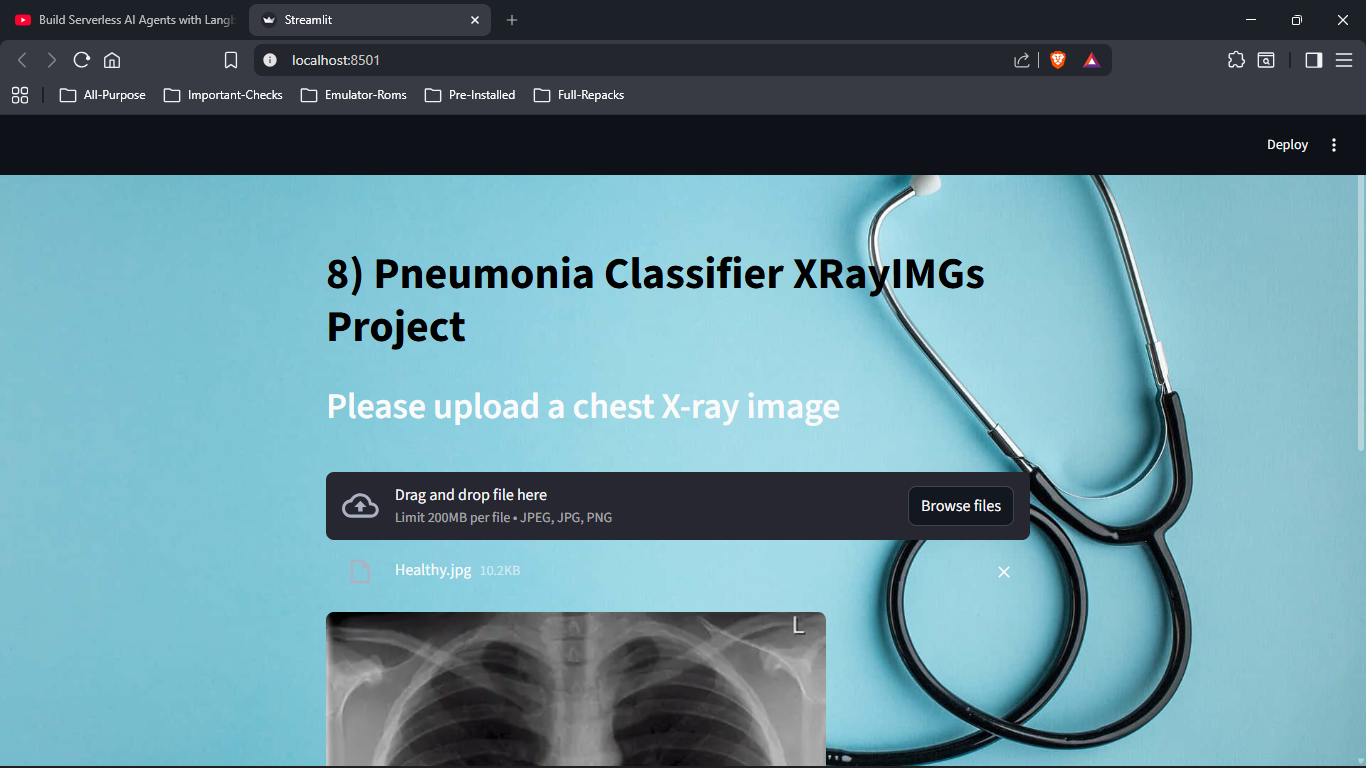 |
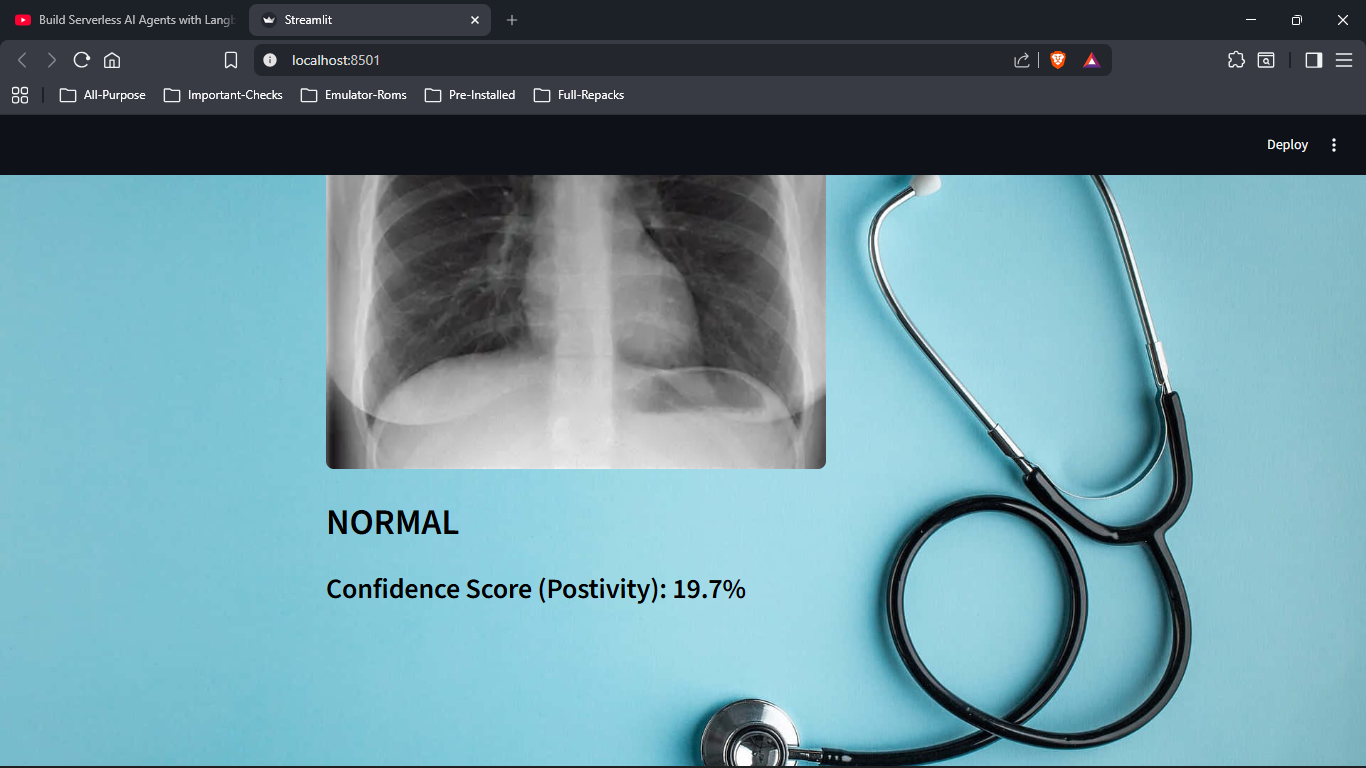 |
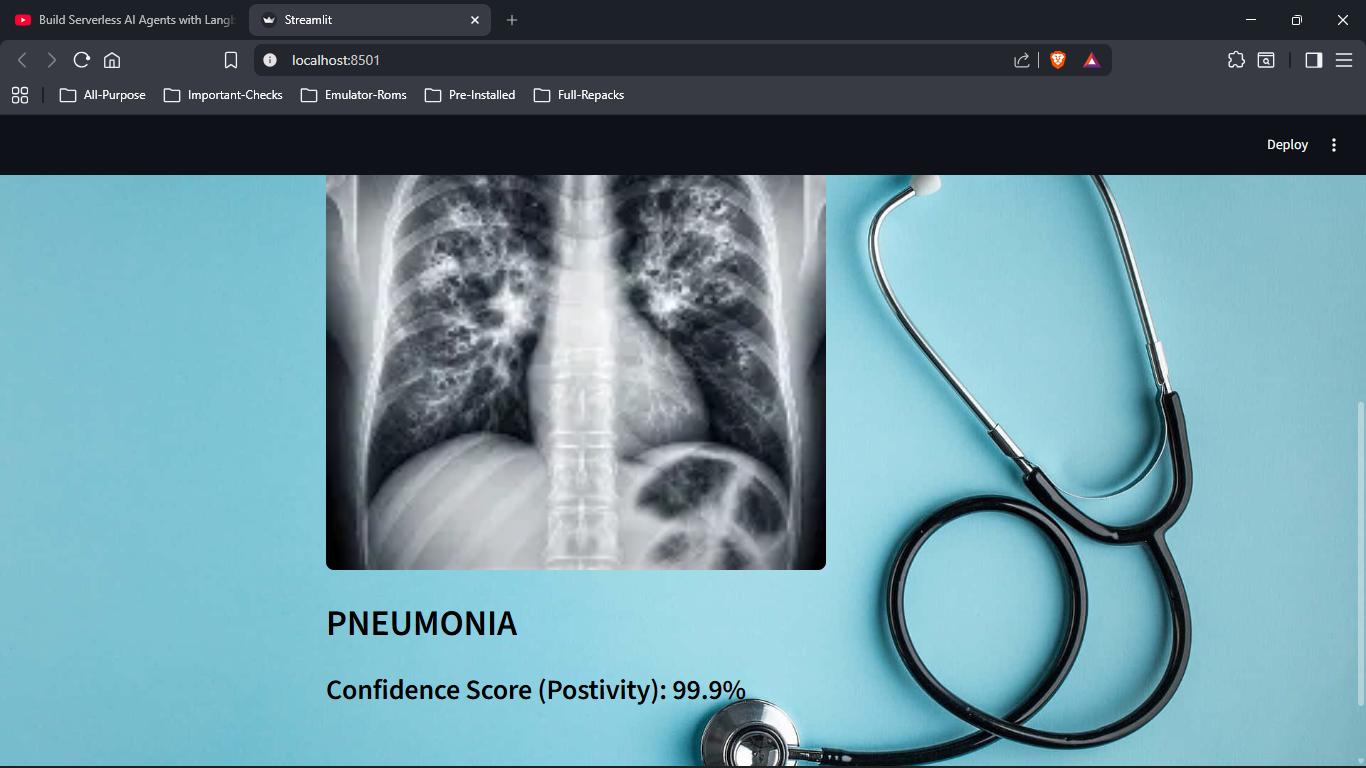 |
Real-time object detection and tracking with Ultralytics YOLO.
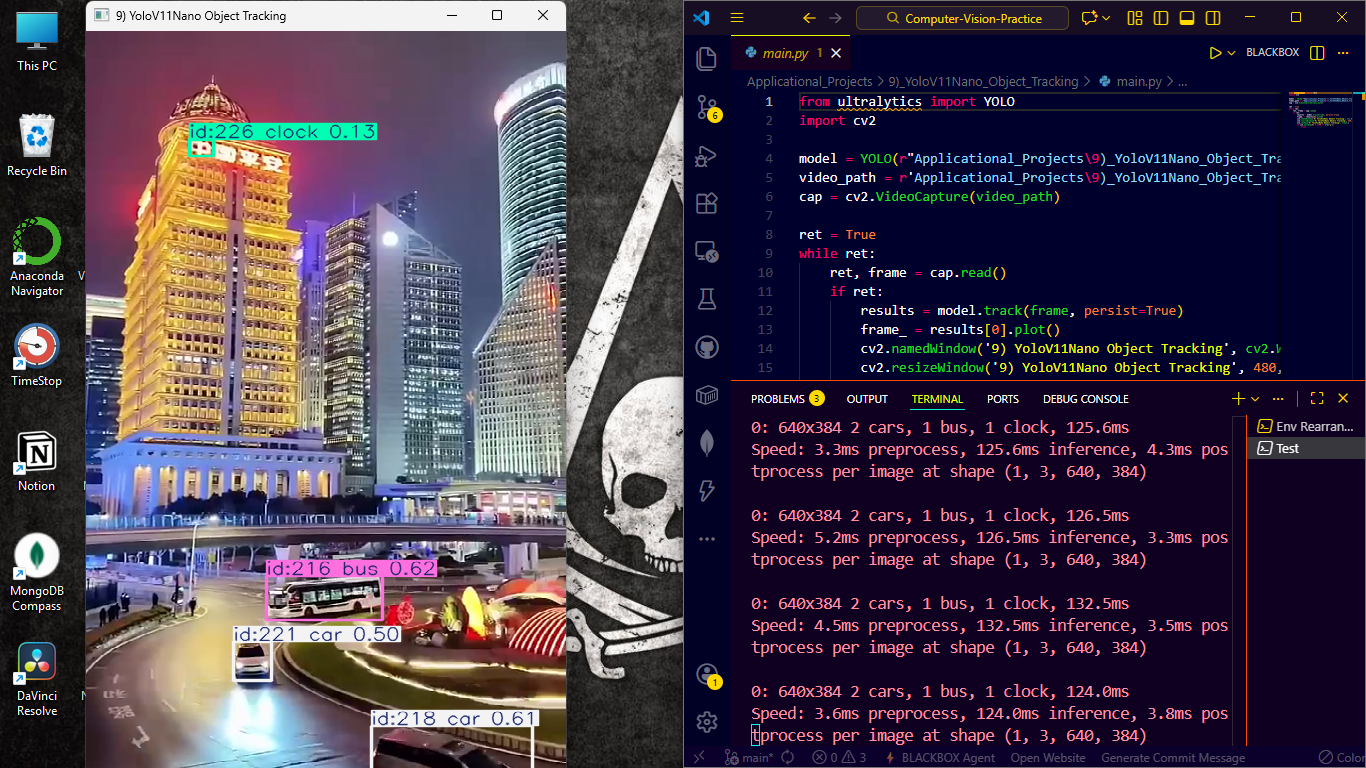
Cloud-based face analysis and comparison using AWS services.
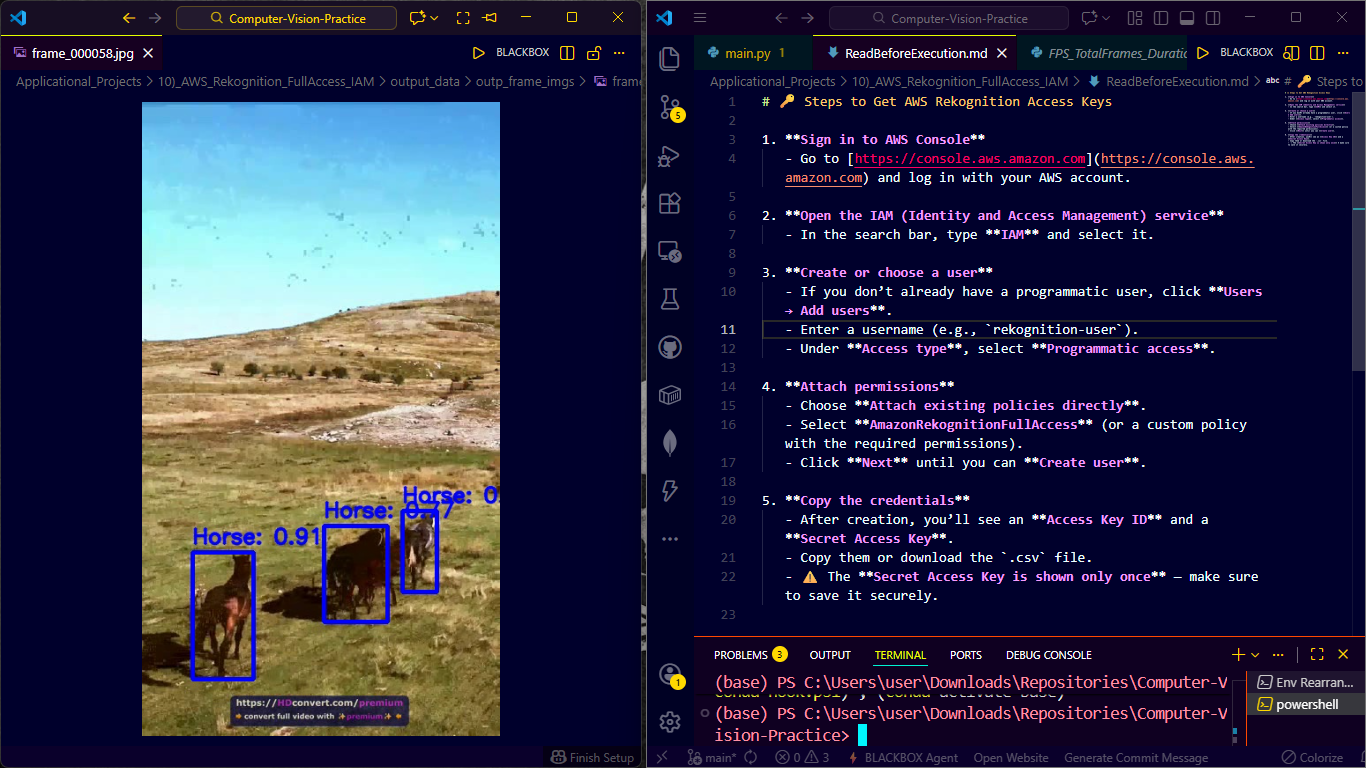
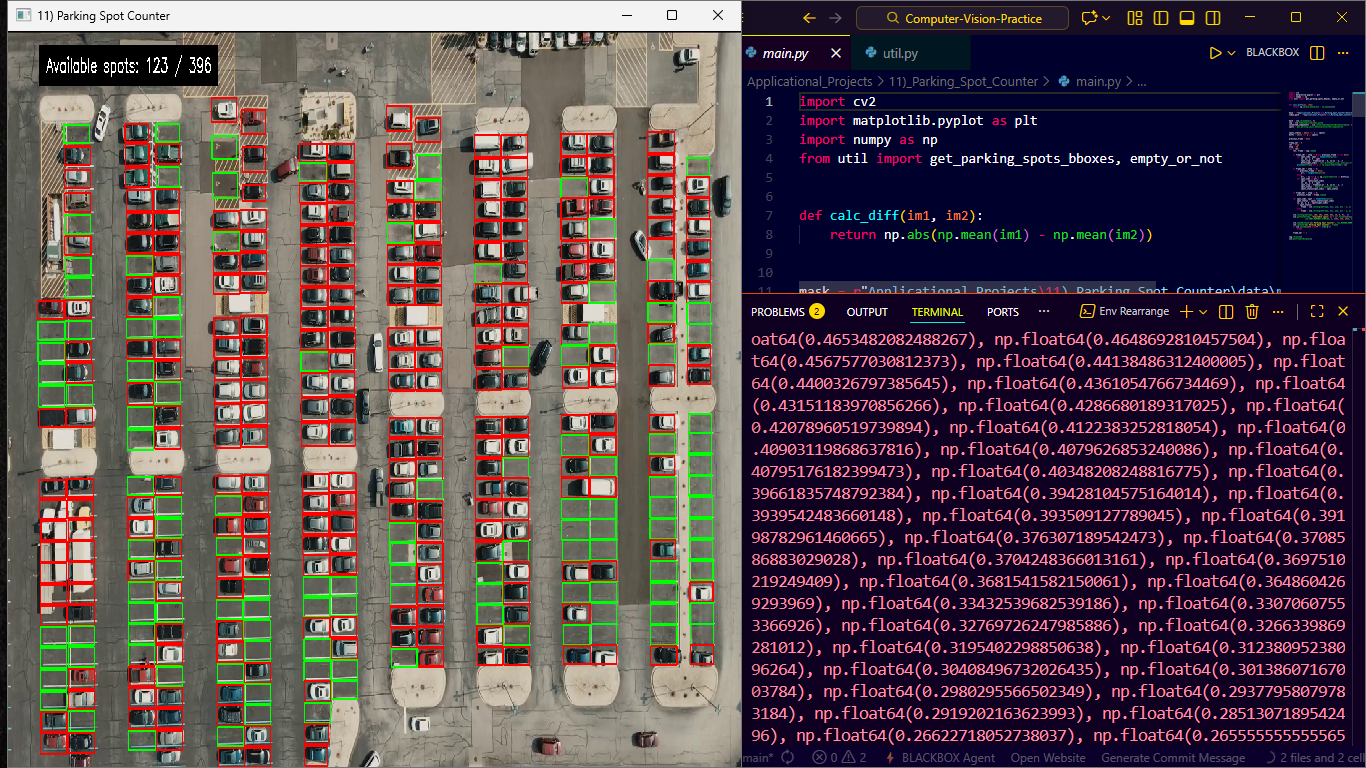
Automated counting of available parking spaces with perspective correction.
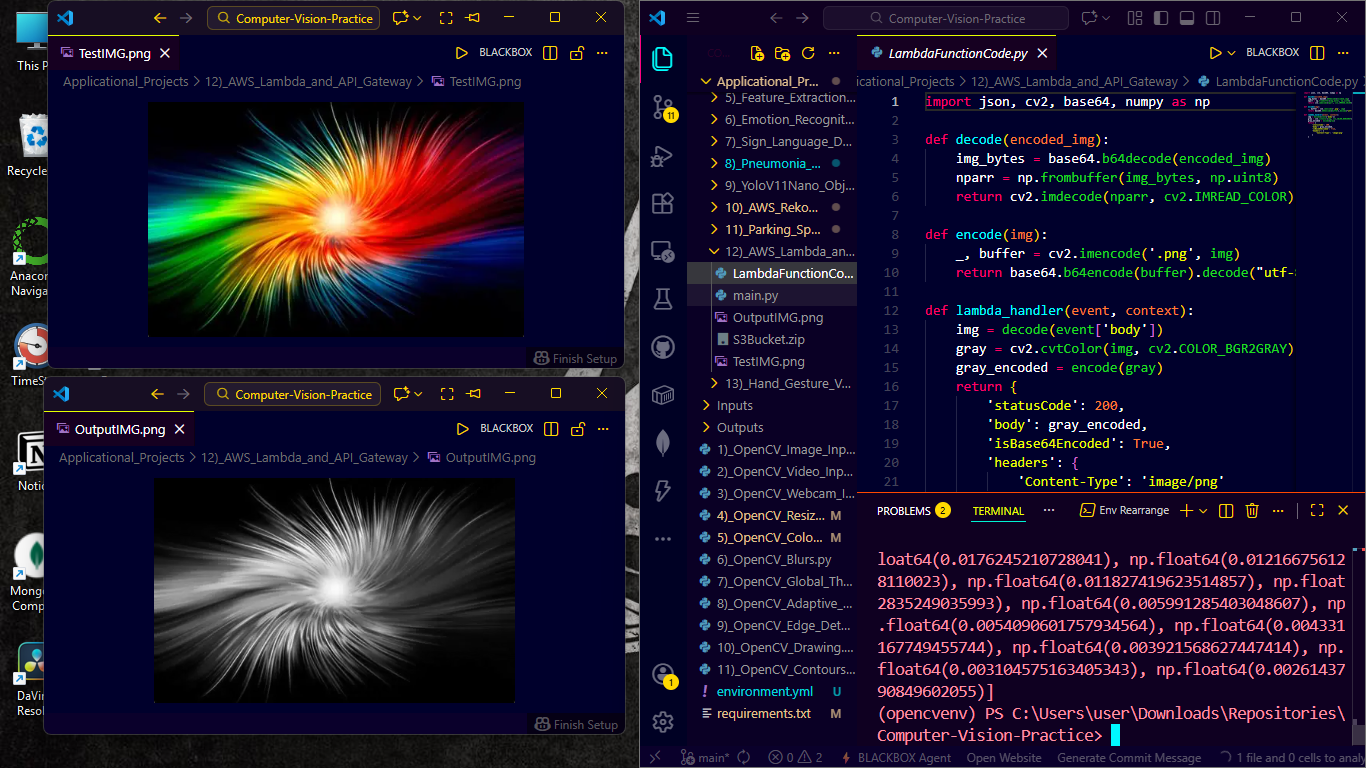
AWS Lambda + API Gateway deployment for scalable computer vision.
Hand gesture recognition for system volume control using MediaPipe.
| Volume Up Gesture | Volume Down Gesture |
|---|---|
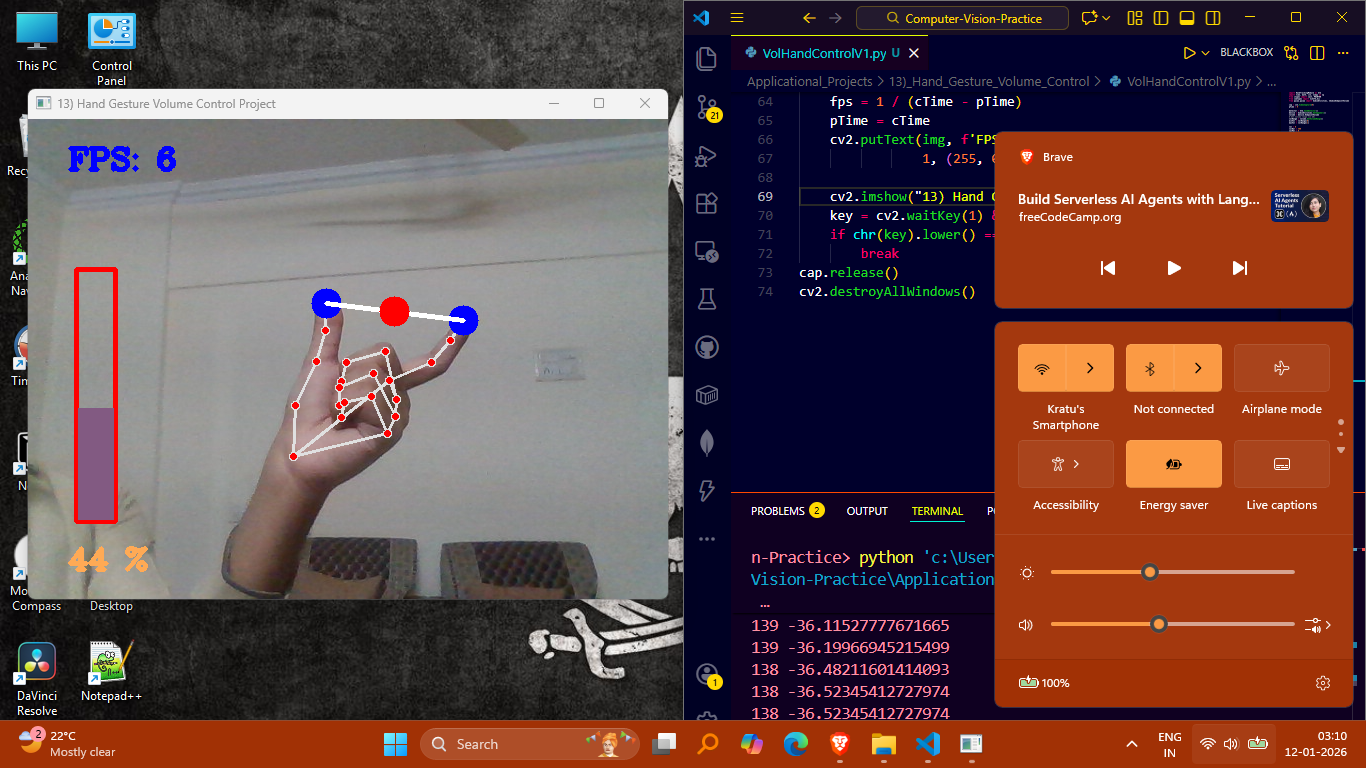 |
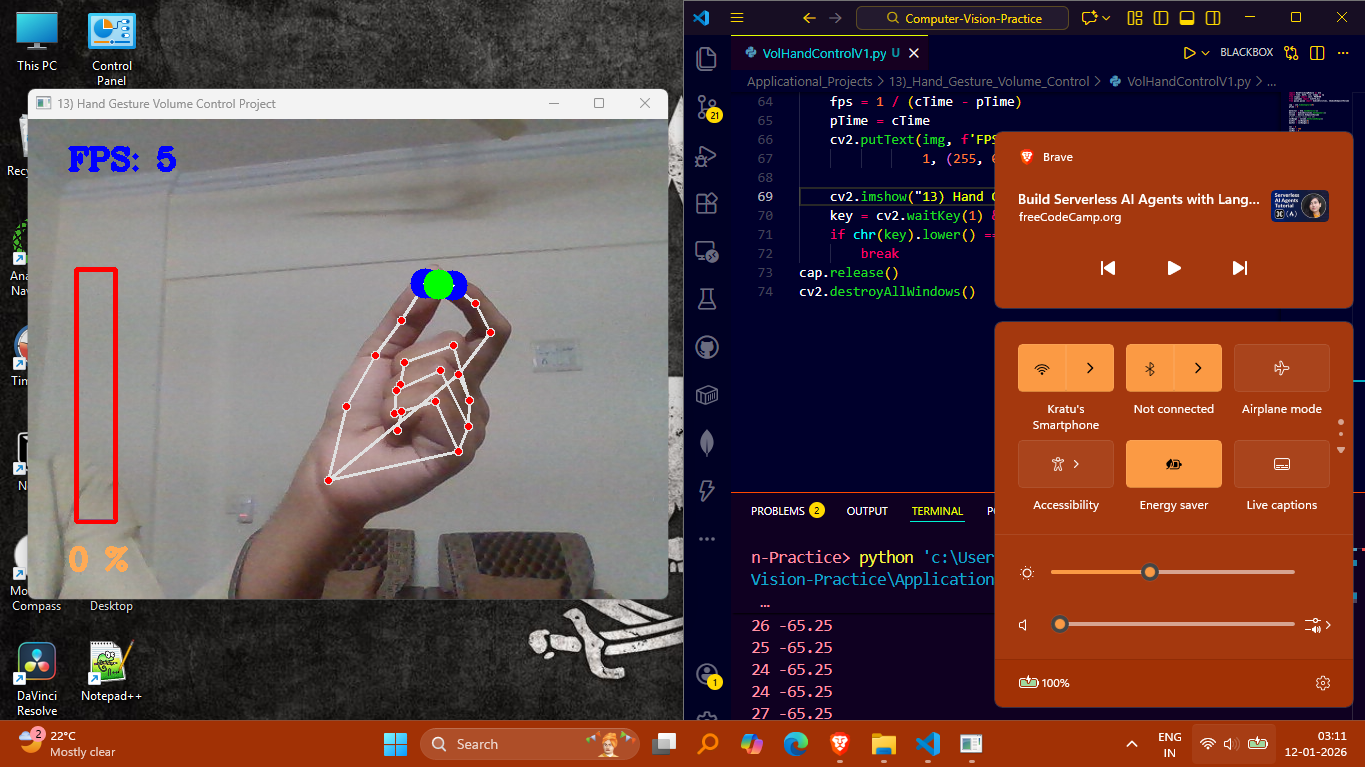 |






Complete Stack: OpenCV, TensorFlow, PyTorch, AWS (Lambda, S3, Rekognition, IAM, API Gateway), Tesseract OCR, Easy OCR, Skimage OCR, MediaPipe, Streamlit, Detectron2, Ultralytics YOLO v11, Pillow, NumPy, Pandas, Matplotlib, Seaborn, Scikit-Learn
# Create environment from YAML file
conda env create -f environment.yml

# Activate the environment
conda activate opencvenv

# Verify installation
python -c "import cv2; print(f'OpenCV Version: {cv2.__version__}')"# Create virtual environment
python -m venv venv
# Activate (Windows)
venv\Scripts\activate
# Activate (Linux/Mac)
source venv/bin/activate
# Install dependencies
pip install -r requirements.txtFROM python:3.9-slim
COPY requirements.txt .
RUN pip install -r requirements.txt
COPY . /app
WORKDIR /app
CMD ["python", "1)_OpenCV_Image_Inp_Outp.py"]# Run any tutorial
python "1)_OpenCV_Image_Inp_Outp.py"
python "9)_OpenCV_Edge_Detection.py"# Navigate to application directory
cd "Applicational_Projects/1)_Color_Detection_of_Objects"
# Run the application
python main.py # or specific script nameEach application is modular and can be easily customized:
# Example: Modify color detection ranges
LOWER_HSV = [20, 50, 50]  # Adjust for different colors
UPPER_HSV = [40, 255, 255]

# Example: Change model paths
MODEL_PATH = "custom_model.pth"
CONFIG_PATH = "custom_config.yaml"Each tutorial generates corresponding output files in the Outputs/ directory. The Demo_Images/ folder contains screenshots of expected results for all tutorials and applications.
The Official OpenCV Certification by OpenCV Company => http://courses.opencv.org/certificates/dd2b718cc65d4abe8080812a8ca6842e
Contributions are welcome! Please follow these steps:
- Fork the repository
- Create a feature branch (
git checkout -b feature/AmazingFeature) - Commit changes (
git commit -m 'Add AmazingFeature') - Push to branch (
git push origin feature/AmazingFeature) - Open a Pull Request
- OpenCV Community for the incredible computer vision library
- AWS for cloud infrastructure and AI services
- Ultralytics for YOLO implementations
- Google Research for MediaPipe and TensorFlow
This project is licensed under the MIT License - see the LICENSE file for details.
⭐ Star this repo if you find it helpful!
"The eye sees only what the mind is prepared to comprehend." - Henri Bergson