
Replies: 8 comments 2 replies

-
|
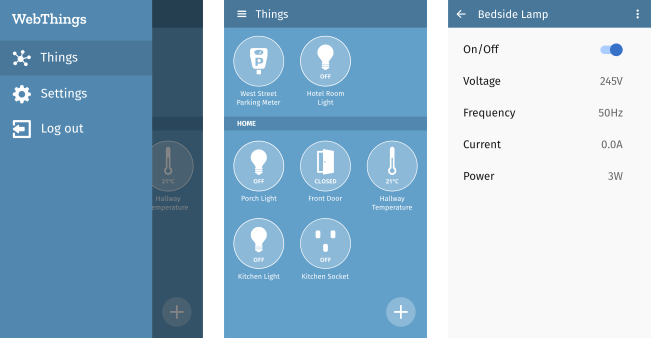
Hi, just sharing the UI mockups I already have:
There are also some older mockups from when I was at Mozilla here. Once we have decided on a feature set for the first (alpha) version I'll work on refining these and creating detailed mockups for each feature. |
Beta Was this translation helpful? Give feedback.

-
|
What kind of activity did you suggest, in my first version i used jetpack compose, and find out it look nice and adaptative. |
Beta Was this translation helpful? Give feedback.

-
|
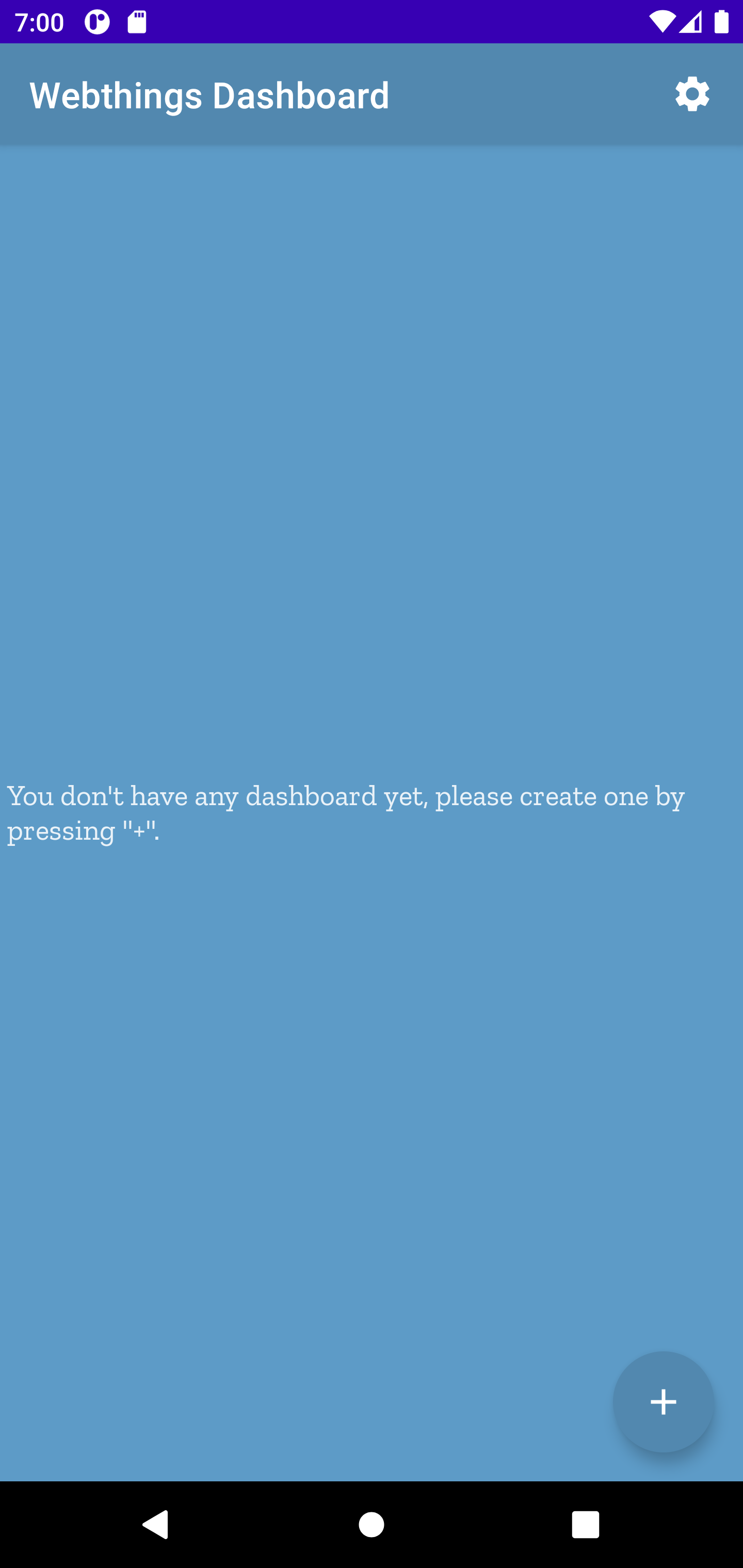
There is some screenshot of what i have done |

Beta Was this translation helpful? Give feedback.
-
|
I could start working on something based on your screenshot, and you could gave some work on making it better later? |
Beta Was this translation helpful? Give feedback.
-
|
Hi @arist0v, the user interface design is not just a one-off thing, it's going to evolve as we implement features. My suggestion is that I can attach UI mockups to each user story once we've decided which features to implement first and then implement one feature at a time based on those mockups. Feel free to file a issues about adding a splash screen and a main menu. Adding a gateway to the app is mostly covered by #13, but let me know if there's more you have in mind for a "config screen". |
Beta Was this translation helpful? Give feedback.
-
|
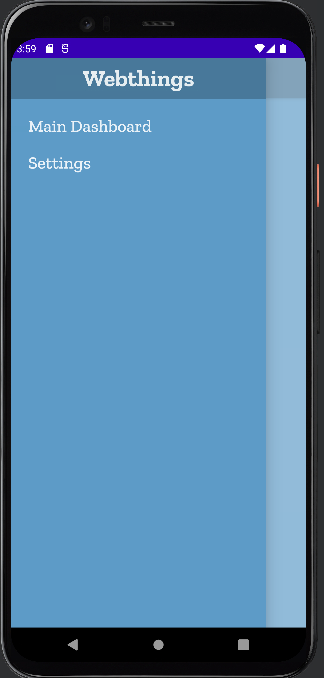
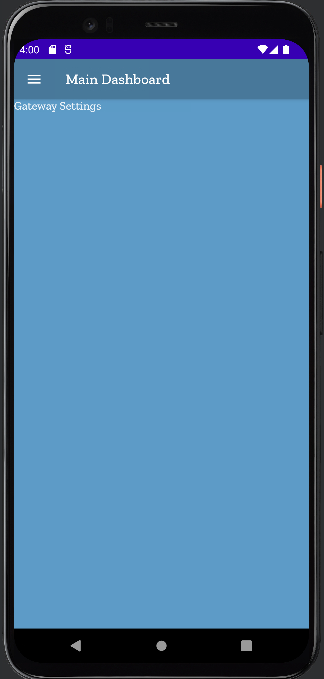
@benfrancis sorry if i hadn't explain myself properly, english is a second language, there is what i meant in, i'll hope, a more clear explaination: I suggest to start the conception with 3 basics screen/feature:
so i start creating a gui based on the currently existing mockup with that in mind. When i will be done, the app will:
The settings screen will provide the ability to :
|
Beta Was this translation helpful? Give feedback.
-
|
|
Beta Was this translation helpful? Give feedback.
-
|
Hi Martin,
The screenshots are looking good!
Please note that the "T" in WebThings should be capitalised and the
wordmark should use the semi-bold variant of Zilla Slab (if it's not
already). See the branding guidelines
<https://webthings.io/legal/trademark/#branding-guidelines>. Also, To be
consistent with the WebThings Gateway web interface the text in the app
should use the Open Sans typeface.
I can provide UI mockups with all of these details and SVG assets once we
decide on the order in which to implement features.
On Wed, 20 Apr 2022 at 13:52, arist0v ***@***.***> wrote:
@benfrancis <https://github.com/benfrancis> sorry if i hadn't explain
myself properly, english is a second language, there is what i meant in,
i'll hope, a more clear explaination:
I suggest to start the conception with 3 basics screen/feature:
- splash screen;
That's fine, I have filed
#47 for this and can
provide a mockup and SVG logo to use.
- a main dashboard with all the thing on the gateway;
I like the idea of starting with a single dashboard, see my comment in
#25 (comment)
- and config screen to enter the gateway config.
Please see the discussion in
#27 (comment)
regarding whether we should start with adding gateways or individual things.
so i start creating a gui based on the currently existing mockup with that
in mind. When i will be done, the app will:
- open on a splash screen(we will be able to do some basic checkup
before going to the main screen like can i reach the gateway or etc...)
- then will show the main dashboard with all available thing on the
gateway with a top app bar providing a menu
- the Drawer menu will show 2 options, quit, and Settings
Let's continue the discussion about which features to implement in what
order in #27 Android
apps don't usually have a quit button BTW.
The settings screen will provide the ability to :
- Enter a Friendly name for the gateway(since on the long shot we will
be able to add more than only 1 gateway)<
- the url of the gateway
- the username of the gateway
- the port of the gateway
- if we use ssl to connect to the gateway
As above, please see the discussion in
#27 (comment)
- so with those option we could start an basic app, and then from
there we will add screen and feature to be able to get a nice app on the
end. I'm not sure if this is how we usually design and start an app, if not
feel free to teach me the right path to follow.
That's fine. My only suggestion is to fully implement one feature at a time
with a fully functional UI, rather than try to implement all of these
features at once or add bits of UI that don't do anything yet. E.g. first
add a splash screen, then add the ability to add things, then add a main
menu once there are actually other screens to navigate to.
Ben
…--
Ben Francis
https://tola.me.uk
|
Beta Was this translation helpful? Give feedback.
-
|
I've started a slide deck where I'll put all the UI mockups https://docs.google.com/presentation/d/1qRuAxqvSS4c_nq26Lpa_51wsutIILY1Q-LANxblI5qo/edit?usp=sharing |
Beta Was this translation helpful? Give feedback.
-
I would fix those details
i totally agree with that, so let's forget the splash screen for now, and focus on main feature, the other empty screen will currently be needed but i focused on menu so i needed some screen.
i will give more detail in #27 but i think a lot about what you said and i think i have a greate idea about that! |
Beta Was this translation helpful? Give feedback.


Uh oh!
There was an error while loading. Please reload this page.
-
So to start working the right way i suggest we define the gui sceen we want and the order it will be shown for the app
this discussion will change in function of the feature we decide in the first alpha version [https://github.com//discussions/27](Alpha features)
So what i suggest based on the first dicussion:
-Splash screen for loading and checkup
-Dashboard Screen with menu that allow to move to other sections
-Config screen to config a single Gateway
once we got a gui working as we wish, i would work the back-end to make all the feature happen
Beta Was this translation helpful? Give feedback.
All reactions