The Nav menu bar is not consistent throughout the website
Context
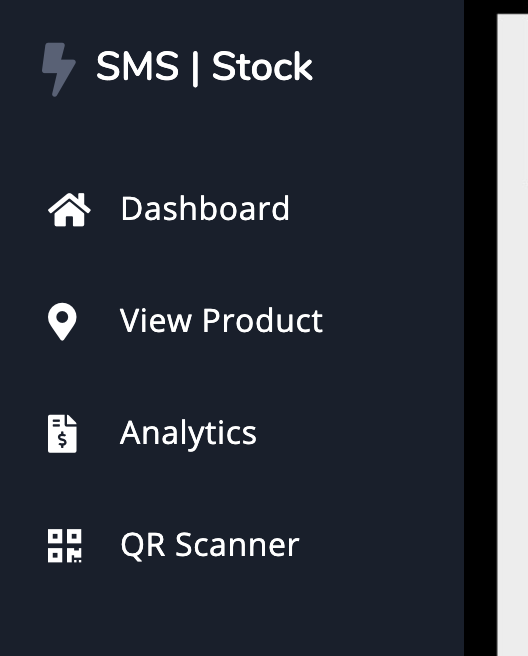
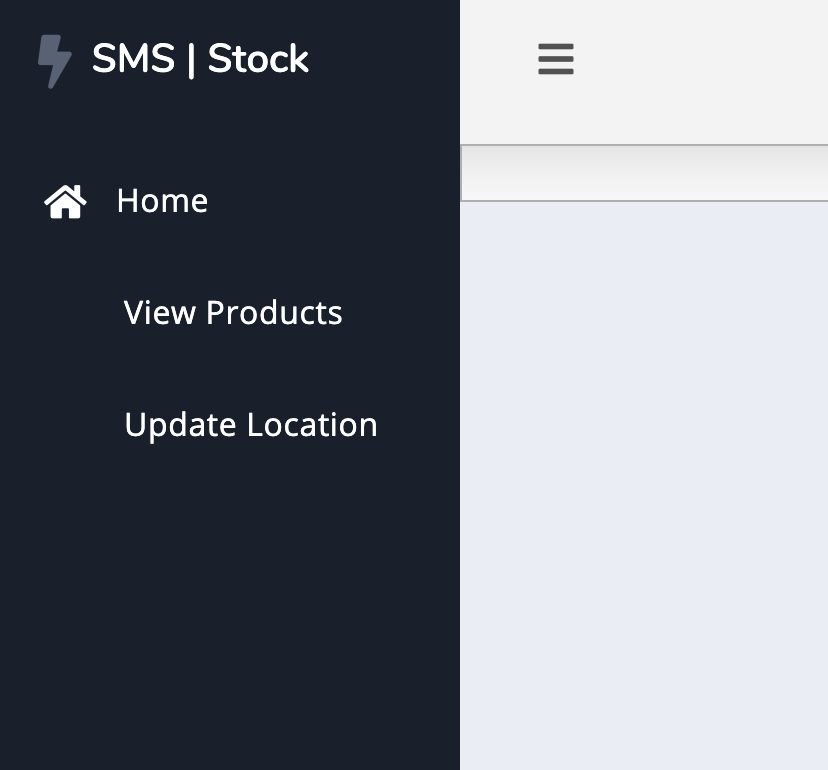
The nav menu bar is not consistent throughout the website, on some web pages, options are displayed with icons, on others the icons are missing. On some pages, there are more options within the navbar than other pages.
Process
- If the nav is not visible to the user, they should press the
burger menu icon

- The user should then be displayed with the navbar containing options
- Each option should have an icon
- Every page the user visits should have the same navbar
Expected result
Every page the user visits within the website should have the same navbar and each option within the navbar should have an icon
Current result
Different navbars are displayed to the user depending on what page they visit. Sometimes they may be displayed options with icons, and sometimes they may be displayed options without icons
Possible Fix
- Ensure that the nav is built from
nav.py. This will ensure that the nav is the same within every webpage
- When creating a webpage, ensure that the nav is the same as all the other pages

The Nav menu bar is not consistent throughout the website
Context
The nav menu bar is not consistent throughout the website, on some web pages, options are displayed with icons, on others the icons are missing. On some pages, there are more options within the navbar than other pages.
Process
burger menuiconExpected result
Every page the user visits within the website should have the same navbar and each option within the navbar should have an icon
Current result
Different navbars are displayed to the user depending on what page they visit. Sometimes they may be displayed options with icons, and sometimes they may be displayed options without icons
Possible Fix
nav.py. This will ensure that the nav is the same within every webpage