Error while labeling cones on a 1080p monitor using 1600x1200 images #1

Description

I encountered an error while labeling images.
- I set the correct image sizes in main.py (1600, 1200 in that case)
- I opened the MM-label-tool to full screen (1080p)
- The images appear to be cropped on the bottom and the right side
- Setting the bounding boxes to fit the cones in the image
- Converting the MM-labels to darknet yolo format and finally confirming the positions using FSOCO/scripts/draw_boxes_from_cwd.py shows that the coordinates of the bounding boxes are wrong
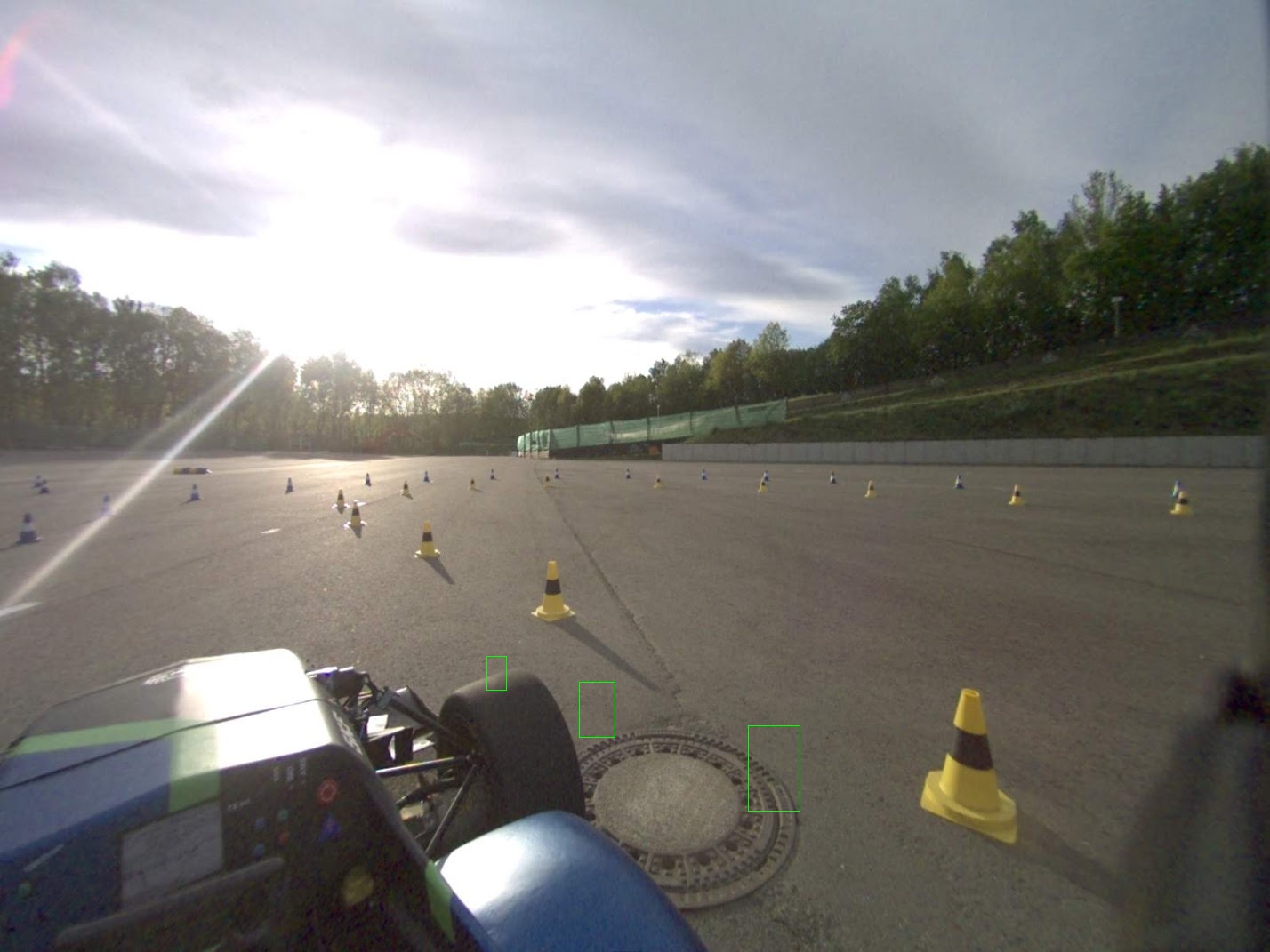
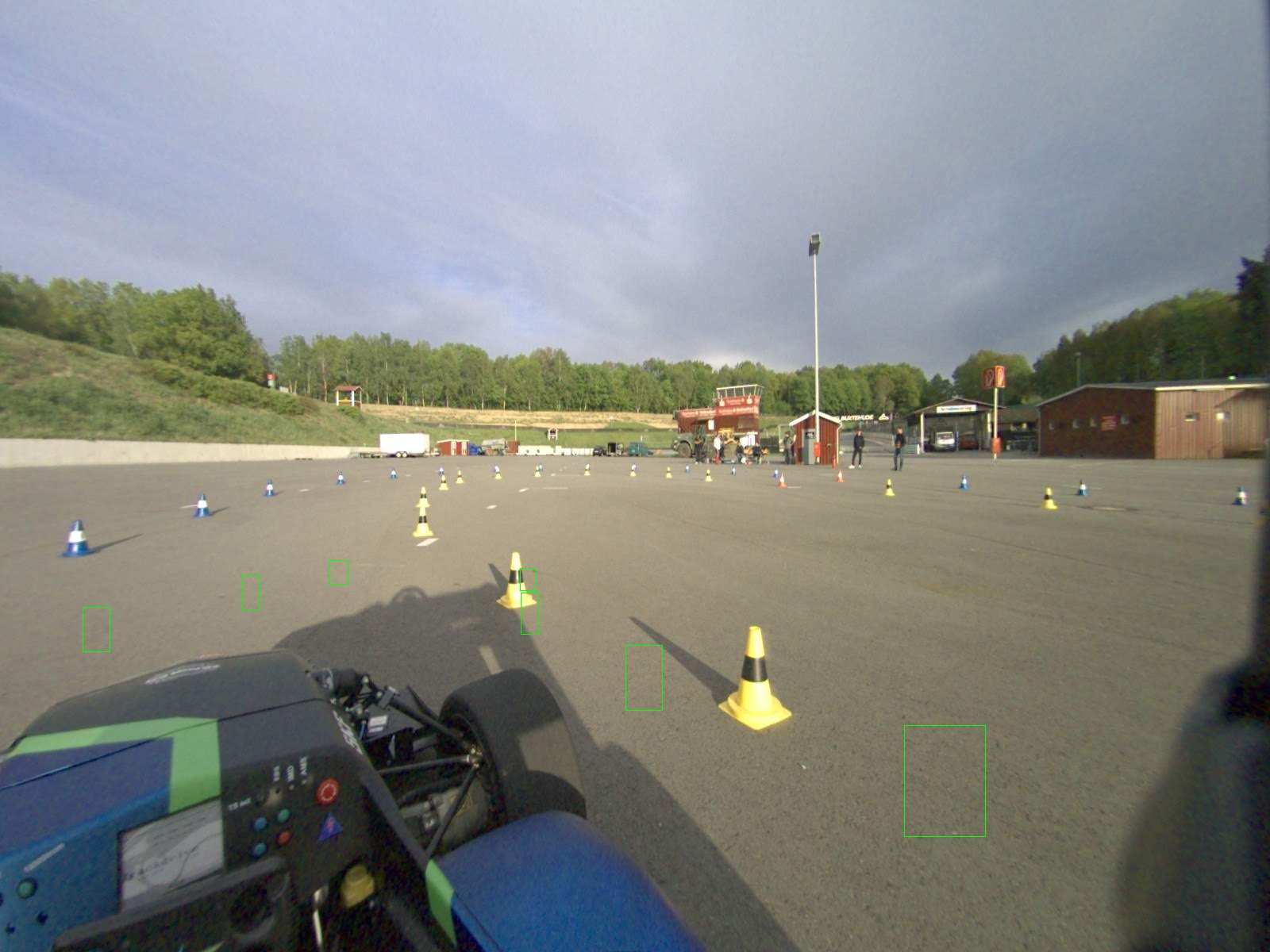
What I did to fix this for me:
- I have a second monitor with a higher resolution
- I opened the MM-label-tool there with the same parameters and redid the labeling/bounding boxes
- Afterwards I converted them to YOLO format and confirmed the coordinate positions with the same script mentioned above
- In my opinion the error lies with the resolution of the image and the way the image size is handled in the label-tool (maybe not rescaling to the max. resolution of the monitor rather the actual max. resolution of the image?)