Update workgroup changes in Groupings Tool #9


Description

Description
Student groupings should update as soon as modifications are made to workgroups (currently browser refresh is required to update workgroup mappings).
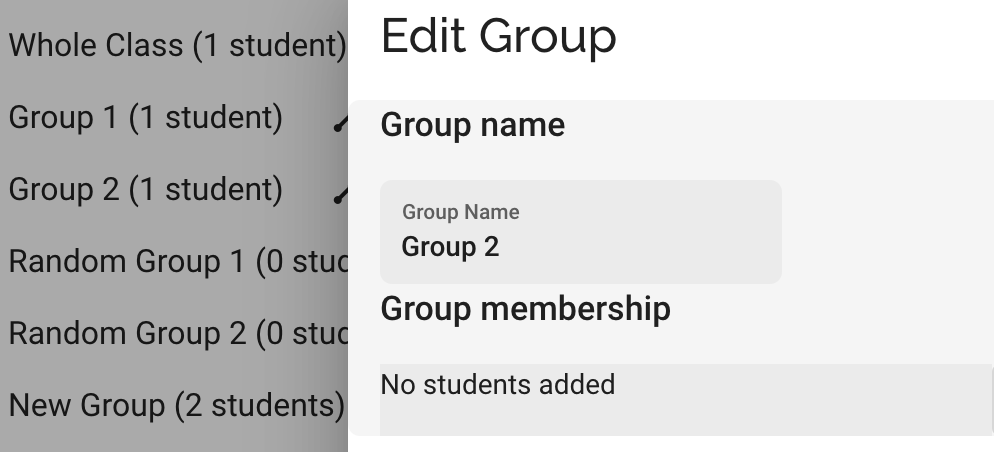
Also the student counter can be thrown off when students are removed from groups by assigning them a different workgroup ID (see picture of an empty workgroup that says that one student is still a member).
Steps to Reproduce
- Open Teacher Tools for a project that has at least 2 students (in their own workgroups)
- In manage groups, assign each student to a different group
- In manage students, move one student into the other students' workgroup and click Save Changes
- Open manage groups and you will see that each student is still displayed in their own workgroup (as two individuals)
- Refresh the browser and now in manage groups the two will be combined into one entity
- However, open up each of the two groups you have previously assigned the students to, one will have both students in it (which is fine), the other will have no students in it but the Manage Groups list will still count that student as being a member (as shown in the image above, the Manage Groups list shows "Group 2 (1 student)" but that student is no longer a member)
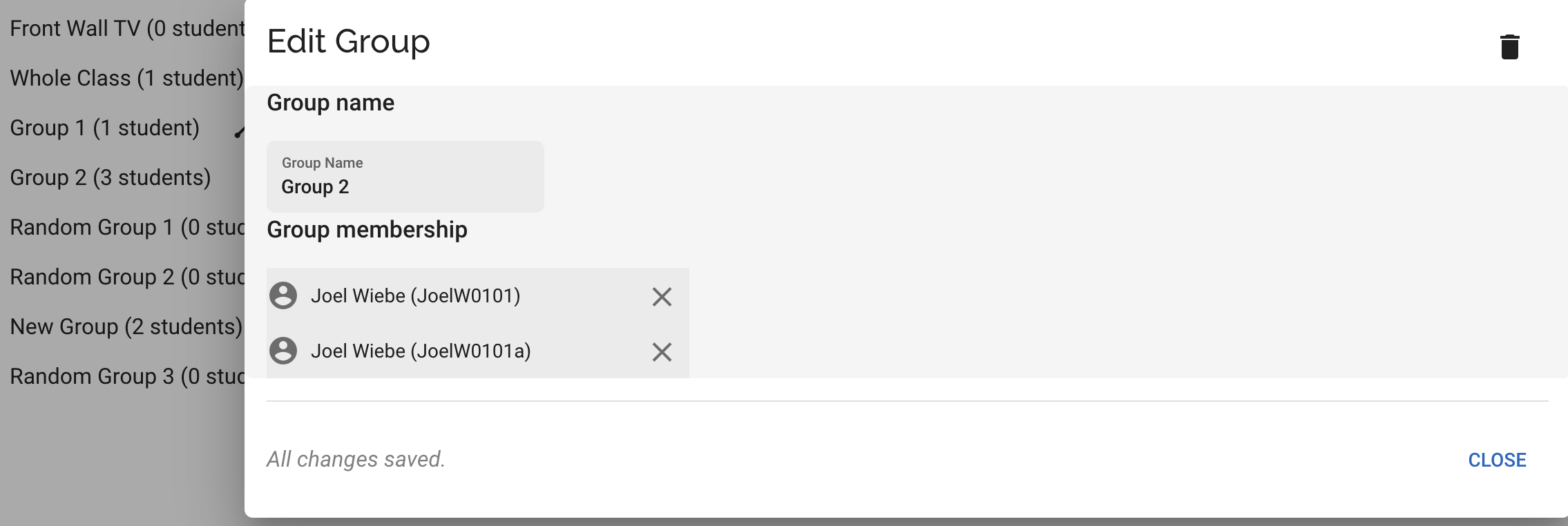
- Furthermore, if all students are added to the group that had the student removed, the student count will be one larger than the class size (i.e., Group 2 displays having 3 students when there are only 2 in the project)
Metadata
Metadata
Assignees
Labels
Type
Projects
Status