Convert to iOSOpenDev Project
To convert an existing non-iOSOpenDev project to an iOSOpenDev project, there are three (3) areas of focus:
1. Build Settings
2. Project Navigator
3. Build Phases
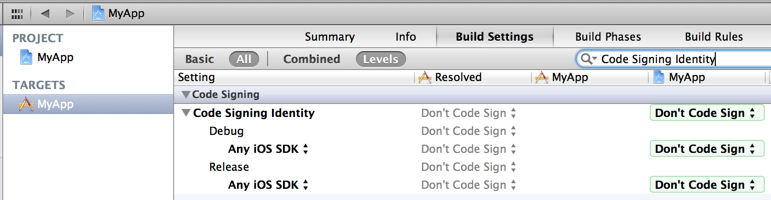
Project level build settings
- Code Signing Identity: Don’t Sign Code
- iOSOpenDevPath: /opt/iOSOpenDev
Target level build settings
- iOSOpenDevBuildPackageOnAnyBuild: NO
- iOSOpenDevCopyOnBuild: NO
- iOSOpenDevDevice:
- iOSOpenDevInstallOnAnyBuild: NO
- iOSOpenDevInstallOnProfiling: YES
- iOSOpenDevRespringOnInstall: YES
- iOSOpenDevUsePackageVersionPList: NO
What the Build Settings should look like in Xcode:
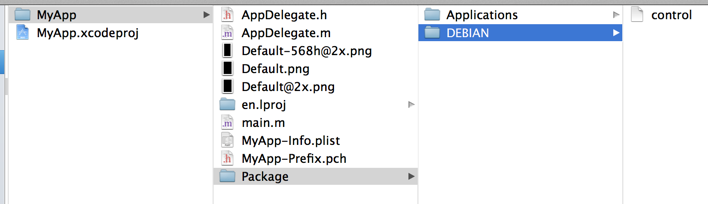
- Create a Package directory in the target’s directory.
- Create a DEBIAN directory in the Package directory.
- Create a control file in the DEBIAN directory.
- Create a Applications directory in the Package directory.
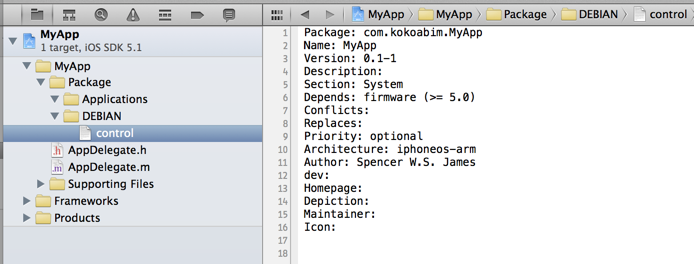
- Drag-and-drop the Package directory from Finder to under the target’s Project Navigator group in Xcode.
- Copy-and-paste the following text into the control file:
Package: com.yourcompany.MyApp
Name: MyApp
Version: 0.1-1
Description:
Section: System
Depends: firmware (>= 5.0)
Conflicts:
Replaces:
Priority: optional
Architecture: iphoneos-arm
Author: Your Name
dev:
Homepage:
Depiction:
Maintainer:
Icon:
What the filesystem should look like in Finder:
What the Project Navigator and content of the control file should look like in Xcode:
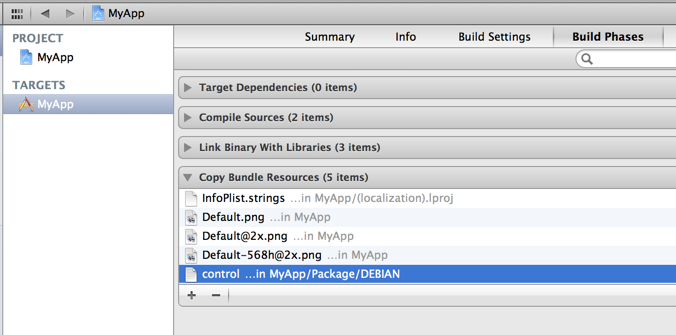
- Remove the control file from the target’s Copy Bundle Resources Build Phase list.
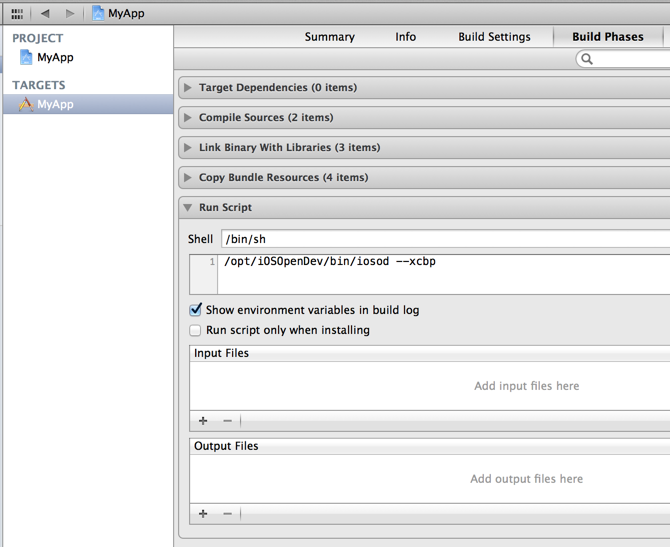
- Add a new Run Script Build Phase for the target that runs:
/opt/iOSOpenDev/bin/iosod --xcbp
What the Copy Bundle Resources Build Phase list should look like in Xcode while selecting the control file. Afterwards, click on the minus (-) symbol below:
What the Run Script Build Phase should look like in Xcode: