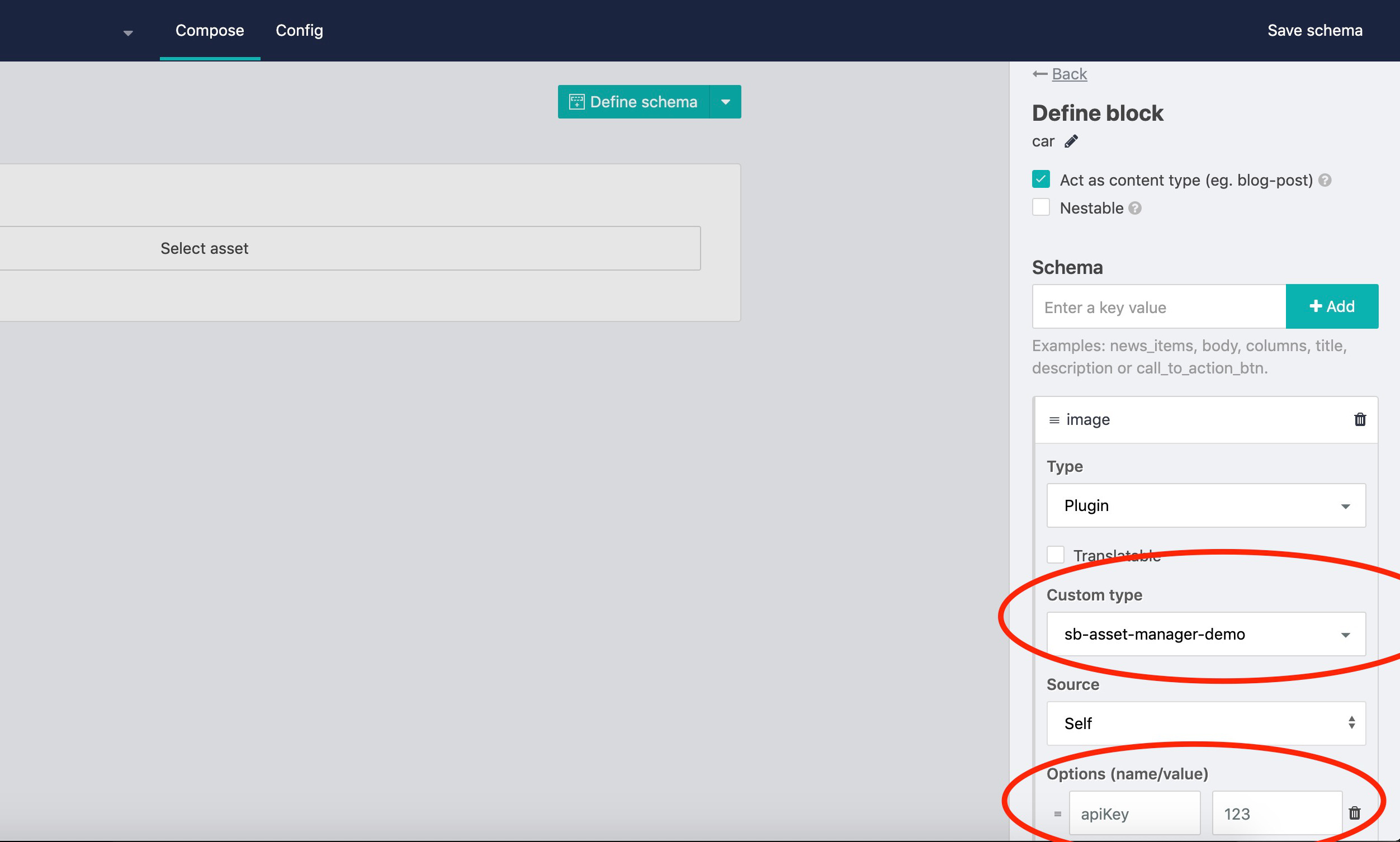
This field type is an example to see how you can integrate your own asset manager with a custom field type and iframe communication.
It assumes that your asset manager is accessable with an apiKey as url parameter.
To pass the selected asset to the content model of Storyblok you will need to setup iFrame communication.
Following an example of how to listen on messages from your asset manager (add this to the pluginCreated function):
addEventListener('message', (event) => { this.model.image = event.data }, false)
- Copy and paste the content of Fieldtype.js into the online plugin editor
- Exchange YOUR_ASSET_MANAGER_URL with the url of your asset manager
- Add the option
apiKeyto the field type
In the end you should have your plugin available in the schema definition of a field: