Introduction
This issue describes a concept for a smartphone app to configure Livebulb.
Context
What is Livebulb?
Summary
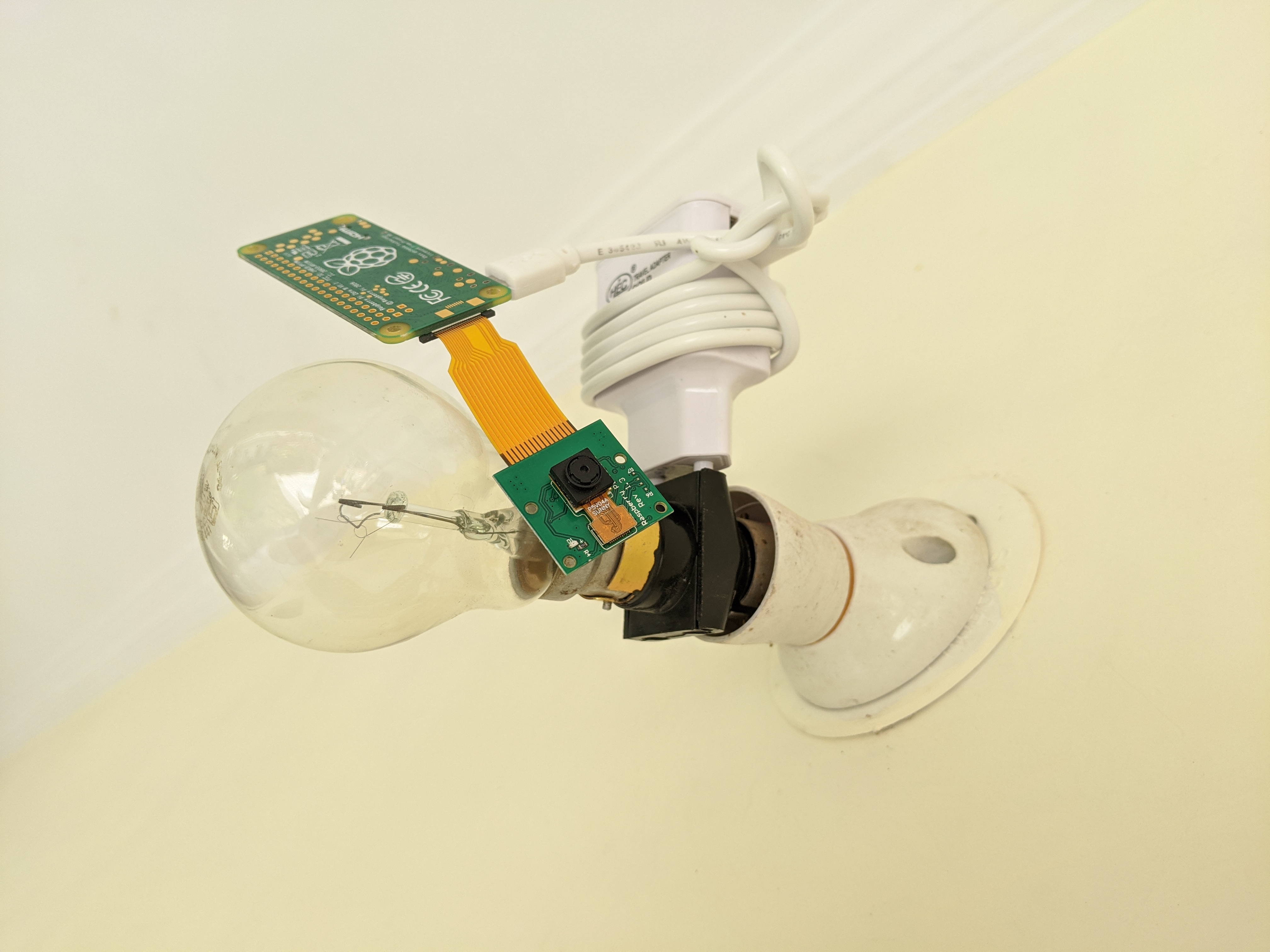
Video DAC is developing Livebulb: a device to plug in to a standard lightbulb fitting (see below).
This issue defines an application to run on a smartphone, which the owner of a Livebulb can download in order to configure their Livebulb.
Services
The Livebulb will provide the following services to the user:
- Light - to provide light from the
Livebulb
- Camera - to capture video next to the
Livebulb
- Microphone - to capture audio around the
Livebulb
- Livestreaming Output - to livestream to an RTMP endpoint
Networking
The Livebulb has the following connectivity options:
- Wifi IP Networking
- Bluetooth
Currently, configuration of a Livebulb is done over ssh to the linux kernel of the Livebulb, by editing files in the OS (such as /etc/wpa_supplicant/wpa_supplicant.conf), and running bash commands.
Livebulb specifications
Version 0.1 of Livebulb runs Raspbian GNU/Linux 10 (buster), with camera (1080p 25fps), and microphone (48,000 kHz mono).
Example Configuration
Some example configuration options for the Livebulb are:
-
Providing the Wifi password, so that the Livebulb can connect to a Wifi network
-
Configuring the camera settings, such as
- frame size, e.g. 1920x1080, 256x144
- frames rate, e.g. 30fps, 60fps, 25fps
- lens settings, e.g. focus points, zoom, aperture, etc.
-
Configuring the microphone settings
- Sensitivity, e.g. 0-100%
- Sample-rate, e.g. 44kHz, 44.1kHz, 48kHz
-
Configuring streaming settings, such as
- RTMP endpoint which will receive streaming content
- Stream key for the RTMP endpoint
- Video bitrate, e.g. 10 megabits per second
- Audio bitrate, e.g. 320 kilobits per second
- Keyframe interval, e.g. 1 second, 2 seconds, 9 seconds.
-
Managing the Livebulb's Ethereum wallet, where it receives streaming payment.
- Creating wallet (e.g. burner wallet, seed words, password protected
json file, etc.)
- Importing wallet (e.g. from seed words,
json file, )
- Sending
Ether or ERC20 from the wallet to another Ethereum address
- Swapping tokens via a decentralised exchange.
- Eventually, maybe full wallet and browser functionality?
Brief
Summary
This issue defines the requirements for an MVP app for configuring a Livebulb.
To summarise, there is only one use case required for this app
As a user, I would like to configure the Wifi network that my Livebulb connects to.
Once the Livebulb has a connection to the internet, it will start streaming from the camera / microphone.
User Experience
As a user, and an owner of a Livebulb, I would like to be able to do the following:
- User buys
Livebulb
- User plugs
Livebulb in to a light socket
- User turns the
Livebulb on, using the light switch
Livebulb scans for available Wifi networks
- User downloads this app from app store
- User launches this app
- App connects to
Livebulb
Livebulb core computer is Raspberry Pi Zero with Wifi networking and Bluetooth- The details of how this connection will work must be proposed
- App shows the user the available Wifi networks
- User selects which network for
Livebulb to connect to
- If network is Open, the
Livebulb will connect to the network
- If the network is secured, App prompts User to provide WPA password
- App configures the
Livebulb to connect to the Wifi network (Need to add to /etc/wpa_supplicant/wpa_supplicant.conf)
Assumptions
The app should assume the following about a Livebulb:
- Powered on
- Pre-configured with Raspbian
- Will start streaming to hardcoded RTMP endpoint on startup
- Bluetooth enabled and discoverable with name
Livebulb
Operating System
The app should be available first on Android, for prototyping.
Apple later, if ever.
Other Information
These are standard lightbulb use cases which the Livebulb could be made for:
- Wall / Ceiling / Desktop lighting mounts - to give artists a way to easily stream video
- Vehicles' Lights (to turn your vehicle into a livestreaming device)
- Bicycle Headlight / Rearlight bulb mount
- Car / Motorbike / Bus Headlight bulb mount
- Aeroplane headlights bulb mount (@bneiluj, this one is for you!)
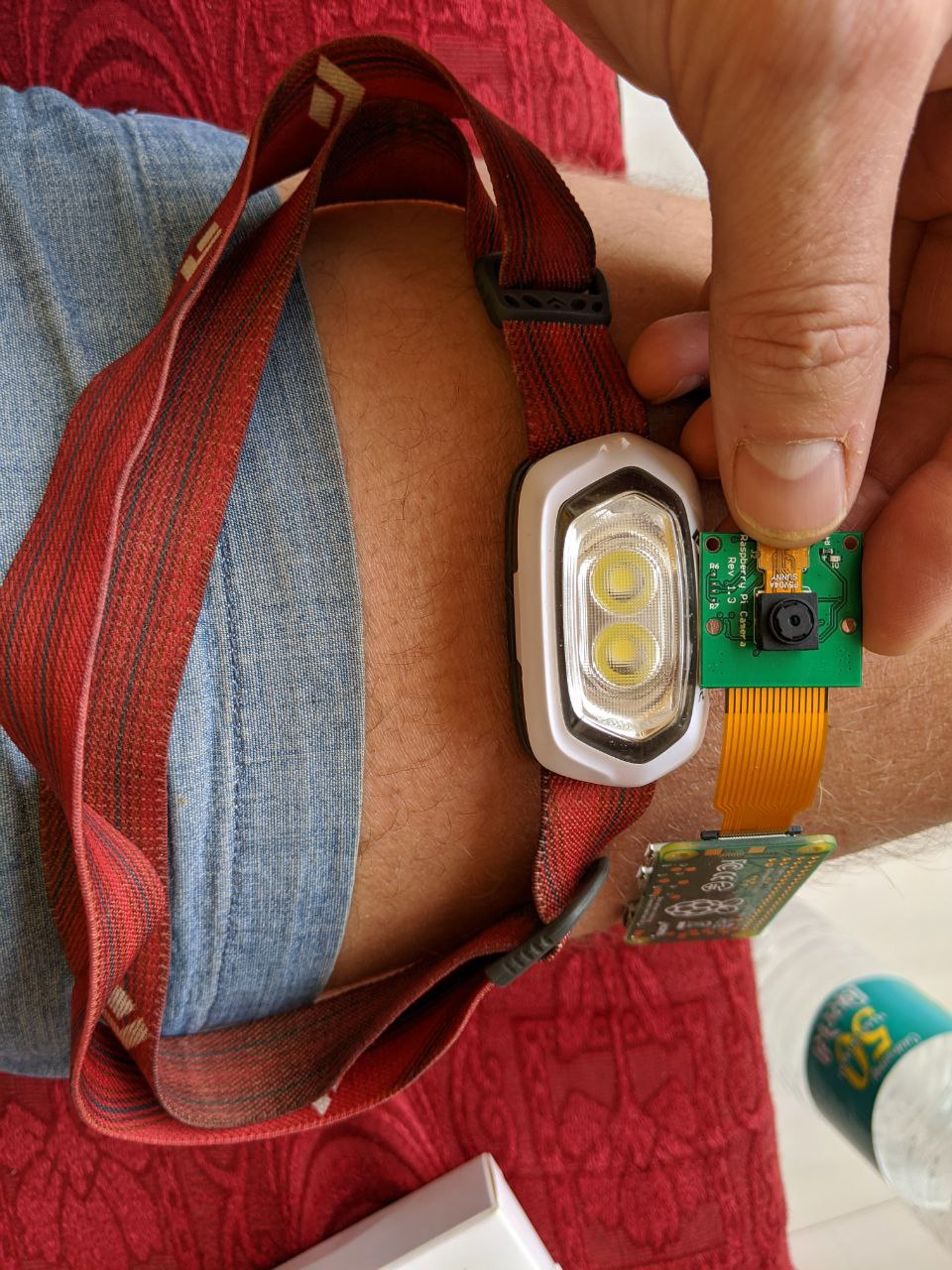
- Headtorches (to livestream your view of the world)
- Stadium Lighting e.g. floodlights (to give unique view of what is being lit)
- Streelighting (to share with the world what's happening)
This is what the current prototype of Livebulb looks like assembled:
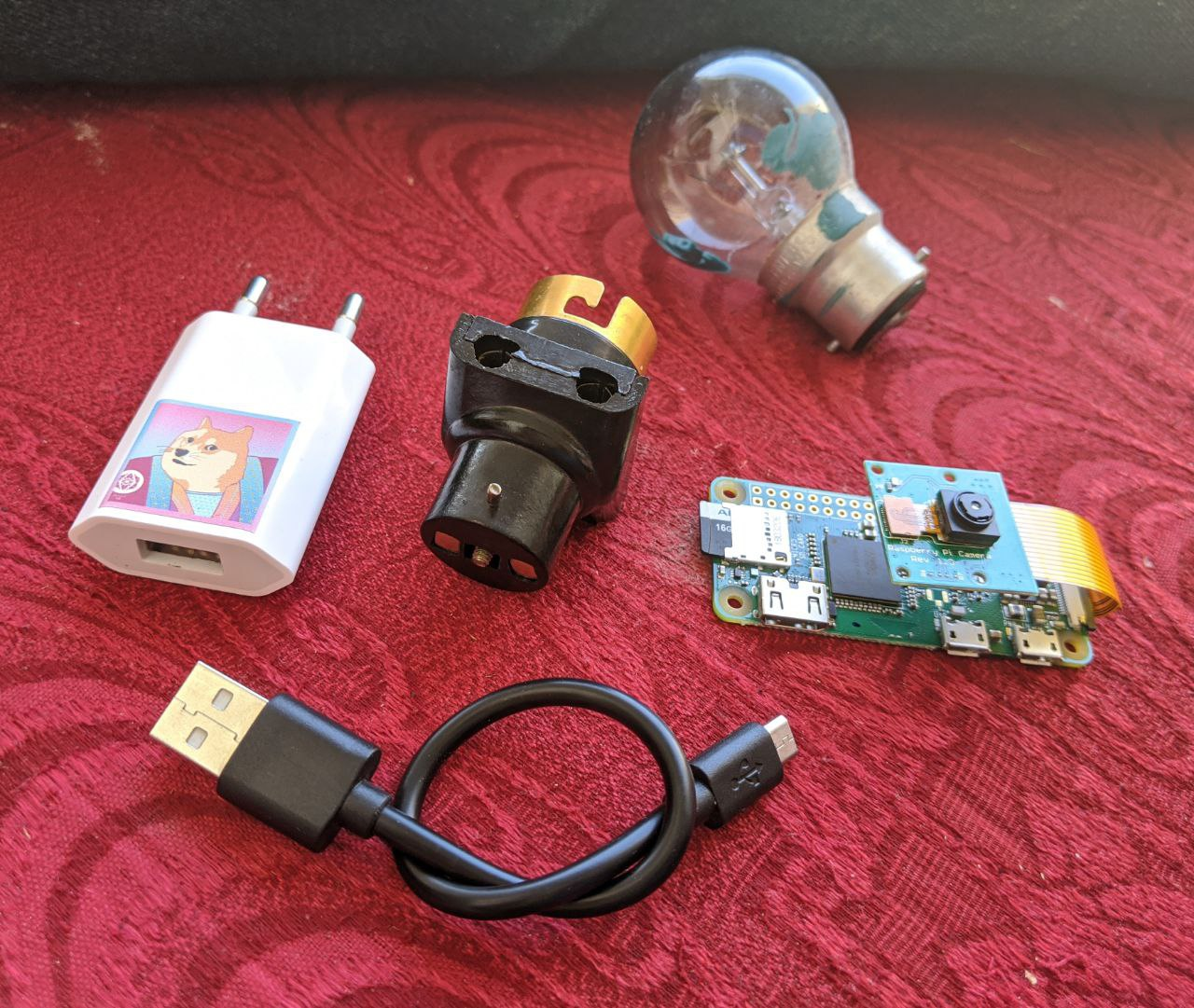
These are the individual components (without lightbulb)
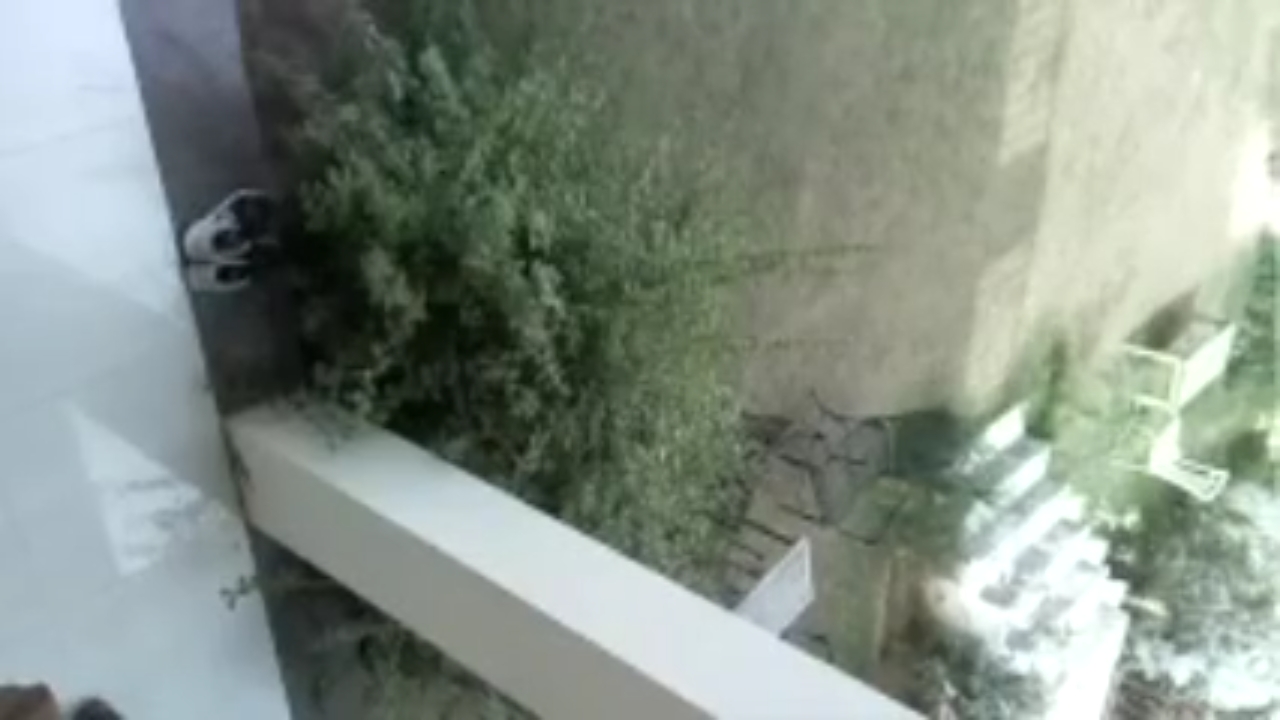
Here is a screenshot taken by an early viewer of livestreaming from a Livebulb:
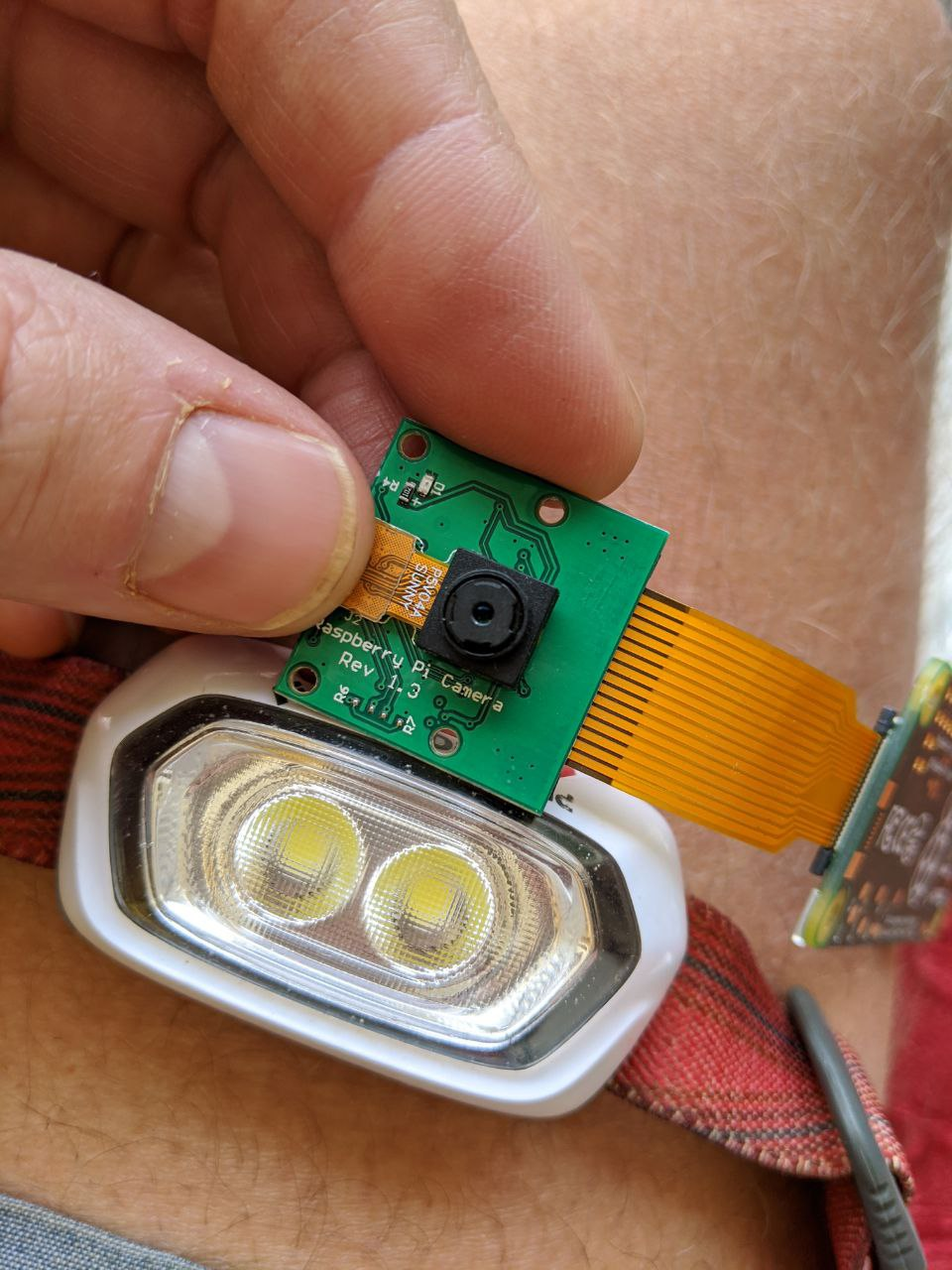
Here are photos of an early, and (currently) fresh concept for a Livebulb based on a headtorch:
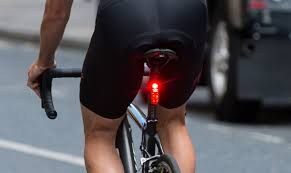
Here are some more images to inspire ideas about where a Livebulb might be installed:



Introduction
This issue describes a concept for a smartphone app to configure
Livebulb.Context
What is
Livebulb?Summary
Video DAC is developing
Livebulb: a device to plug in to a standard lightbulb fitting (see below).This issue defines an application to run on a smartphone, which the owner of a
Livebulbcan download in order to configure theirLivebulb.Services
The
Livebulbwill provide the following services to the user:LivebulbLivebulbLivebulbNetworking
The
Livebulbhas the following connectivity options:Currently, configuration of a
Livebulbis done oversshto the linux kernel of theLivebulb, by editing files in the OS (such as/etc/wpa_supplicant/wpa_supplicant.conf), and running bash commands.Livebulb specifications
Version 0.1 of
LivebulbrunsRaspbian GNU/Linux 10 (buster), with camera (1080p 25fps), and microphone (48,000 kHz mono).Example Configuration
Some example configuration options for the
Livebulbare:Providing the Wifi password, so that the
Livebulbcan connect to a Wifi networkConfiguring the camera settings, such as
Configuring the microphone settings
Configuring streaming settings, such as
Managing the
Livebulb's Ethereum wallet, where it receives streaming payment.jsonfile, etc.)jsonfile, )EtherorERC20from the wallet to another Ethereum addressBrief
Summary
This issue defines the requirements for an MVP app for configuring a
Livebulb.To summarise, there is only one use case required for this app
Once the
Livebulbhas a connection to the internet, it will start streaming from the camera / microphone.User Experience
As a user, and an owner of a
Livebulb, I would like to be able to do the following:LivebulbLivebulbin to a light socketLivebulbon, using the light switchLivebulbscans for available Wifi networksLivebulbLivebulbcore computer is Raspberry Pi Zero with Wifi networking and BluetoothLivebulbto connect toLivebulbwill connect to the networkLivebulbto connect to the Wifi network (Need to add to/etc/wpa_supplicant/wpa_supplicant.conf)Assumptions
The app should assume the following about a
Livebulb:LivebulbOperating System
The app should be available first on Android, for prototyping.
Apple later, if ever.
Other Information
These are standard lightbulb use cases which the
Livebulbcould be made for:This is what the current prototype of
Livebulblooks like assembled:These are the individual components (without lightbulb)
Here is a screenshot taken by an early viewer of livestreaming from a
Livebulb:Here are photos of an early, and (currently) fresh concept for a
Livebulbbased on a headtorch:Here are some more images to inspire ideas about where a
Livebulbmight be installed: