View a demo on my portfolio website: https://ericheikkinen.com
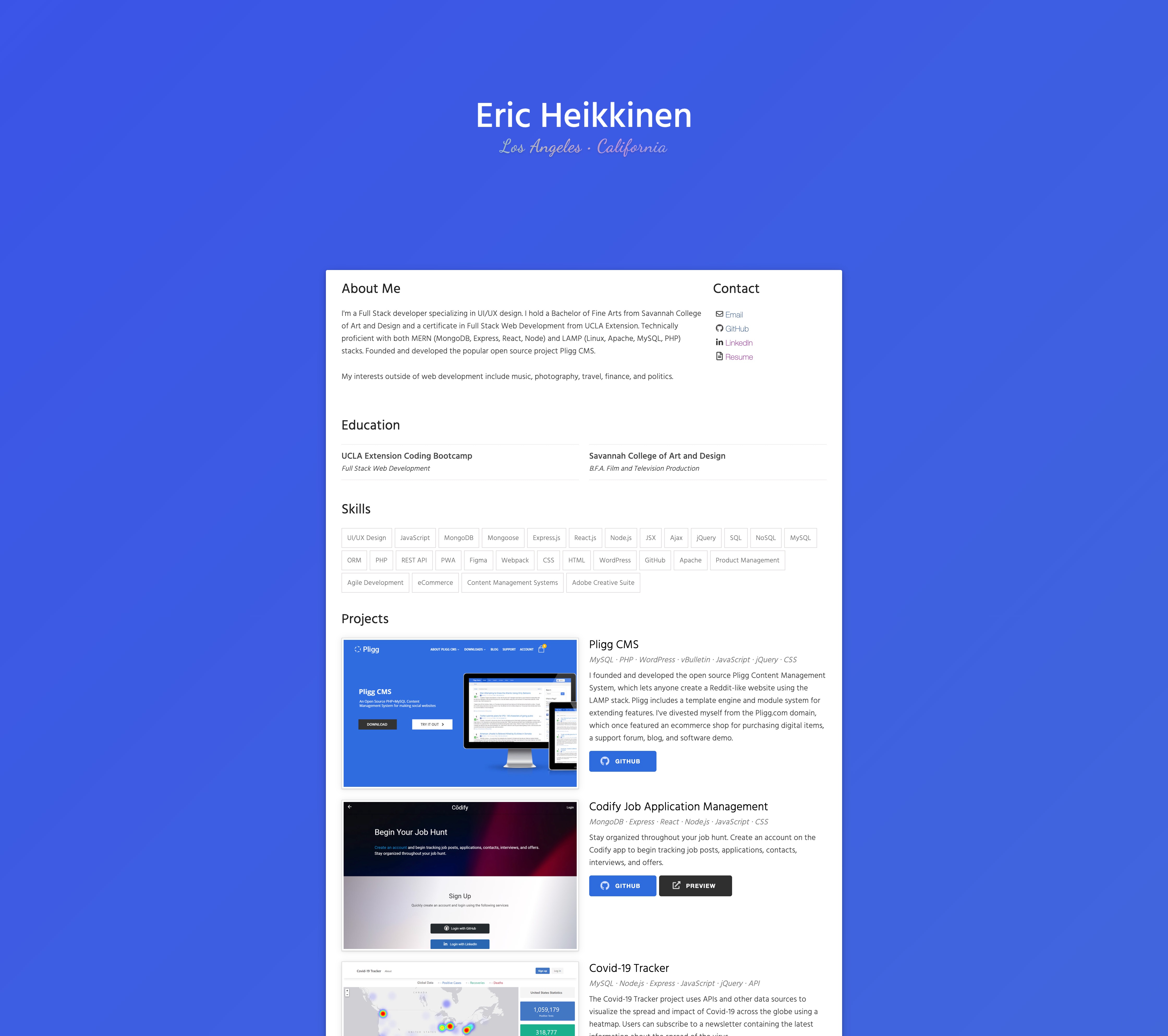
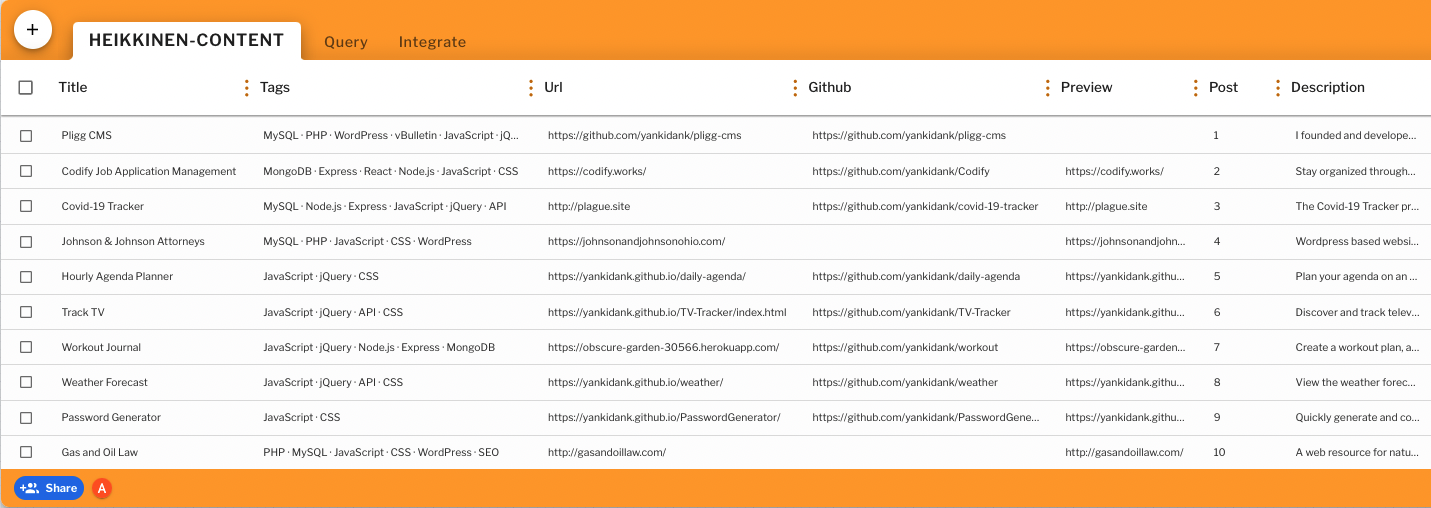
This project utilizes Easybase to store and serve portfolio project data. Review this tutorial for instructions on how to setup your own Easybase project. To connect with your own Easybase project, replace the 'ebconfig.js' file in the 'src' directory with your own projects configuration file.
Seed the Easybase content table using the file /src/HEIKKINEN-CONTENT.json
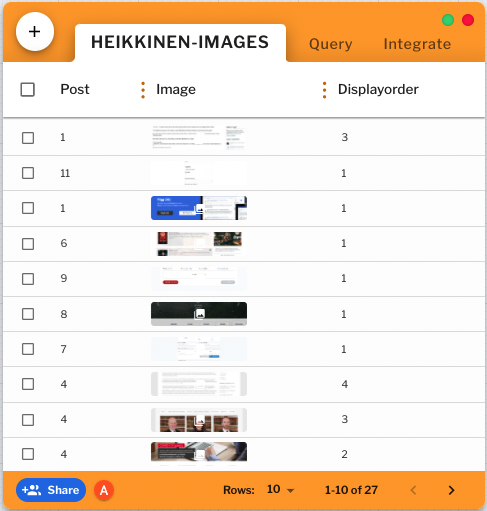
Images are stored in a second table with 3 columns: post, image, and displayorder. You will need to manually add this table and data, no seed is provided.
Run npm i to install required node_modules
Runs the app in the development mode.
Open http://localhost:3000 to view it in the browser.
Launches the test runner in the interactive watch mode.
See the section about running tests for more information.
Create build for deployment.
Builds the app for production to the build folder.
It correctly bundles React in production mode and optimizes the build for the best performance.
The build is minified and the filenames include the hashes.
Your app is ready to be deployed!
See the section about deployment for more information.
If your server doesn't have it yet, install PM2. Navigate to the root directory and run the following commands to keep the app running using PM2.
chmod +x server.sh
npm run deploy