The aim of this project is to create a complete Online Learning System. An Online Learning System is a web application through which individuals can attend pre-recorded courses online.
This project was created for the Canadian Chamber of Commerce for helping them to improve the Company Reachability to make more people attend their courses from home.
The project is currently full functionalv, tested and ready to be used by everyone.
The project contains Material Ui and Bootstrap styles and other standard css styles
homepage
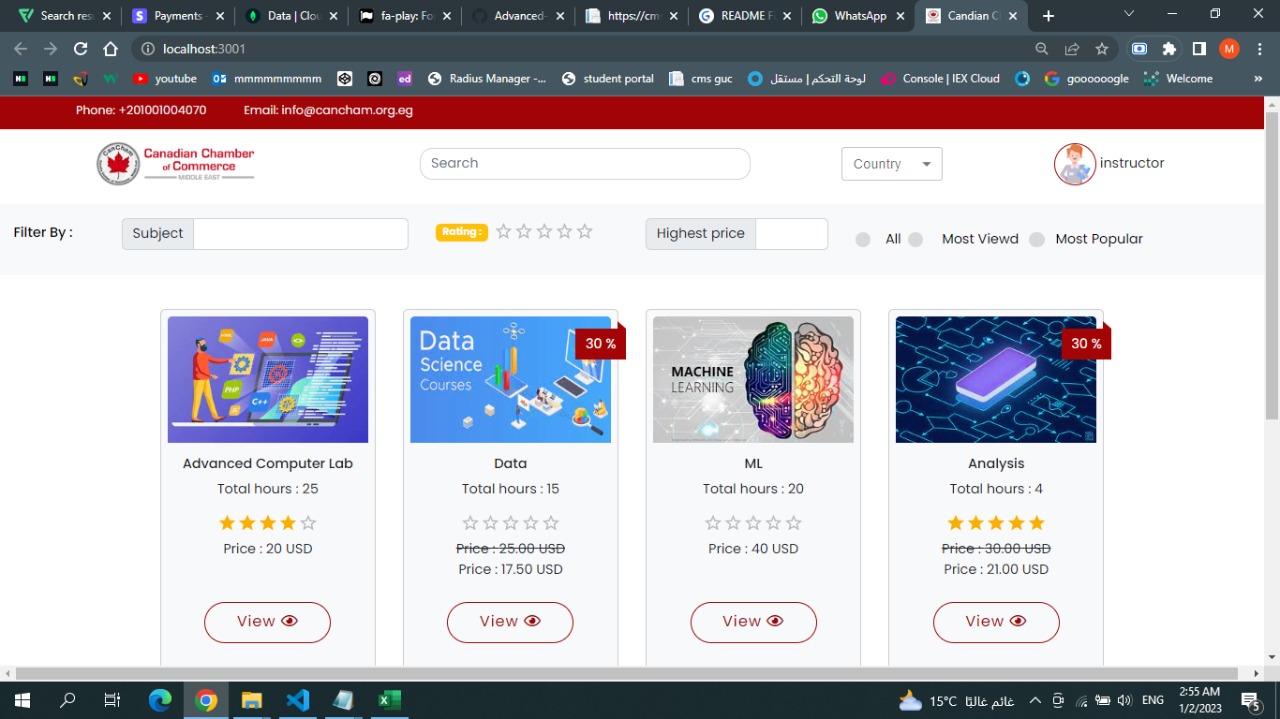 coursepage
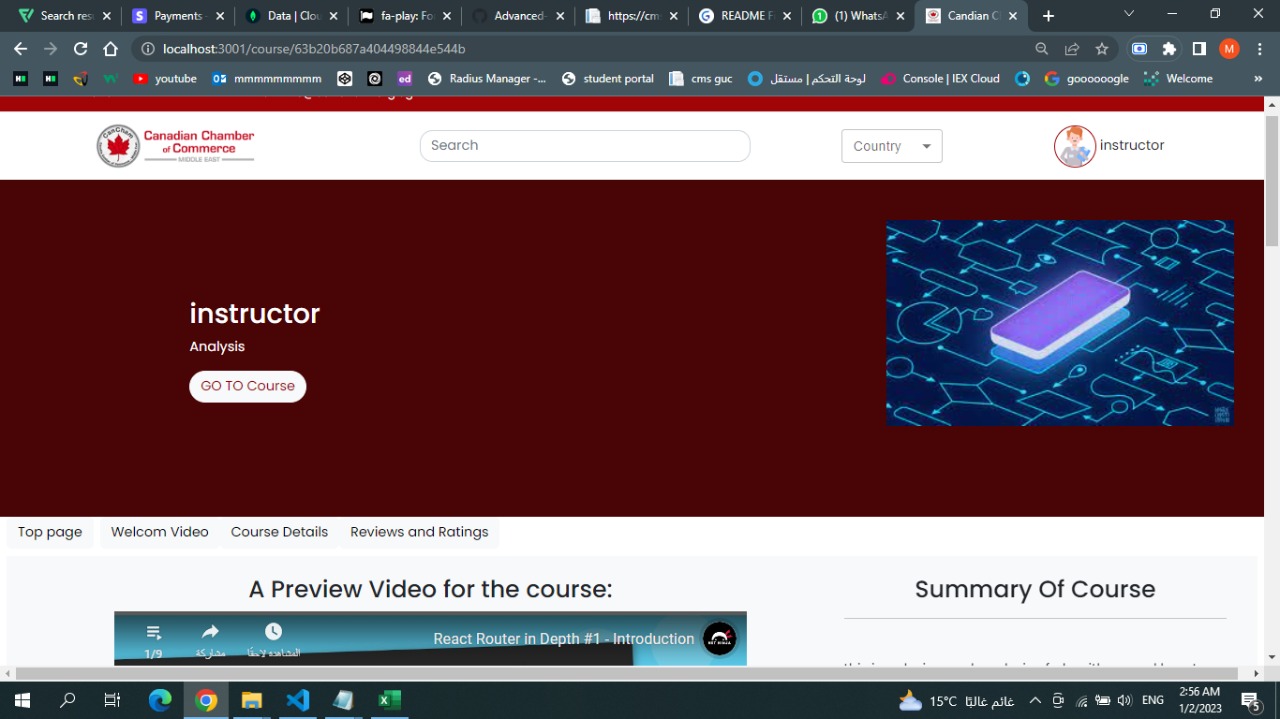 takecoursepage
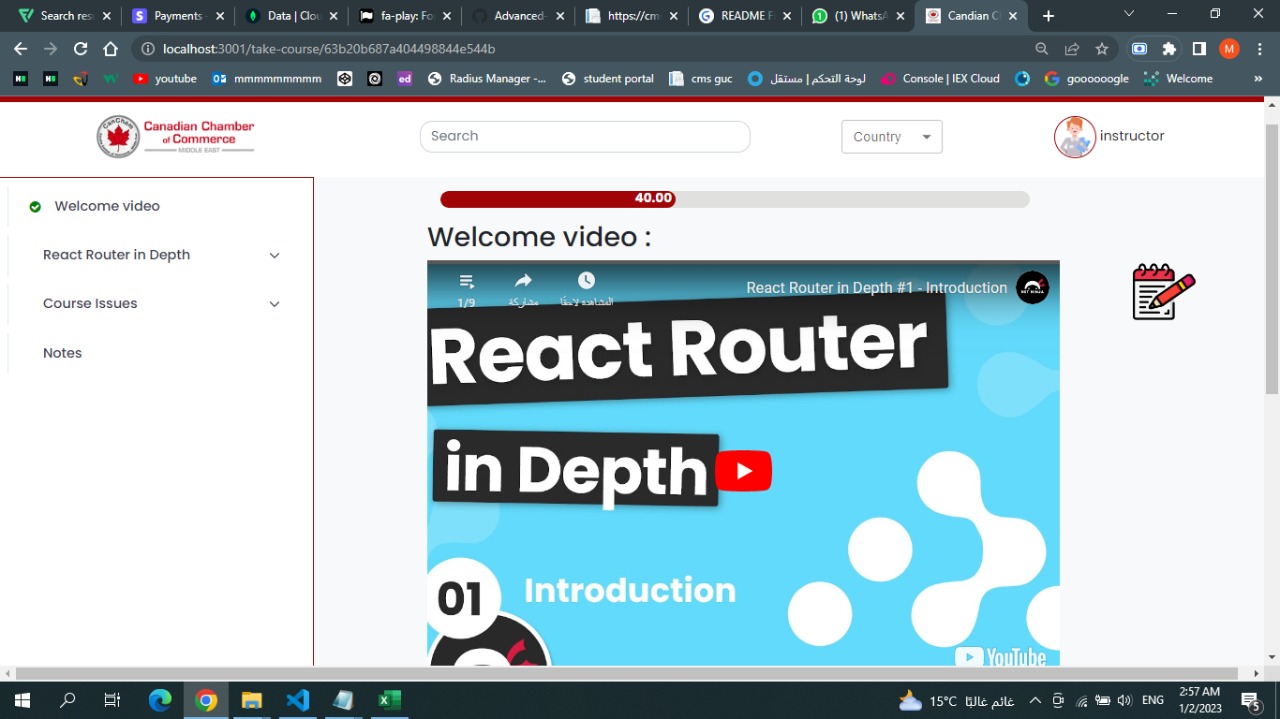 addpromotion
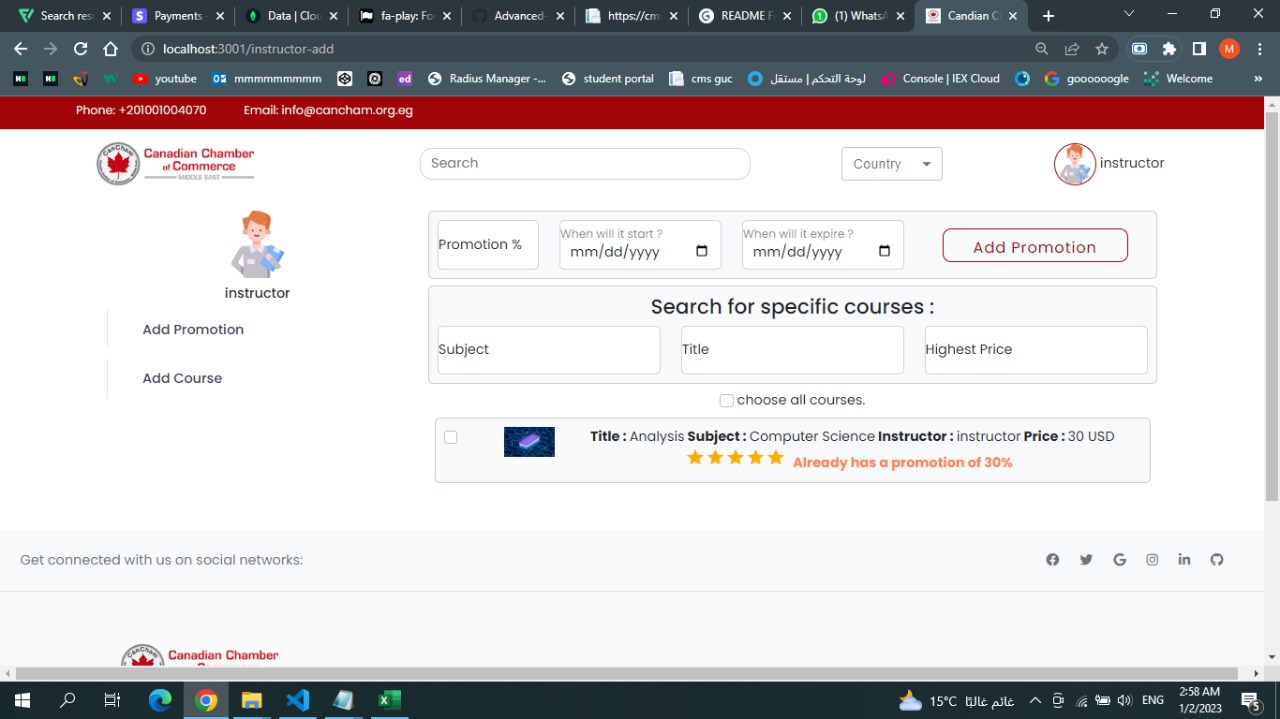 certificate
 adminrefund
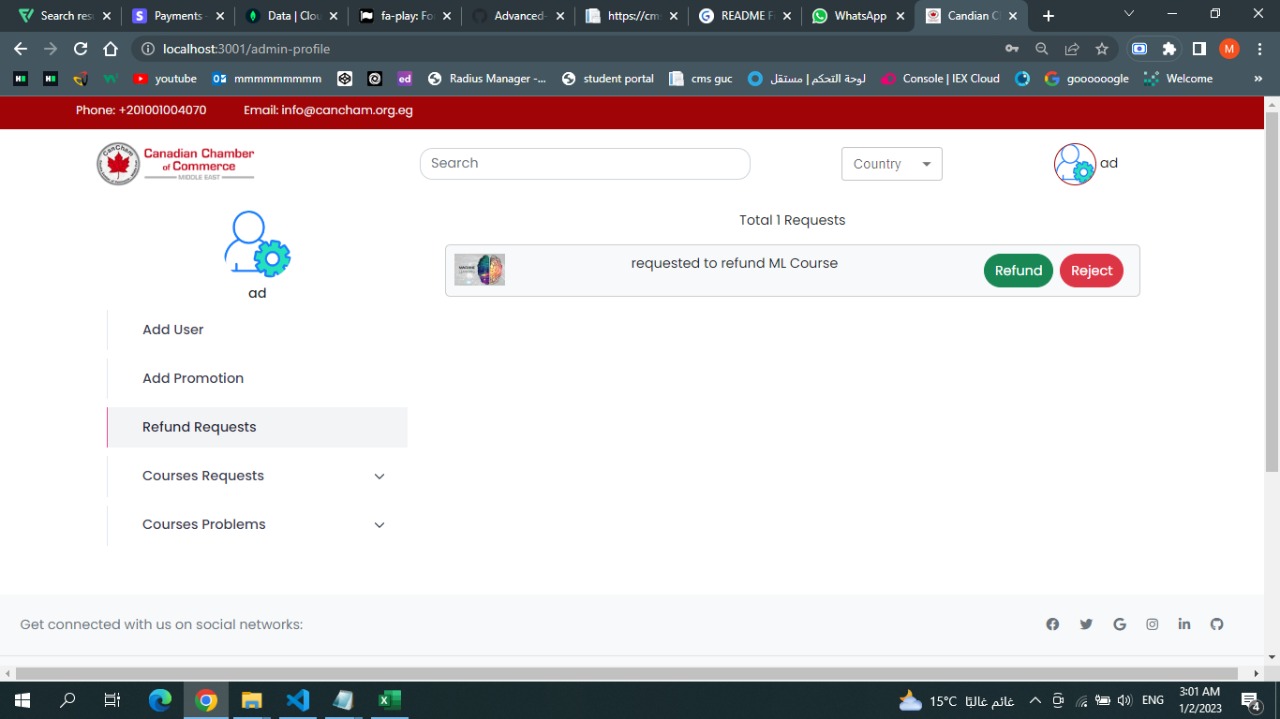 register
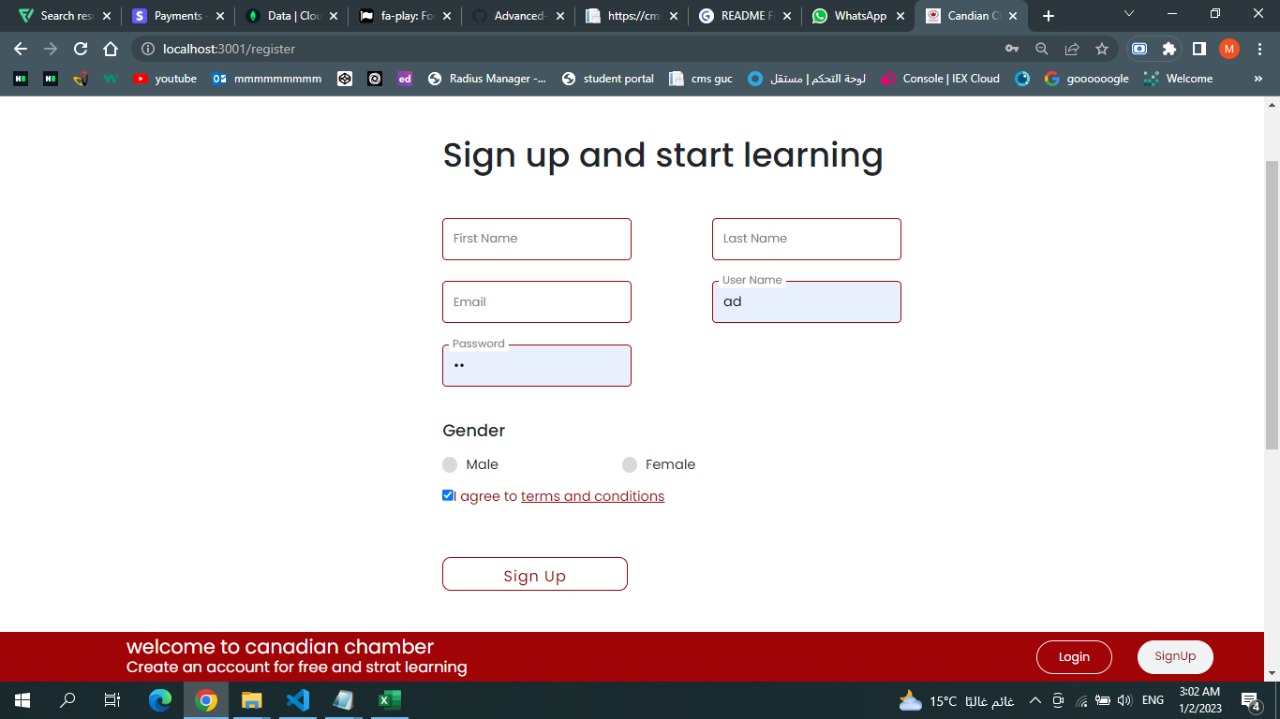 login
login
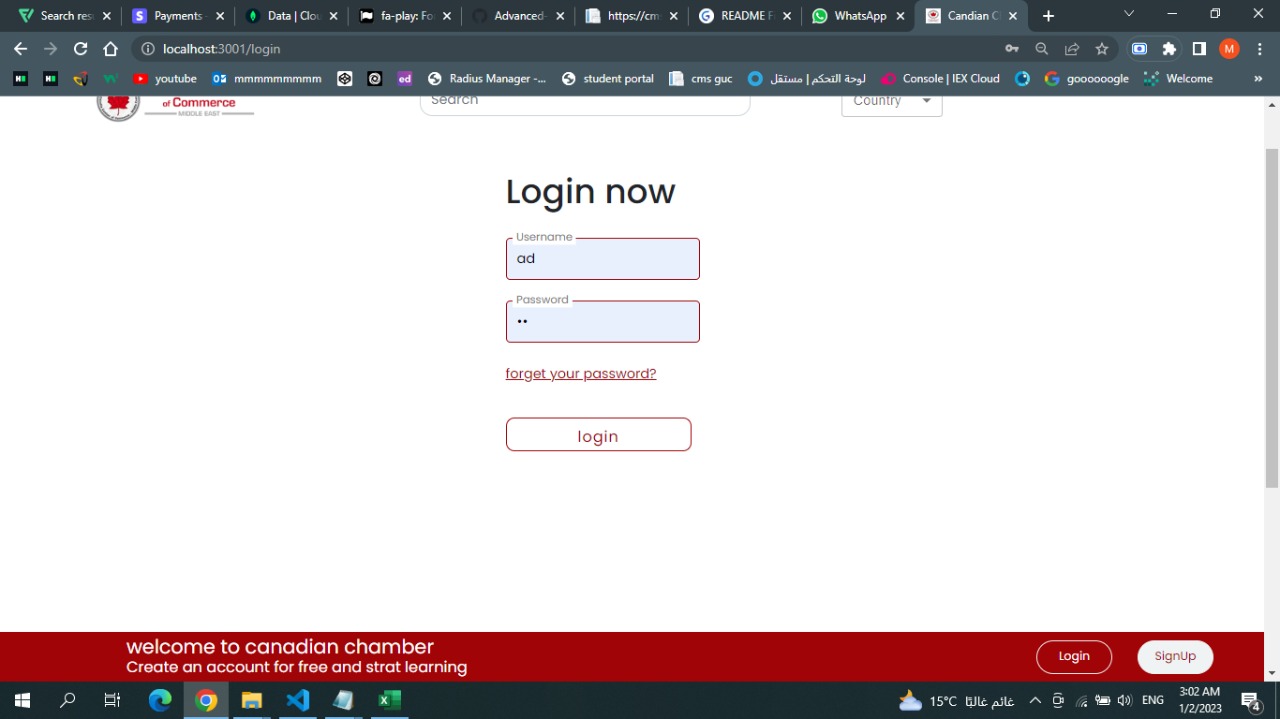 forgetpassword
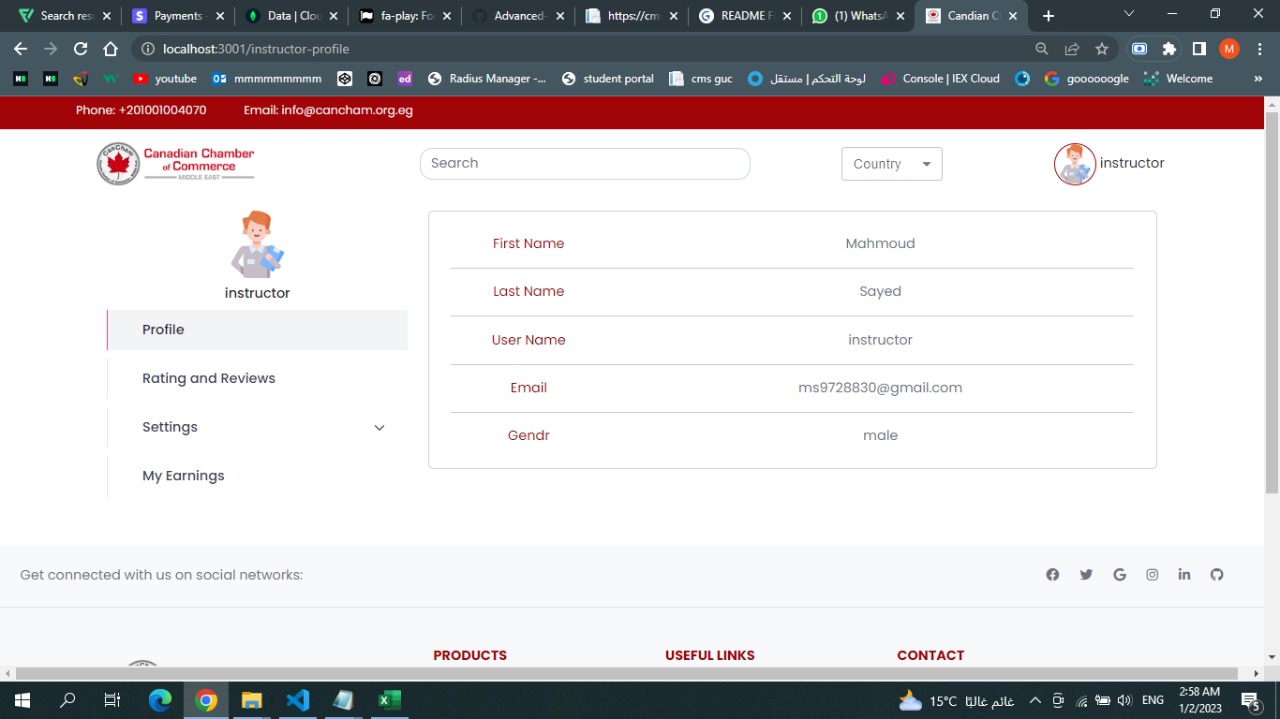
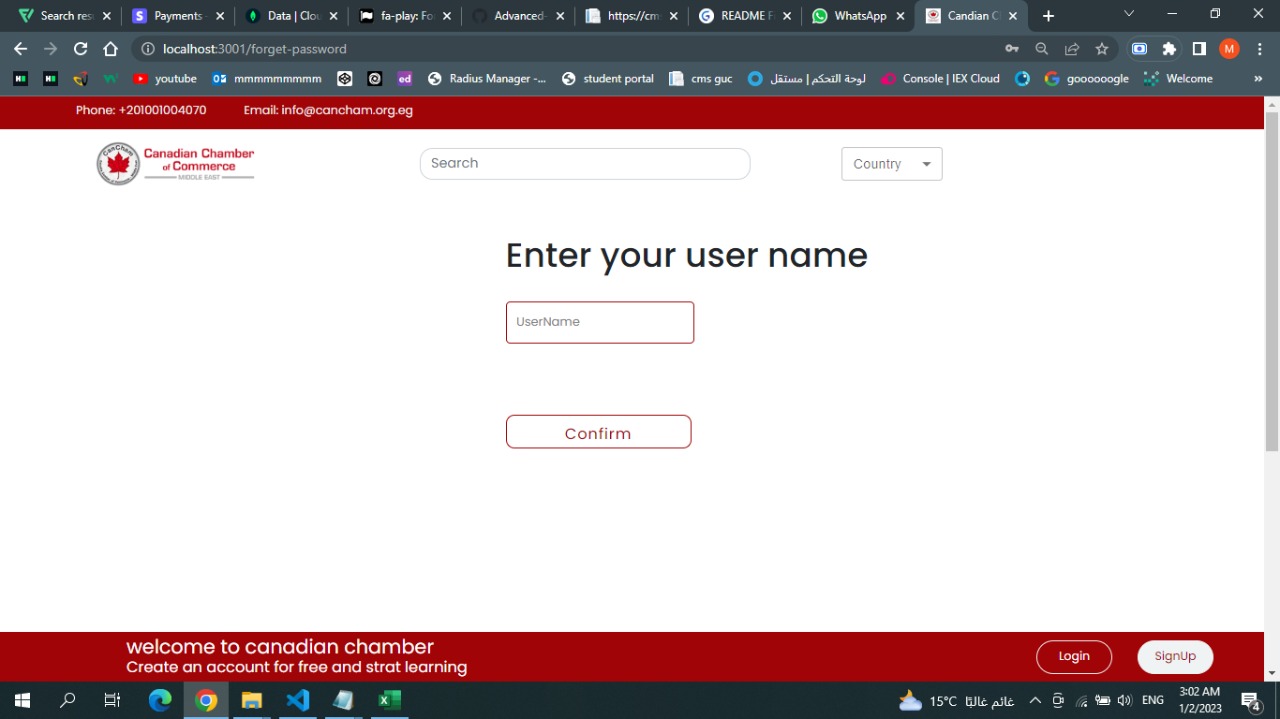 profiledata
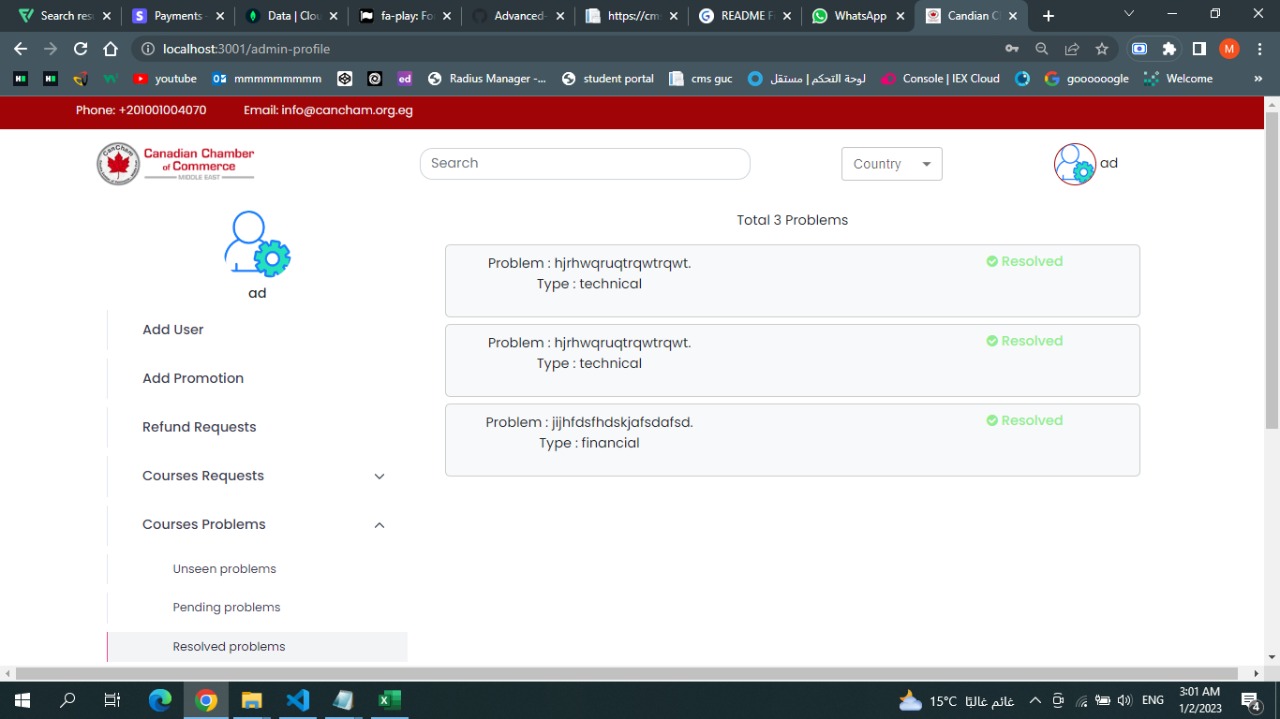
 resolveproblem
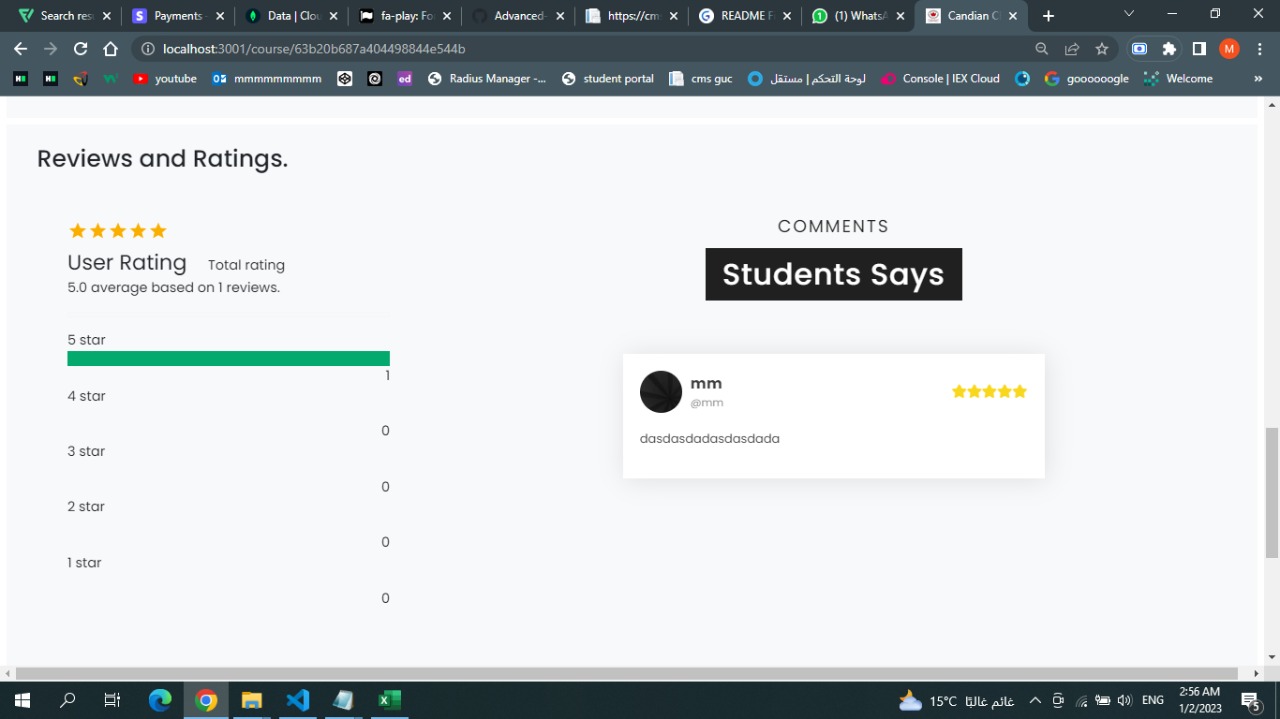
 reviews
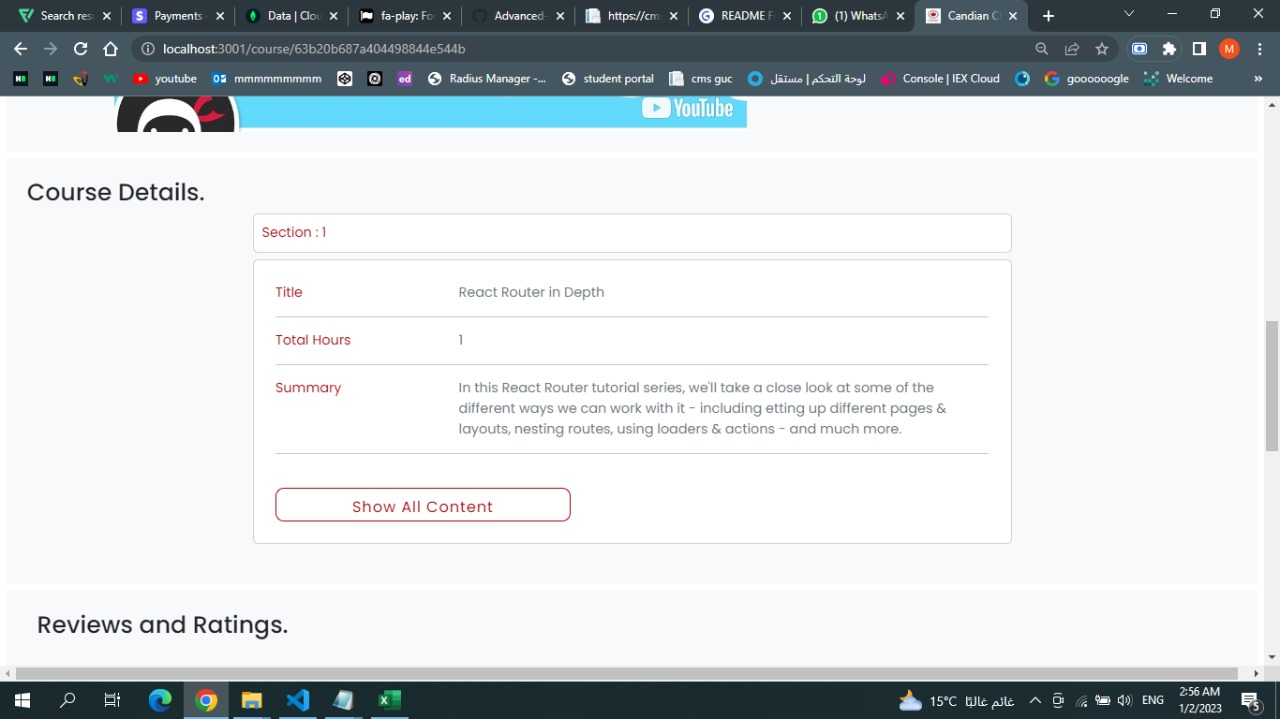
 sections
This project is built using MERN stack which is MongoDB for the database, Express for the backend, Node a JavaScript runtime, React for the Frontend
This project contains Full CRUD Functionality for creating courses, Authentication System for Registiring and Login, Payment System, Exam based Evaluiting System with Certifications.
This is an example for the home page code to show how it's working
import CourseContainer from './courseContainer'; const Home = () => {
return (
    <React.Fragment>
        <CourseContainer type="all" />
    </React.Fragment>
 );
} export default Home;
As shown above the Home page imports courseContainer whic is a component that contains all courses renderd from the back end
import React, { useState, useEffect } from 'react'; import Filters from './common/filters'; import courseService from '../courseContainer.js' import CourseCard from './courseCard'; import axios from 'axios'; import ReactLoading from 'react-loading';
const CourseContainer = ({type, keyword, currency}) => { const [coursesOriginal, setCoursesOriginal] = useState([]); const [coursesDisplayed, setCoursesDisplayed] = useState([]); const [price, setPrice] = useState(Infinity); const [subject, setSubject] = useState(""); const [rate, setRate] = useState(null); const [search, setSearch] = useState(""); const [ready, setReady] = useState(false); const config = {headers : {"apikey" : "mg9jAAsEOiyrDEq4mw4wBarbgswdtryW"}}; const [priceRate, serPriceRate] = useState(1);
const handleCurrency = async (currency) => {
    let result = 1;
    if (currency) {
        const ConversionAPI = `https://api.apilayer.com/exchangerates_data/convert?to=${currency}&from=USD&amount=1`;
        const {data} = await axios.get(ConversionAPI, config);
        result = data.info.rate;
    }
    return result;
}

useEffect(() =>{
    setReady(false);
    const getCourses = async (type, keyword) => {
        if(type === 'search') {
            const res = await courseService.getSearchCourses(keyword);
            setCoursesDisplayed(res);
            setCoursesOriginal(res);
            serPriceRate(await handleCurrency(currency));
            setReady(true);
        }
        else if(type === 'instructor'){
            const res = await courseService.getInstructorCourses();
            setCoursesDisplayed(res);
            setCoursesOriginal(res);
            serPriceRate(await handleCurrency(currency));
            setReady(true);
        }
        else {
            const res = await courseService.getAllCourses();
            setCoursesDisplayed(res);
            setCoursesOriginal(res);
            serPriceRate(await handleCurrency(currency));
            setReady(true);
        }
    };
    getCourses(type, keyword);
},[currency]);

const handleChange = (filter, value) =>{
    console.log(value + filter);
    if(filter === "subject") {
        if( rate)
        setCoursesDisplayed(
            coursesOriginal.filter(course => {
                return course.subject.includes(value) && Math.round((course.price * priceRate) * 100) / 100 <= price && Math.round(course.rate) === rate;
            })
        )
        else
            setCoursesDisplayed(
                coursesOriginal.filter(course => {
                    return course.subject.includes(value) && Math.round((course.price * priceRate) * 100) / 100 <= price;
                })
        )
        setSubject(value);
    }
    else if(filter === "price") {
        if(!value)
            value = Infinity;
        if(rate)
        setCoursesDisplayed(
            coursesOriginal.filter(course => {
                return course.subject.includes(subject) && Math.round((course.price * priceRate) * 100) / 100 <= value && Math.round(course.rate) === rate;
            })
        )
        else
            setCoursesDisplayed(
                coursesOriginal.filter(course => {
                    return course.subject.includes(subject) && Math.round((course.price * priceRate) * 100) / 100 <= value;
                })
        )
        setPrice(value);
    }
    else {
        if(value) {
            setCoursesDisplayed(
                coursesOriginal.filter(course => {
                    return course.subject.includes(subject) && Math.round((course.price * priceRate) * 100) / 100 <= price && Math.round(course.rate) === value;
                })
            )
        }
        else {
            setCoursesDisplayed(
                coursesOriginal.filter(course => {
                    return course.subject.includes(subject) && Math.round((course.price * priceRate) * 100) / 100 <= price;
                })
            )
        }

        setRate(value);
    }
};

const handleSearch = () =>{
    console.log(search);
    setCoursesDisplayed(
        coursesOriginal.filter(
            (course) => {
                return course.title.includes(search) || course.createdByName.includes(search);
            }
        )
    )
}

return (
    <React.Fragment>
    <Filters handleChange={handleChange} type={type}/>
    {type === 'search' && <h3 className='p-2 mb-3'>Search results for {keyword} </h3>}
    {type === 'instructor' &&
        <div className='p-3 px-5 mb-3 bg-light text-center'>
            <div className="d-flex" role="search">
                <input onChange={(e)=>setSearch(e.target.value)} style={{borderRadius : '25px'}} className="form-control me-2" type="search" placeholder="Search in my courses" aria-label="Search" />
                <button onClick={handleSearch} className="btn btn-outline-dark" style={{borderRadius : '25px'}}><i className="fa fa-search" aria-hidden="true"></i></button>
        </div>
    </div>}
    {ready ?
        (
            coursesDisplayed.length ?
            <div className="row p-3 justify-content-center">
            {coursesDisplayed.map((course) => <CourseCard currency={currency} priceRate={priceRate} key={course._id} course={course} />)}
            </div>
            : (
            <div className='text-center m-5'>
                <img width={'250px'} src='./no-results.png'/>
                <div className="justify-content-center">
                    <div className='text-danger mt-3' style={{fontSize:'20px', fontWeight:'bold'}} role={'alert'}>There is no Course matches</div>
                </div>
            </div>)
        )
        :
        (
            <div style={{  display: 'flex',justifyContent: 'center',alignItems: 'center', height : '500px'}}>
                <ReactLoading type={"bars"} color={'#a00407'} height={'5%'} width={'5%'} />
            </div>
        )
    }
    </React.Fragment>
 );
}
export default CourseContainer;
The course container gets the courses from backend using {axios} which allows us to make http requests to our backend
module.exports.getAllCourses = async (req, res) => { await Course.find({}).then( courses => { return res.status(200).json({courses}); } ) }
The backend then render all the courses from the mongoDB as shown in the code above
clone the repo 1- git clone https://github.com/Advanced-Computer-Lab-2022/Goal-Diggers.git
2-add the .env file which will contain your MongoDB Atlas Database Link and the JWT_SECRET for the authentication.
install the npm modules at the backend folder 3-npm install
start the backend 4-nodemon start
install the npm modules at the frontend folder 3-npm install
start the front end 5-npm start
router.get('/refund-requests', controller.getRefundRequests); router.post('/refund', controller.AdminRefundCourse); router.post('/reject-refund', controller.RejectRefund); router.post('/mark-pending/:id',controller.MarkAsPending); router.post('/mark-resolved/:id',controller.MarkAsResolved); router.post('/admin-add-promotion', controller.AdminAddPromotions); router.post('/admin-grant-access', controller.AdminGrantAccess); router.post('/admin-revoke-access', controller.AdminRevokeAccess); router.get('/courses-problems-pending', controller.getCoursesProblemsPending); router.get('/courses-problems-resolved', controller.getCoursesProblemsResolved); router.get('/courses-problems-unseen', controller.getCoursesProblemsUnseen); router.post('/add-user', controller.addUser); router.get('/courses-requests-pending', controller.getCoursesRequestsPending); router.get('/courses-requests-approved', controller.getCoursesRequestsApproved); router.get('/courses-requests-rejected', controller.getCoursesRequestsRejected);
router.post('/add-quiz', controller.addQuiz); router.post('/add-course', controller.addCourse); router.get('/wallet', controller.getWallet); router.get('/accept-terms', controller.AcceptTerms); router.get('/instructor-courses', controller.getInstructorCourses); router.post('/request', controller.RequestCourse); router.post('/request', controller.RequestCourse); router.post('/add-problem', controller.addproblem); router.post('/add-followup', controller.addfollow); router.get('/get-problems/:id', controller.getproblem); router.post('/refund-course/:id', controller.refundcourse); router.post('/send-certificate', controller.sendMail); router.get('/verify-register-course/:id', controller.VerifyRegisterCourse); router.get('/student-refund-requests', controller.StudentRefundRequests); router.get('/student-course-requests', controller.StudentCourseRequests); router.post('/change-email-biography', controller.changeEmailorBiography); router.get('/reviews-ratings', controller.getReviewsAndRatings); router.get('/completed-courses', controller.getCompletedCourses); router.get('/inprogress-courses', controller.getInProgressCourses); router.get('/student-courses', controller.getStudentCourses); router.post('/create-pdf', controller.createPDF); router.get('/fetch-pdf', controller.fetchPDF); router.post('/create-certificate', controller.createCertificate); router.get('/fetch-certificate', controller.fetchCertificate); router.post('/save-data', controller.SaveData); router.post('/payment/create', controller.createPayment); router.post('/buy-course', controller.buyCourse);
router.get('/all-courses', controller.getAllCourses); router.get('/all-courses-views', controller.getAllCoursesViews); router.get('/all-courses-popular', controller.getAllCoursesPopular); router.get('/search/:keyword', controller.getSearchCourses); router.get('/course/:id', controller.getCourse); router.post('/forget-password', controller.forgotPassword); router.post('/verify-link', controller.Linkverify);
const stripe = require("stripe")( "sk_test_51MEsfyD8LuqksnQUfvq6KNmUnIpERtruMHXIKHHnc7EOy51ZdpuYFZ4VlfaIbztSjh7kRZM3OSR0gVIifQjmmhZ1008I0rGA9q" ); link for the documentation https://dashboard.stripe.com/test/payments
it is the api used to change the currency with the most apdated currency difference link for the documentation https://apilayer.com/
test the project by logging in as instructor and create several courses and log in again as student and try to enroll in the course created and then view the course and see several viseos to show the progress of the course and finish the course to show the certificate and create another course and test the refund . then make several problem in a course and check if it apear in the admin profile and log in as admin and solve the problem and log in as student again and show the solutions the admin give. and then test payment and the user profile and the user courses and achivements. and test the wallet of student and instructour ,the test the filters and the currency for example code for test the type of user which is logging in module.exports.LoggedIn=async(req,res)=>{ try { //we need to parse cookies into javascrip objects //using the cookie-parser //this is an express middleware that reads any incoming cookies and parse it into req.cookies object const token=req.cookies.token; let user = {}; console.log(token); if(!token){ return res.json(false); } //verifiy the tooken to check if it has our secret and not a random tooken //if not verified it will go to the catch and //if verified it will decode it and put the tooken value an an object //it have the user id const verified= jwt.verify(token,process.env.JWT_SECRET); if(await User.findById(ObjectId(verified.user))){ await User.findById(ObjectId(verified.user)).then( value => { user = value; type="student"; } ) }else if(await Role.findById(verified.user)){ await Role.findById(verified.user).then( value => { user = value; type = value.role; } ) }else if(await Instructor.findById(verified.user)){ await Instructor.findById(verified.user).then( value => { user = value; type="instructor"; } ) } res.send({id:verified.user,verified:true,type:type, firstname : user.firstname, lastname : user.lastname, wallet : user.wallet, email : user.email, gender : user.gender, username : user.username, minibiography : user.minibiography, accepted : user.accepted});
} catch (error) { console.log(error.message); res.json(false); } }
after installing the project as mentioned in the installation the project will automaticlly run in your browser for you to use it.
If you have a suggestion that would make this better, please fork the repo and create a pull request. You can also simply open an issue with the tag "enhancement".
1-Fork the Project 2-Create your Feature Branch (git checkout -b feature/AmazingFeature) 3-Commit your Changes (git commit -m 'Add some AmazingFeature') 4-Push to the Branch (git push origin feature/AmazingFeature) 5-Open a Pull Request
Creadits goes to our TA's Hadwa Pasha, Nada-abdelfattah and Noha for supervising us along the project.