



A professional-grade toolkit to generate Telegram API credentials instantly.
Choose your weapon: The robust Desktop GUI or the lightning-fast Terminal CLI.

Whether you prefer a visual interface or a command-line tool, this repository has you covered.
| Feature | 🖥️ GUI Version (v1) | ⚡ CLI Version (v2) |
|---|---|---|
| Core Engine | Requests + BeautifulSoup |
Selenium WebDriver |
| Interface | PyQt5 Desktop App | Rich Terminal UI |
| OS Support | Windows / Linux / Mac | Cross-Platform (Anywhere) |
| Best For | Casual Users & Visual Feedback | Developers & Headless Servers |
| Automation | Standard HTTP Requests | Full Browser Emulation |
The classic, user-friendly desktop application. Perfect for users who want a "point-and-click" experience.
- Visual Dashboard: Clean material-design inspired interface.
- Log Monitor: Real-time activity logging window.
- One-Click Copy: Instantly copy
api_idandapi_hashto clipboard. - Session Management: Handles login flows with visual prompts.

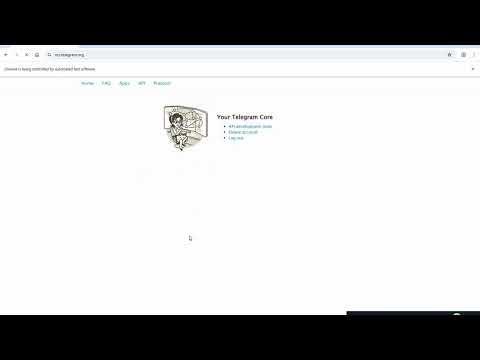
NEW! A high-performance, It uses Selenium to emulate a real browser (bypassing complex bot detections) and Rich for a beautiful terminal output.
- Browser Emulation: Uses a real Chrome instance to mimic human behavior perfectly.
- Smart Waits: No fixed delays; the bot reacts instantly to page loads.
- Headless Ready: Can be configured to run on servers without a monitor.

After installing dependencies, simply run:
python main-v2.py(Note: Ensure you rename the CLI script to main-v2.py or similar)
To run either version, follow these steps:
git clone https://github.com/Arianlavi/telegram-api-getter.git
cd telegram-api-getterWe have separated dependencies for clarity.
For GUI Version (PyQt5):
pip install PyQt5 requests beautifulsoup4 pyperclipFor CLI Version (Selenium/Rich):
pip install selenium webdriver-manager rich pyfigletPro Tip: You can install everything at once:
pip install -r requirements.txt(Ensure your
requirements.txtincludes all the libraries above)
The project is structured with modularity in mind:
main.py(GUI): Handles the Event Loop, UI rendering (PyQt5), and HTTP requests logic.main-v2.py(CLI): Orchestrates the Selenium WebDriver, handles the DOM interactions, and renders the Rich TUI.- Advanced Logging: Both versions utilize structured logging to help debug login issues.
If this tool saved you time or helped your project, consider supporting the development! Your contributions help maintain the repo and add new features.
| Cryptocurrency | Address | Network |
|---|---|---|
| Bitcoin (BTC) | bc1q3r79a2t3tuada56zv722ykrwjadgsh79m5pthz |
Bitcoin |
| Ethereum (ETH) / USDT | 0x66D74F4b7527ea9eD5BA5e2E02fa93fB7a90325d |
ERC-20 |
| Solana (SOL) | 9irdHFdeWVb6cnu8HTdKAs3Lg1PD8HiQQLhVHLSAQq6X |
Solana |
⚠️ Important:
- Always double-check the address before sending.
- Donations are non-refundable.
- Use a secure wallet like Exodus or Trust Wallet.
- Star this repository on GitHub.
- Open an Issue if you find a bug.
- Submit a Pull Request to improve the code.
- Educational Use Only: This tool is intended for developers to automate their own workflow.
- Terms of Service: Use this responsibly and in accordance with Telegram's ToS.
- No Liability: The creator is not responsible for any account limitations caused by misuse.
Created by Arian Lavi