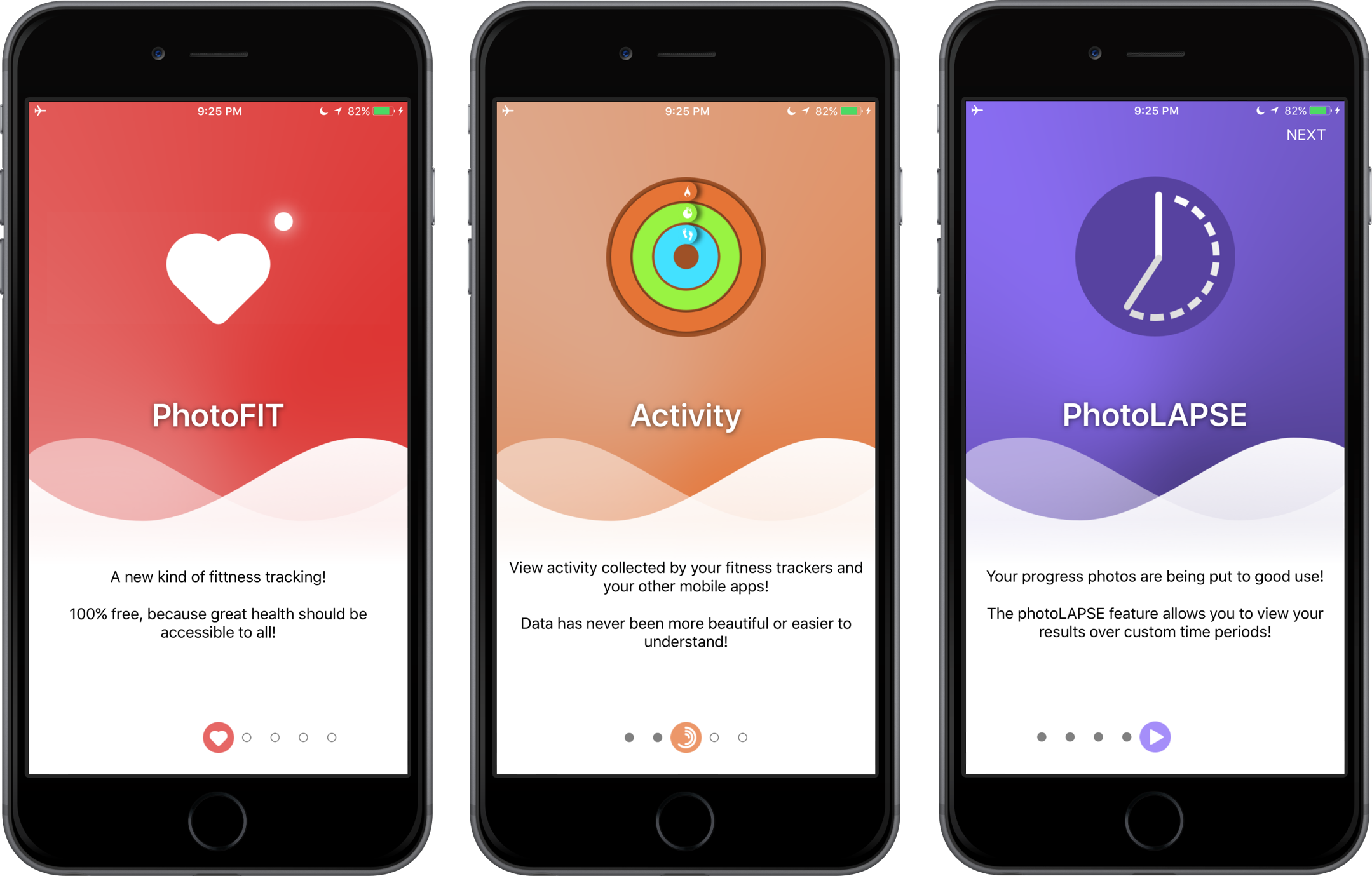
OnboardingKit is a simple and interactive framework for making iOS onboarding experience easy and fun!
- Swift 3 & Xcode 8.x.x (check out v0.0.3 & swift2 branch for previous version)
- iOS 8+
- Customizable page views
- Customizable background images
- Customizable containers' background images
- Animatable page control
- Animatable transitions between pages on swipes
OnboardingKit is available for installation using the CocoaPods.
Add the following code to your Podfile:
pod 'OnboardingKit'Import the module.
import OnboardingKitAdd a UIView instance that inherits from OnboardingView. Traditionally, you do this through Storyboard or manually.
Implement OnboardingViewDataSource and OnboardingViewDelegate protocols with required methods. What you have to do is to let OnboardingView know how many pages it should build and provide configurations for these pages.
  extension DataModel: OnboardingViewDataSource, OnboardingViewDelegate {
      func numberOfPages() -> Int {
        return 1
      }

      func onboardingView(_ onboardingView: OnboardingView, configurationForPage page: Int) -> OnboardingConfiguration {
        return OnboardingConfiguration(
          image: UIImage(named: "DemoImage")!,
          itemImage: UIImage(named: "DemoIcon")!,
          pageTitle: "Demo Title",
          pageDescription: "Demo Description Text!",
          backgroundImage: UIImage(named: "DemoBackground"),
          topBackgroundImage: nil, // your image here
          bottomBackgroundImage: nil // your image here
      )
  }
OnboardingConfiguration is implemented this way:
  public struct OnboardingConfiguration {
    let image: UIImage
    let itemImage: UIImage
    let pageTitle: String
    let pageDescription: String

    let backgroundImage: UIImage?
    let topBackgroundImage: UIImage?
    let bottomBackgroundImage: UIImage?
  }
If you need a custom configuration for a PageView this is possible with a delegate's method onboardingView(_:, configurePageView _:, atPage _:).
 func onboardingView(_ onboardingView: OnboardingView, configurePageView pageView: PageView, atPage page: Int) {
    pageView.titleLabel.textColor = UIColor.white
    pageView.titleLabel.layer.shadowOpacity = 0.6
    pageView.titleLabel.layer.shadowColor = UIColor.black.cgColor
    pageView.titleLabel.layer.shadowOffset = CGSize(width: 0, height: 1)
    pageView.titleLabel.layer.shouldRasterize = true
    pageView.titleLabel.layer.rasterizationScale = UIScreen.main.scale

    if DeviceTarget.IS_IPHONE_4 {
      pageView.titleLabel.font = UIFont.boldSystemFont(ofSize: 30)
      pageView.descriptionLabel.font = UIFont.systemFont(ofSize: 15)
    }
  }
That's it. :]
- For help & feedback please use issues.
- Got a new feature? Please submit a pull request.
- Email us with urgent queries.
OnboardingKit is available under the MIT license, see the LICENSE file for more information.