DeepPicar is a low-cost autonomous RC car platform using a deep convolutional neural network (CNN). DeepPicar is a small scale replication of NVIDIA's real self-driving car called DAVE-2, which drove on public roads using a CNN. DeepPicar uses the same CNN architecture of NVIDIA's DAVE-2 and can drive itself in real-time locally on a Raspberry Pi.
https://www.youtube.com/watch?v=X1DDN9jcwjk
Install DeepPicar.
$ git clone --recurse-submodules --depth 1 https://github.com/CSL-KU/DeepPicar-v3
$ cd DeepPicar-v3
$ sudo apt update
$ sudo apt install libatlas-base-dev
$ sudo apt install libopenblas0
$ sudo apt-get install python3-opencv
$ sudo pip3 install -r requirements.txt
Edit params.py to select correct camera and actuator drivers.
The setting below represents the standard webcam and drv8835 configuration, for example.
camera="camera-webcam"
actuator="actuator-drv8835"
In addition, you need to setup the necessary python drivers. For polulu drv8835, do following.
$ cd drv8835-motor-driver-rpi
$ sudo python3 setup.py install
Also install the python package "inputs" if you would like to to use Logitech F710 gamepad for data collection.
$ cd inputs
$ sudo pip3 install .
To start the backend server
$ sudo nice --20 python3 deeppicar.py -n 4 -f 30
Keyboard controls
A: move forward
Z: move backward
S: stop
J: turn left
K: center
L: turn right
R: start/stop recording
D: turn on DNN
Use the keys to manually control the car. Once you become confident in controlling the car, collect the data to be used for training the DNN model.
The data collection can be enabled and stopped by pressing R. Once recording is enabled, the video feed and the corresponding control inputs are stored in out-video.avi and out-key.csv files, respectively. Later, we will use these files for training. It can be downloaded using scp commands.
Each recording attempt with overwrite the previous
Compress all the recorded files into a single zip file, say Dataset.zip for Colab.
$ zip Dataset.zip out-*
updating: out-key.csv (deflated 81%)
updating: out-video.avi (deflated 3%)
Open the colab notebook. Following the notebook, you will upload the dataset to the colab, train the model, and download the model back to your PC.
After you are done trainig, you need to copy the trained tflite model file (large-200x66x3.tflite by default) to the Pi using scp commands.
Copy the trained model to the DeepPicar.
Enable autonomous driving by pressing A to go foward then D.
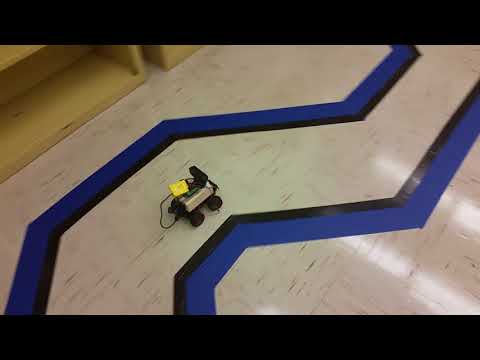
Some other examples of the DeepPicar driving can be found at: https://photos.app.goo.gl/q40QFieD5iI9yXU42