⭐ Check out our Tebex store for some cheap scripts ⭐
📷 Images & Video 📺
If you are updating make sure to check Updating for relevant SQL updates
Features:
- Create tracks
- Host races
- Buy-Ins
- Drift Races
- Drift Challenges
- Automated Races
- Time Trial Bounties
- Built in Crypto system
- Buy-Ins and automated splits
- Phasing/Ghosting
- Reversed tracks
- Participation payouts
- Elmination races
- Racing user system with customizeable auth
- ELO system for ranked racing
- Crew system with rankings
- Elmination Races
- Advanced leaderboards
- Customizeable checkpoints
- Race positions
- Curated tracks (mark tracks as verified good)
- Split times
- Translateable
- Track Sharing
- Optional default tracks
- Forced first person mode
- Vehicle Performance Class limits
- Support for Renewed Crypto
5.0 was released on 27th Aug, 2025. It's HIGHLY encouraged to do a clean install for this version.
On translations: Only English is maintaned by devs. Other languages might be included, but not updated.
Do note, this script has TWO systems for participation money. Make sure to check the readme and read the comments regarding these and how to use them.
⭐ Check out our Tebex store for some cheap scripts ⭐

📑 Table of Contents
At the bottom left corner there's a cog wheel. Clicking this brings up the options menu (more stuff to come). But here you can toggle using the GPS route and the style of it.
Our idea with this feature is to allow admins to flag a track as "DONE". The track can no longer be edited. Additional features of curated tracks might be only allowing participation money to be paid out on those tracks, for example.
The key to this script working is making tracks that works well. If you're trying to do 200 checkpoint style races with checkpoints randomly thrown around the map, this is not the script for you. There is a max checkpoint variable in the config that will warn users when they reached the level. Some PCs might struggle with different lower/higher amounts tho, so keep that in mind.
- Avoid placing checkpoints on/under/near bridges/overpasses.
- GTA GPS can't handle opposite-directions on roads: Place checkpoints on the correct side of the road
- Intersections can be tricky for the GPS. We advice to not put checkpoints in the middle of them, but before or after, in the correct lane.
- Alleys can cause issues. Use with caution.
- The script spawns 2 entities + 1 emitter for EVERY checkpoint. If you have 100 checkpoints that might just crash peoples games.
You can grab the checkpoints from either My Tracks tab in game, by using the copy button or directly from the database entry and then pasting to something like https://pastebin.com/ There's an import function (if enabled in config) in the Create Track tab to import via paste.
Hop into the CW Discord and share some tracks in the racingapp-tracks channel!
Racingapp has options for:
- Casual drifting (just scoring by yourself)
- Drift Races
The Drift races will show the score board just like ususal, and this is so to minimize the amount of score cheeseing - Instead everyone gets to see each others score afterwards. After one player crosses the finish line, the race counts down for everyone.
- A planned free-roam VS mode is plannned.
- By default, drifting is turned off
- Drifting configs can be found in
shared/drift.lua
The script offers UI and a racing system for racing, however it does NOT offer the actual drifting calculations.
It's set up in the client/drift.lua file to be used with CW Drifting, and this is the recommended and only supported script for drifting. It should, technically, be possible to hook any drifting script into RacingApp, but there will be no support from us on how to do so.
There are two versions of the drifting script to choose from, one is encrypted and one is open source. If you want to see the mechanincs behind the drifting system and/or modify how it works you'll want the Open Source one.
CW Drifting CW Drifting Open Source
To install drifting:
- Buy one of these
- Drop it into your scripts
- Make sure it's running before Racingapp
- Enable Racingapp in CW Driftings config
- Enable Drifting in CW Racingapp drift config
If you have drifting enabled you can also do drift challenges. These work like this:
- Racer A initializes a challenge.
- Everyone in the vicinity gets an invite.
- After a short time, the inivitation period is closed. Countdown starts.
- When countdown is done the challenge starts - racers must now get as high of a drift score in the alloted time as possible.
- Scoreboard is displayed when race finishes
Theres currently no buyin/betting for these in the app itself.
The script offers automated races. You can set these up in the config (Config.AutomatedRaces, Config.AutomatedOptions). If any of these are commented out/removed the automation will not start.
The Automation will, at random, try to grab one of the tracks from the Config.AutomatedRaces table at the interval of what you set in Config.AutomatedOptions.timeBetweenRaces, by default this is 20 minutes. The races start after 5 minutes of popping up.
As of 16th November 2024 the script has customizable time trial bounties that players can collect. These are defined in the config in Config.Bounties and Config.BountiesOptions. The config has most things explained in comments, but a bounty is defined like this example:
    {
        trackId = 'CW-4267',            -- TrackId. Found in your tracks in racingapp or in DB
        maxClass = 'B',                 -- Max Class
        reversed = false,               -- reversed track or not
        timeToBeat = 130000,             -- time you have to beat in milliseconds
        extraTime = 5000,               -- max time (in milliseconds) that can be added ontop of timeToBeat when generated
        price = 500,                    -- Price money
        sprint = true,                  -- require race to be a sprint to claim bounty
        rankRequired = 2,                -- Rank required to claim
    },
These are randomized upon server start (~5 seconds after script start/restart). You can modify how many of these are added in the Bounties Options. If your auth type has the handleBounties auth you should be able to re-roll the bounties from the bounties menu.
RacingApp has a built in crypto system tied to the racing user. To use this you can set your payment methods to 'racingcrypto' and it will use the custom Racing Crypto System instead of your core payment system. The crypto is tied to a racinguser, so make sure you have a way to buy one of those with normal money if you don't want to have racing masters handle your users.
The system allows for buying, selling and transfering. There's a fee for selling (can be customized).
Want to use the Racing Crypto from other script? Check out Adding Racing Crypto To Other Scripts
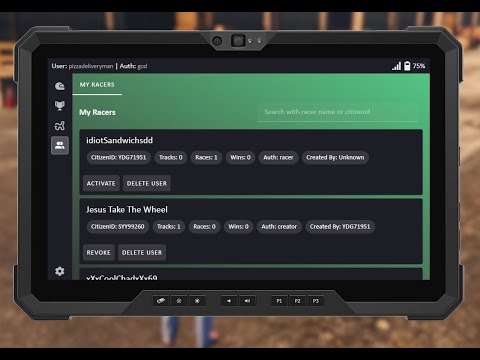
The script offers user management now. We've moved away from the basic/master fob and instead users are saved in the database. To swap your user, open the racingapp and press the cog-icon to open the settings. To create users you can either buy a user account from a trader/laptop (if this is enabled in the config) or have someone create one for you.
The tiers are racer < creator < master < god and are defined as follows:
    racer = {
        join = true, -- join races
        records = true, -- see records
        setup = true, -- setup races
        create = false, -- create races
        control = false, -- control users
        controlAll = false, -- control all users
    }
    ...
join means you can join races
records means you can access records
setup means you can set up races
create means you can create tracks
control means you can manage users you create
controllAll allows you to control all users, and also permanently delete users
Basically, any racer name/user created by another player will be tied to them. So if person X buys an account from player Y, player Y can also revoke player Xs account via the in game menus, as long as player Y has a user with the control authorization.
The easiest way. Just use the Racing GPS that's included in the script.
If you want to open racingapp from another script you can use the exports
Client side:
exports['cw-racingapp']:openRacingApp()Server side:
exports['cw-racingapp']:openRacingApp(source)ALL EXPORTS ARE SERVER SIDE ONLY!
You'll need to know the name of the race user you want to check for here. Swap out 'RacerName' for whatever name you want to use
    local racerName = 'This Is Just An Example String You Have To Change This'

    local cryptoAmount = exports['cw-racingapp']:getRacerCrypto(racerName)
print(racerName, 'has ', cryptoAmount) local racerName = 'This Is Just An Example String You Have To Change This'
local hasEnough = exports['cw-racingapp']:hasEnoughCrypto(racerName, 20)
print(racerName, 'has 20 or more crypto:', hasEnough ) local racerName = 'This Is Just An Example String You Have To Change This'
local success = exports['cw-racingapp']:addRacerCrypto(racerName, 20)
print('successfully gave', racerName, ' 20 crypto: ', success) local racerName = 'This Is Just An Example String You Have To Change This'
local success = exports['cw-racingapp']:removeCrypto(racerName, 20)
print('successfully charged', racerName, ' 20 crypto: ', success)This one is usefull if you want to get all users for a player so you can list them in other scripts
    -- With CitizenID
    local citizenId = 'ThisIsJustAnExampleStringYouHaveToChangeThis123'

    local result = exports['cw-racingapp']:getRacingUsersByCitizenId(citizenId)
    print('All racing users belonging to citizenid', citizenId, json.encode(result, {indent=true}) )
-- with Source
-- OBVIOUSLY YOU NEED TO HAVE A DEFINED SOURCE IN THIS ONE!!
local result = exports['cw-racingapp']:getRacingUsersBySrc(source)
print('All racing users belonging to source', source, json.encode(result, {indent=true}) )OLD UI:
Older Videos
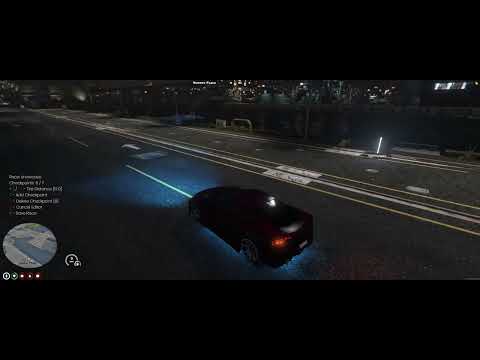
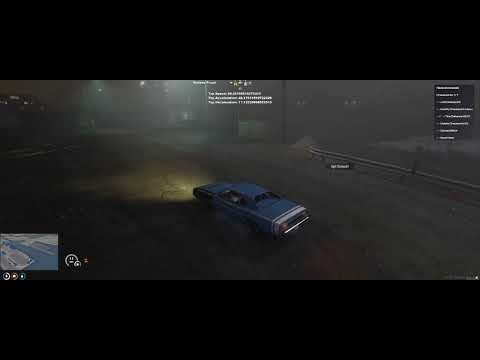
Update to track editor:

Images
Dashboard

Map

Track Setup


Bounties

Leaderboards


Track Creation
You can create tracks from both using an in-game editor or copy/paste a set of checkpoints.
Manage Tracks


Settings

Admin Menu

Crypto Menu

Drift HUD

- Get cw-performance and install (if you plan to code your own class system see Custom Vehicle Classes)
- Download Racingapp
- Add the cw-racingapp folder to you resources (if it has a "-main" in the name: remove the "-main")
- Update or insert the database tables. These are found in the
cw-racingapp.sqlfile- Optionally also run
default_tracks.sqlif you want to add the default tracks
- Optionally also run
- Adjust values in the
config.luafile to your liking (Hot tip: GO OVER THIS FILE BEFORE REPORTING ISSUES) - Add the item to your
qb-core/shared/items.lua(If you use another inventory/core you obviously might need to change this part)
['racing_gps'] = {['name'] = 'racing_gps', ['label'] = 'Racing GPS', ['weight'] = 500, ['type'] = 'item', ['image'] = 'racing_gps.png', ['unique'] = true, ['useable'] = true, ['shouldClose'] = true, ['description'] = 'Wroom wroom.'},- Add the item image to your inventory image folder
- If you're not using QBOX then comment out
'@qbx_core/modules/playerdata.lua'in fxmanifest - Open the game and give yourself the item. When you open the app for the first time you'll be prompted to create a user. The first user to be created will be a
goduser, after that the rest will beracertype of whatever you set it to in the config. Optionally you can create a god user with the command (see below)
Note: ESX requires ox_lib and ox_target
Note: For ESX make sure to change out moneyTypes to corresponding versions in the config (ESX uses "money" instead of "cash" for example)
cw-performance is required unless you know how to code your own class system.
So, you want to make your own class system? Well, good luck.
- You can find the functions in
client/classes.lua. You will need to code the functionality yourself. - To use these, set
Config.UseCustomClassSystemtotruein the Config. - Remove
'cw-performance'from the dependancies infxmanifest.lua
The file should be left fairly untouched in the future so for any future updates it will be easy for you to check if the file had any changes.
Support on this feature will be limited - if you require help to set your system up then expect to do so via a comission
Use the command createracinguser to do this. For example:
/createracinguser god 1 IReadTheReadme
This will create a god account for the user with serverID 1 (probably you if you're on your dev server) called IReadTheReadme.
Spawn the item racing_gps normally and use it.
Some users have reported this not working and throwing an error. It seems this is related to Core issues. The order of the input might differ for some cores for some reason. The server side printout should help you determine the order. Just type it in according to that instead.
RacingApp does not come with a phone app, but maybe you want to create one! Now, including everything from racingapp would be insanity, but at least you can join, leave and setup race via exports now! So you can create your own Phone App an just use these exports to get some of the basic features out of Racingapp.
This will get all the existing tracks for you to display
    local tracks = exports['cw-racingapp']:getAvailableTracks()
print(json.encode(tracks, {indent=true})) -- This will be the data returned. Do what you will with itThis will get all the posted races for you to display
    local races = exports['cw-racingapp']:getAvailableRaces()
print(json.encode(races, {indent=true})) -- This will be the data returned. Do what you will with itlocal success = exports['cw-racingapp']:joinRace(raceId)Where raceId is replaced by the id of a race you want to join (same id as track id)
local success = exports['cw-racingapp']:leaveRace()local setupData = {
track = 'TR-IMADETHISUP', -- Track Id. Same as the ID of the track in DB or what you fetched earlier.
laps = 2, -- number, amount of laps. 0 = sprint,
maxClass = nil, -- nil or a class, if you want to limit vehicle class with cw-performance,
ghostingOn = false, -- true of false, if ghosting should be on or not
ghostingTime = 0, -- number, how long ghosting stays on. zero for entire race
buyIn = 0, -- number, cost to enter race,
ranked = false,-- true or false, if you want ranked or not
reversed = false, -- true or false, if you want the race to be reversed
participationMoney = 0, -- Money users get for just being there (this is normally an admin setup thing)
participationCurrency = 'cash', -- Money type of users get for just being there (this is normally an admin setup thing)
firstPerson = false, -- true or false, if you want to force first person
silent = true, -- If true, will not show race in racingapp. This means you need to programatically join the race for the users.
hidden = true, -- If true, will not show race in racingapp. This means you need to programatically join the race for the users.
}
-- Races hosted from server side will be treated as automated
local raceId = exports['cw-racingapp']:setupRace(setupData)
if raceId then
-- race setup successful! Use the raceId to track it
else
-- failed to set up the race
end local success = exports['cw-racingapp']:joinRaceByRaceId(raceId, src)Where raceId is replaced by the id of a race you want to join (same id as track id). All this does is call the client side joinRace export so you could also use that. Using the client side export also lets you see if it was possible to join or not, while the server side version only verifies the input.
exports['cw-racingapp']:leaveCurrentRace(src)Where the src is the source of a player. Does not return anything. If you want verification that the racer is in a race do this from client side instead.
This will get all the races for you to display
    local races = exports['cw-racingapp']:getRaces()
print(json.encode(races, {indent=true})) -- This will be the data returned. Do what you will with itRacingApp is built in VUE, this means you can't just edit the files directly. This requires some more know-how than just developing with basic html/js. You can find out more information in this Boilerplate Repo.
There will be NO support for this. If you want help with this, reach out for a comission to be done. No free help on this.
This update comes with a change to how Racers table is handled.
If this it to complex for you, remove all Racingapp DB Tables and reinstall, and it will work. Probably the safer option, but you will lose tracks and racers.
- Run this SQL:
-- Add racerid column to race_tracks if it doesn't exist
ALTER TABLE race_tracks
    ADD COLUMN IF NOT EXISTS racerid VARCHAR(50) NOT NULL;

-- Add racerid column to track_times if it doesn't exist
ALTER TABLE track_times
    ADD COLUMN IF NOT EXISTS racerid VARCHAR(50) NOT NULL;

-- Add founder_racerid column to racing_crews if it doesn't exist
ALTER TABLE racing_crews
    ADD COLUMN IF NOT EXISTS founder_racerid VARCHAR(50) NULL DEFAULT NULL COLLATE 'utf8mb4_general_ci';

ALTER TABLE racer_names
ADD COLUMN IF NOT EXISTS racerid VARCHAR(50) NOT NULL;- Enable commands in Config
Config.EnableCommands = trueBoth the following commands need to be run on the server (So in your TXAdmin for example - CAN NOT BE RUN IN GAME)
- Run command
updateDatabaseWithRacerIds. Wait it to print[Racing] Migration complete!...
New column added, run this in your db to update:
ALTER TABLE racing_races
ADD COLUMN IF NOT EXISTS drift BOOLEAN NOT NULL DEFAULT FALSE;Drops the race_tracks table. Use this if you're uninstalling (warning: all tracks and records will be gone)