Validating SDK Integration
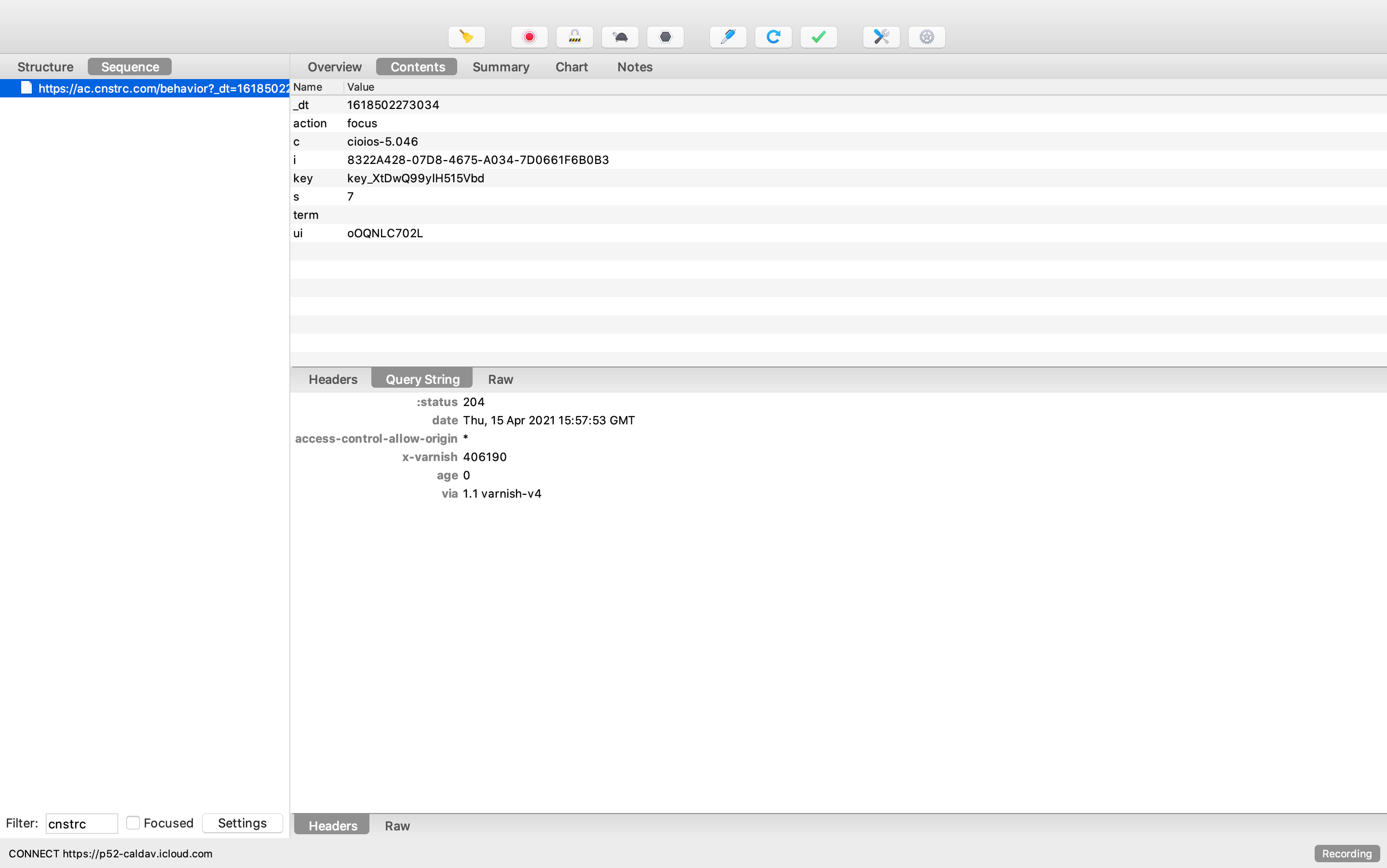
Check an input focus event (https://ac.cnstrc.com/behavior?...&action=focus)
| Expectation | URL Parameters | Required |
|---|---|---|
| We should see the expected hostname | defaults to ac.cnstrc.com
|
yes |
| We should see the expected API key |
key in query string |
yes |
| We should see segments to target search redirects |
us in query string |
highly suggested |
| We should see test name and test cells |
ef-testname=testcell in query string |
if A/B testing |
Check an input focus event (https://ac.cnstrc.com/behavior?...&action=focus)
| Expectation | Details | Requirement |
|---|---|---|
| We should see a user identifier for personalization when logged in |
ui in query string |
should be present |
| We should not see a user identifier for personalization when logged out |
ui in query string |
should be missing |
- We should see the 'focus' event fire whenever focusing in on the search bar
- trackInputFocus
https://ac.cnstrc.com/behavior?...&action=focus
- We should see a network event containing:
- text within the search bar (
termquery string parameters)
- text within the search bar (
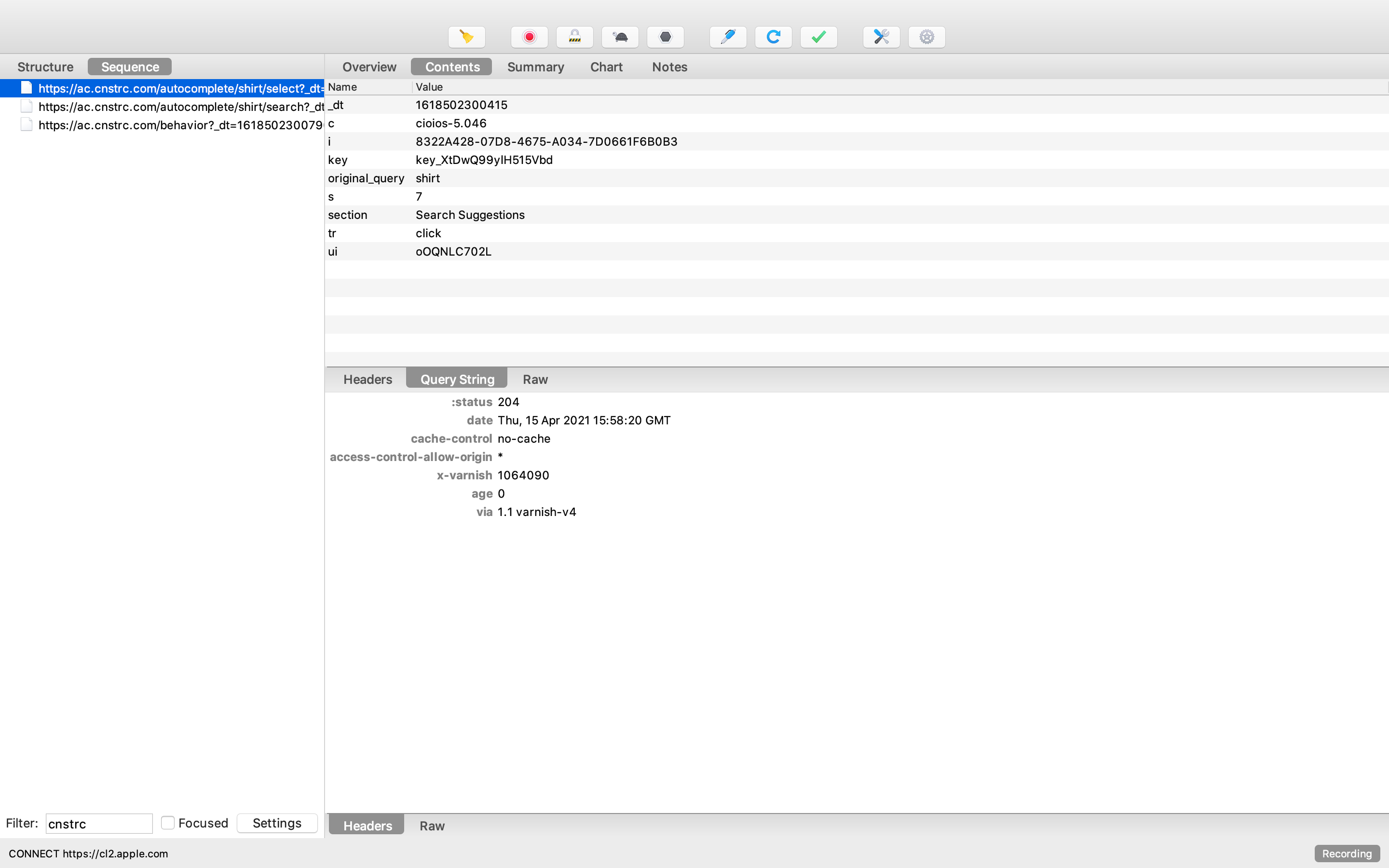
- We should see the 'autocomplete select' event fire when selecting a suggestion in the autocomplete
- trackAutocompleteSelect
https://ac.cnstrc.com/autocomplete/[term]/select
- We should see a network event containing:
- term from the search bar (
original_queryquery string parameters)
- term from the search bar (
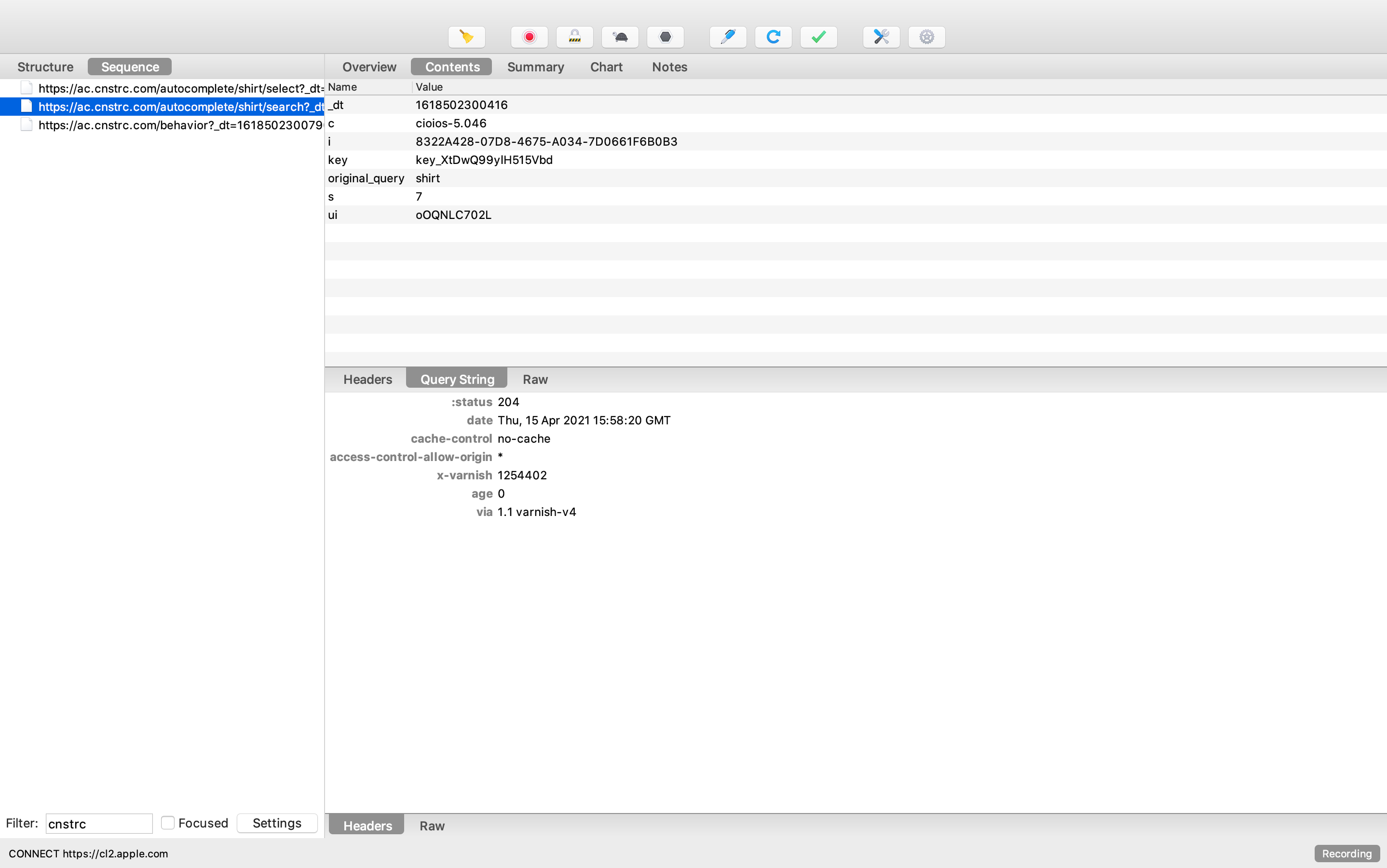
- We should see the search submit event fire when submitting a search term
- trackSearchSubmit
https://ac.cnstrc.com/autocomplete/[term]/search
- We should see a network event containing:
- search term (
original_queryquery string parameters)
- search term (
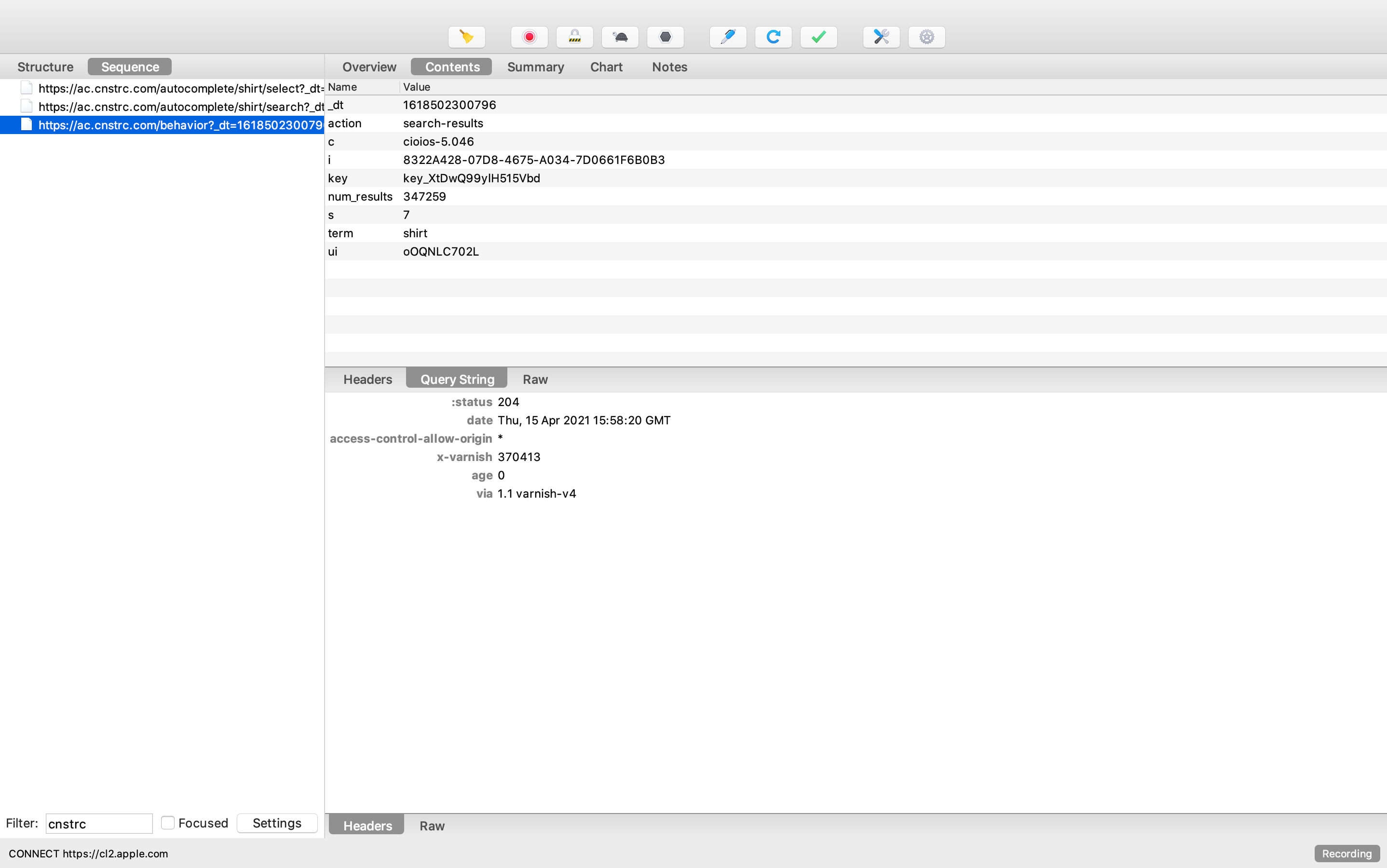
- We should see the 'search result loaded' event fire when landing on a search page
- trackSearchResultsLoaded
https://ac.cnstrc.com/behavior?...&action=search-results
- We should see a network event containing:
- search term (
termquery string parameters) - total number of results (
result_countquery string parameters)
- search term (
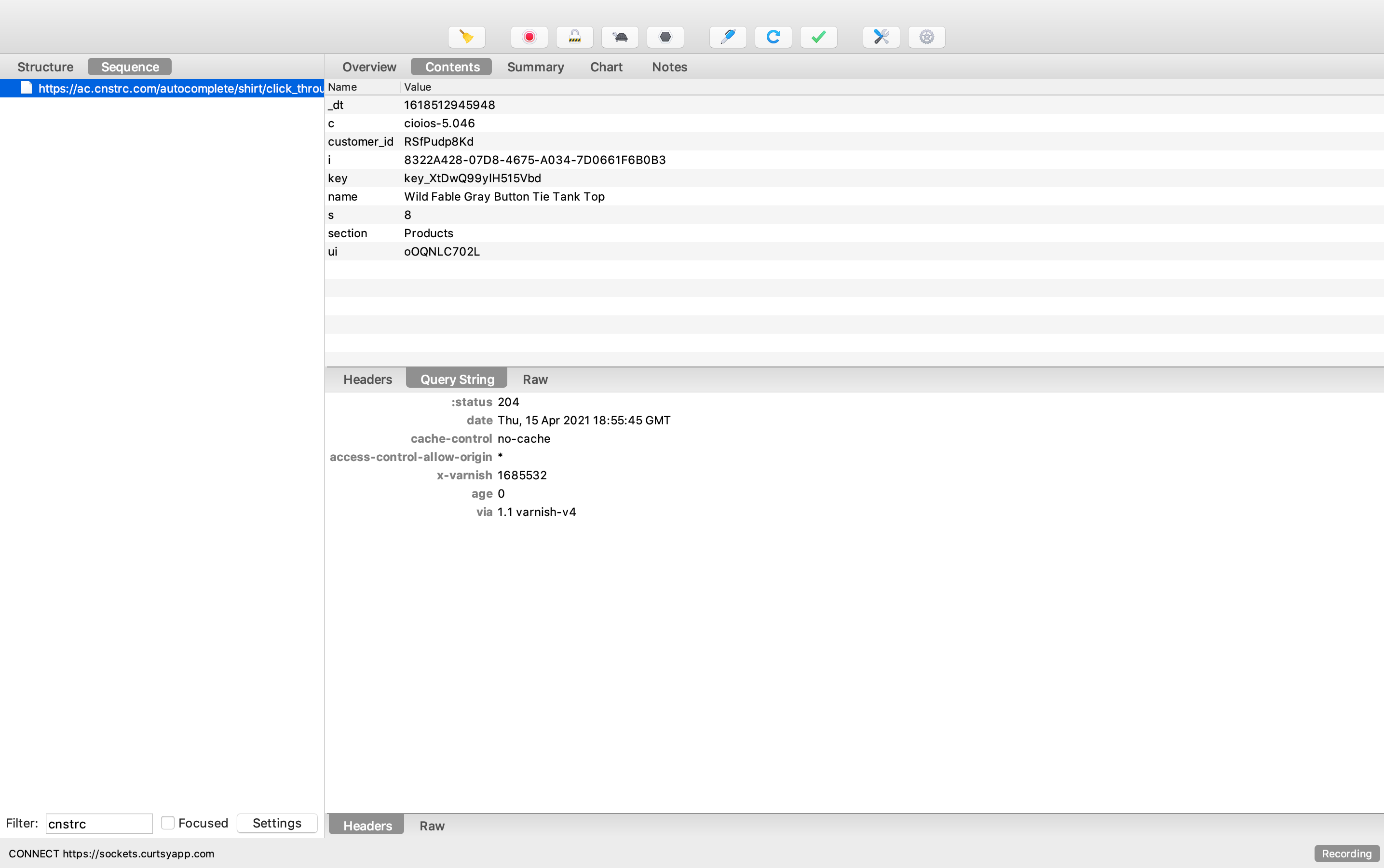
- We should see the 'search result click' event fire clicking on a item on a search page
- trackSearchResultClick
https://ac.cnstrc.com/autocomplete/[term]/click_through
- We should see a network event containing:
- item's name (
namequery string parameters) - item's id (
customer_idquery string parameters)
- item's name (
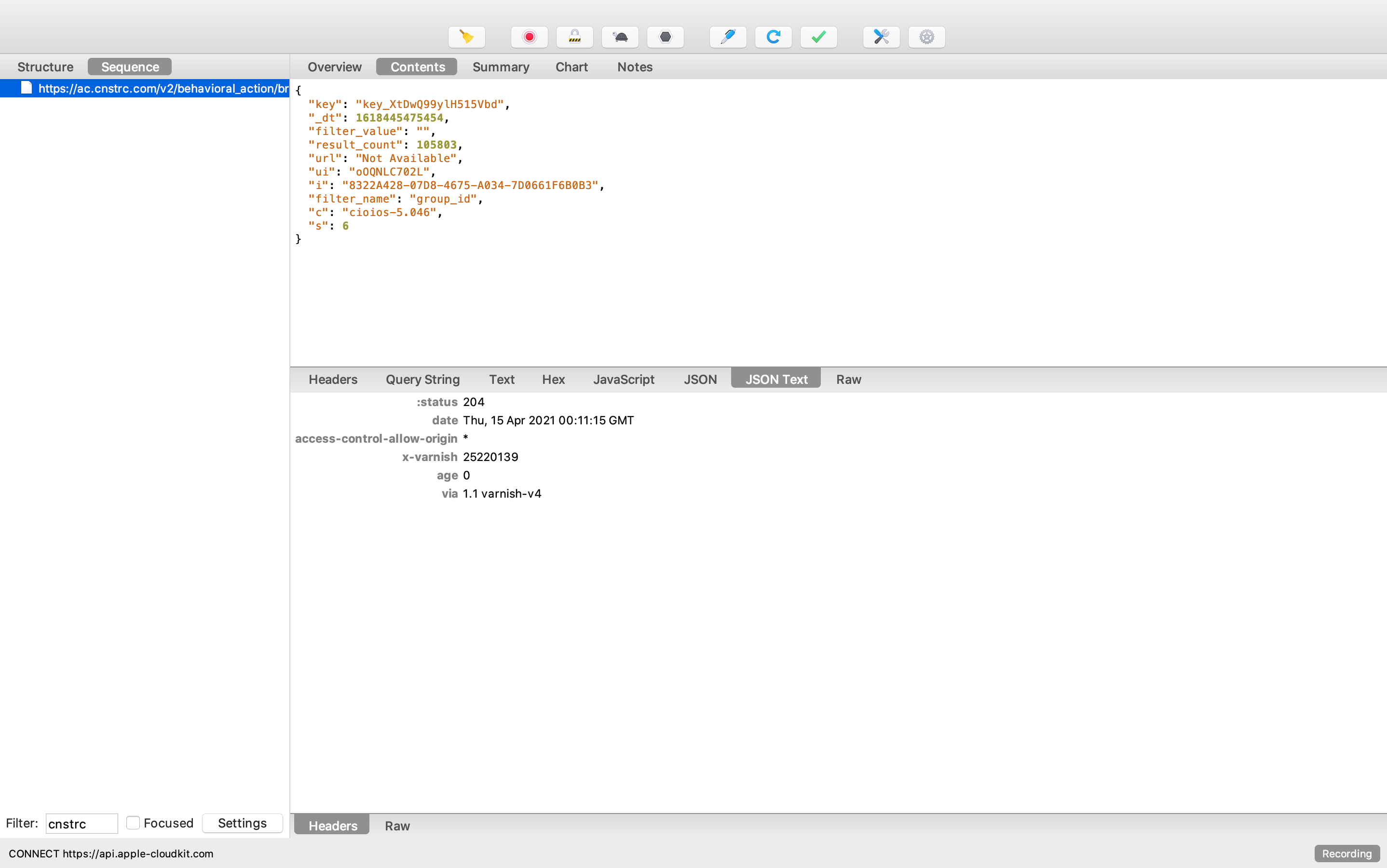
- We should see the 'browse result loaded' event fire when landing on a browse page
- trackBrowseResultsLoaded
https://ac.cnstrc.com/v2/behavioral_action/browse_result_load
- We should see a network event containing:
- event's filter name (
filter_namerequest payload) - event's filter value (
filter_valuerequest payload) - total number of results (
result_countrequest payload)
- event's filter name (
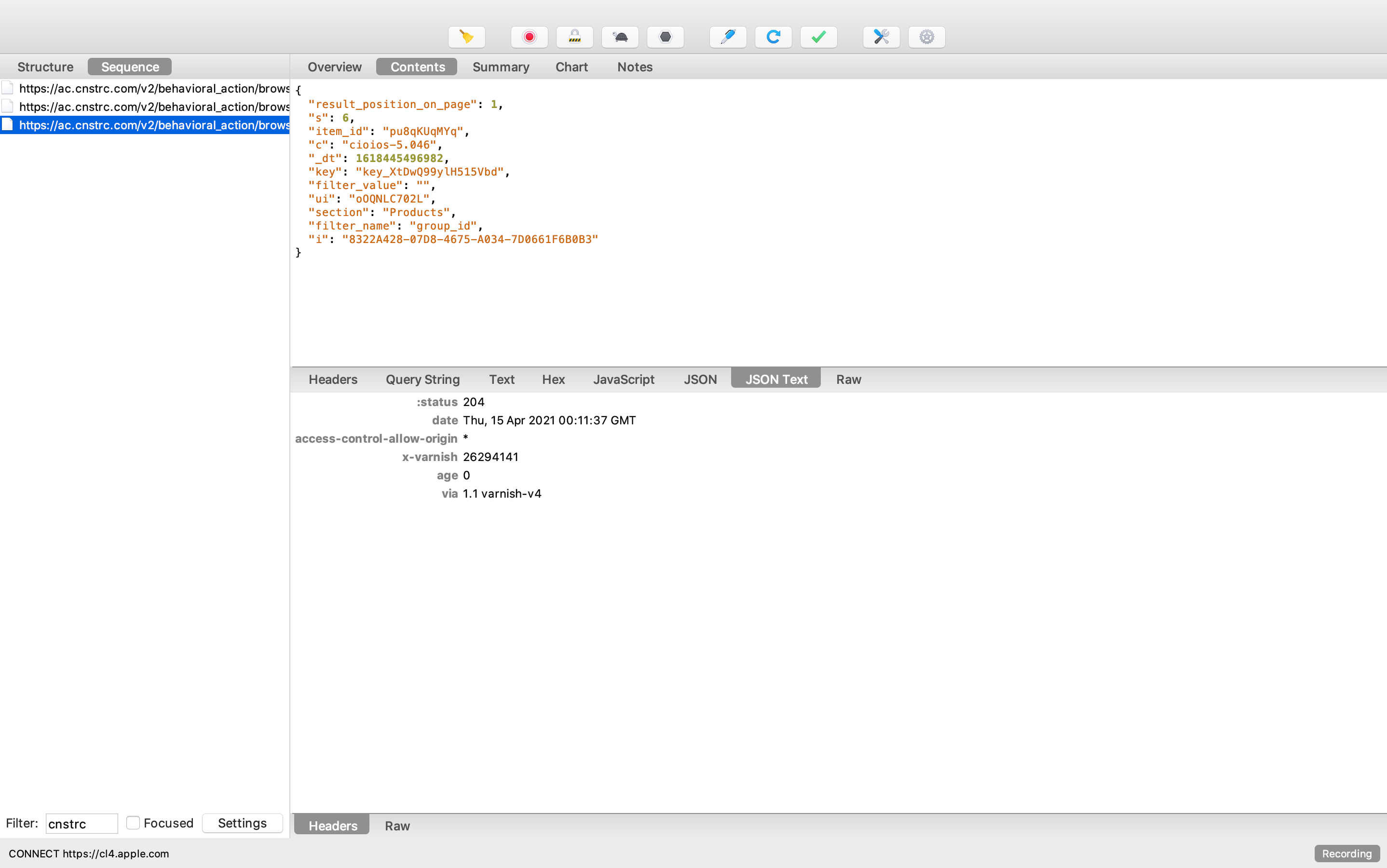
- We should see the 'browse result click' event fire when clicking on a item on a browse page
- trackBrowseResultClick
https://ac.cnstrc.com/v2/behavioral_action/browse_result_click
- We should see a network event containing:
- event's filter name (
filter_namerequest payload) - event's filter value (
filter_valuerequest payload) - item's id (
item_idrequest payload) - item's position in the item grid (
result_position_on_pagerequest payload)
- event's filter name (
- We should see the 'recommendation result view' event fire when the user scrolls past a recommendation carousel/pod.
- trackRecommendationsResultsView
https://ac.cnstrc.com/v2/behavioral_action/recommendation_result_view
- We should see a network event containing:
- event's pod id (
pod_idrequest payload) - number of results viewed (
num_results_viewedrequest payload)
- event's pod id (

- We should see the 'recommendations result click' event fire when clicking on a recommendation item.
- trackRecommendationResultClick
https://ac.cnstrc.com/v2/behavioral_action/recommendation_result_click
- We should see a network event containing:
- event's pod id (
pod_idrequest payload) - item's id (
item_idrequest payload)
- event's pod id (

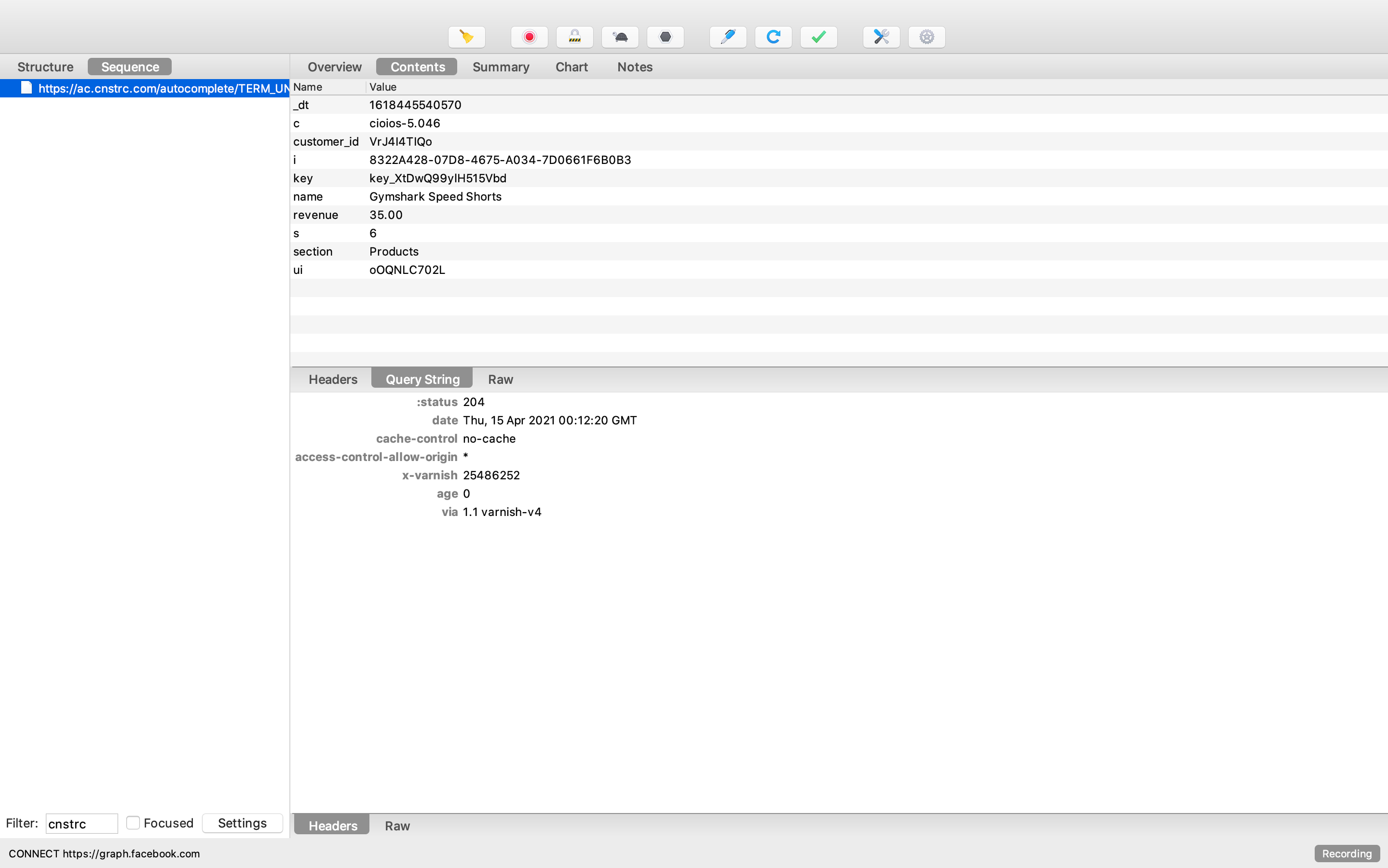
- We should see the 'conversion' event fire when adding an item to the cart
- trackConversion
https://ac.cnstrc.com/autocomplete/[term]/conversion
- We should see a network event containing:
- item's name (
namequery string parameters) - item's id (
customer_idquery string parameters) - item's price (
revenuequery string parameters)
- item's name (
- We should see the 'purchase' event fire when making a purchase
- trackPurchase
https://ac.cnstrc.com/v2/behavioral_action/purchase
- We should see a network event containing:
- total cost (
revenuerequest payload) - order id (
order_idrequest payload) - items being purchased (
itemsrequest payload)
- total cost (
 items: [
           {
             item_id: '6501SB', // Required - Product ID
             variation_id: '387758'. // Optional - Variation ID
           },
           {
             item_id: 'SB82',
             variation_id: '386874',
           },
           . . .
         ]