
This is a simple app that demonstrates Open AI's Whisper API for oTree. Please feel free to leave any feedback or open an issue if you spot a problem. I have only tested this in Windows 11 using Chrome.
The Start button will trigger a recording. Using oTree Live Pages function, the Stop button will save the base64 and webm file, and run this through Whisper.
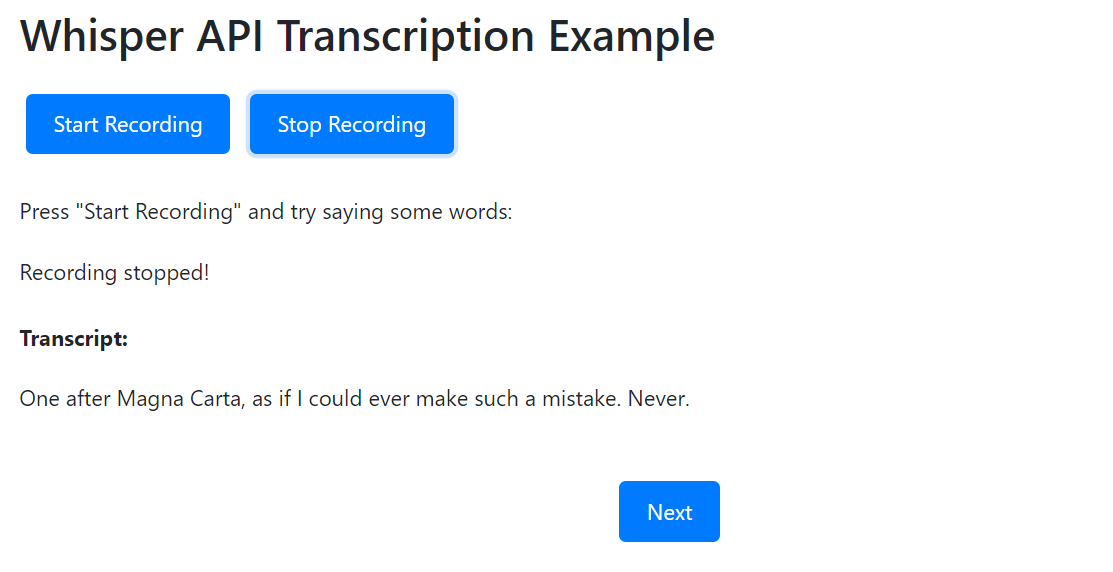
Update: for security and data concerns, Chris from oTree has advised to not save audio files directly to the server. I have updated the app to write to an Amazon S3 bucket. The base64 data is able to be passed directly to Whisper API via the requests package. The base64 text and transcript are saved to the player variables, so you can always recreate the audio samples if needed.
To use this, you will need to acquire a key from OpenAI's API. Add this as an environment variable to your local environment or you can just paste it into the code. If you use Amazon S3 to save the audio samples, you will need to add these as well.
When using locally, you will also need to install the boto3 Python package if you plan to save the files to Amazon S3. Be sure to add these to your requrements.txt file before using online.
As part of oTree's installation agreement, be sure to cite their paper:
- Chen, D.L., Schonger, M., Wickens, C., 2016. oTree - An open-source platform for laboratory, online and field experiments. Journal of Behavioral and Experimental Finance, vol 9: 88-97.
If this app was helpful, you may consider citing this github repository as well.
- McKenna, C., (2024). oTree Whisper. https://github.com/clintmckenna/oTree-Whisper