A social platform REST-API with voting system, JWT authentication and authorization. The complete software life cycle of this project has been implemented.
- API endpoint:
api.soleyman.xyz - Documentation:
api.soleyman.xyz/docs
- Install
python3.8+, withpippackage manager - Clone the repository
git clone https://github.com/IMSoley/SocialAppREST - Determine python version for virtual environment set up:
python --versionorpython3 --version(on linux)- If you see
Python 3.*, then you are good to go - Make sure you're in the
SocialAppRESTdirectory - Install virtualenv package:
pip install virtualenv - Create virtual environment:
python -m venv venv - Activate virtual environment
- On linux:
source venv/bin/activate - On windows:
.\venv\Scripts\activate
- On linux:
- Install dependencies:
pip install -r requirements.txt
- If you see
- Install PostgreSQL:
sudo apt install postgresql postgresql-contrib, for windows install postgresql- Create a database in PostgreSQL
- Rename
env_demoto.env - Change all
.envvariable values as per your PostgreSQL set up exceptALGORITHM- To generate
secret_key, run the following command on a bash/cmd prompt:openssl rand -hex 32(openssl must be installed)
- To generate
- Run
alembic upgrade head - Run
uvicorn app.main:app --reload(--reload flag enables auto-reload on code changes, useful for development) - Visit
localhost:8000to see the app
- Python - programming language
- FastAPI - framework for fast, scalable and secure APIs
- JWT - JWT OAuth 2.0 authentication for secure API endpoints
- PostgreSQL - relational database management system
- SQLAlchemy - ORM for SQL databases
- psycopg2 - PostgreSQL driver for Python
- Alembic - database migration tool for SQLAlchemy
- PyTest - unit testing framework
- Postman - for API testing
- Docker - containerizing the application for deployment using
CI/CDpipelines - Heroku -
CI/CDplatform for deploying to cloud - Ubuntu - deployment on production server
The application is a REST-API with the following endpoints and features:
/login: authentication endpoint, returns a JWT bearer token for authentication and authorization/users: user management endpoint. To create a new user and to update an existing user the endpoint requires theAuthorizationheader with the JWT bearer token/posts: post management endpoint, creates, updates, and deletes posts/vote: vote management endpoint. A user can vote on a post and the vote is recorded in the database. Also, support self voting like Reddit
Without authentication, the application does not allow any user to create, update, or delete posts. The application also does not allow a user to vote on a post. It will show an authentication error message if a user tries to create, update, or delete a post without authentication. It will show an authentication error message if a user tries to vote on a post without authentication.
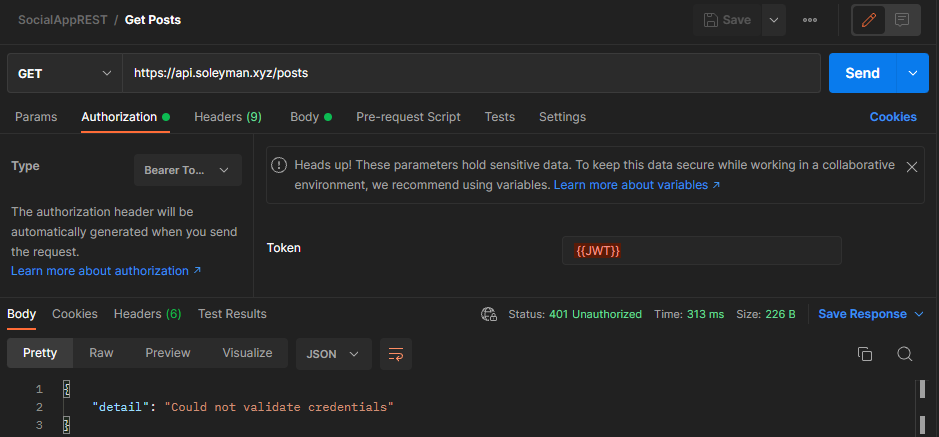
To create an account, the user must provide a email, and password. The email must be unique. The password must be at least 8 characters long. /users endpoint will return a 201 Created response if the user is successfully created.
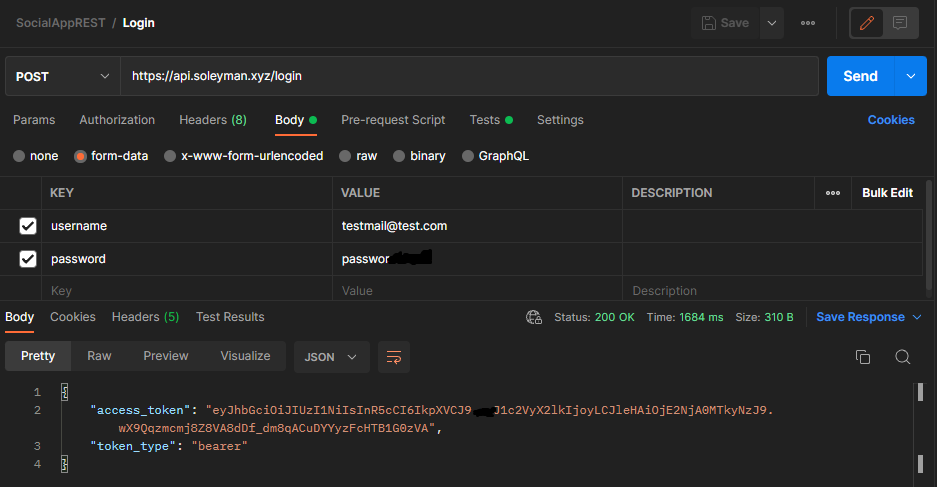
Upon requestiong a /login endpoint, the application verifies the credentials and returns a JWT bearer token for authentication and authorization.
Here's how the JWT bearer token works in the application:
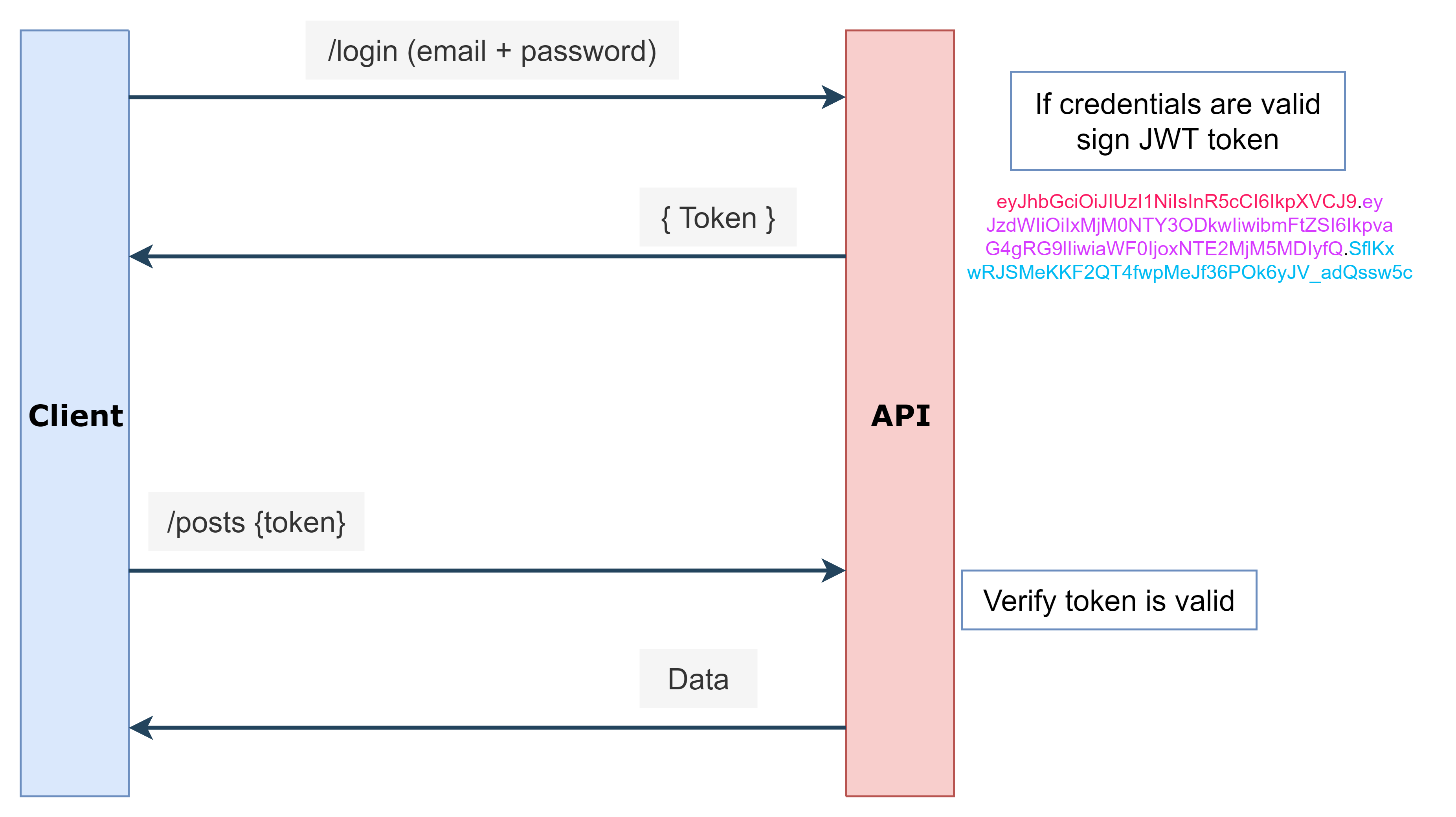
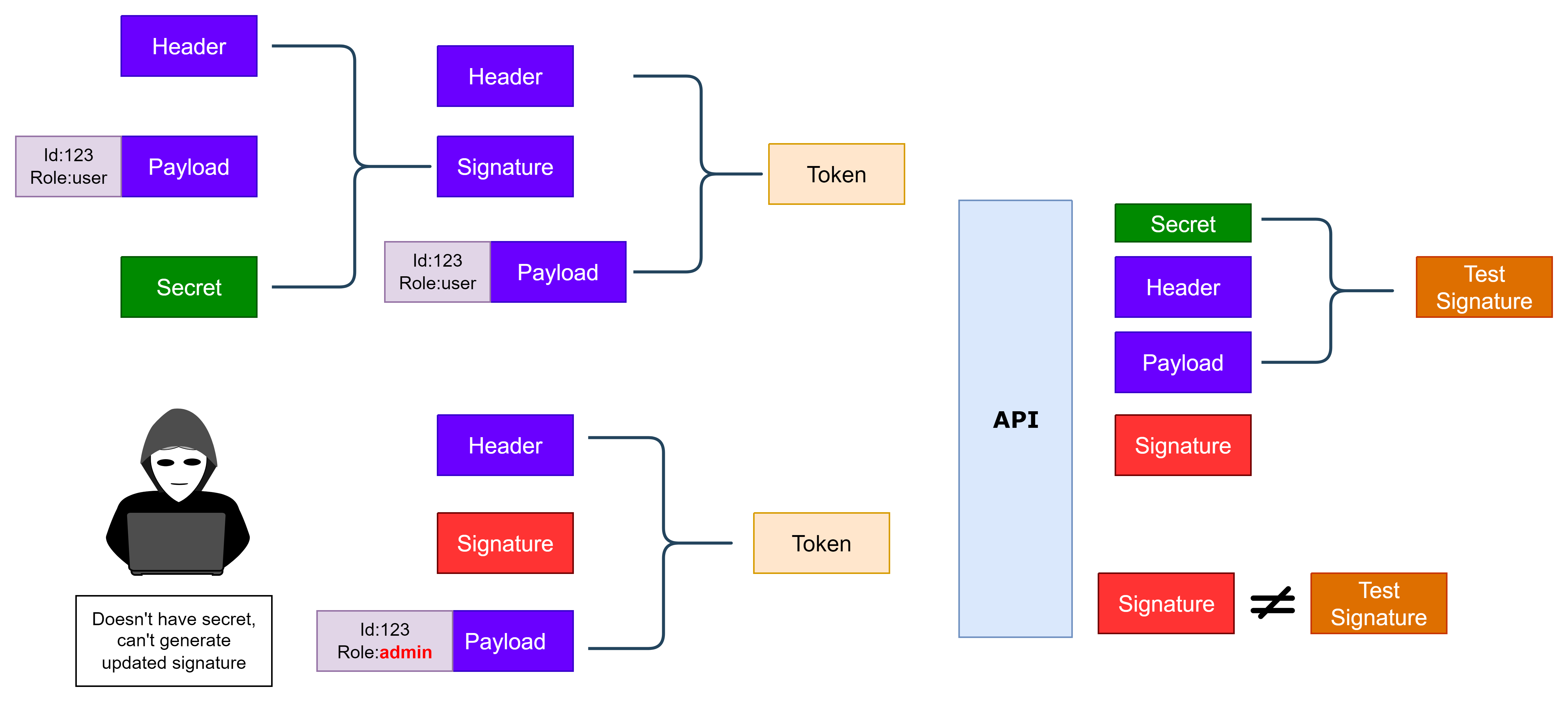
At the end of the token in blue color is the token signature. The token signature is a hash of the token payload and the secret key.
The purpose of the signature is to prevent tampering with the token by an attacker:
Once the user is authenticated, user access to the application is granted. The user can use all the endpoints in the application.
The configuration for unit testing is done in the conftest.py file:
- defined test database
- defined all the fixtures
- all the fixtures are available in the tests directory
Test cases are defined in the tests/test_*.py files, where *.py is the name of the test file.
Automate the deployment of the application to cloud using GitHub Actions and Workflows.
# deploy to cloud on push and pull request events
on: [push, pull_request]
On build-app.yml, there are two jobs build and deploy. The deploy job is dependent on the build job. If the build job fails, the deploy job will not run and production servers will not be deployed.
buildjob builds the application, runsunit testsand creates a Docker image- Docker image:
social-app-rest:latest
- Docker image:
deployjob deploys the application to production servers- Production: api.soleyman.xyz
- Heroku: socialapprest.herokuapp.com
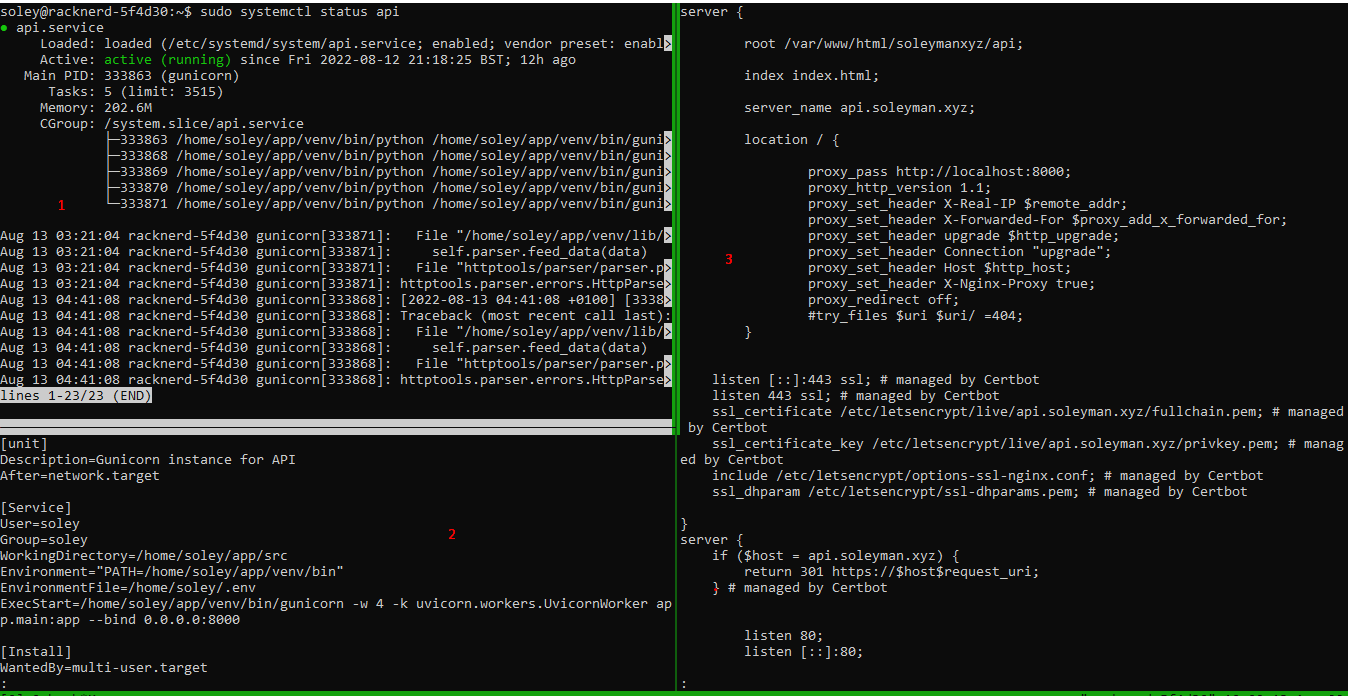
Production server has been optimized for performance and scalability. Tmux panes explained below.
- API service has been up and running using the config defined in pane 2
- Here is the config for the API service:
api.service Ngixis used to proxy the API service to the production server.
MIT License