






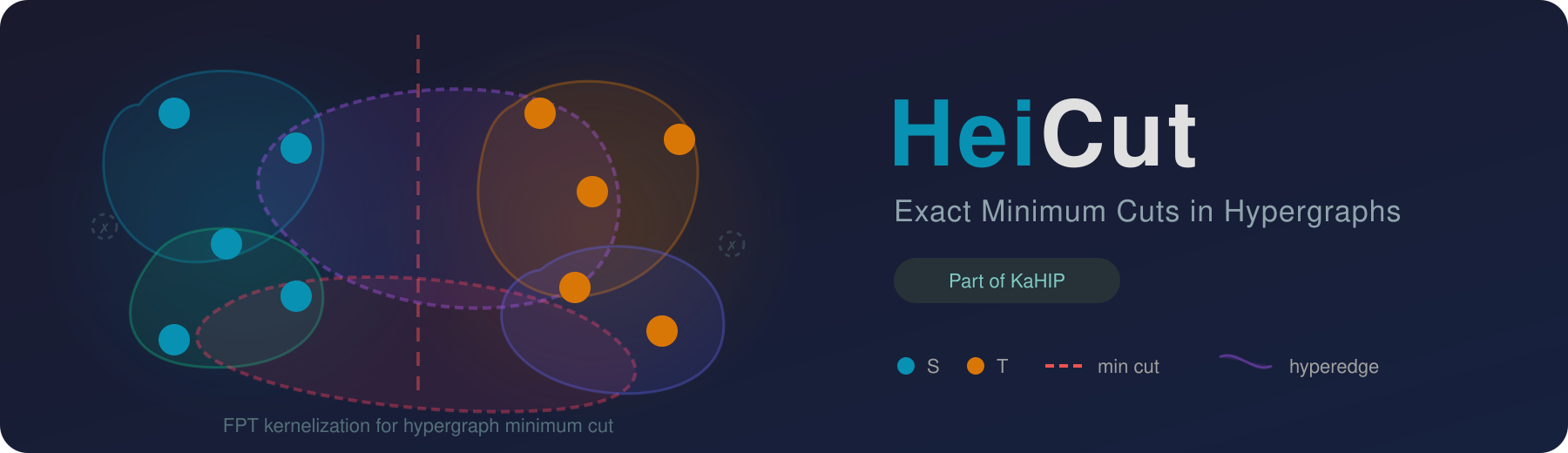
HeiCut is a highly efficient, exact solver for the minimum cut problem in hypergraphs using FPT kernelization. Given a hypergraph, the minimum cut problem asks for a partition of the vertices into two non-empty sets such that the total weight of hyperedges crossing the partition is minimized. HeiCut performs repeated rounds of provably exact reduction rules that preserve the minimum cut while drastically shrinking instance size, then applies an exact solver to the reduced hypergraph. Part of the KaHIP organization.
| What it solves | Exact minimum cut in weighted and unweighted hypergraphs |
| Techniques | FPT kernelization, provably exact reduction rules, label propagation coarsening |
| Solvers | HeiCut (kernelization + exact solve), Relaxed BIP (Gurobi ILP), Trimmer, vertex-ordering solvers |
| Requires | C++17 compiler (GCC 7+), CMake 3.16+, Boost, oneTBB, hwloc, SparseHash, Gurobi, Mt-KaHyPar |
brew install KaHIP/kahip/heicutNote: The Homebrew formula builds without Gurobi ILP support (
-DUSE_GUROBI=OFF). The kernelizer, trimmer, submodular, and generator binaries are fully functional. To use the ILP solver, build from source with Gurobi installed.
git clone https://github.com/KaHIP/HeiCut.git && cd HeiCut

# Install dependencies (Ubuntu)
sudo apt-get install libtbb-dev libhwloc-dev libboost-program-options-dev

# Install Mt-KaHyPar
./install_mtkahypar.sh

# Build
mkdir build && cd build && cmake -DCMAKE_BUILD_TYPE=Release .. && make
To build without Gurobi:
cmake -DCMAKE_BUILD_TYPE=Release -DUSE_GUROBI=OFF ..# Run HeiCut with tight ordering
./build/heicut_kernelizer path/to/hypergraph.hgr --ordering_type=tight
# With label propagation
./build/heicut_kernelizer path/to/hypergraph.hgr --ordering_type=tight --lp_num_iterations=1
# ILP solver (2-hour timeout)
./build/heicut_ilp path/to/hypergraph.hgr --ilp_timeout=7200The minimum cut problem in hypergraphs is NP-hard. HeiCut applies fixed-parameter tractable (FPT) kernelization to reduce the hypergraph before solving. The data reduction rules provably preserve the exact minimum cut value while shrinking the hypergraph, often dramatically. The reduced hypergraph is then solved using an exact solver.
The pipeline:
- Load a hypergraph (hMETIS or METIS format)
- Reduce via provably exact kernelization rules, optionally with label propagation coarsening
- Solve the reduced hypergraph exactly (ILP, vertex-ordering, or trimmer)
- Extract the minimum cut value for the original hypergraph
| Binary | Description |
|---|---|
heicut_kernelizer |
Main HeiCut solver (sequential) |
heicut_kernelizer_parallel |
Parallel HeiCut solver |
heicut_ilp |
Relaxed BIP solver (Gurobi) |
heicut_ilp_parallel |
Parallel ILP solver |
heicut_trimmer |
Trimmer algorithm |
heicut_submodular |
Vertex-ordering solver |
heicut_submodular_parallel |
Parallel vertex-ordering solver |
heicut_dumbbell_generator |
Synthetic dumbbell hypergraph generator |
heicut_kcore_generator |
(k,2)-core benchmark generator |
All executables support --help to list available arguments.
# Tight ordering, no label propagation
./build/heicut_kernelizer PATH_TO_HYPERGRAPH --ordering_type=tight

# Tight ordering + 1 round of label propagation
./build/heicut_kernelizer PATH_TO_HYPERGRAPH --ordering_type=tight --lp_num_iterations=1

# Parallel execution
./build/heicut_kernelizer_parallel PATH_TO_HYPERGRAPH --ordering_type=tight
Tip: Use
--verboseto view detailed reduction performance.
# ILP solver with 2-hour timeout
./build/heicut_ilp PATH_TO_HYPERGRAPH --ilp_timeout=7200

# Parallel ILP solver
./build/heicut_ilp_parallel PATH_TO_HYPERGRAPH --ilp_timeout=7200./build/heicut_trimmer PATH_TO_HYPERGRAPH --ordering_type=tight./build/heicut_submodular PATH_TO_HYPERGRAPH --ordering_type=tight
# Parallel
./build/heicut_submodular_parallel PATH_TO_HYPERGRAPH --ordering_type=tight# Generate a (k,2)-core hypergraph
./build/heicut_kcore_generator PATH_TO_HYPERGRAPH PATH_TO_OUTPUT
# Generate a dumbbell hypergraph
./build/heicut_dumbbell_generator PATH_TO_OUTPUTTwo input formats are supported. The default is hMETIS (see hMETIS manual). METIS format is also supported.
hMETIS format (unweighted):
% comment line (optional)
num_hyperedges num_vertices
vertex_1 vertex_2 ...
vertex_3 vertex_4 vertex_5 ...
...
hMETIS format (weighted, with 1 flag):
% comment line (optional)
num_hyperedges num_vertices 1
weight_1 vertex_1 vertex_2 ...
weight_2 vertex_3 vertex_4 vertex_5 ...
...
Example files are included in the examples/ directory.
- A 64-bit Linux operating system
- A modern C++17 compiler (
g++>= 7 recommended) - CMake (>= 3.16)
- Boost.Program_options (>= 1.69)
- oneTBB (>= 2021.5.0)
- hwloc
- SparseHash
- Gurobi (used as LP solver)
- Mt-KaHyPar, commit
0ef674a
sudo apt-get install libtbb-dev libhwloc-dev libboost-program-options-devNote:
libtbb-devmay be outdated on some distributions. If so, clone and build oneTBB locally:
git clone https://github.com/oneapi-src/oneTBB.git
cd oneTBB && mkdir build && cd build
cmake -DCMAKE_INSTALL_PREFIX=/usr -DTBB_TEST=OFF ..
sudo cmake --build .
sudo cmake --install .git clone https://github.com/sparsehash/sparsehash
cd sparsehash
./configure
make installHeiCut uses Gurobi as its LP solver.
- Create a Gurobi account.
- Download Gurobi for Linux.
- Follow the installation guide.
- Obtain a license. Free academic licenses are available via the official guide.
- Place your
gurobi.liclicense file in the installation folder (e.g.,/opt/gurobi1203/). - Add environment variables (adjust the path to match your version):
export GUROBI_HOME="/opt/gurobi1203/linux64"
export PATH="${PATH}:${GUROBI_HOME}/bin"
export LD_LIBRARY_PATH="${LD_LIBRARY_PATH}:${GUROBI_HOME}/lib"HeiCut depends on Mt-KaHyPar (commit 0ef674a).
To install automatically:
./install_mtkahypar.shThis builds the library and places libmtkahypar.so in HeiCut/extern/mt-kahypar-library/.
Manual build instructions (if preferred):
git clone --depth=2 --recursive https://github.com/kahypar/mt-kahypar.git
cd mt-kahypar
git checkout 0ef674a
mkdir build && cd build
cmake .. -DCMAKE_BUILD_TYPE=Release
make install.mtkahypar   # may need sudo
Note: If installed locally, the build will exit with an error due to missing permissions. However, the library is still built successfully and is available in the build folder. Locate libmtkahypar.so (usually in build/lib/) and copy it into HeiCut/extern/mt-kahypar-library/.
A few users have encountered a compilation error in Mt-KaHyPar's growt dependency:
.../external_tools/growt/data-structures/migration_table_iterator.hpp:68:22: error:
'... migration_table_mapped_reference ...' has no member named 'ref'; did you mean '_mref'?
68 |                 sref.ref.refresh();
|                      ^~~
|                      _mref
If you see this and the program does not compile, apply the following manual fix in the growt source and rebuild:
- Open:
<your-mtkahypar-source>/external_tools/growt/data-structures/migration_table_iterator.hpp
- In the class
migration_table_mapped_reference, edit the constructor's initializer list. Change (possibly line 57):
: _tab(table), _version(ver), _mref(mref)to:
: _tab(table), _version(ver), _mref(mref), ref(_mref)- Insert (possibly line 133):
public:
base_mapped_reference& ref;- Rebuild Mt-KaHyPar (or rerun your previous build command).
After installing all dependencies:
git clone https://github.com/KaHIP/HeiCut.git && cd HeiCut
mkdir build && cd build
cmake -DCMAKE_BUILD_TYPE=Release ..
make
Binaries are placed in HeiCut/build/.
Scripts to reproduce all experimental results from the paper are located in experiments/, organized per dataset:
medium_weighted,medium_unweightedlarge_weighted,large_unweightedk-core_weighted,k-core_unweighted
We evaluate on three datasets:
- MHG (488 medium instances): weighted and unweighted
- LHG (94 large instances, up to 139M vertices): weighted and unweighted
- (k,2)-core (44 synthetic instances with non-trivial cuts): weighted and unweighted
Download all datasets here:

Extract into the repository root (/HeiCut/):
/HeiCut/med_set//HeiCut/large_set//HeiCut/k,2-core_benchmark/
Note: To save time and disk space, only weighted versions of the hypergraphs are provided. For reproducing results on unweighted versions, pass --unweighted to each algorithm to process the weighted hypergraphs as unweighted (all edge weights set to 1).
Each dataset folder contains a master script (e.g., perform_medium_weighted_experiments.sh). A global script perform_all_experiments.sh is also provided, though running all experiments at once is very time-consuming.
Important: Avoid using special characters (spaces, #, %, &) in the HeiCut directory path, as they can break the experimental and plotting scripts.
Experiment dependencies:
sudo apt install parallel timeSetup notes:
- Time limits: 2 hours per algorithm
- Memory limits: 100 GB for MHG, 300 GB for LHG and (k,2)-core
- By default, scripts run 1 instance at a time (adjustable for machines with more memory)
Results are written to experiments/<dataset>/generated/all_results/. Each algorithm produces CSV summaries and per-instance results. In the output all_results.csv, each row contains statistics for an instance. The first three columns correspond to minimum cut, time, and memory. If an algorithm fails on an instance, the minimum cut column is blank. All algorithms except Relaxed BIP return the exact minimum cut if successful.
Each dataset folder contains a plot/ subfolder. Once experiments are complete:
cd experiments/medium_weighted/plot
./plot_all.sh
This generates performance profile plots comparing all algorithms on memory usage, runtime, and minimum cut, replicating the paper's figures.
Plotting dependencies:
- R (tested with R 4.3+)
- LaTeX with TikZ support (a full texlive installation is recommended)
Required R packages:
ggplot2, plyr, dplyr, RColorBrewer, tikzDevice,
gridExtra, egg, ggpubr, stringr, stringi, ggrepel
The R scripts will automatically attempt to install missing packages. If installation fails, install them manually:
install.packages(c(
  "ggplot2","plyr","dplyr","RColorBrewer","tikzDevice",
  "gridExtra","egg","ggpubr","stringr","stringi","ggrepel"
), repos = "https://cloud.r-project.org")Configurable scripts are available in experiments/:
generate_experiments.sh-- select algorithms and parametersrun_experiments.sh-- set time limits and parallelismextract_results.sh-- collect results
Provide hypergraph paths in experiments/hypergraphs.txt.
| Project | Description |
|---|---|
| KaHIP | Karlsruhe High Quality Graph Partitioning |
| VieCut | Shared-memory parallel minimum cut algorithms |
| fpt-max-cut | FPT kernelization for the maximum cut problem |
| Mt-KaHyPar | Multi-threaded Karlsruhe Hypergraph Partitioner |
HeiCut is free software provided under the MIT License. If you publish results using our algorithms, please cite:
@inproceedings{DBLP:conf/alenex/Chhabra0UW26,
  author       = {Adil Chhabra and
                  Christian Schulz and
                  Bora U{\c{c}}ar and
                  Loris Wilwert},
  editor       = {Rezaul Chowdhury and
                  Simon J. Puglisi and
                  Bin Ren and
                  Nate Veldt},
  title        = {Exact Minimum Cuts in Hypergraphs at Scale},
  booktitle    = {Proceedings of the 28th Symposium on Algorithm Engineering and Experiments,
                  {ALENEX} 2026, Vancouver, BC, Canada, January 11-12, 2026},
  pages        = {169--181},
  publisher    = {{SIAM}},
  year         = {2026},
  url          = {https://doi.org/10.1137/1.9781611978957.13},
  doi          = {10.1137/1.9781611978957.13},
}
The source code and benchmark datasets are permanently archived on Zenodo (Software) and Zenodo (Dataset).