Phonex-cmdpad is a lightweight, keyboard-driven command launcher for developers who work in the terminal.
It allows you to store, search, and instantly copy shell commands using a fast, fuzzy-search driven interface - without unnecessary UI noise.
Designed for Linux (Wayland-safe) and Windows.


- Speed over features
- Keyboard-first workflow
- Minimal UI, zero distraction
- Local-only data (no cloud, no tracking)
- ⚡ Ultra-fast fuzzy search (RapidFuzz)
- 📋 Instant copy with ENTER
- 🖱️ Optional copy button
- 🧠 SQLite-backed command storage
- 🎯 Live results as you type
- 🪶 Lightweight & responsive
- 🐧 Linux-focused
🔹 Fast 🔹 Simple 🔹 Predictable 🔹 Terminal-oriented
💡 Recommended: Use the automatic installer.
It installs everything in user space, uses virtualenv, and does not modify system Python.
You can install Phon3x-cmdPad with a single command.
The installer will automatically clone the repository and set everything up.
curl -fsSL https://raw.githubusercontent.com/Phon3x/phon3x-cmdpad/main/Installer/AUTO_INSTALL.sh | bashThis will:
- Detect your Linux distribution
- Install required system dependencies
- Clone the repository automatically
- Create a Python virtual environment
- Install Python dependencies
- Create a global cmdpad command
- (Optional) Enable systemd user service
- (Optional) Add GNOME shortcut Ctrl + Alt + C
curl -fsSL https://raw.githubusercontent.com/Phon3x/phon3x-cmdpad/main/Installer/AUTO_UNINSTALL.sh | bashThis safely removes:
- cmdpad launcher
- systemd user service (if enabled)
- GNOME shortcut (if configured)
- Project files (optional)
✅ No system files are modified ✅ Safe to run multiple times
If you prefer full control or want to use a custom Python environment (e.g. pyenv), manual installation is also supported.
-
📘 Standard installation
SeeINSTALL.md -
🔁 Run as a system service
SeeSETUP-AS-SERVICE.md
⚠️ Manual guides are intended for advanced users. They may use custom Python environments (such as pyenv) and require more steps.
| Key | Action |
|---|---|
Ctrl + Alt + C or (or any which you want) |
Toggle CmdPad |
ESC |
Hide |
↑ / ↓ |
Navigate results |
Enter |
Copy selected command |
Ctrl + N |
Add new command |
Ctrl + E |
Edit selected |
Delete |
Delete selected |
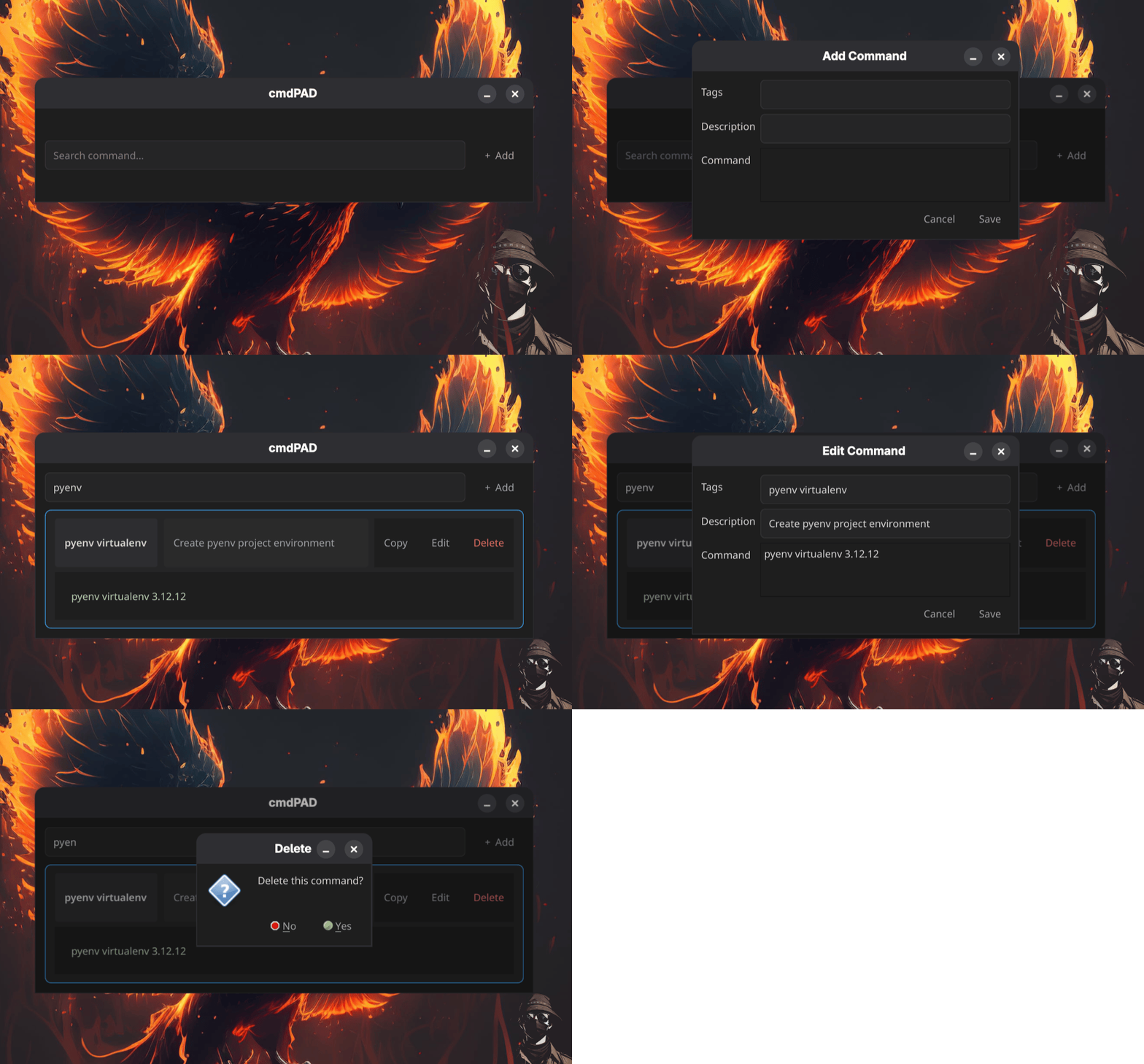
- Commands are stored in a local SQLite database
- Search uses fuzzy scoring, not exact matching
- Results update in real time
- Copy logic is optimized for near-zero latency
❗No cloud sync. | No telemetry. | No global hooks.
- Python
- PySide6 (Qt)
- SQLite
- RapidFuzz
If you find Phon3x-cmdpad useful, you can support the project by:
- ⭐ Starring the repository on GitHub
- 🐛 Reporting issues or bugs
- 💡 Suggesting features or improvements
- 🔄 Sharing with the community
- 📚 Contributing to the documentation