
Cache shortcut updates from RoutineHub API and push them to a GitHub repository.

- Open the Apps Script project click make a copy then in your copy and choose Run > New deployments > Web App to launch the setup page.
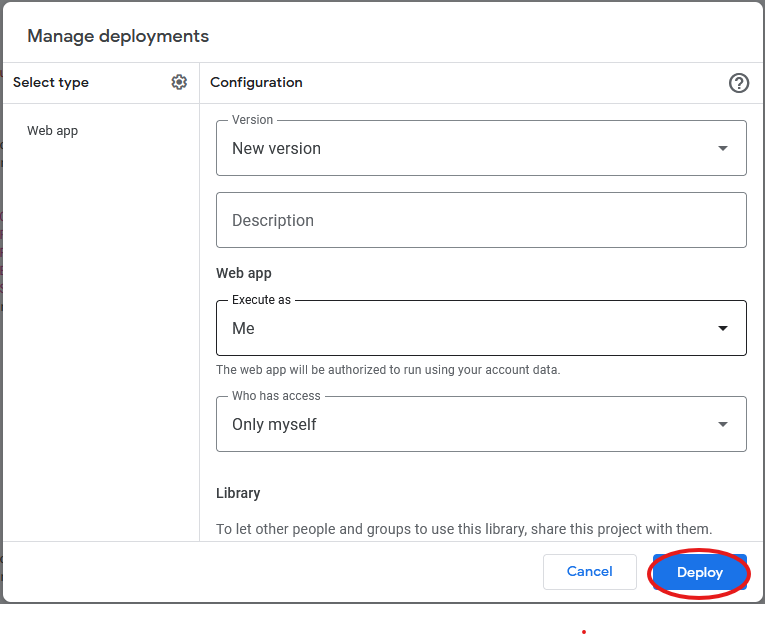
- Use the setup page to provide:
- GitHub owner or organization name
- Repository name
- Folder path inside the repository where the shortcut files should be stored
- A GitHub personal access token with
reposcope - An optional RoutineHub token that will be attached to the discovery API call
- Decide whether you want the script to manage shortcuts automatically (using the RoutineHub feed) or manually:
- When manual management is enabled you can add or remove individual shortcut IDs from the manager on the setup page.
- When manual management is disabled the script will continue to mirror the published RoutineHub shortcuts for the configured feed ID.
- Save the form. The non-sensitive values are stored in Script Properties; the personal access tokens are stored in your User Properties.
- A time-driven trigger is automatically created once valid GitHub credentials are saved. The trigger runs every hour and uses either the RoutineHub feed or your manual shortcut list depending on the toggle.
- You can manually trigger the sync from the setup page by selecting Run now. The Run history section displays the outcome, duration and mode of the latest runs.
- Use Reset setup on the setup page to clear all stored configuration, run history and the hourly trigger.
Once saved, you can also run uploadShortcutsFromSettings directly from the script editor to fetch the latest shortcuts and upload them to your configured repository.