






This tool has been designed to Interact and Manage different Photo Services such as Google Photos, Synology Photos, Immich Photos, Apple Photos & NextCloud, and allow users to do an Automatic Migration from one Photo Cloud service to other or from one account to a new account of the same Photo Cloud service.
The Tool supports multiple accounts for the same service, so you can migrate your assets between different accounts of the same service.


The main use case is the Automatic Migration Feature to migrate all your photos and videos from one Photo cloud service to other, or between different accounts of the same service.
Note
For more info you can check the feature documentation in below link:
Other important feature included in the tool is the Google Takeout Fixing.
This feature has been designed to automatically analyze your Google Photos Takeout, extract all the information from the sidecar JSON files (or guess some missing information using heuristics algorithms) and embeds all the extracted info into each asset file using EXIF tags.
In this way your Media Library will be ready to be migrated to any other Cloud Photo services without losing any important info such as, Albums info, Original date, GPS location, Camera info, etc...
But this feature also helps you to organize and clean your Media Library removing duplicates, creating Year/Month folder structure, creating symbolic links for Albums assets, Auto renaming Albums to clean their names and include a prefix with the date of its assets, Process Motion/Live Pictures, etc...
The whole process is done in an automatic way and is divided in different steps (some of them are optionals).
Note
For more info you can check the feature documentation in below link:
Apart from the 'Automatic Migration' and 'Google Takeout Fixing' features, you can use the tool also to manage different Photo Cloud Services. Currently, the Features Supported per each Photo Cloud Service are:
| Feature | Synology | Immich | Apple | Nextcloud | |
|---|---|---|---|---|---|
| Upload Album(s) (from folder) | doc | doc | Not supported yet | Not supported yet | Not supported yet |
| Download Album(s) (into folder) | doc | doc | Not supported yet | Not supported yet | Not supported yet |
| Upload ALL (from folder) | doc | doc | Not supported yet | Not supported yet | Not supported yet |
| Download ALL (into folder) | doc | doc | Not supported yet | Not supported yet | Not supported yet |
| Remove ALL Assets | doc | doc | Not supported yet | Not supported yet | Not supported yet |
| Remove ALL Albums | doc | doc | Not supported yet | Not supported yet | Not supported yet |
| Remove Albums by Name Pattern | doc | doc | Not supported yet | Not supported yet | Not supported yet |
| Rename Albums by Name Pattern | doc | doc | Not supported yet | Not supported yet | Not supported yet |
| Remove Empty Albums | doc | doc | Not supported yet | Not supported yet | Not supported yet |
| Remove Duplicates Albums | doc | doc | Not supported yet | Not supported yet | Not supported yet |
| Merge Duplicates Albums | doc | doc | Not supported yet | Not supported yet | Not supported yet |
| Remove Orphans Assets | Not supported yet | doc | Not supported yet | Not supported yet | Not supported yet |
Note
For more info you can check the feature documentation in below links:
Important
Finally, the Tool also contains Other Useful Standalone Features such as:
- Metadata fixing of any Photo Library in your local drive (not necessarily needs to be a Google Takeout folder)
- Library Organization features:
- Manage Duplicates assets
- Splitting of assets with and without associated albums
- Folder Structure (customizable) for 'Albums' and 'No Albums' folders
- Symbolic Links Support for Albums folders
- Fix Symbolic Links Broken
- Homogenize Albums folder's name based on content
Note
For more info you can check the feature documentation in below link:
Download the tool either for Linux, MacOS or Windows (for both x64 and arm64 architectures) or Docker version (platform & architecture independent) as you prefer, directly from following links:
Or check the Changelog to choose any specific release.
Note
The Tool is Multi-Platform and Multi-Architecture, and has been designed to be run directly from Windows systems, MacOs or within a Linux Server or NAS such as Synology NAS (Compatible with DSM 7.0 or higher), so feel free to download the version according to your system.
You can also execute the Tool from a Docker container or from sources files for a better compatibility. In below sections you can find the execution instructions to run the Tool from the different methods.
In order to connect to the different Photo Cloud Services, you must configure the connection settings using the Configuration file Config.ini provided with the Tool.
You can see how to configure the Configuration File in this help section: Configuration File
This Tool is based on commands given through the Command Line Interface (CLI), so it is important to know the syntax of that interface.
You can check the whole list of features and arguments with the right syntax here: Command Line Interface (CLI)
Check all arguments descriptions and usage examples in the Arguments Description or in the shorter version.
- Configuration File
- Command Line Interface (CLI)
- Arguments Description
- Automatic Migration Feature
- Google Takeout Management
- Synology Photos Management
- Immich Photos Management
- Other Features
- GPTH Tool Pipeline Description
There are three different methods to execute this Tool:
- From Compiled Binaries
- From Docker Container
- From Source Repository
The below tables show the pros and cons of each method together with a comparative rating of each one of them for you to decide which one fits best with your needed:
-
Execution Method Difficulty Pros Cons Binaries 🟢 ✅ Only basic knowledge on command line commands needed ❌ Platform and architecture dependent
❌ Need basic knowledge of running command line instructions
❌ Some anti-virus may detect the tool as suspicious in Windows systemsDocker ⭐ ✅ Platform and architecture independent
✅ Easy configuration viadocker.config
✅ Automatically pulls latest image ifRELEASE_TAG=latest❌ Need intermediate knowledge of running command line instructions
❌ Need to install Docker (if not already installed)
❌ All paths given as arguments must be relative to the execution folderSource 🔴 ✅ Platform and architecture independent ❌ Need advance knowledge of running command line instructions
❌ Need to install Git and Python 3.8+ (if not already installed).
❌ Need to pull the source repository again to update to a new release🟢 Easiest way ⭐ Recommended 🔴 More difficult
-
Feature Binaries
(easiest way)Docker
(recommended)Source
(more difficult)Platform and architecture independence ⭐☆☆☆☆ ⭐⭐⭐⭐⭐ ⭐⭐⭐⭐⭐ Ease of updating to new release ⭐⭐⭐☆☆ ⭐⭐⭐⭐⭐ ⭐☆☆☆☆ Allow paths arguments point outside execution folder ⭐⭐⭐⭐⭐ ⭐☆☆☆☆ ⭐⭐⭐⭐⭐ No Requires Technical knowledge (Command line syntax) ⭐⭐⭐⭐⭐ ⭐⭐⭐☆☆ ⭐☆☆☆☆ No Requires additional tools/software ⭐⭐⭐⭐⭐ ⭐⭐⭐☆☆ ⭐☆☆☆☆ No Risk of Antivirus alert (especially on Windows) ⭐⭐☆☆☆ ⭐⭐⭐⭐⭐ ⭐⭐⭐⭐⭐ Average Rating ⭐⭐⭐⭐☆ ⭐⭐⭐⭐☆ ⭐⭐⭐☆☆ Average Score 3.5 3.7 3.0
The Historical Change Log can be checked in the following link: Changelog
The Planned Roadmap for futures releases can be checked in the following link: Planned Roadmap
By participating in this project, you agree to abide by our Code of Conduct.
⚠️ The project is under very active development.⚠️ Expect bugs and breaking changes.
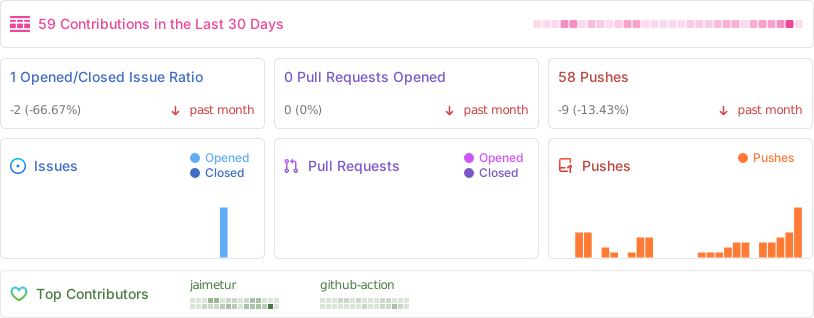
If you want to Contribute to this project please, first read the file CONTRIBUTING.md
- Synology Photos Create albums full of precious moments, share your perfectly framed photos, and store them securely on your Synology NAS.
- Immich Photos High performance self-hosted photo and video management solution.
- NextCloud Photos Your memories under your control.
- Google Photos Takeout Helper (GPTH) Script that organizes the Google Takeout archive into one big chronological folder.
- Exiftool Metadata information reader/writer.
I hope this can be useful for any of you. Enjoy it!
(c) 2024-2025 by Jaime Tur (@jaimetur).
Part of this Tool is based on GPTH Tool by TheLastGimbus/Wacheee and v4.x.x by Xentraxx
If you consider that this Tool has helped you, you can also consider donating me with a ☕
I spent a lot of time developing this Tool for free, so donations will contribute to motivate me to continue working on this project 💖


