

##Installing
- Go to
Atom -> Preferences... - Then select the
Packagestab - Enter
rss-tickerin the search box
$ apm install rss-tickerAlternatively, if you are a git user, you can install the theme and keep up to date by cloning the repo directly into your ~/.atom/packages directory.
$ git clone https://github.com/afj176/rss-ticker/ ~/.atom/packages/rss-ticker- Download the files using the GitHub .zip download option and unzip them
- Move the
rss-tickerfolder to~/.atom/packages
Display your favorite rss feed in your status bar.
To access the RSS Ticker Settings:
- Go to
Atom -> Preferences...orcmd-, - In the
Filter Packagestyperss-ticker
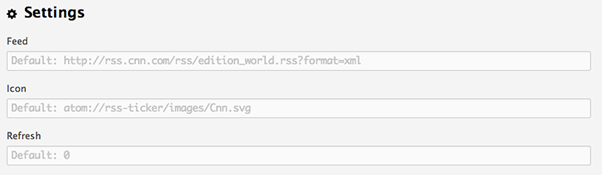
RSS Ticker has two settings that can be edited:
- feed | default:
http://rss.cnn.com/rss/edition_world.rss?format=xml - icon | default:
atom://rss-ticker/images/Cnn.svg - refresh | default:
0(if zero minutes only refreshes when open/close windows)
The following commands are available and are keyboard shortcuts.
rss-ticker:toggle- Toggle rss in status bar -ctrl-shift-.rss-ticker:refresh- Refresh feed -ctrl-shift-;
Feel free fork, contribute, to open an issue to discuss potential features to add or improve.