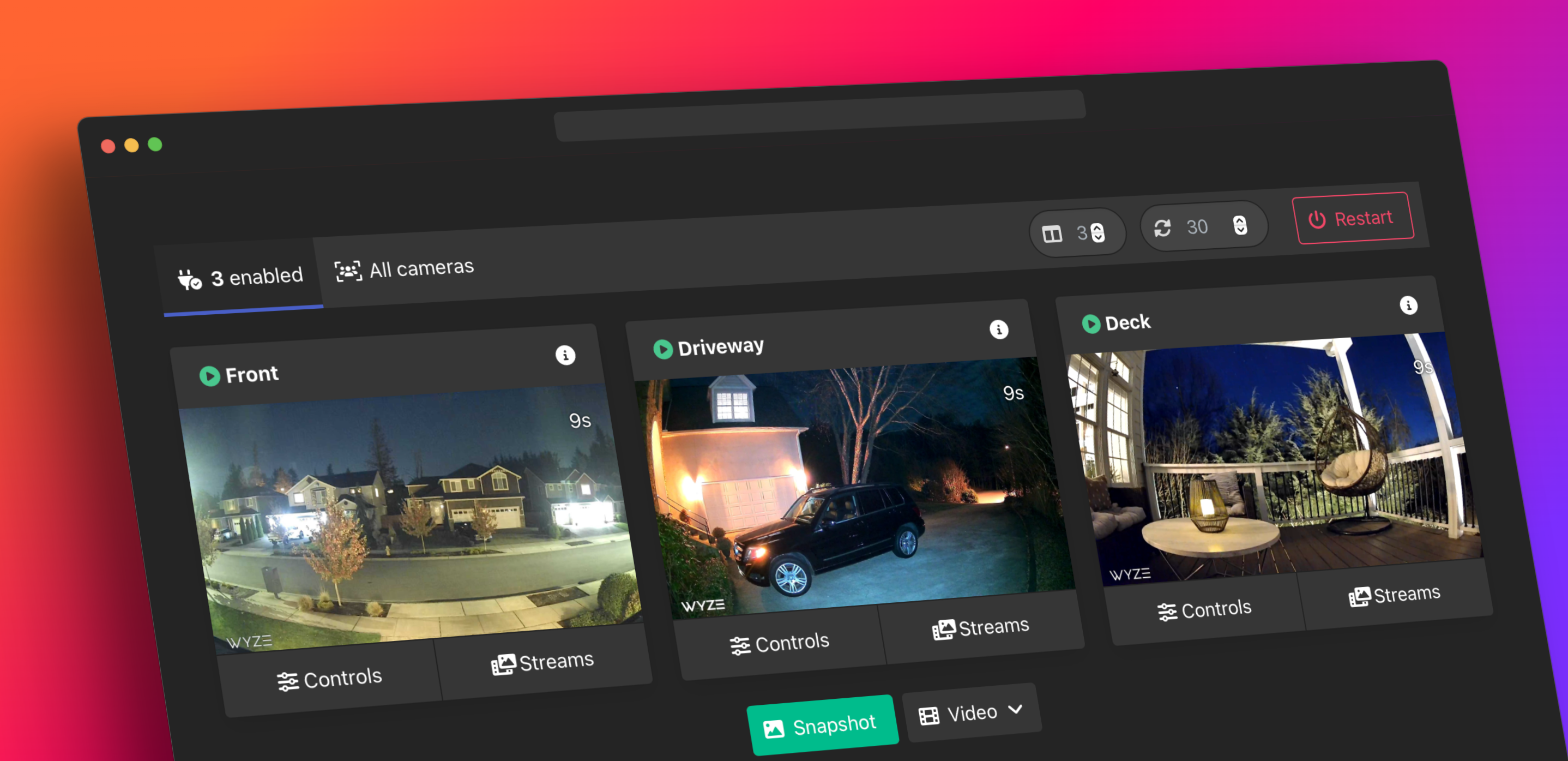
A high-performance, multi-architecture bridge to expose Wyze cameras as standard RTSP, HLS, and WebRTC streams.
Revamped: This fork was created to specifically resolve persistent issues with local RTSP streaming (LAN) on newer Wyze cameras.
This update represents a fundamental shift in architecture. The legacy local LAN (TUTK) protocol is no longer functioning reliably for newer Wyze cameras (like the v4). This release migrates to a cloud-based KVS WebRTC flow bridged through go2rtc.


Important
This update represents a fundamental shift in architecture. The legacy local LAN (TUTK) protocol is no longer functioning reliably for newer Wyze cameras (like the v4). This release migrates to a cloud-based Kinesis Video Stream (KVS) flow bridged through go2rtc.
This bridge bypasses the legacy local LAN (TUTK) protocol which has become increasingly unreliable—and in many cases, completely non-functional—for newer Wyze hardware like the Cam v4.
Instead, it utilizes the Wyze Kinesis Video Stream (KVS) cloud feed:
- Authentication: Authenticates with Wyze APIs to get live stream signaling data.
- Signaling: Connects to Amazon KVS for a secure WebRTC handshake.
- Streaming: Pulls the raw H.264 video feed directly from the cloud.
- Distribution: Uses an internal go2rtc instance to bridge that cloud feed into standard local RTSP, HLS, and WebRTC streams.
Note
While this adds a cloud dependency, it is currently the only stable method to consistently bridge newer Wyze cameras into local NVRs and Home Assistant without the custom RTSP firmware (which is unsupported on many older and newer models alike).
- Universal Stream Support: access your cameras via RTSP, HLS, RTMP, or low-latency WebRTC.
- Multi-Architecture: Native support for x86_64, Raspberry Pi (arm/v7), and Apple Silicon (arm64).
- Persistent Storage: Snapshots and recordings are saved to your defined volumes, not lost on restart.
- Local Processing: Uses
go2rtcfor efficient, low-latency streaming. - Home Assistant Ready: Fully compatible as a Home Assistant Add-on or standalone Docker container.
- Create a
docker-compose.yml(or use the one in this repo):
services:
  wyze-bridge:
    container_name: wyze-bridge
    image: ghcr.io/akeslo/docker-wyze-bridge:latest
    restart: unless-stopped
    ports:
      - 1984:1984 # go2rtc API/Stream
      - 8554:8554 # RTSP
      - 8555:8555 # WebRTC
      - 5000:5000 # Web UI
    volumes:
      - ./snapshots:/img
      - ./config:/config
      - /etc/localtime:/etc/localtime:ro
    environment:
      - WYZE_EMAIL=your-email@example.com
      - WYZE_PASSWORD=your-complex-password
      - API_ID=your-api-id
      - API_KEY=your-api-key
      - WB_AUTH=False # Set to True to password protect the Web UI
- SNAPSHOT=180 # Take a snapshot every 180 seconds-
Start the container:
docker-compose up -d
-
Access the Web UI at:
http://localhost:5000
This repository is compatible with the Home Assistant Add-on Store.
- Add this repository URL to your Add-on Store:
https://github.com/akeslo/docker-wyze-bridge - Install "Docker Wyze Bridge".
- Configure your credentials in the "Configuration" tab.
- Start the add-on.
| Variable | Description |
|---|---|
WYZE_EMAIL |
Your Wyze account email. |
WYZE_PASSWORD |
Your Wyze account password. |
API_ID |
Required. Get it from the Wyze Developer Portal. |
API_KEY |
Required. Get it from the Wyze Developer Portal. |
| Variable | Default | Description |
|---|---|---|
WB_AUTH |
False |
Enable login for the Web UI. |
SNAPSHOT |
Disable |
Interval in seconds to take snapshots (e.g., 180). |
SNAPSHOT_RETENTION |
7d |
How long to keep snapshots (e.g., 7d, 24h). |
FILTER_NAMES |
None | Comma-separated list of camera nicknames to include. |
Once running, your streams are available at:
- WebUI:
http://localhost:5000 - RTSP:
rtsp://localhost:8554/camera-name - HLS:
http://localhost:8888/camera-name/index.m3u8 - WebRTC:
http://localhost:1984/stream.html?src=camera-name
- Based on the original excellent work by
mrlt8andidisposable. - This is a "Redux" version maintained by Akeslo.
- This project is not affiliated with Wyze Labs, Inc.