This is a simple web application that helps users stay organized. It allows them to write, save, and delete notes.
Built in Visual Studio with
HTML
CSS
Javascript
Node.js
Express
Bootstrap
Font Awesome
Express
fs
uuid
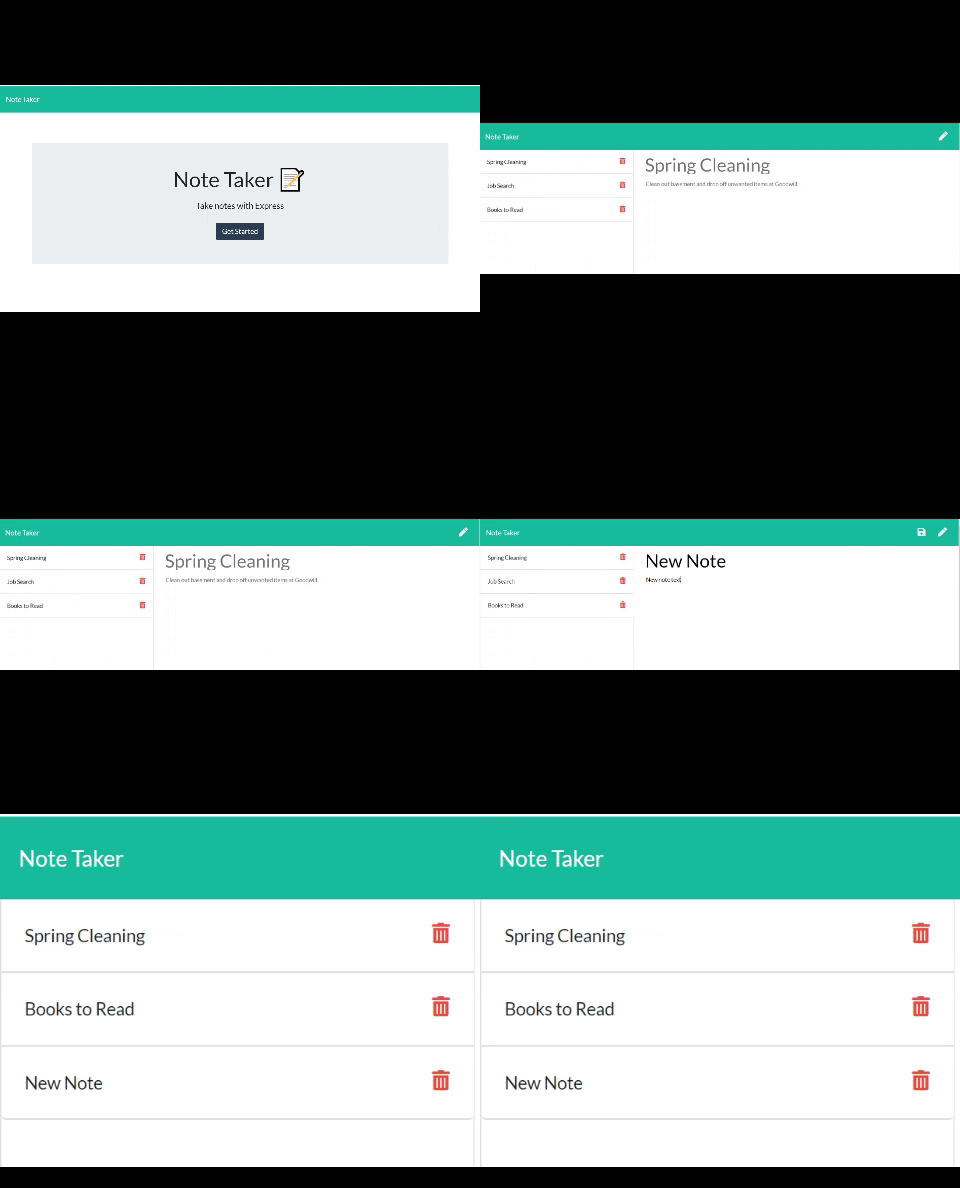
Navigate to (https://still-dusk-77371.herokuapp.com) and click the "Get Started" button. A new page will appear that will display any previously saved notes on the left side of the screen. Click on any of the saved notes to view their content. Click a note's trash icon to delete that note.
If you would like to write a new note, click the pencil icon in the upper right corner of the page. Write your new note's title in the "Note Title" field and then write the body of your note in the "Note Text" field. Click the disc icon in the upper right corner of the screen to save your new note.
I was given a lot of starter code for this project: the html, css, and index.js files were already completed and did not need to be modified for this project. There was also a barebones package.json established and a db.json file as well with a mosty-empty object inside.
The first thing I did was install my dependencies. Then I got my server started in the server.js file. After that, I wrote two more files: one that handled the html routes and one that handled the api routes.
Once this was all working, I tested it and deployed to Heroku.
This project allowed me to learn how to connect the front end and back end code for a full stack application. I learned how to use the delete method in my api routes, how to use uuid in order to generate unique ids for items in my database, and how to use middleware to serve a static resource. This is also the first real project I've deployed to Heroku, which was a headache at first and resulted in two hours of debugging, but it eventually worked.
(https://still-dusk-77371.herokuapp.com)
(https://github.com/alyssahellrung/Express-Note-Taker)
I would like to add unique styling and more functionality to this app (for instance, the ability to add photos and/or links to notes).