Releases: anOsuPlayer/Snake
Snake v1.0

Snake Game
A pretty basic and standard Snake game featuring different mods that help to make it feel a bit more fun.
NOTE: needs Java 18.0.2 or above to run properly: https://www.oracle.com/java/technologies/javase/jdk18-archive-downloads.html
How it works
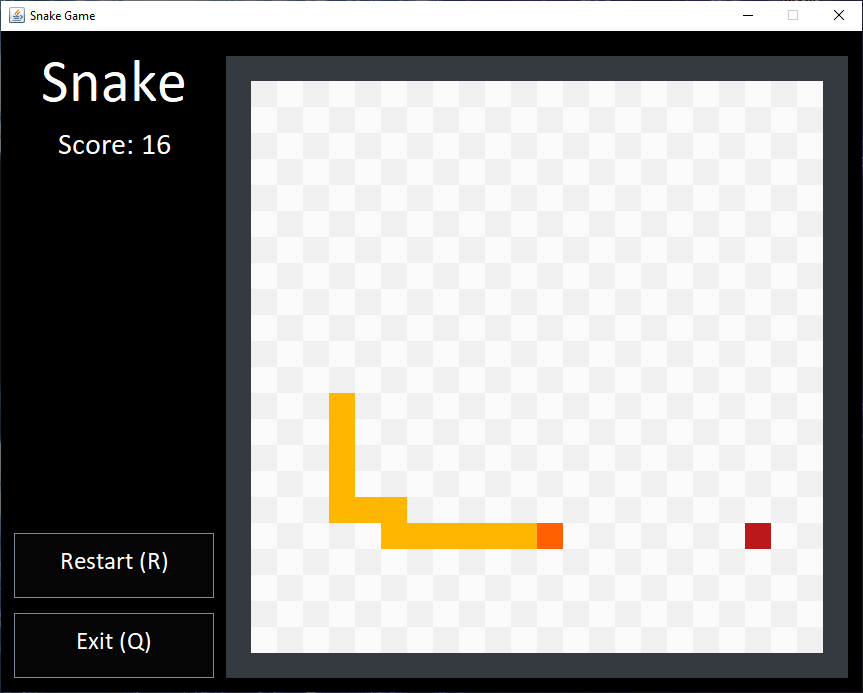
The mechanism is the very same of a classic Snake game: you can move around and eat the food to make your body grow longer. Either hitting your head on your own body or going bonk against one of the side walls will result in the game ending. For each bit of food eaten, your score goes up by 1 point. You can also play around with mods, but more on that later.
You can play by either using WASD or the arrow keys on your keyboard, there is also the option to pause the game by pressing spacebar. When a button contains a letter among brackets (like, "(R)", for example) it means that pressing that key on your keyboard will, also, trigger the event.
Game Screenshots:
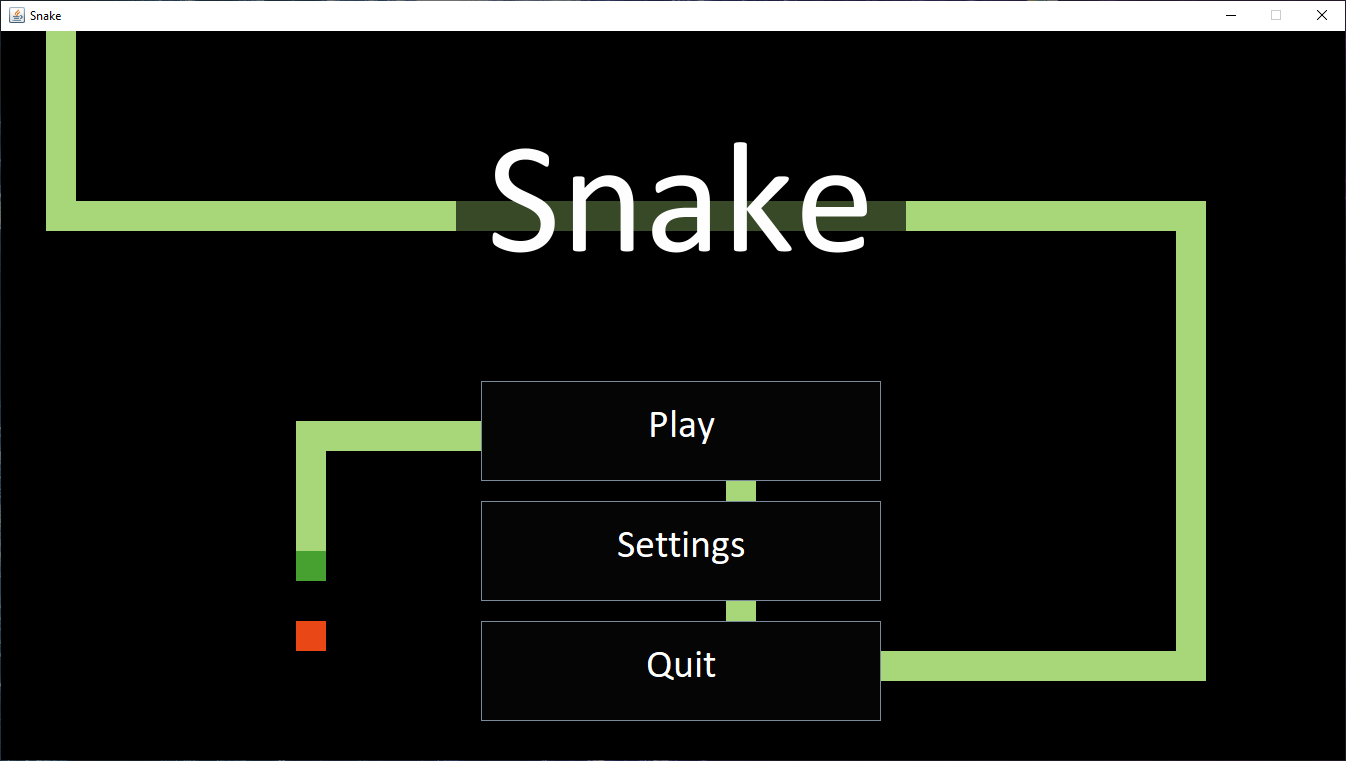
The main menu
The game itself
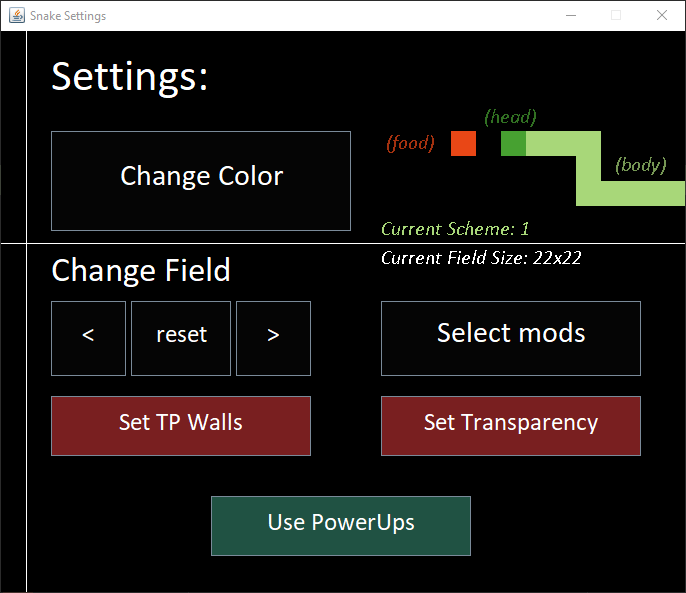
Mods
The mods mentioned above are the following:
- Field size: You can customize the size of your Snake's field from 5x5 going up to 35x35. The reset key brings back the field size to 22x22 (the default field's size).
- Colors!: There is the possibility of choosing between 9 different color schemes for your in-game "textures".
- Power Ups: By enabling this mod (already enabled by default in the settings tab) some power-up will spawn inside the field: a yellow power-up that makes you go twice as fast, and a blue power-up that buffs your speed, halfing it. Note that power-ups can be stacked: this means that eating a new power-up while another one is active does not cancel the effects of the first.
- Teleporting Walls: Enabling this settings allows you to teleport using walls: this means that, by hitting a wall, your body will pop out from the same position on the opposite wall (you'll be able to notice when this mode is active because of the side walls changing color).
- Transparency?: basically, some kind of noclip: allows your head to pierce through your body... a bit cheaty when combined with Teleporting Walls mentioned above...
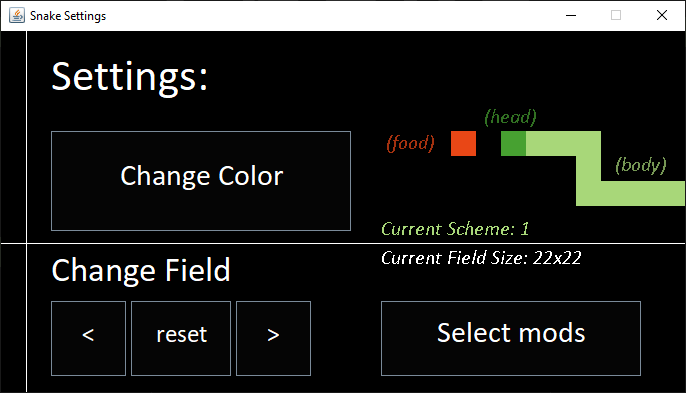
In order to toy around with mods you first need to head into the Settings tab, at the main menu. Once there, you will be presented with a very intuitive menu. I'll go over explaining the most basic and obvious buttons, just remember that, when selecting mods, green ones are enabled and red ones are not.
The settings panel on idle state
The settings panel after hitting "Select Mods"
What comes next?
I don't know whether or not update this project further more. I have some ideas I would like to implement, but I would also like to focus on some bigger projects for the future. In case of eventual updates, i'll be uploading them all here.