






DemoDay AI is a voice-first AI pitch coach that helps founders raise capital by practicing and refining their investor pitch through real-time AI voice conversations. Powered by ElevenLabs, Google Gemini on Vertex AI and RAG grounded in Y-Combinator startup knowledge and investor insights stored in Google CloudStorage and deployed over Google CloudRun, it enables founders to pitch out loud, handle challenging follow-up questions and receive clear, investor-grade feedback.
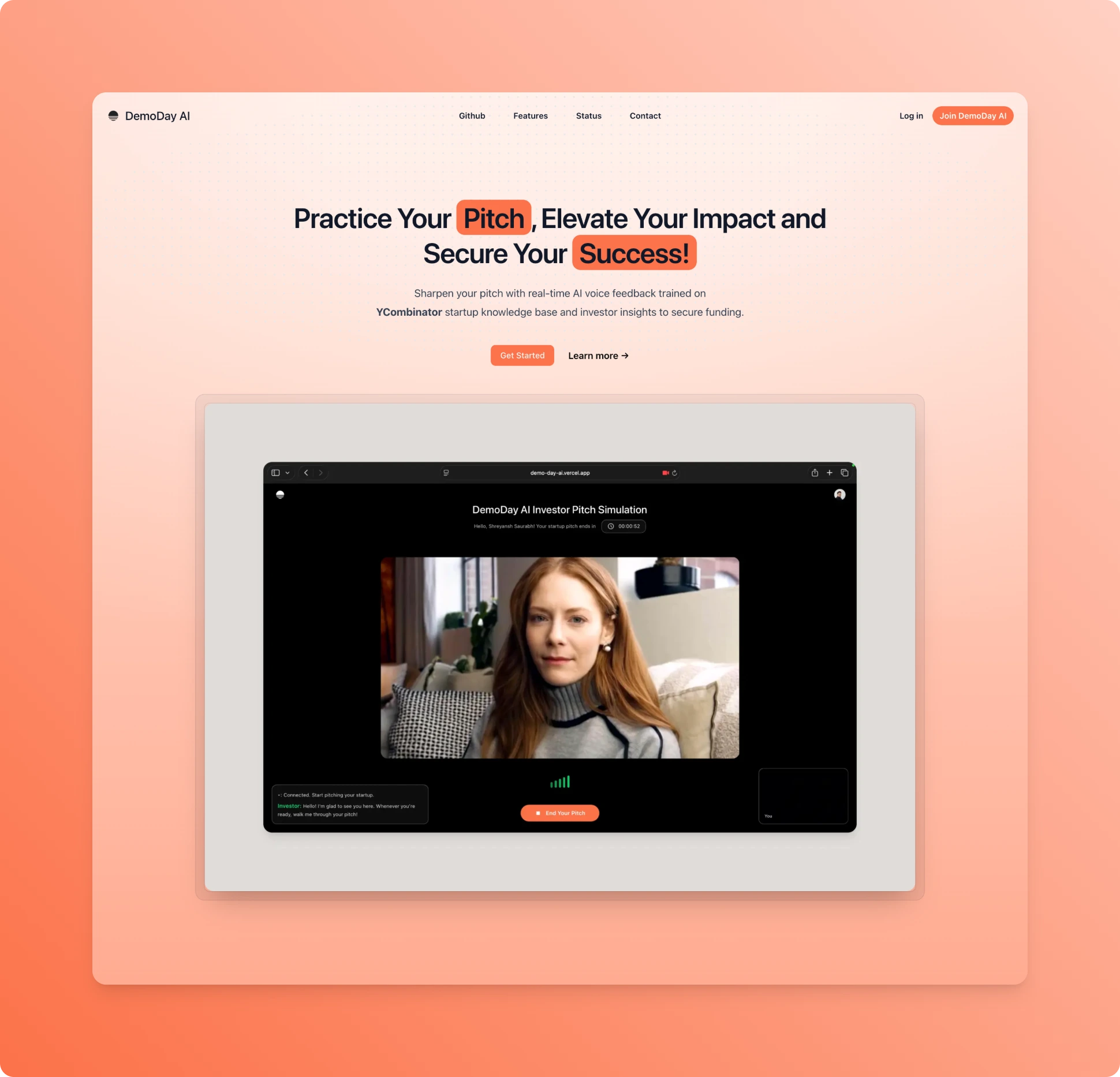
DemoDay AI is a voice-first AI pitch coach platform for founders that simulates a real investor meeting end to end. Founders deliver their pitch out loud, face realistic VC-style follow-up questions and receive actionable, structured feedback on clarity, structure, fundability and concrete next steps—so they can iterate fast before real investor conversations.
Unlike expensive coaches, biased friends or slow feedback loops, DemoDay AI is built for rapid iteration: pitch → pressure test → feedback → rewrite → repeat. It evaluates whether an investor can repeat your company in one sentence, whether the narrative flows, what would block a partner from leaning in and exactly what to fix before the next meeting.
The experience is fully voice-driven, using natural spoken feedback (ElevenLabs + Anam) with realistic tone, pacing and emphasis. Under the hood, feedback is grounded via RAG over Y Combinator talks and Demo Day guidance, combined with your own materials (pitch deck, docs) to ensure advice reflects real investor expectations—not generic tips.
DemoDay AI lets founders:
- Practice pitches entirely through voice
- Handle tough investor follow-ups (traction, TAM, moat, GTM, etc.)
- Get optional real-time coaching mid-session
- Receive a structured post-session feedback report
Frontend
- Next.js — web application framework
- Tailwind CSS — UI styling
- ElevenLabs Agents — real-time voice interaction (WebSocket / SDK)
- Anam — avatar-based voice playback
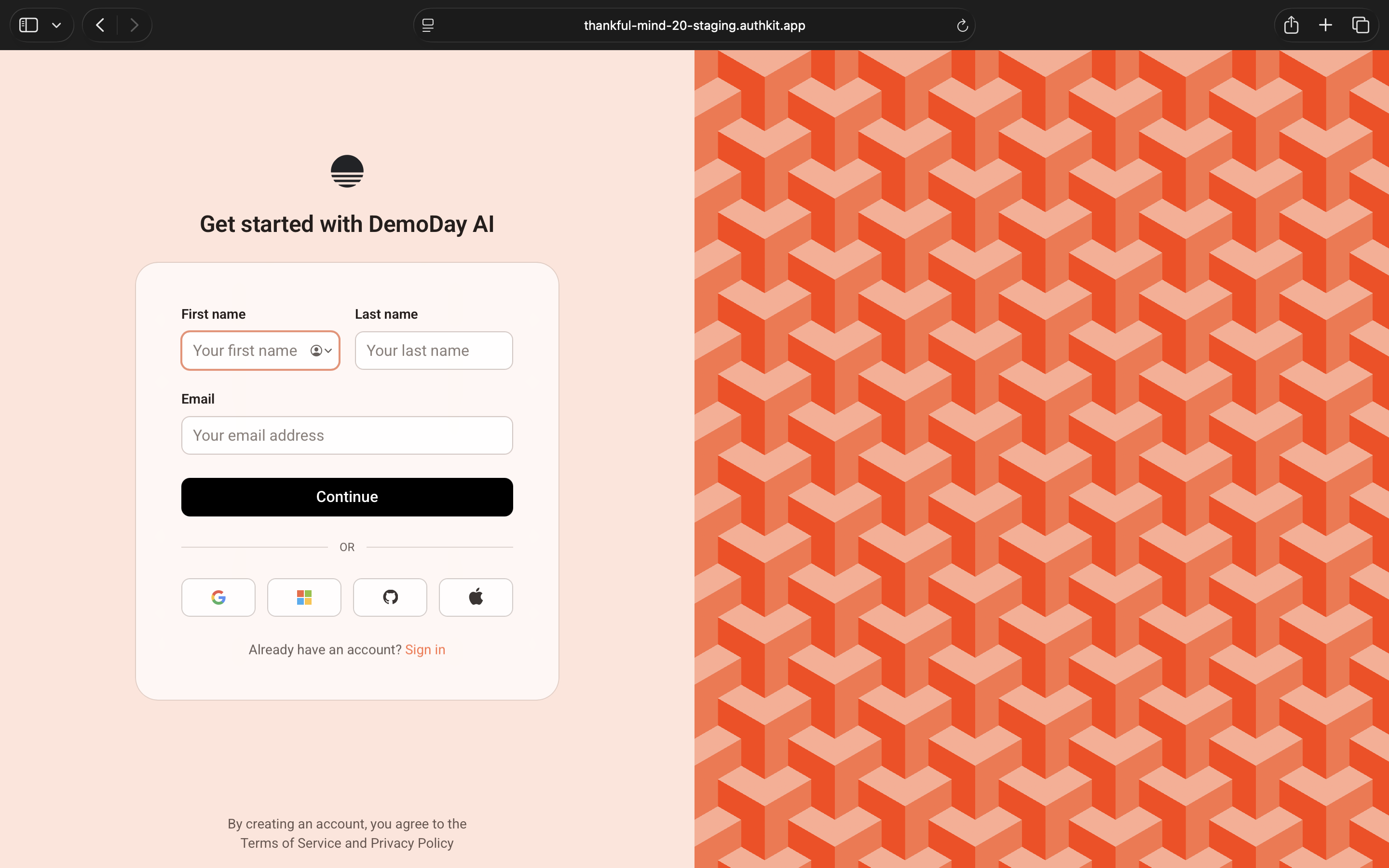
- WorkOS — authentication and identity
Backend & AI
- FastAPI — backend API framework
- Google Vertex AI Gemini — reasoning, pitch evaluation, feedback generation
- Vertex AI Text Embeddings — vectorization for retrieval-augmented generation (RAG)
- RAG Pipeline — retrieve → ground → generate (YCombinator startup knowledge base + Investor Insights)
Data & Storage
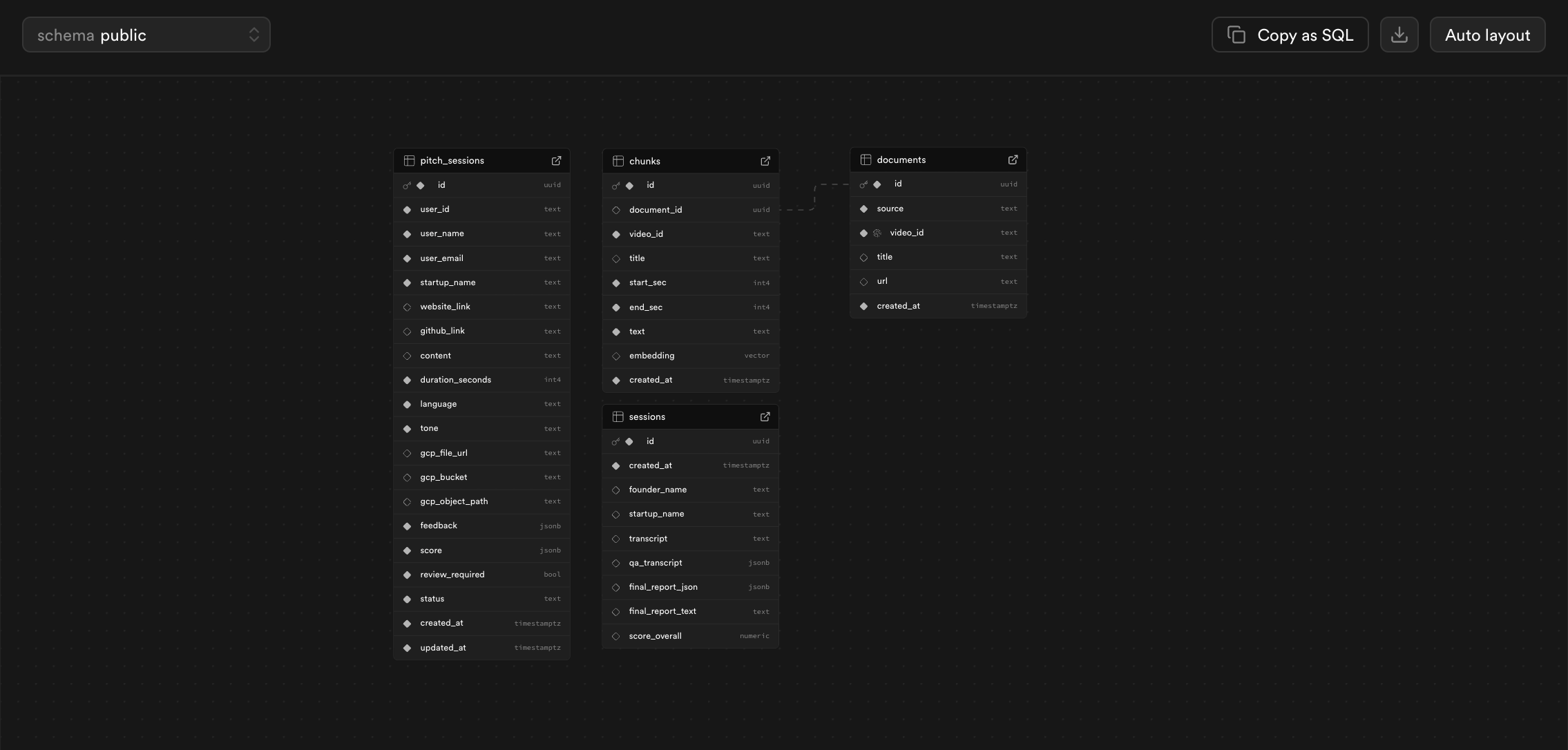
- Supabase Postgres + pgvector — projects, sessions, embeddings, reports
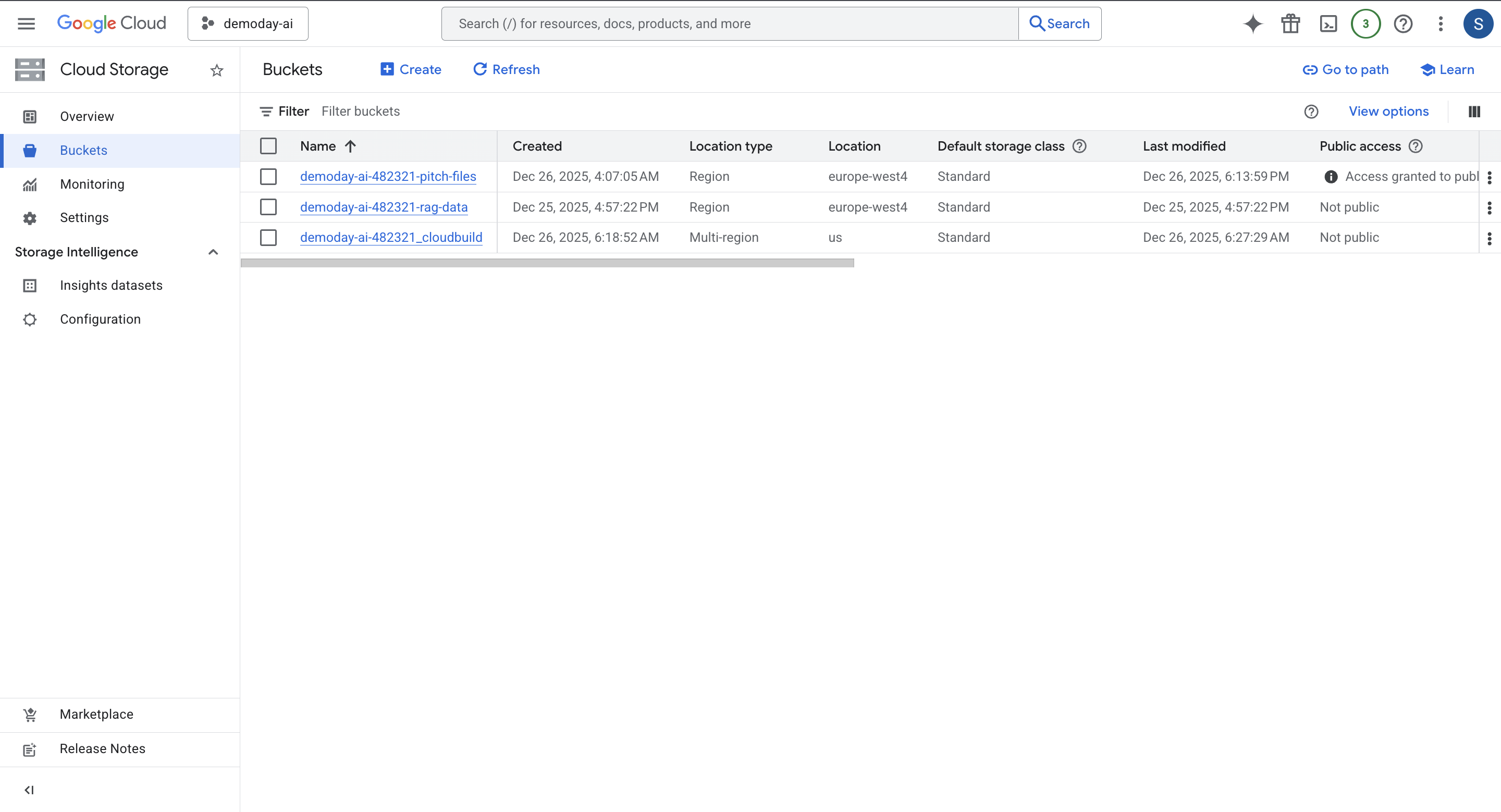
- Google Cloud Storage — pitch decks, transcripts, audio, artifacts
Infrastructure & Deployment
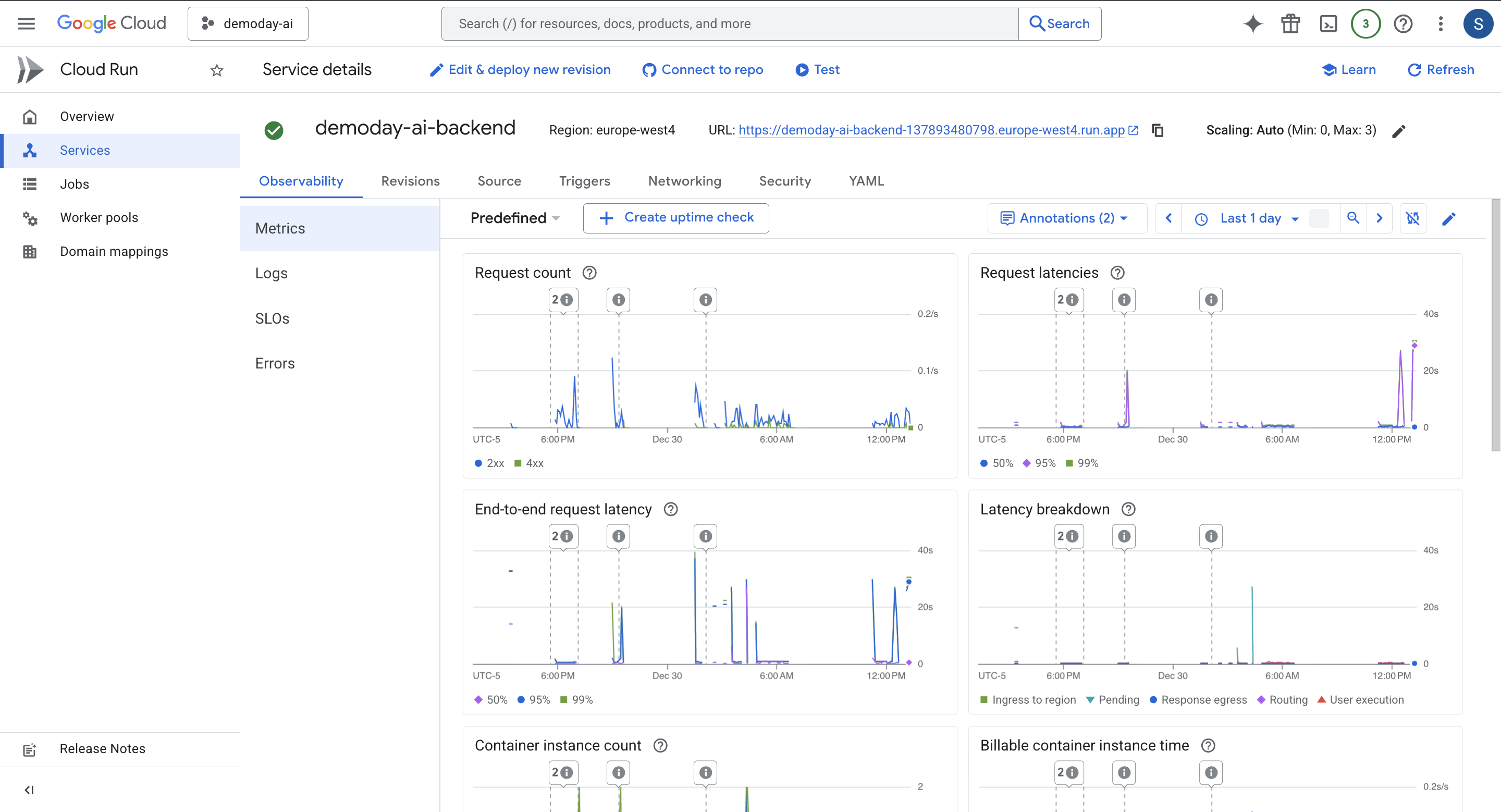
- Cloud Run — containerized backend deployment
- Artifact Registry — container image storage
- Vercel — frontend deployment
Observability & Performance
- BetterStack — deployment & service monitoring
Voice & Real-Time Systems
- ElevenLabs — natural voice synthesis and agents
- Anam Avatars — expressive avatar delivery
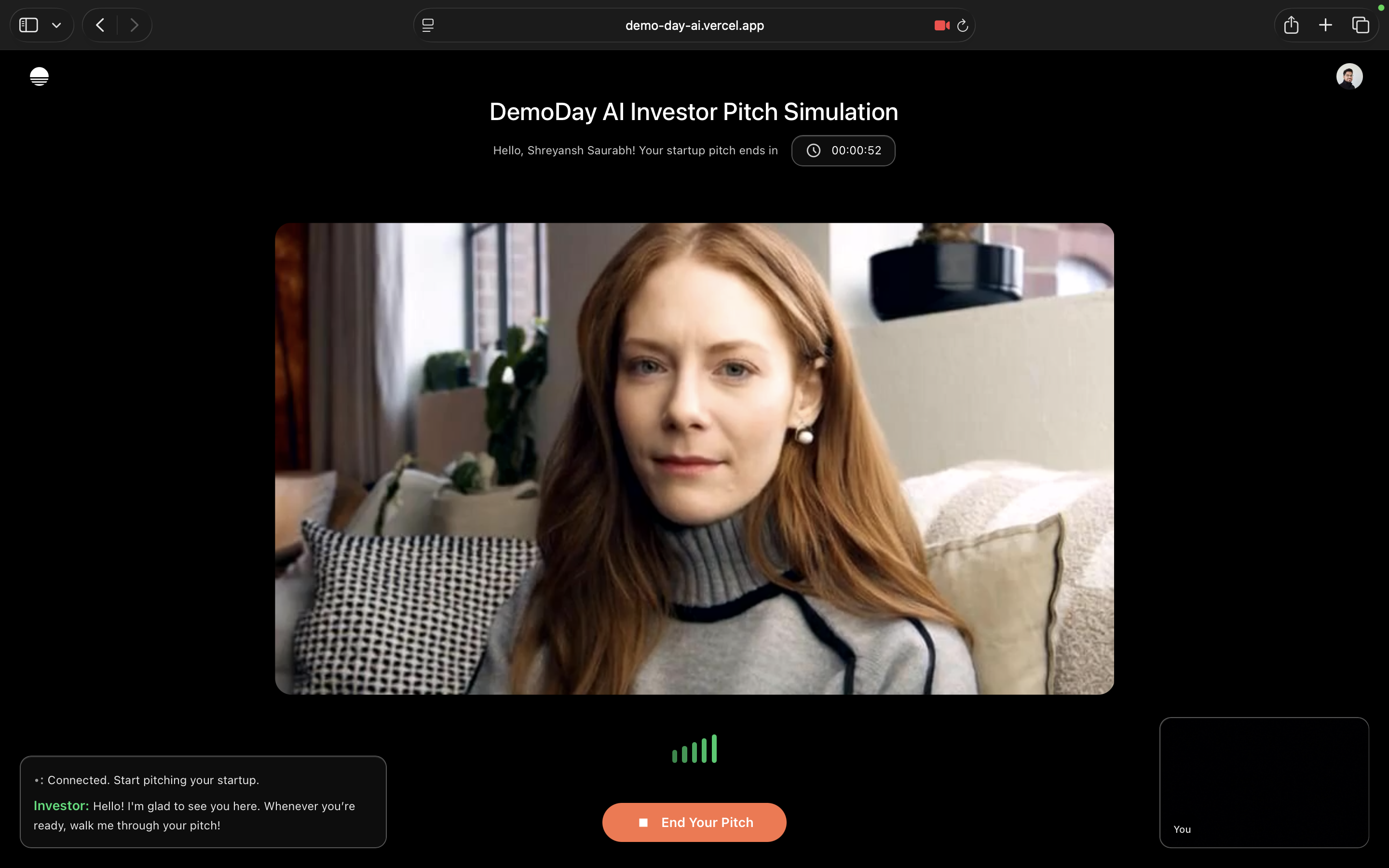
- Real-time investor conversations powered by ElevenLabs Agents
- Natural back-and-forth dialogue entirely via speech
- Sharp, realistic investor personas that probe clarity, traction, and conviction
- Supports interruptions and follow-ups to mirror real meeting dynamics
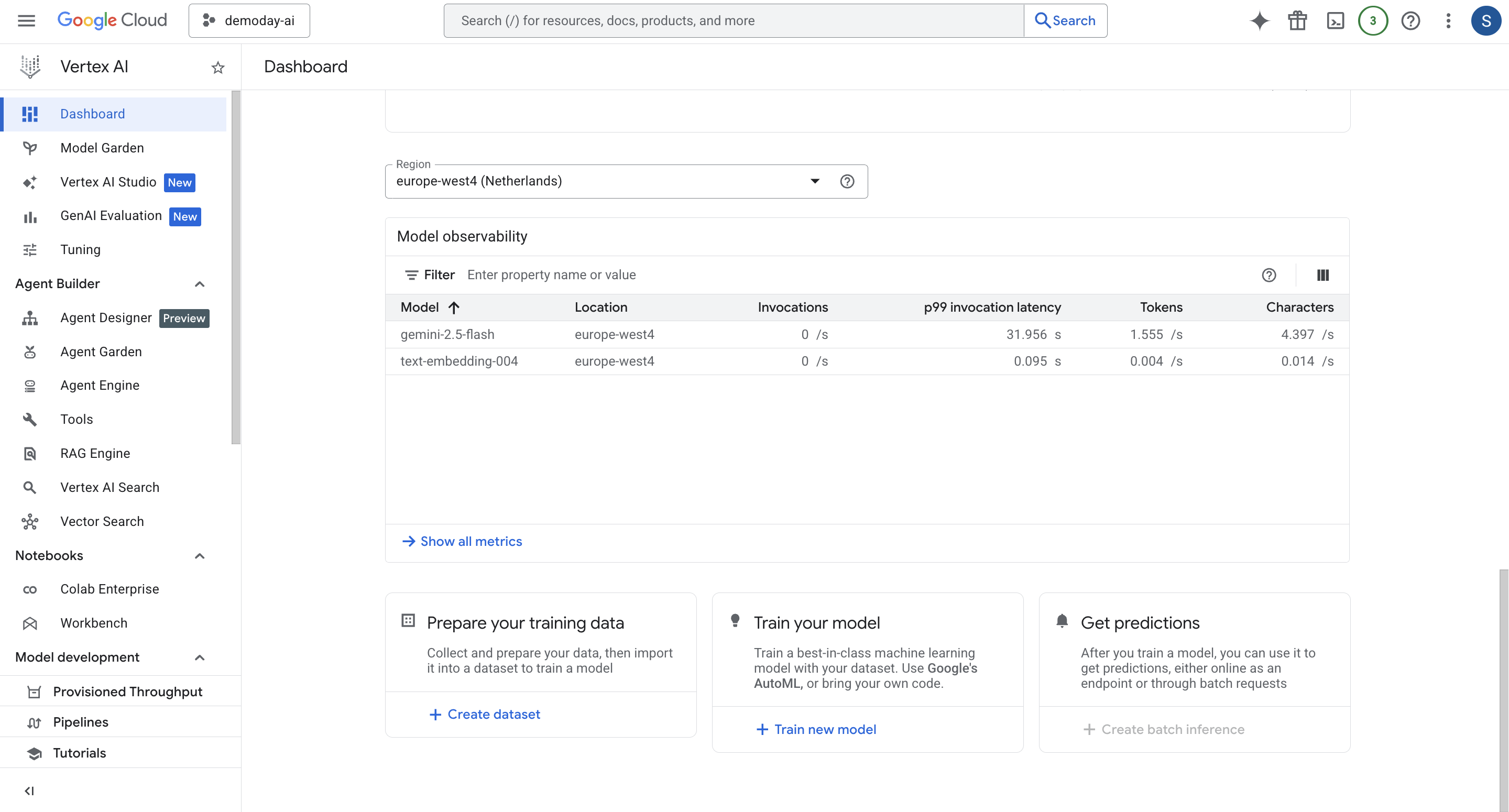
Gemini drives core reasoning and evaluation:
- Context-aware follow-up questions
- Structured, investor-style feedback
- Suggested pitch rewrites
- Clear “investor readiness” signals and red flags
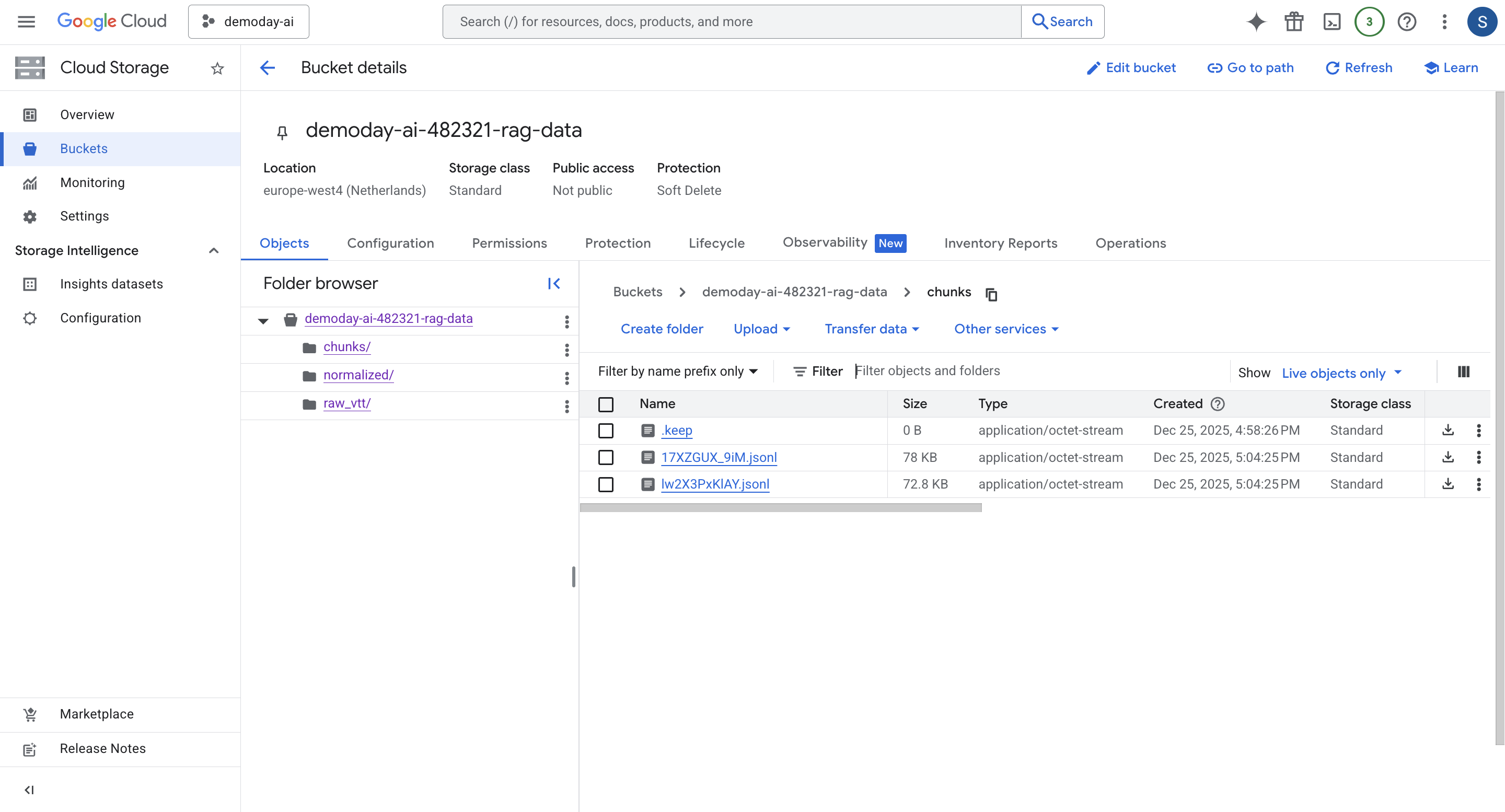
DemoDay AI uses RAG to keep feedback realistic and grounded.
- Y Combinator Demo Day transcripts
- Founder talks
- Investor advice videos
- Transcripts are chunked into short segments (roughly 20–45 seconds)
- Each chunk is embedded using Vertex text embeddings
- Embeddings + metadata are stored in Supabase pgvector
- At runtime:
- the user’s query (or pitch) is embedded
- top-K similar chunks are retrieved
- chunks are fed into Gemini as grounding context
- reduces hallucinations
- aligns feedback with real YC standards
- enables citations in reports (what the advice is based on)
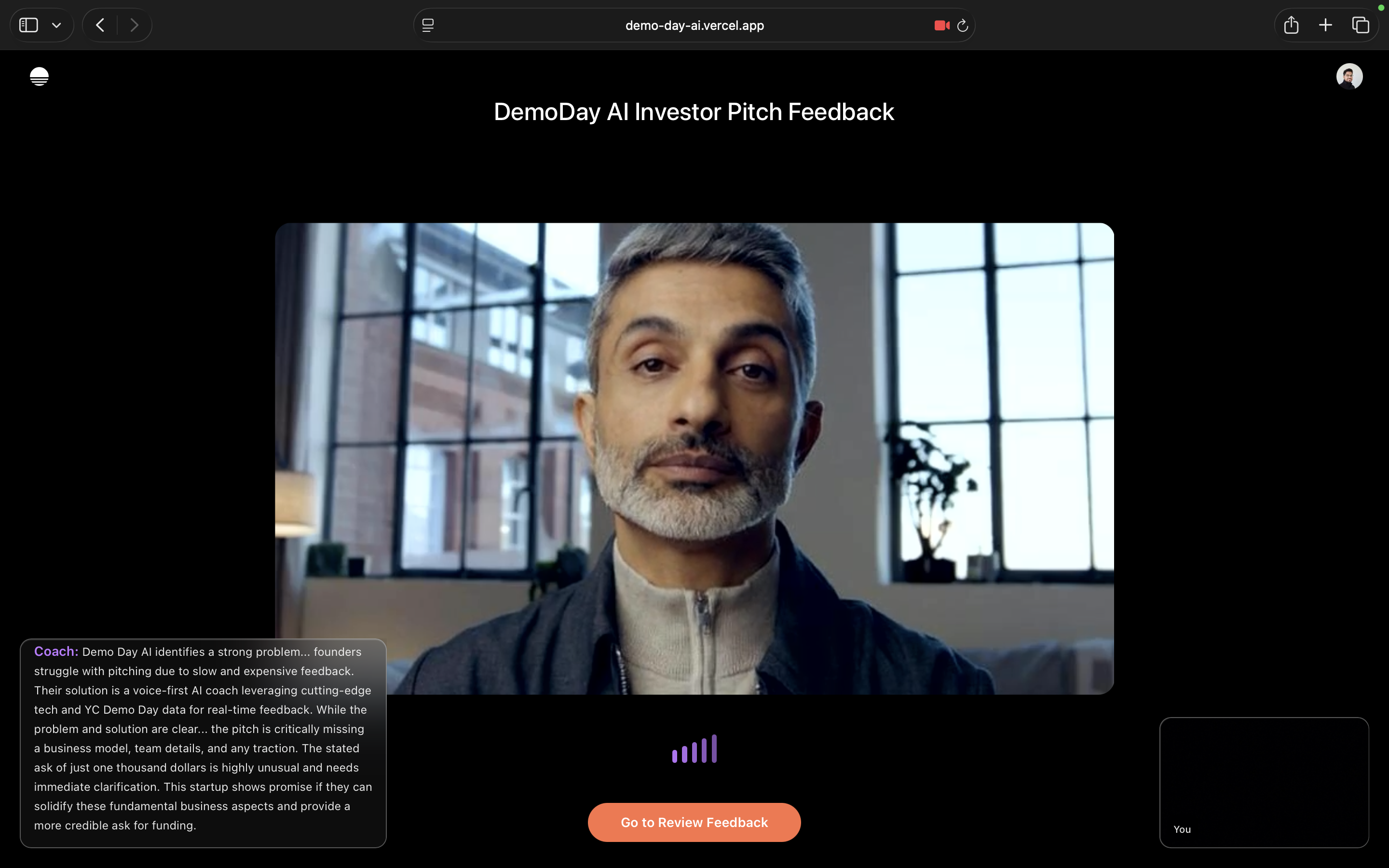
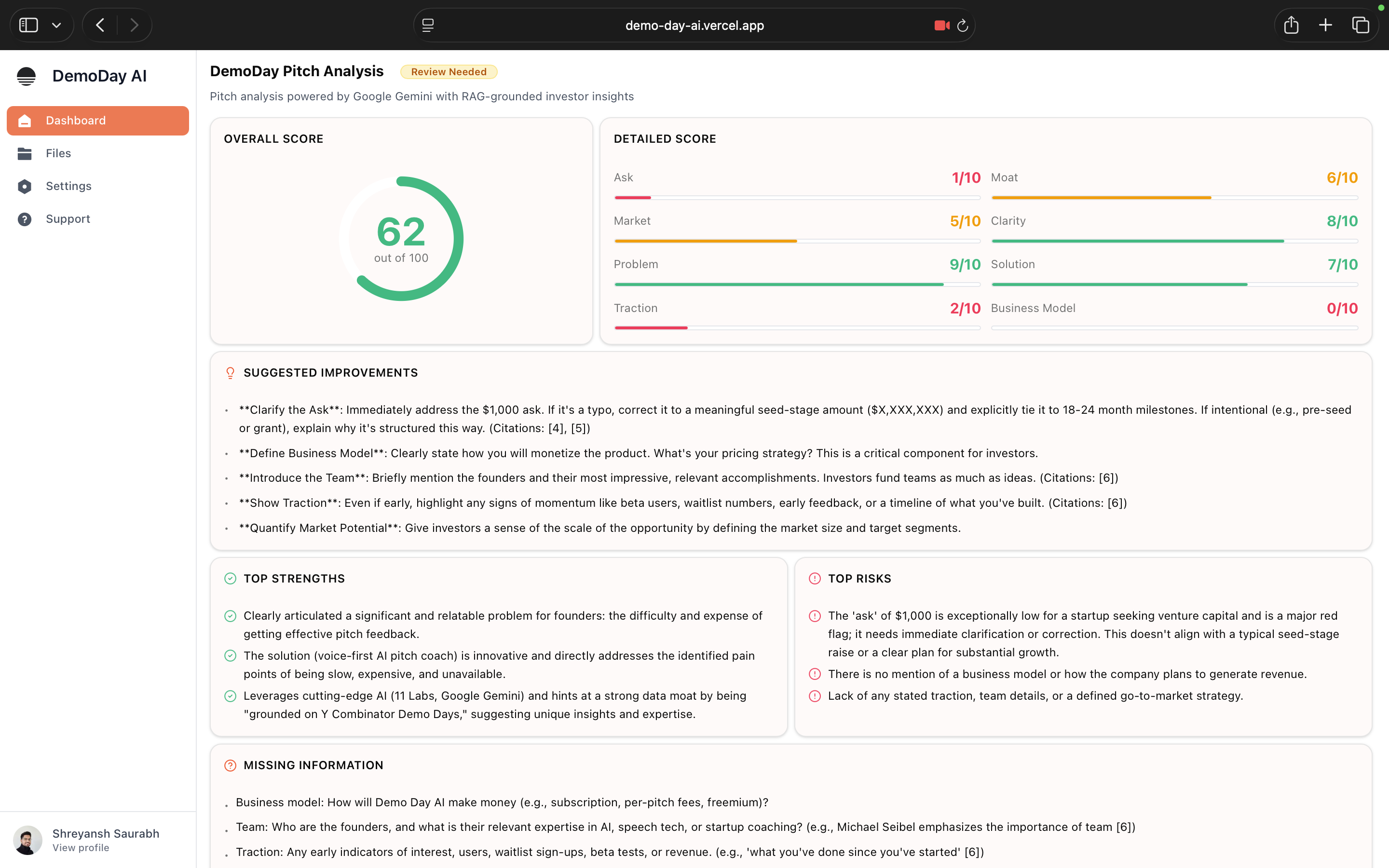
📊 Actionable Feedback Reports (Visual + Voice)
- Scoring rubric across key pitch dimensions
- Concrete, prioritized improvement checklist
- Suggested pitch rewrite based on the session
- Concise spoken summary (tts_summary) for instant absorption
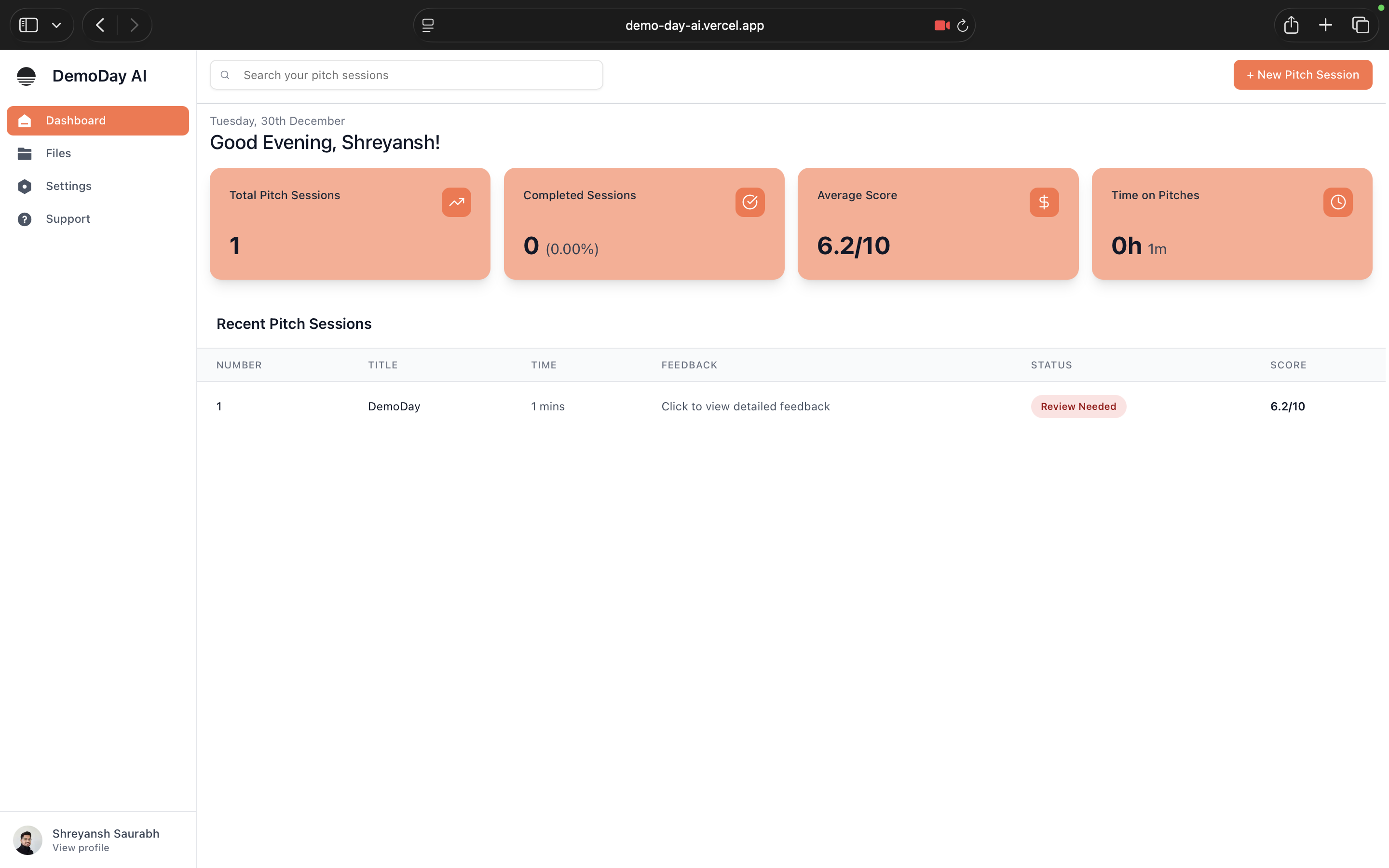
🗂 Multi-Project & Session Support
- Multiple projects per user (idea-stage, traction-stage, fundraising)
- Independent sessions and reports for each pitch
- Track progress across iterations
🔐 Authentication & User Scoping
- Secure login via WorkOS AuthKit
- All projects, sessions, and reports scoped to individual users
☁️ Cloud-Native Architecture
- FastAPI backend deployed on Cloud Run
- Audio, decks, transcripts stored in Google Cloud Storage
- Structured data and embeddings in Supabase Postgres + pgvector
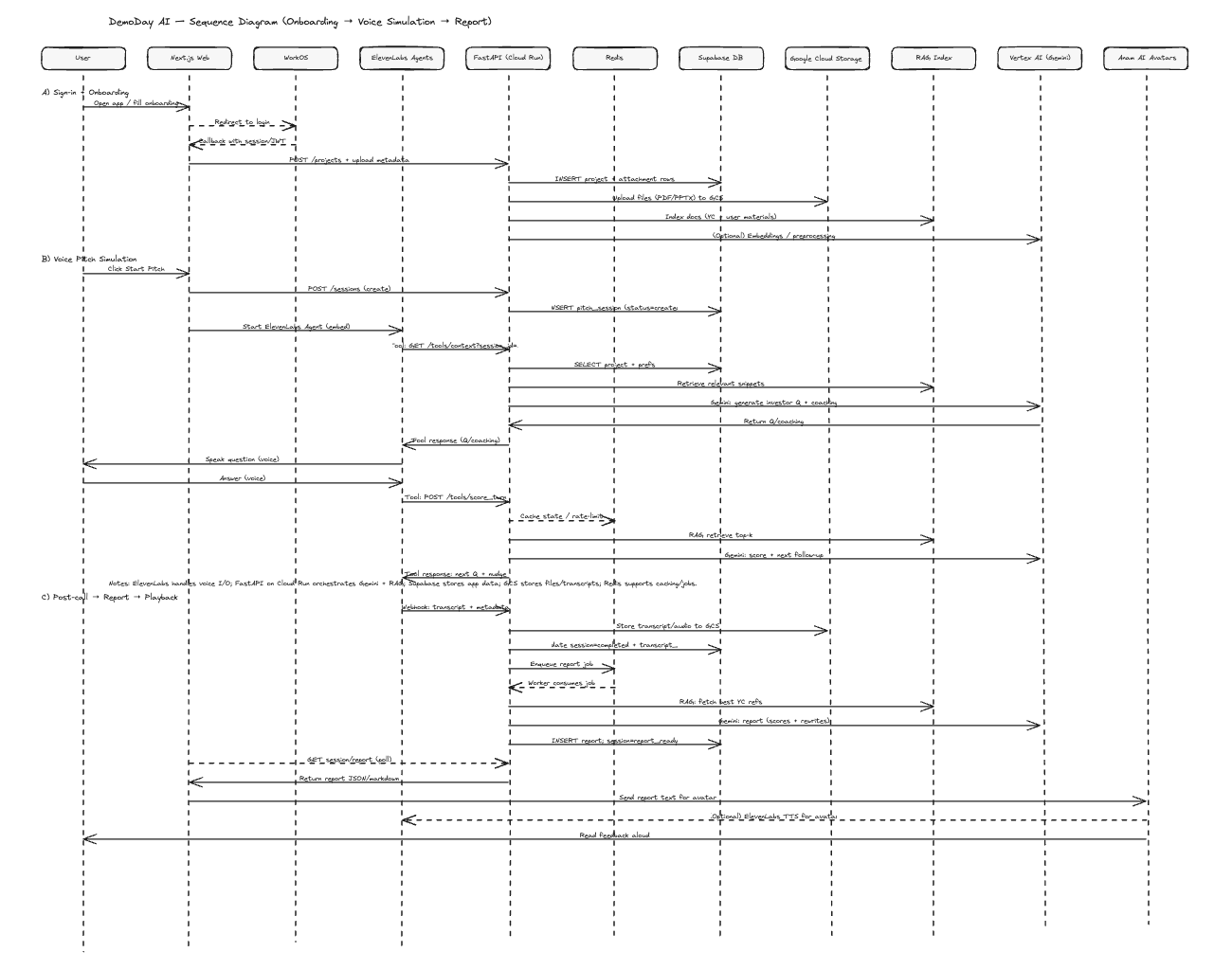
The founder signs in and creates a new pitch project, defining the context the Google Gemini AI will use throughout the session.
They provide:
- Pitch length (e.g. 60s / 2min / 5min)
- Language
- Product description
- Website + GitHub Repo (optional)
- Attachments (pitch deck, docs, notes)
These inputs are:
- Stored in the project workspace
- Uploaded to Google Cloud Storage
- Indexed and embedded for retrieval (RAG)
This ensures all evaluation and questioning is grounded in the founder’s actual materials, not generic assumptions.
The founder clicks Start Pitch and enters a live, voice-based session.
The founder delivers their pitch out loud
- A Pitch Agent (investor persona) listens in real time
- The agent behaves like a YCombinator-style partner:
- Interrupts naturally
- Probes unclear areas
- Challenges missing or weak signals
All interaction happens entirely through voice, simulating the flow and pressure of a real investor meeting.
During the session:
-
The backend continuously:
- Tracks what was said
- Detects gaps, weak claims, or missing signals
- Relevant YC / Demo Day guidance is retrieved via RAG
-
Gemini uses this grounded context to:
- Generate realistic follow-up questions
- Provide optional in-session coaching nudges
- Adapt questioning based on founder responses
This keeps questions context-aware, non-generic and investor-realistic.
Once the pitch session ends:
- Audio and transcripts are stored
- The session is marked complete
- A feedback-generation job is triggered asynchronously
At this point, the founder is done speaking and feedback is generated.
The backend generates a comprehensive investor-style report, including:
- Category scores (clarity, problem, traction, market, ask, etc.)
- Top strengths and red flags
- Missing information checklist
- Pitch rewrite suggestions
- Follow-up questions the founder should expect in real meetings
All feedback is:
- Grounded in YCombinator guidance
- Tailored to what the founder actually said
- Focused on fundability, not polish alone
To reduce cognitive load:
- A Feedback Agent reads out a concise spoken summary
- Delivered with natural tone, pauses and emphasis
- Optionally rendered through an avatar for presence
The founder can:
- Listen immediately
- Review the full report afterward
- Iterate and start another session
Founders repeat the loop:
Pitch → Pressure Test → Feedback → Rewrite → Repeat
No scheduling, no bias, no waiting.
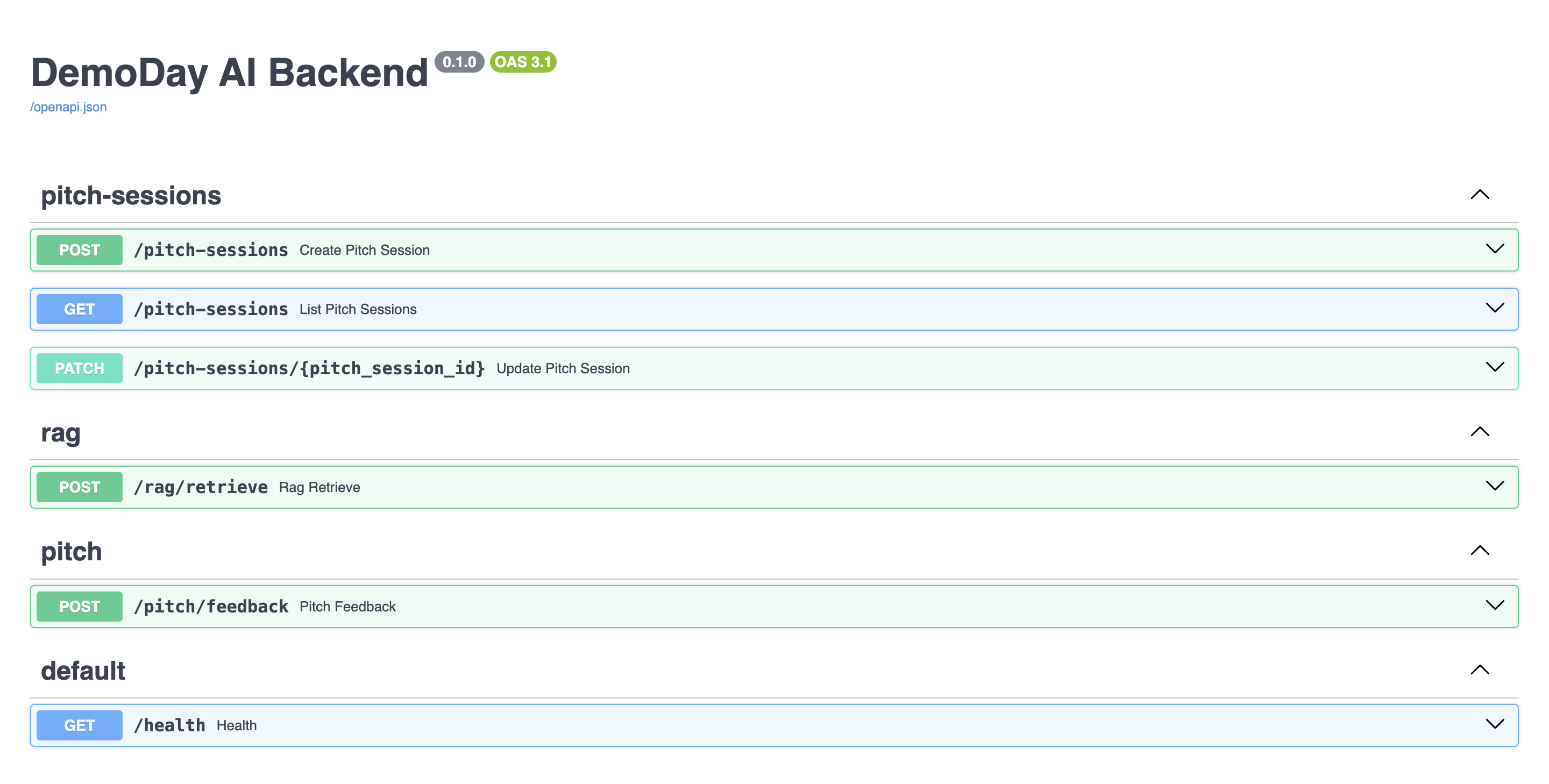
Use when: you need YC context snippets for a query.
Returns: top-K relevant transcript chunks with timestamps and sources.
Use when: you want a full VC-style evaluation of a pitch.
Internally calls /rag/retrieve to ground feedback.
Returns: structured scores + strengths/risks + rewrite + tts_summary + citations.
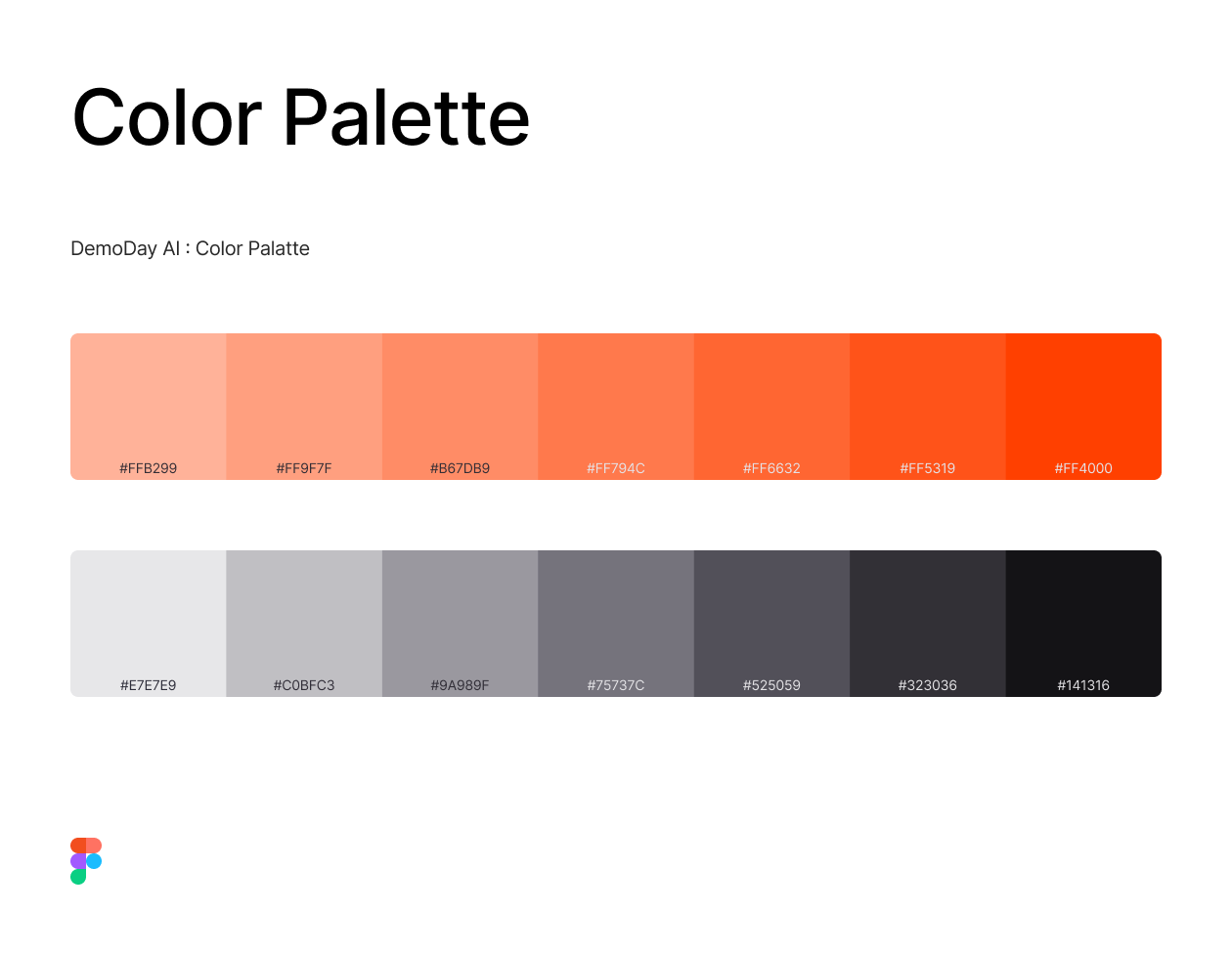
UI components, icons, and branding assets are located at:
https://github.com/binaryshrey/DemoDay-AI/tree/main/demoday-app/assets
git clone https://github.com/binaryshrey/DemoDay-AI.git
cd demoday-app
npm i
npm run dev

on root:
cd backend
uvicorn app.main:app --reload --host 0.0.0.0 --port 8000
- Create a .env file for UI under /backend folder
GOOGLE_CLOUD_PROJECT=XXXXX-XXXXX
VERTEX_LOCATION=XXXXX-XXXXX

DATABASE_URL=XXXXX-XXXXX
SUPABASE_URL=XXXXX-XXXXX
SUPABASE_SERVICE_ROLE_KEY=XXXXX-XXXXX

GCP_PROJECT_ID=XXXXX-XXXXX
GCS_BUCKET_NAME=XXXXX-XXXXX
- Create a .env file for UI under /demoday-app folder
WORKOS_CLIENT_ID=XXXXX-XXXXX
WORKOS_API_KEY=XXXXX-XXXXX
WORKOS_COOKIE_PASSWORD=XXXXX-XXXXX

NEXT_PUBLIC_WORKOS_REDIRECT_URI=XXXXX-XXXXX

ANAM_INVESTOR_API_KEY=XXXXX-XXXXX
ANAM_INVESTOR_AVATAR_ID=XXXXX-XXXXX
ELEVENLABS_INVESTOR_AGENT_ID=XXXXX-XXXXX

ANAM_AUTH_URI=XXXXX-XXXXX

GCP_PROJECT_ID=XXXXX-XXXXX
GCS_BUCKET_NAME=XXXXX-XXXXX

UPSTASH_REDIS_REST_URL=XXXXX-XXXXX
UPSTASH_REDIS_REST_TOKEN=XXXXX-XXXXX
Apache License 2.0