




AucoDB is a modern, lightweight NoSQL database designed for flexibility, fault tolerance, and seamless integration with agent-based systems. It provides a MongoDB-like document and collection structure, supports JSON-based data storage, and offers both HTTP-based and file-based CRUD operations. With thread-safe I/O and fault-tolerant design, AucoDB ensures data safety and reliability, making it an excellent choice for agent memory and other dynamic applications.
AucoDB is designed with fault tolerance and thread-safe I/O operations to ensure data integrity. The database handles failures gracefully and prevents data corruption during concurrent operations, making it reliable for multi-threaded applications.
- MongoDB-like Document Storage: Organize data in collections and documents, similar to MongoDB.
- Flexible JSON Support: Store any valid JSON class effortlessly.
- HTTP-based CRUD Operations: Use
AucoClientfor remote CRUD operations via HTTP. - File-based CRUD Operations: Use
AucoDBfor direct file I/O-based data manipulation. - Thread-safe I/O: Ensure data integrity with thread-safe file operations.
- Fault Tolerance: Robust design to handle failures gracefully.
- Agent Memory Compatibility: Optimized for use in agent-based systems requiring persistent memory.
Extend features:
-
Vector Database Support: AucoDB supports a wide range of vector database types like
chroma, faiss, milvus, pgvector, pinecone, qdrant, and weaviatethrough an unified VectorDatabaseFactory. Make it more convenient in developing RAG pipeline. -
Graph Database Construction: AucoDB can leverage LLM to structure documents into a condensed knowledge graph. The data is saved inside a
Neo4Jdatabase and can easily query byCypherlanguage. Therefore, we can build long and short-term memory for AI Agent and apply them inGraphRAGtask.
To get started with AucoDB, clone the repository and install the required dependencies. There are two ways to install AucoDB:
-
Clone the repository:
git clone https://github.com/datascienceworld-kan/aucodb.git cd aucodb pip install -r requirements.txt poetry install -
Install by pip:
pip install aucodbThis install of aucodb along with vectordb support.
pip install 'aucodb[vectordb]'This install of aucodb along with graph support.
pip install 'aucodb[graph]'
AucoDB provides a built-in server for HTTP-based operations. The server can be started with a simple Python script.
from aucodb.server import auco_server

# Run the server on localhost:8000, using a JSON file for storage
auco_server.run(host="127.0.0.1", port=8000, data_path="cache/aucodb.json", data_name="aucodb")
This starts the AucoDB server, listening on http://127.0.0.1:8000 and storing data in cache/aucodb.json.
The AucoClient allows you to perform CRUD operations on AucoDB collections via HTTP. Below is an example demonstrating how to connect to the server, create collections, and manage records.
from aucodb.client import AucoClient

# Initialize and connect client
client = AucoClient(base_url='http://localhost:8000')
client.connect()

# Create a collection
message = client.create_collection(collection_name="users")
print(message)

# Add records
user1 = {"name": "Alice", "age": 30, "email": "alice@example.com"}
user2 = {"name": "Bob", "age": 25, "email": "bob@example.com"}
user3 = {"name": "Charlie", "age": 35, "email": "Charlie@example.com"}

user1 = client.add(collection_name="users", fields=user1)
user2 = client.add(collection_name="users", fields=user2)
user3 = client.add(collection_name="users", fields=user3)

# Get a record by ID
record_id = user1["record_id"]
record = client.get(collection_name="users", record_id=record_id)
print(record)

# Find records with condition (age >= 30)
records = client.find(collection_name="users", query="age>=30")
print(records)

# Sort records by age (descending)
sorted_records = client.sort(collection_name="users", field="age", reverse=True)
print(sorted_records)

# Update a record
client.update(collection_name="users", record_id=record_id, fields={"age": 31})
record = client.get(collection_name="users", record_id=record_id)
print(record)

# Delete a record
message = client.delete(collection_name="users", record_id=record_id)
print(message)

# Get all records
records = client.get(collection_name="users")
print(records)

# Close the client
client.close()- Initialization: The
AucoClientconnects to the AucoDB server at the specifiedbase_url. - Collection Management: Create and manage collections using methods like
create_collection. - CRUD Operations: Perform create (
add), read (get,find), update (update), and delete (delete) operations. - Querying: Use conditions like
age>=30for filtering and sorting records. - Connection Management: Always close the client when done to free resources.
For direct file-based operations, the AucoDB class allows you to manipulate collections and records stored in a JSON file. This is ideal for local applications or when HTTP is not required.
from aucodb.database import AucoDB, Collection, Record
from datetime import datetime
import logging

# Initialize AucoDB
db = AucoDB(data_name="aucodb", data_path="cache/aucodb.json")

# Create a new collection
users_collection = Collection(name="users")
db.add_collection(collection=users_collection)
logging.info("Created 'users' collection")

# Add records
user1 = {"id": 1, "name": "Alice", "age": 30, "email": "alice@example.com"}
user2 = {"id": 2, "name": "Bob", "age": 25, "email": "bob@example.com"}
user3 = {"id": 3, "name": "Charlie", "age": 35, "email": "Charlie@example.com"}

db.collections["users"].add(record=user1)
db.collections["users"].add(record=user2)
db.collections["users"].add(record=user3)
db.save()
# or db.save_async() for faster
# import asyncio
# asyncio.run(db.save_async())

# Print all records
print("All users:")
for record in db.collections["users"].records:
    print(record)

# Find records where age >= 30
print("Users with age >= 30:")
found_records = db.collections["users"].find(query="age>=30")
for record in found_records:
    print(record)

# Update a record
db.collections["users"].update(record_id=user1.get("id"), updated_dict={"age": 31, "email": "alice.updated@example.com"})
print("After updating Alice's record:")
updated_record = db.collections["users"].get(record_id=user1.get("id"))
print(updated_record)

# Sort records by age (descending)
print("Users sorted by age (descending):")
sorted_records = db.collections["users"].sort(field="age", reverse=True)
for record in sorted_records:
    print(record)

# Delete a record
db.collections["users"].delete(record_id=user2.get("id"))
print("After deleting Bob's record:")
for record in db.collections["users"].records:
    print(record)

# Demonstrate loading from JSON file
new_db = AucoDB(data_path="cache/aucodb.json")
print("\nLoaded database from JSON:")
for record in new_db.collections["users"].records:
print(record)- Initialization: The
AucoDBclass is initialized with a database name and file path for JSON storage. - Collection Management: Create collections using the
Collectionclass and add them to the database. - CRUD Operations: Add, retrieve, update, and delete records directly in the JSON file.
- Persistence: Use
db.save()to persist changes to the JSON file. - Querying: Filter and sort records using methods like
findandsort. - File Loading: Load an existing database from a JSON file for continued operations.
The AucoDB Graph Extension enables the construction and visualization of knowledge graphs from textual documents using the LLMGraphTransformer. It leverages large language models (LLMs) to extract entities and relationships, enriching nodes and relationships with detailed properties. The extension integrates with Neo4j for graph storage and provides functionality to visualize the graph and export it as a PNG image.
-
Graph Construction: Builds knowledge graphs from documents using LLMGraphTransformer, extracting entities (nodes) and relationships with enriched properties such as categories, roles, or timestamps.
-
Property Enrichment: Enhances nodes and relationships with contextual attributes derived from the input text, improving graph expressiveness.
-
Graph Visualization: Visualizes the constructed graph and exports it as a PNG image for easy sharing and analysis.
-
Neo4j Integration: Stores and manages graphs in a Neo4j database with secure client initialization.
-
Flexible Input: Processes unstructured text to create structured graphs, suitable for applications like knowledge management, AI research, and data analysis.
- Neo4j Database: A running Neo4j instance (local or remote).
- Python Packages: Install required dependencies:
pip install langchain-together neo4j python-dotenv
- Environment Setup: A .env file with Neo4j credentials (recommended for security) or direct credential input.
- API Key: Access to the Together AI API for the LLM (ChatTogether).
Note: To quick test, this tutorial you can use the Docker Compose file to set up a local Neo4j instance and the AucoDB Graph Extension.
This is a demo video demonstrating how to construct knowledge graphs using the AucoDB Graph Extension.
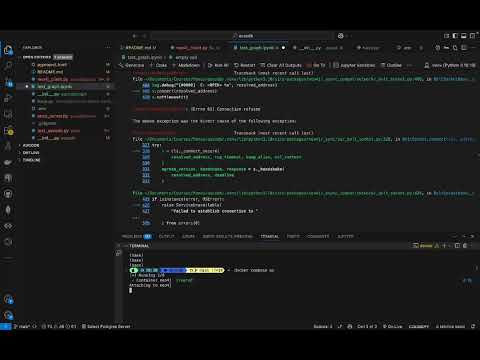
To get started with your setup, follow these steps to start the Neo4j database using the provided docker-compose.yaml file and then extract a knowledge graph using LLMGraphTransformer.
Ensure the following setup of neo4j service in docker-compose.yaml:
version: '3.8'

services:
  neo4j:
    image: neo4j:latest
    container_name: neo4j
    ports:
      - "7474:7474"
      - "7687:7687"
    environment:
      - NEO4J_AUTH=neo4j/abc@12345
Start neo4j service by command:
docker-compose up
Below is an example Python script to connect to Neo4j and use LLMGraphTransformer to extract a knowledge graph from text.
from langchain_together.chat_models import ChatTogether
from aucodb.graph.neo4j_client import AucoDBNeo4jClient
from aucodb.graph import LLMGraphTransformer
from dotenv import load_dotenv

# Step 1: Initialize AucoDBNeo4jClient
# Method 1: dirrectly passing arguments, but not ensure security
NEO4J_URI = "bolt://localhost:7687"  # Update with your Neo4j URI
NEO4J_USER = "neo4j"  # Update with your Neo4j username
NEO4J_PASSWORD = "abc@1234"  # Update with your Neo4j password

client = AucoDBNeo4jClient(uri = NEO4J_URI, user = NEO4J_USER, password = NEO4J_PASSWORD)

# Method 2: Ensure security by loading environment variables from a .env file
load_dotenv()
client = AucoDBNeo4jClient(uri = NEO4J_URI)

# Step 2: Construct Knowledge Graph
text_input = """Hi, my name is Kan. My motto is: "Make the world better with data and models". That’s why I am working as an AI Solution Architect at FPT Software and as an AI lecturer at DataScienceWorld.Kan.

I began my journey as a gifted student in Mathematics at the High School for Gifted Students, VNU University, where I developed a deep passion for Math and Science since 2009. Later, I completed Bachelor's Degree in Mathematical Economics in 2015 with excellent level. In the meantime, I won a bronze medal at the National Math Olympiad at Calculus.

After graduation, I started my journey by writing AI/Machine Learning blogs with R on RPubs and python on phamdinhkhanh.github.io, where I share my knowledge and explain complex machine learning algorithms in a simple way, along with many practical use cases.
I have been working as an AI Solution Architect at FPT Software since 2024 and at Orient Software since 2022. Previously, I worked at Vingroup as an Senior AI Engineer starting in 2017. I began my career at financial institutions like Techcombank and VNDIRECT in 2015, where I worked for two years as a Data Scientist.

In aspect of education, I designed 6 specialized courses about Deep Learning and Machine Learning that helps to train thoudsands of students essential Machine Learning skills at DataScienceWorld.Kan. Fortunately, I was invited to train many AI/ML program for bigtech companies and universities in Vietnam like Google Cloud - QuanQuanGCP 2024, Viettel - Digital Talent Program 2024, FPT Software - Upskill LLM/GenAI for Engineers 2025, NEU university - Design machine learning system 2025, FTU - Upskill AI Olympiad Team 2025. Since 2024, I have participated in Google GDSC as AI/ML mentors for dedicated AI startups.

In aspect of research, I have conducted extensive research on Reliable AI, Generative AI, and Knowledge Graphs at FPT AI1. Where I have won a paper award on the topic of Generative AI and LLMs at the Nvidia GTC Global Conference 2025.

I am the founder of DataScienceWorld.Kan, an AI learning hub offering useful AI/ML courses such as Deep Learning, Machine Learning Handson with Python, Build Generative AI Applications and MLOps – Machine Learning in Production, designed for anyone pursuing a career as an AI/ML engineer.

In addition, my eBook Machine Learning Algorithms to Practice, published on phamdinhkhanh.github.io/deepai-book, is a widely used resource for students worldwide to study and practice machine learning, featuring intuitive code examples and clear explanations of machine learning theory.
"""

llm = ChatTogether(
    model="meta-llama/Llama-3.3-70B-Instruct-Turbo-Free"
)

graph_transformer = LLMGraphTransformer(
    llm = llm
)

client.construct_graph(
    graph_transformer,
    message = text_input,
    is_reset_db = True
)
To visualize the graph in a html file, you can use the following code:
client.visualize_graph(output_file="my_graph.html", show_in_browser=True)

AucoDB is a powerful adapter that seamlessly connects to a wide range of vector databases, including Chroma, FAISS, Milvus, PGVector, Pinecone, Qdrant, Weaviate, and more. It provides a unified interface to simplify interactions with various vector databases, making it easy to switch between them by updating a single configs.yaml file. With easy setup via Docker, you can quickly deploy and test vector databases in containers without complex installations. AucoDB enables efficient document storage and querying, allowing you to store documents and retrieve relevant ones based on input queries.
-
Broad Vector Database Support: Connect to multiple vector databases (e.g., Chroma, FAISS, Milvus, PGVector, Pinecone, Qdrant, Weaviate) through a unified interface.
-
Effortless Docker Setup: Use Docker Compose to spin up vector databases in containers, minimizing setup time and complexity.
-
Document Storage and Querying: Store documents in the vector database and query them to retrieve a list of relevant documents based on input messages.
- Docker and Docker Compose installed.
- Python 3.8+ with required dependencies (langchain, bs4, langchain_huggingface, etc.).
Step 1: Launch Vector Database with Docker Run a vector database in a container using Docker Compose at root folder.
docker compose upStep 2: Prepare Documents Load and preprocess documents for storage:
import bs4
from aucodb.vectordb.processor import DocumentProcessor
from langchain.text_splitter import RecursiveCharacterTextSplitter
from langchain.document_loaders import WebBaseLoader

# Load sample documents
loader = WebBaseLoader(
    web_paths=("https://lilianweng.github.io/posts/2023-06-23-agent/",),
    bs_kwargs=dict(
        parse_only=bs4.SoupStrainer(
            class_=("post-content", "post-title", "post-header")
        )
    ),
)
docs = loader.load()
Step 3: Store and Query Documents Insert documents into the vector database and query them:
from langchain_huggingface import HuggingFaceEmbeddings
from aucodb.vectordb.factory import VectorDatabaseFactory

# 1. Initialize embedding model
embedding_model = HuggingFaceEmbeddings(model_name="BAAI/bge-small-en-v1.5")

# 2. Initialize document processor
splitter = RecursiveCharacterTextSplitter(
    chunk_size=1000,
    chunk_overlap=200,
)
doc_processor = DocumentProcessor(splitter=splitter, chunk_size=500, chunk_overlap=50)

# 3. Initialize vector database factory
db_type = "chroma"  # Supported types: ['chroma', 'faiss', 'milvus', 'pgvector', 'pinecone', 'qdrant', 'weaviate']
vectordb_factory = VectorDatabaseFactory(
    db_type=db_type,
    embedding_model=embedding_model,
    doc_processor=doc_processor
)

# 4. Store documents in the vector database
vectordb_factory.store_documents(docs)

# 5. Query the vector database
query = "What is AI Agent?"
top_k = 2
results = vectordb_factory.query(query, top_k)
print(results)Switch between vector databases by updating the db_type in your ./aucodb/vectordb/configs.yaml file or directly in the code. No additional setup is required when using Docker Compose.
- Flexibility: Test and switch between vector databases with minimal configuration changes.
- Scalability: Store large document collections and query them efficiently.
- Ease of Use: Simplified setup with Docker and a unified interface for all supported databases.
- Agent Memory: Store and retrieve agent state and memory efficiently.
- Prototyping: Rapidly develop applications with flexible JSON-based storage.
- Local Applications: Use file-based operations for standalone applications.
- Distributed Systems: Leverage HTTP-based operations for remote data access.
Contributions to AucoDB are welcome! Please submit issues and pull requests via the GitHub repository. Ensure your code follows the project's coding standards and includes appropriate tests.
AucoDB is licensed under the MIT License. See the LICENSE file for details.