Warning
This package is under heavy development. Expect API to change
with minor version bumps until a major version of > 0 gets
published. While the core library API is relatively stable,
other addons such as @rtcio/react will change quickly
Inspired by socket.io, rtcio is an easier to use way of dealing with WebRTC. It wraps the logic of creating RTCPeerConnections in easy-to-use callback chaining.
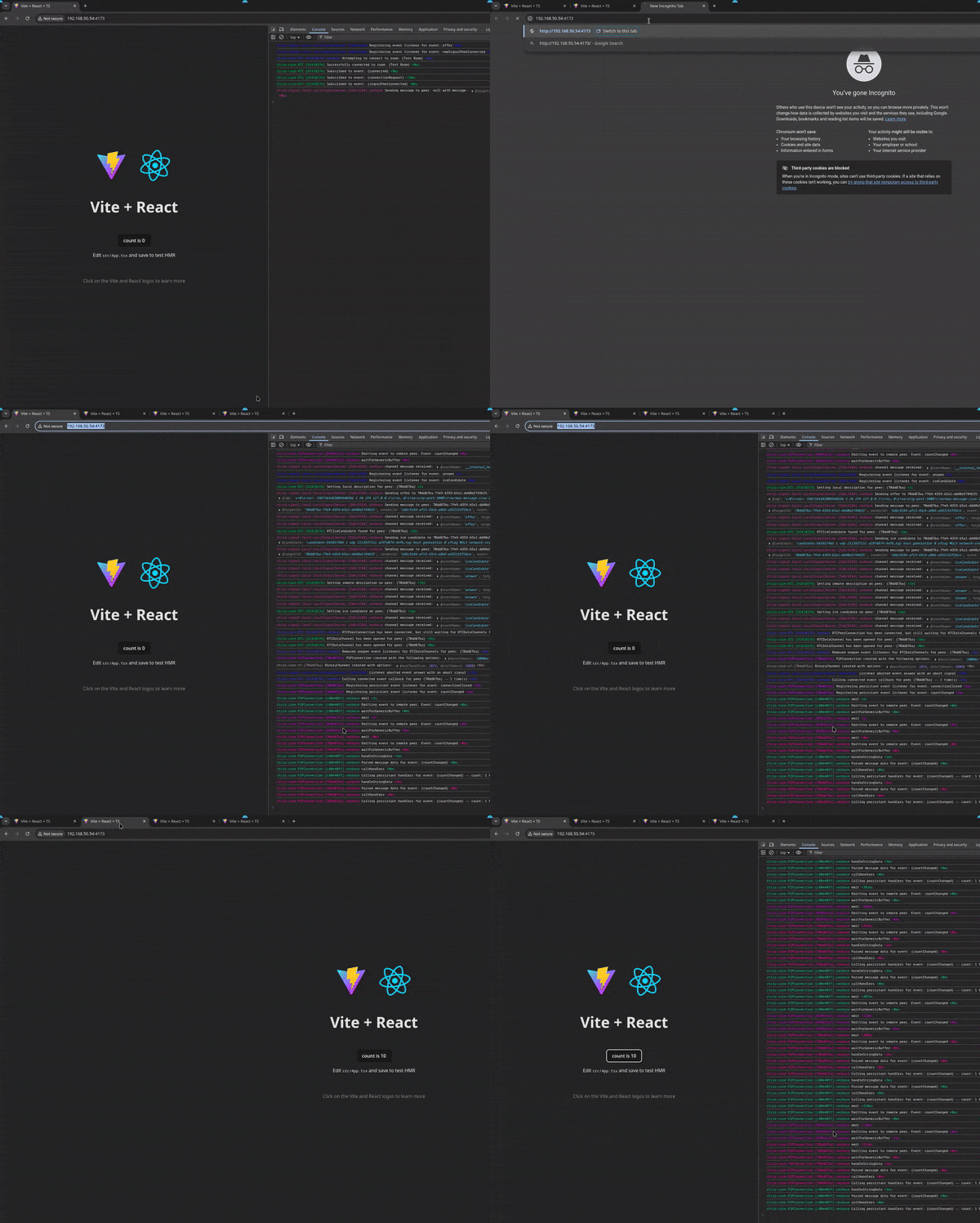
The GIF below highlights the use of the @rtcio/signal-local, the debug features,
and the @rtcio/react wrapper to get working peer to peer connections for
local development. The demo is currently a work in progress, but can be viewed
in the demo package in the GitHub repository.
- Built in TypeScript and is fully typed
- Works with your custom signal server via an implemented interface
- Also has pre-built client-side signal server implementations
- @rtcio/socket-io-client
- @rtcio/signal-local
- Default server side signaler implementation available at:
- @rtcio/socket-io-server
- Also has pre-built client-side signal server implementations
- Binary data handling
- Automatic data chunking with configurable chunk sizes
- Support for out-of-order binary data receiving
- Native support for sending
Files- Uses
ReadableStreamunder the hood to reduce memory allocations for both sending and receiving large data files - Binary data is handled on a completely different data channel so as not to clog up real time messaging events
- Uses
- Generic typed parameters for custom events listeners and emitters
- Logging available via the debug library
- All packages are scoped to their npm name --
rtcio:{pkg-name}:{class-name}:[instanceId]{:logLevel?}- Log Levels:
- warn
- error
- verbose
- log (will not include a log level)
- eg.
rtcio:core:RTC:[1a2b3c4d]:warn This is a warning level - eg.
rtcio:signal-local:LocalSignalServer:[1a2b3c4d] This is a standard log
- Log Levels:
- All packages are scoped to their npm name --
- Create your own signaler by extending
ClientSignalerin@rtcio/signaling - A React wrapper via the
@rtcio/reactpackage.
- Handle audio and visual streams
- Custom signaler with raw websockets
- Custom signaler with raw Server Sent Events (SSE)
import { RTC } from "@rtcio/core";
import { SocketIoSignaler } from "@rtcio/socket-io-client";

const ROOM_NAME = "signalerRoom1";

interface MyCustomEvents {
  message: (messageText: string) => void;
}

// There is a default server implementation for socket.io at
// `@rtcio/socket-io-server`
const io = new RTC<MyCustomEvents>(new SocketIoSignaler(socketArgs), ROOM_NAME);

const idResult = await io.connectToRoom();
if (idResult.isError()) {
  // Unable to connect to the signal server
  console.error(idResult.error);
  return;
}

const myLocalId = idResult.value;

// Here we are 100% sure we have a valid connection AND a data channel
// This event is fired when a new remote peer has a direct connection to you.
// You can subscribe, unsubscribe, and emit events directly to the peer
io.on("connected", (newPeer) => {
  newPeer.emit("message", "Hello, and welcome to rtcio!");

  newPeer.on("message", (messageText) => {
    console.log(`New message from ${newPeer.id}: ${messageText}`);
  });
});

const roomPeers = io.getRoomPeers();

for (const peerId of roomPeers) {
  // awaiting here doesn't actually wait for the connection.
  // it's purely for the RTCPeerConnection to acquire all the
  // data it needs to send to the signal server.
  // You do _not_ have to await this for the connection to process.
  await io.connectToPeer(peerId);
}rtcio provides a local signaler as well which is useful for testing.
The package is @rtcio/signal-local. Just remember that because
signalers should happen on each client, and here you are emulating 2
clients, you need 2 signal servers.
import { RTC } from "@rtcio/core";
import { LocalSignalServer } from "@rtcio/signal-local";

const ROOM_NAME = "TEST_ROOM";

const client1 = new RTC(new LocalSignalServer(), ROOM_NAME);
const client2 = new RTC(new LocalSignalServer(), ROOM_NAME);

// This should not be done in production, but the LocalSignalServer will
// not fail to connect as it uses BroadcastChannel behind the scenes.
const client2Id = (await client2.connectToRoom()).unwrap();
const client1Id = (await client1.connectToRoom()).unwrap();

client2.on("connectionRequest", async (req) => {
  if (req.remoteId === client1Id) {
    await req.accept();
  } else {
    req.reject();
  }
});

client2.on("connected", (peer1) => {
  console.log(`Peer1 connected with id ${peer1.id}`);
});

await client1.connectToPeer(client2Id);
Important
If testing locally on Firefox, you MUST use your local IP instead of localhost.
This is a known issue in Firefox and cannot be fixed.
- locahost:5173 for localdev would be 192.168.xx.x:5173
- This can be easily done using vite --host as seen in the
demopackage in this repository
API documentation is coming in the near future, implemented via typedoc,
and will be available on GitHub Pages once the integration is complete.