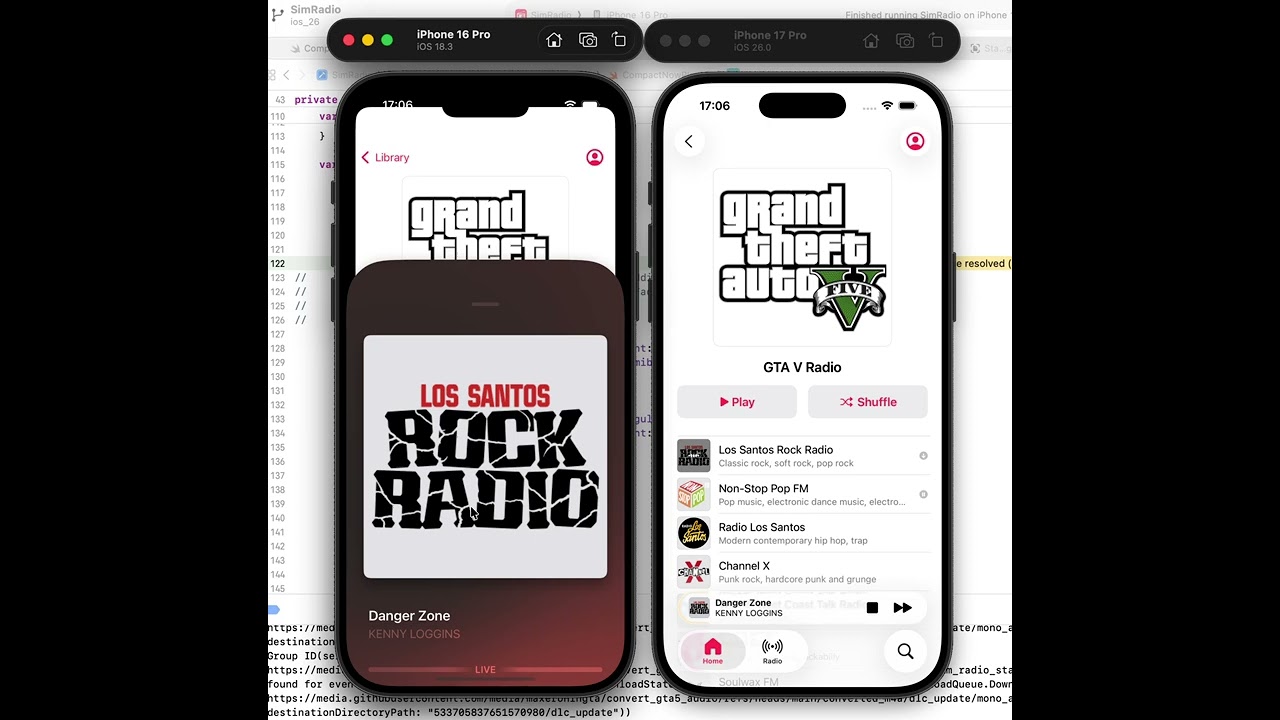
SimRadio is an iOS application designed to simulate the experience of listening to complex, dynamic radio stations, such as those found in video games like the Grand Theft Auto series. It goes beyond simple track playback by dynamically sequencing various audio components according to predefined rules, offering features like offline playback and a modern user interface.
- Realistic Radio Simulation: Dynamically generates playlists based on complex rules, mixing music tracks, commercials, DJ chatter, news segments, station IDs, and even time-of-day specific content to mimic a live radio broadcast.
- Dynamic Playlists: Utilizes a sophisticated rule engine (defined via JSON) to sequence audio fragments, incorporating probabilities and conditions to ensure a varied and seamless listening experience.
- Media Library: Allows users to browse available radio "series" (e.g., "GTA V Radio") and the individual stations within them, complete with metadata like artwork, titles, genres, and DJ information.
- Offline Playback: Features a robust system to download all necessary audio components for selected radio stations, enabling offline listening.
- Download Management: Includes functionality to queue, download, track progress (bytes downloaded/total), and manage the local storage of audio files associated with stations. Supports download pausing and resuming.
- Modern UI (SwiftUI): Built entirely with SwiftUI, featuring an interface inspired by contemporary music players (like Apple Music).
- Expandable Player: Offers a compact mini-player overlay for quick controls, which can be expanded into a full-screen immersive view.
- Dynamic Backgrounds: The full-screen player intelligently extracts dominant colors from the current station's artwork to create a vibrant, adaptive background gradient.
- Standard Controls: Provides essential playback controls (play/pause, next/previous station), an interactive volume slider, and a playback progress indicator.
- Data Loading: The application loads radio station definitions from JSON files. These files detail the station's structure, metadata, associated audio files (music, ads, IDs, etc.), and the complex rules governing playlist generation.
- Download (Optional): Users can choose to download stations. The app manages the download queue, fetching all required audio files (.m4a) and storing them locally.
- Playlist Generation: When a station is played, the
PlaylistBuilderinterprets the JSON rules. It dynamically selects and sequences audio fragments (music, ads, news, etc.) based on probabilities, conditions (like time of day or the next fragment type), and ensures variety (e.g., preventing immediate repeats). - AVComposition: The sequenced audio fragments and their timings (including mixes/fades between components) are assembled into an
AVMutableComposition. - Playback: This
AVCompositionis then played usingAVFoundation(AVPlayer), providing a continuous, simulated radio stream. - UI: The SwiftUI interface displays station information, provides controls, and manages the player state (compact/expanded, background colors).
- UI Framework: SwiftUI
- Audio Playback: AVFoundation (
AVPlayer,AVMutableComposition,AVMutableAudioMix) - Data Format: JSON for station definitions and playlist rules.
- Image Loading: Kingfisher
- Concurrency: Swift Concurrency (
async/await,Actor,AsyncStream) - Architecture: MVVM-like structure,
@Observable/ObservableObject, Router pattern (NavigationStack), Services for core logic (Download, Playback, Media State).
- Kingfisher (for asynchronous image downloading and caching)
readme.md generated with gemini 2.5 from source code