
A language server for GN, the build configuration language used in Chromium, Fuchsia, and other projects.
- Syntax highlighting
- Syntax error reporting
- Context-aware completion and auto-import
- Hover documentation
- Go to definition
- Finding target references
- Following imports
- Following dependencies
- Quick fix
- Sticky scroll with useful lines
- Code lens
- Outline
- Code folding
- Formatting
- Go to the nearest
BUILD.gn(VSCode only)
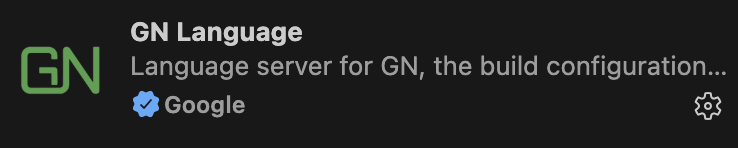
You can install an extension with prebuilt language server binaries from the official VSCode marketplace or the OpenVSX marketplace. Search for "GN Language" in the VSCode's extension window.
You can install a plugin with prebuilt language server binaries from the JetBrains marketplace. Search for "GN Language" in the IDE's plugin window.
gn-language-server is registered to nvim-lspconfig, mason-registry, and mason-lspconfig. Thus, assuming that you have enabled mason-lspconfig, you can install and enable it with the following simple command:
:MasonInstall gn-language-server
The language server does not provide syntax highlighting though. You can use nvim-treesitter for this.
Install the language server with Cargo.
cargo install --locked gn-language-serverThen set up gn-mode or any syntax highlighting mode for GN, and add the following to your config:
(use-package gn-mode
  :ensure t
  :mode ("\\.gn\\'" "\\.gni\\'")
  :hook (gn-mode . eglot-ensure)
  :config
  (with-eval-after-load 'eglot
(add-to-list 'eglot-server-programs '(gn-mode . ("gn-language-server")))))You can download prebuilt language server binaries from GitHub releases page.
Alternatively, you can build the language server from source with Cargo.
cargo install --locked gn-language-serverThen follow editor-specific instructions to install the language server.


cargo build --releasecd vscode-gn
npm install
npm run build
npm run packageWe use the versioning scheme recommended by the VSCode's official documentation. That is:
- Pre-release versions are
1.<odd>.x - Release versions are
1.<even>.x
For Rust releases on crates.io, we use 1.<even>.x-prerelease for pre-releases.
For an overview of the project's architecture, see ARCHITECTURE.md.
This is not an officially supported Google product. This project is not eligible for the Google Open Source Software Vulnerability Rewards Program.

![@github-actions[bot]](https://avatars.githubusercontent.com/in/15368?s=64&v=4)
![@dependabot[bot]](https://avatars.githubusercontent.com/in/29110?s=64&v=4)
