


GroupDocs.Comparison for Python via .NET lets you easily compare Word, Excel, PDF, PowerPoint, images, HTML, and more directly from Python. It detects differences at paragraph, word, character, and formatting levels and produces clear visual or textual comparison results.
Build Python applications that highlight changes between document versions, verify content, and ensure document integrity with no external dependencies required.
Compare two Word files in Python:
from groupdocs.comparison import Comparer

with Comparer("source.docx") as comparer:
    comparer.add("target.docx")
    comparer.compare("result.docx")

print("Comparison complete. Output saved as result.docx")
Results at glance:
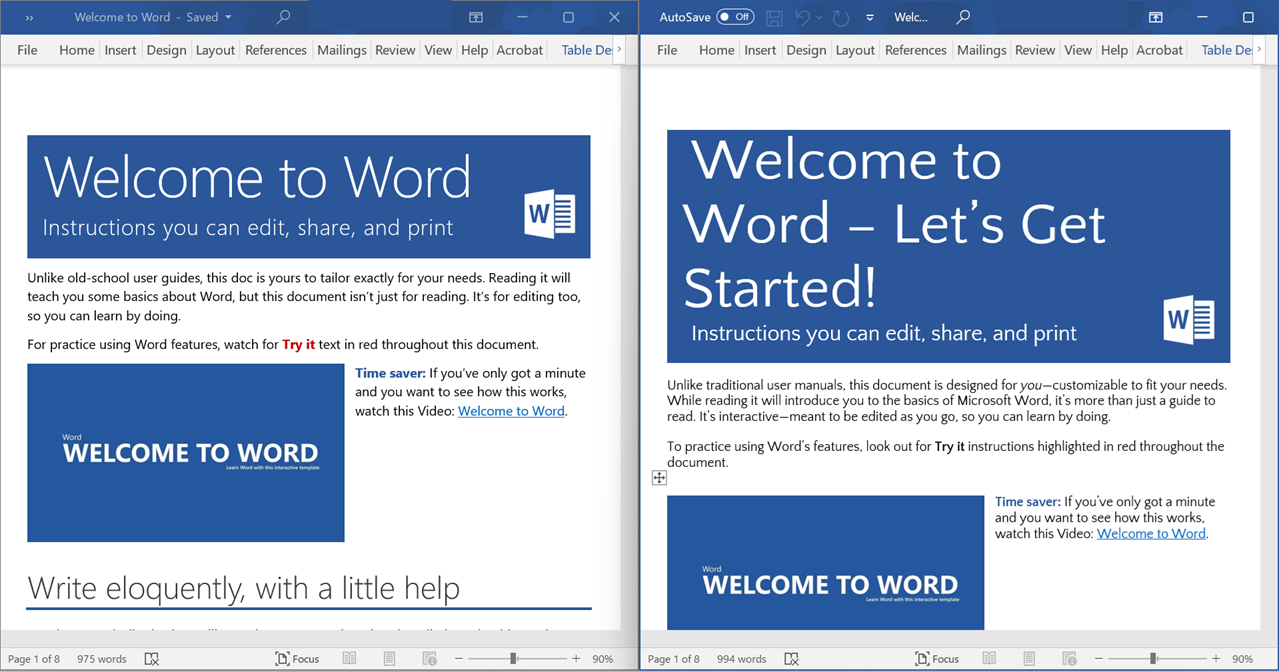
Sample result file:
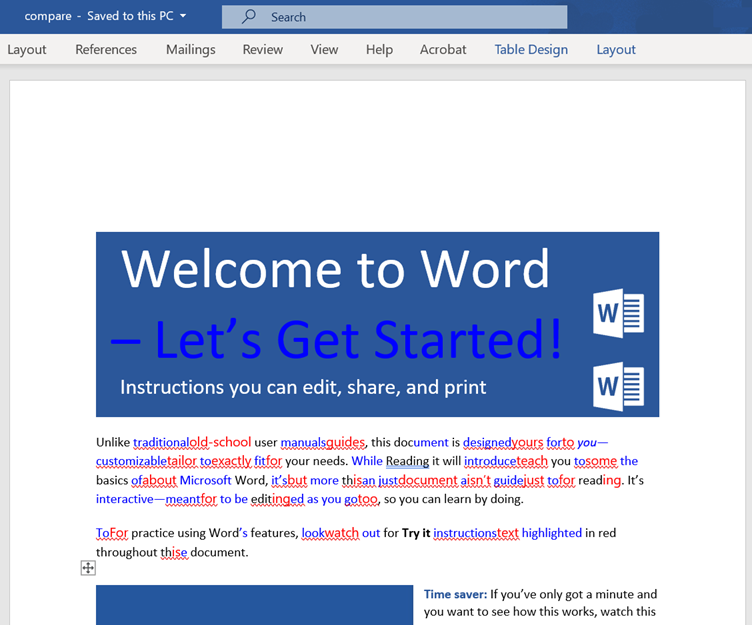
GroupDocs.Comparison highlights detected changes with different colors from the settings
GroupDocs.Comparison for Python via .NET provides a comprehensive API to compare, analyze, and process document differences across multiple file formats:
- Accurate and reliable document comparison Detect changes in text, formatting, styles, images, tables, and document structure with precise highlighting for quick review.
- Manage detected changes lets you programmatically accept or reject individual changes before producing the final result.
- Compare PDF documents Compare PDF documents with high accuracy, including document structures like tables, text fields, images
- Obtain changes as an object model Get comparison result as an object model in Python
- Compare Multiple Documents Compare multiple documents with specific compare settings.
- Document Metadata Management Set metadata in output documents from source, target, or custom values to ensure consistent and customizable metadata during comparison operations.
pip install groupdocs-comparison-net
# or upgrade
pip install --upgrade groupdocs-comparison-net-
Download the package for your OS from GroupDocs Releases:
- Windows 64-bit:
*amd64.whl - Linux 64-bit:
*arm64.whl - macOS Intel:
*x86_64.whl
- Windows 64-bit:
-
Copy the downloaded file to your project folder
-
Install using pip:
pip install downloaded_file.whl
Microsoft Word: DOC, DOCM, DOCX, DOT, DOTM, DOTX
Microsoft Excel: XLS, XLT, XLSX, XLTM, XLSB, XLSM, XLSX, CSV
Microsoft PowerPoint: POT, POTX, PPS, PPSX, PPTX, PPT
Microsoft OneNote: ONE
Microsoft Visio: VSDX, VSD, VSS, VST, VDX
OpenDocument: ODT, ODP, OTP, ODS, OTT
Fixed Layout: PDF
AutoCAD: DWG, DXF
Email: EML, EMLX, MSG
Images: BMP, GIF, JPG, JPEG, PNG
Web: HTM, HTML, MHT, MHTML
Text: RTF, TXT
eBook: MOBI, DjVu
Medical Imaging: DCM
Programming Language: CS, JAVA, CPP, JS, PY, RB
See the full list of supported formats.
- Compare contract versions in PDF or DOCX.
- Verify spreadsheet changes in Excel XLSX files including Charts.
- Detect formatting edits in PowerPoint presentations.
- Mastering JSON contractors comparison
- Highlight pixel-level differences in PNG or TIFF images.
- Automate QA document review workflows in Python apps.
Produce a merged PDF file with inline diff markers:
- Deleted content is wrapped in
[ ] - Inserted content is wrapped in
( )
import groupdocs.comparison as gc
from groupdocs.comparison.options import CompareOptions

source_path = "source.pdf"
target_path = "target.pdf"
result_path = "result.pdf"

options = CompareOptions()
options.detect_style_changes = True
options.show_deleted_content = True

with gc.Comparer(source_path) as comparer:
    comparer.add(target_path)
comparer.compare(result_path, options)The following code snippet shows how to compare several password-protected documents from a local disk(from stream also available). Note: This feature is available only for Word documents, PowerPoint, and Open Document presentations.
import groupdocs.comparison as gc

def compare_multiple_documents(source_path, target_paths, result_path, output_directory, output_file_name):

    # Initialize the comparer with the source file
    comparer = gc.Comparer(source_path)

    # Add target files
    for target_path in target_paths:
        comparer.add(target_path)

    # Set comparison options and save options
    save_options = gc.options.SaveOptions()
    compare_options = gc.options.CompareOptions()

    # Perform the compare operation and save the result
    comparer.compare(output_file_name, save_options, compare_options)

print(f"\nDocuments compared successfully.\nCheck output in {output_file_name}.")You can use GroupDocs.Comparison for Python via .NET to retrieve detailed metadata about a document before or after comparison.
The get_document_info() method provides information such as file type, total number of pages, file size, and page dimensions.
This can be helpful for validating files, displaying document details to users, or logging document statistics.
import groupdocs.comparison as gc

source_path = "source.docx"

# Initialize the comparer with the source DOCX file
with gc.Comparer(source_path) as comparer:
    # Retrieve document metadata such as page count and size
    info = comparer.source.get_document_info()

    # Iterate through each page to display detailed information
    for i, page in enumerate(info.pages_info, start=1):
        print(
            f"\nPage number: {i}\n"
            f"File type: {info.file_type}\n"
            f"Number of pages: {info.page_count}\n"
            f"Document size: {info.size} bytes\n"
            f"Width: {page.width}\n"
            f"Height: {page.height}"
        )
GroupDocs.Comparison for Python requires you to use python programming language. For Node.js, Java and .NET languages, we recommend you get GroupDocs.Comparison for Node.js, GroupDocs.Comparison for Java and GroupDocs.Comparison for .NET, respectively.

