Discrete Event Simulation of a Stroke Unit: What impact do specialised stroke same day emergency care units and CT perfusion scanning have on stroke patient flow?
This repository contains a discrete event simulation of Hyper Acute and Acute Stroke Pathways at Maidstone and Tunbridge Wells Trust.
It focuses on two key components of the stroke pathway:
- Same Day Emergency Care (SDEC) - a faster, outpatient-focused pathway where all suspected stroke patients are assessed, with only those needing further care admitted and others discharged the same day with follow‑up support.
- CT Perfusion (CTP) scanning - advanced imaging that identifies more patients eligible for time‑critical treatments such as thrombolysis, often shortening length of stay and reducing bed occupancy costs.
The model explores how expanding SDEC opening hours and increasing access to CTP scanning affect patient flow, bed occupancy, treatment rates and overall costs, including whether savings from fewer admissions and shorter stays can more than offset the extra service costs.
The model has helped transformed stroke care, improving outcomes and potentially saving over £2 million a year. To learn move, click below to open an article from the National Institute for Health and Care Research (NIHR):

This project was written as part of the sixth round of the Health Service Modelling Associates (HSMA) Programme. Click below to watch a presentation about this project from the HSMA showcase:
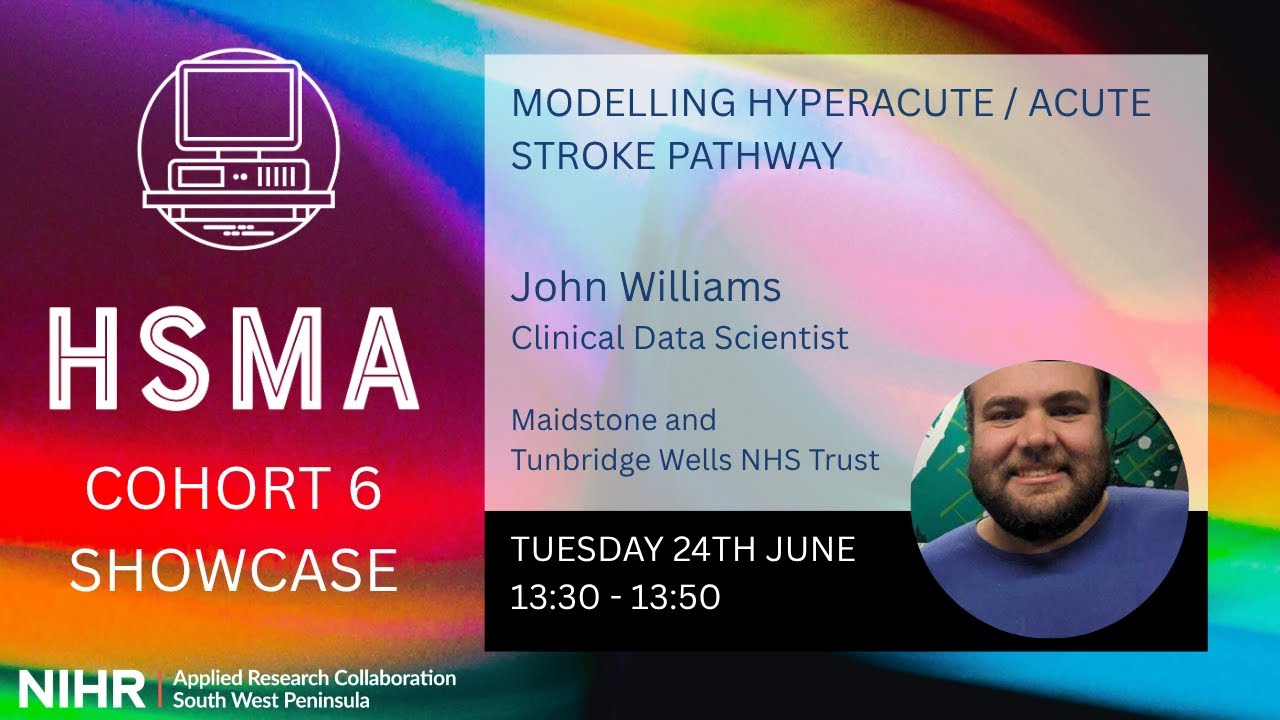
You can also view the slides shared.
The majority of the work in this repository has been undertaken by John Williams (jfwilliams4), a Stroke Performance Analyst at Maidstone and Tunbridge Wells NHS Trust.
Additional tweaks, documentation creation and web app creation has been undertaken by Sammi Rosser (Bergam0t), a trainer on the HSMA Programme.
This model is parameterised using data from:
- The Sentinel Stroke National Audit Programme (SSNAP).
- Locally collected data from Maidstone Hospital.
- General research on stroke care.
Install the environment using requirements.txt or environment.yml (tested with Python 3.12.10), found in the environment/ folder. For example:
conda env create --file environment/environment.yml
This should automatically install the model code. If you receive errors about stroke_ward_model not being found in the environment you created then run: pip install -e .
Note: Legacy environments are also available in win_environment/ and mac_environment/, but it is recommended that you use those provided in environment/.
To run the model via a script, run:
python scripts/run_stroke_admission_model.py
You will be prompted for inputs:
- Write results to CSV?
- Generate graph per run?
- Choose number of ward beds
- Run SDEC with full therapy support?
- What percentage of the day should the SDEC be available?
- What percentage of the day should the CTP be available?
The typical runtime is around 2-3 minutes.
It is possible to run the model via a script, but for easy access to model parameters and all results tables and outputs, it is recommended to use the web app interface.
The hosted web app is available at stroke-des.streamlit.app/.

If you are unable to install Python code locally, you can use this free hosted version of the app, though note it may run more slowly.
To run the web app locally, you will need to install a separate environment provided in the app/ folder. This is a reduced environment used by the hosted version of the web app on Streamlit Community Cloud. It does not install mkdocs, pytest, and other packages needed only for wider repository tasks. This app/ environment must be manually updated whenever changes are made to the files in environment/.
Once the environment is installed, open a terminal in the root of the repository and run:
streamlit run app/streamlit_app.py
If you want to re-parametrise the model using your own local data, use the notebook:
preprocessing/preprocessing.ipynb
This notebook reads in CSV files and suggests distributions and parameters for:
- Inter-arrival times (separate in-hours and out-of-hours).
- MRS score on presentation.
- Length of stay (by modified rankin score (MRS) on presentation and stroke type).
When you run it, it writes out CSV files in the preprocessing/ folder that you can use to update src/stroke_ward_model/inputs.py and src/stroke_ward_model/distributions.py.
The notebook expects CSV files in input_data/ with the following columns:
los.csv:diagnosis,mrs,los(days).iat.csv:in-hours,out-of-hours(minutes between arrivals).
The los.csv and iat.csv included in this repository are dummy examples for structure only - they are not real data and should be replaced with your own before using results for decision-making.
You can run and experiment with the model in an online VS Code environment using GitHub Codespaces, without installing anything locally.
- Ensure you are logged in to GitHub and have access to GitHub Codespaces.
- Click the green Code button on this repository.
- Select the Codespaces tab, then choose Create codespace on main (or another branch if you prefer).
GitHub will create a new Codespace using the pre-configured development container. Once it's ready, a VS Code editor will open in your browser with the repository loaded.
In the integrated terminal, run the provided scripts or commands (e.g., to execute the simulation or tests) and explore or modify the model directly in this environment.
Please note all changes made to the code in the file docs/CHANGELOG.md.
The test suite can be run with the pytest --html-output=docs/ command.
This will run the tests as well as generating a rich html report, which will then also be made available in the documentation.
The documentation site is provided using mkdocs-material and mkdocstrings.
It can be accessed at sammirosser.com/jw_hsma_des_stroke_project/
The changelog will automatically be pulled into the documentation.
Additional pages can be written in markdown and placed into the docs folder.
You must then add them to the 'nav' section of the file mkdocs.yml, which is present in the root folder.
The pages for the key model classes are built automatically, and new attributes, parameters and methods will be added to the documentation automatically as long as they are documented in the docstrings. If you add new classes or functions which need to be documented, follow the pattern used in the docs/g.md file for your new class, making sure to add it to the 'nav' section as with any other page.
You can preview the docs with the command mkdocs serve.
However, all publishing of the site is handled by GitHub actions (.github/workflows/publish-docs.yml); you do not need to build the documentation locally for it to update.
If you are forking this repository, you will need to go to your repository settings, then to 'pages', and choose 'Deploy from a branch', then make sure it is set to 'gh-pages' '/(root)', then save your selection.
The provided GitHub actions workflow in the .github/workflows/publish-docs.yml file will then be able to publish the docs to your page.
You will also need to update the site_url and repository_url parameter in the mkdocs.yml to reflect their new paths.
If you are not using a custom domain, the site will follow the pattern http://your-github-username.github.io/your-forked-repository-name