A modern, lightweight, and feature-rich JSON viewer and beautifier for viewing, formatting, and validating JSON data in real-time.
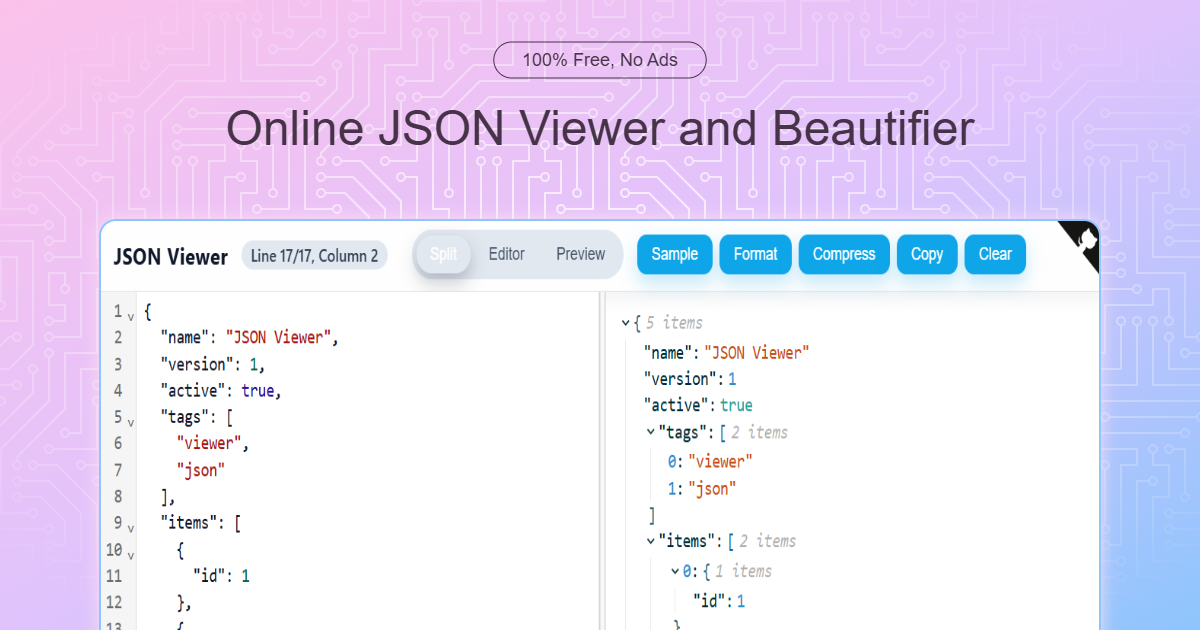
- ⚡ Real-time Parsing - Instant JSON validation and error detection
- 🎯 Split View - View editor and preview side-by-side
- 🔀 Multiple View Modes - Switch between split, editor-only, and preview-only modes
- 📋 Format & Compress - Beautify or minify JSON with one click
- 📋 Copy to Clipboard - Easily copy formatted JSON
- 🎲 Sample Data - Load sample JSON for quick testing
- ⌨️ CodeMirror Integration - Professional syntax highlighting
- 🌳 Tree View - Interactive JSON tree visualization
- Paste or type your JSON in the editor pane
- View the parsed JSON tree in the preview pane
- Use the toolbar buttons to format, compress, or copy
- Split - Editor and preview side-by-side (default)
- Editor - Full-width editor mode
- Preview - Full-width preview mode
- Sample - Load sample JSON for testing
- Format - Pretty-print JSON with 2-space indentation
- Compress - Minify JSON to a single line
- Copy - Copy formatted JSON to clipboard
- Clear - Clear all content
The viewer provides real-time JSON validation with clear error messages:
- Syntax errors displayed in red
- Line and column information for quick debugging
- Live preview updates as you type
Visit iamhitya.github.io/json-viewer to use the application online.
# Clone the repository
git clone https://github.com/iamhitya/json-viewer.git
cd json-viewer

npm install     # Install dependencies
npm start       # Start development server on port 3000
npm run dev     # Alias for npm start
npm run build   # Create optimized production build
npm test        # Run test suite
npm coverage    # Generate coverage report
npm run map # Analyze bundle size- React 18 - UI framework
- CodeMirror 6 - Advanced code editor with syntax highlighting
- @uiw/react-json-view - JSON tree visualization
- @uiw/react-split - Resizable split panes
- @uiw/react-github-corners - GitHub corner badge
- history - Browser history management
Contributions are welcome! Please feel free to submit a Pull Request.
To contribute:
- Fork the repository
- Create your feature branch (
git checkout -b feature/amazing-feature) - Commit your changes (
git commit -m 'Add amazing feature') - Push to the branch (
git push origin feature/amazing-feature) - Open a Pull Request
- JSON.org - JSON specification
- RFC 8259 - JSON text sequences
- CodeMirror Documentation
- React Documentation
This project is licensed under the MIT License.
We appreciate all contributors who help improve this project!
Built with ❤️ using React, CodeMirror, and UIW components.