Small and simple software for plotting data from serial port in realtime, Forked from https://bitbucket.org/hyOzd/serialplot/downloads and made some small optimizations.
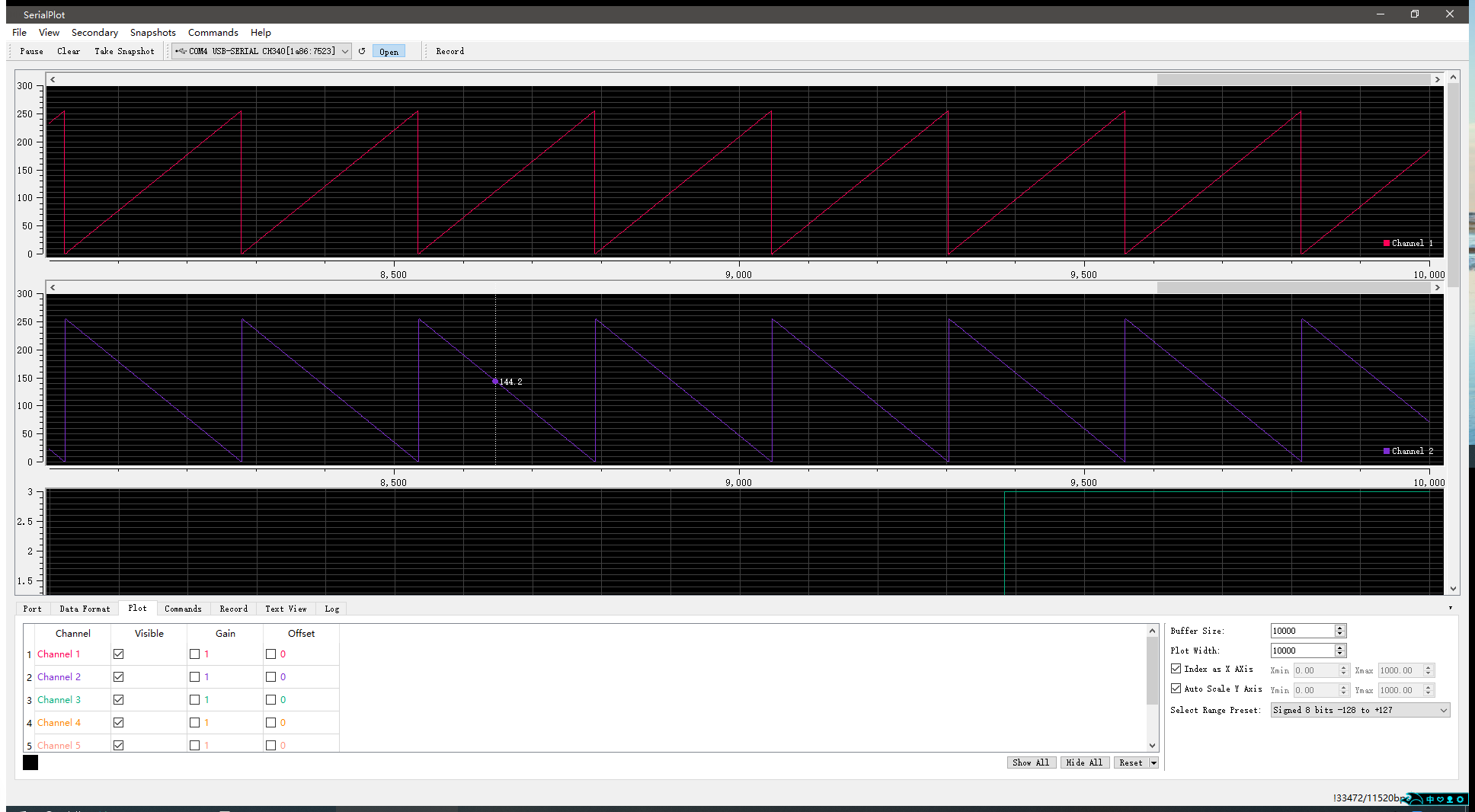
-
Reading data from serial port
-
Binary data formats (u)int8, (u)int16, (u)int32, float
-
User defined frame format for robust operation
-
ASCII input (Comma Separated Values), Start with
[PLT]:uint8_t plt_test = 0, plt_test_1 = 0; while(1) { printf("normal debug info 0\r\n"); // Will be ignored by serial plot printf("[PLT]: %d, %d, 3, 4, 5, 6\r\n", plt_test++, plt_test_1--); // Will be plotted in serialplot. delay(10); printf("normal debug info 1\r\n"); // Will be ignored by serial plot }
-
Synchronized multi channel plotting
-
Define and send commands to the device in ASCII or binary format
-
Take snapshots of the current waveform and save to CSV file
See hackaday.io page for screenshots.
You can install SerialPlot for Ubuntu/Linux Mint (and other ubuntu based distributions) via Ubuntu PPA. Use below commands to add ppa to your system and install SerialPlot.
sudo add-apt-repository ppa:hyozd/serialplot
apt update
apt install serialplot
You can obtain windows installation packages from downloads section.
- Qt 5, including SerialPort module
- Qwt 6.1
- Qt5 development packages
- Qt5 SerialPort module
- CMake
- Mercurial
Under Ubuntu/Debian:
apt install qtbase5-dev libqt5serialport5-dev cmake mercurial
Qwt is the library that provides plotting widgets for SerialPlot. You have 3 different options for Qwt.
-
Leave it to serialplot build scripts. Qwt will be downloaded over SVN and built for you. You should have
svninstalled for this. -
If your linux distribution has
libqwt-qt5-devorqwt-qt5-develpackage, install it and setBUILD_QWTcmake option tofalse. -
Download Qwt 6 here and build it yourself per these instructions and install. Make sure you use Qt5 (not Qt4) to build. And set
BUILD_QWTcmake option tofalse.
You can use Mercurial to download SerialPlot source code. Or you can download it from here: https://bitbucket.org/hyOzd/serialplot/downloads
hg clone https://hyOzd@bitbucket.org/hyOzd/serialplot
cd serialplot
mkdir build && cd build
cmake ..
make
You can also build with QtCreator IDE using serialplot.pro file.
-
On Ubuntu 16.04 / Linux Mint 18, removing USB serial device while it is open in SerialPlot, causes application to go into a nasty loop and eventually it crashes. This is a bug of Qt 5.5. I have uploaded a patched version of the problematic
libqt5serialport5package to launchpad ppa. If you install SerialPlot from there, you shouldn't have any problems. -
Port error 13 happens when closing. This is a Qt issue. It's known to not happen with Qt 5.4.1 . Not fatal.
This software is licensed under GPLv3. See file COPYING for details.