
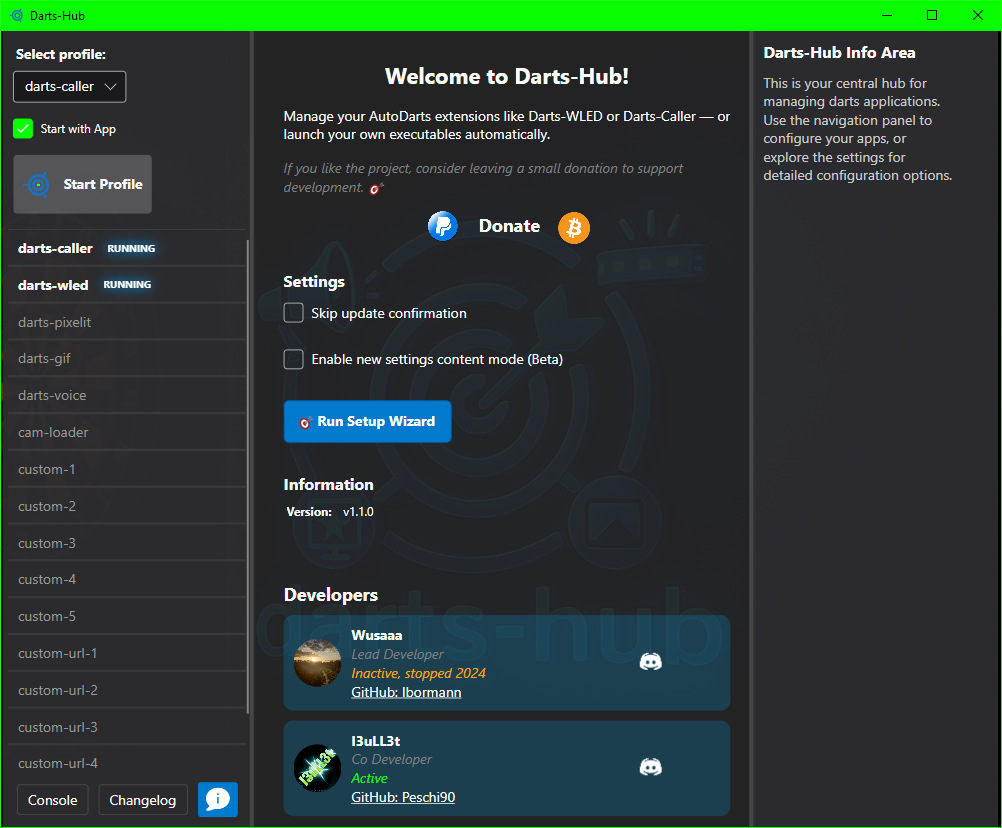
Darts-hub (formerly autodarts-desktop) manages several extension-apps for https://autodarts.io. It automatically downloads and updates those apps, provides configuration windows and launches extensions through a curated list of profiles.
Apps managed by darts-hub:
- darts-caller
- darts-extern
- darts-wled
- darts-pixelit
- darts-gif
- darts-voice
- cam-loader
- custom-urls
- custom-apps
Disclaimer: Some apps could not be visible in your setup. The reason for that is that some apps are not available for your os.
Darts-hub supports all major platforms:
| OS | X64 | X86 | ARM | ARM64 |
|---|---|---|---|---|
| Windows | ✔️ | ✔️ | ✔️ | ✔️ |
| Linux | ✔️ | ✔️ | ✔️ | |
| macOS | ✔️ | ✔️ |
Darts-hub is built with Avalonia. check it out: https://docs.avaloniaui.net/
You can install darts-hub on a Linux system by using this single command.
It will automatically download the latest version and configures it for autostart.
You might have to install curl on your machine beforehand.
You can do so with sudo apt install curl.
bash <(curl -sL get-add.arnes-design.de)Alternatively you can install darts-hub step by step.
-
Create a new folder called "darts-hub" in your home directory.
-
Download the appropiate zip-file. You can find it in the release section.
-
Extract the zip-file to the new folder "darts-hub".
-
Linux and MacOS: Execute the following commands in a terminal
chmod +x ~/darts-hub/darts-hub -
MacOS: disable os-app-verification:
sudo spctl --master-disable
Unfortunately I couldn't find a proper way without doing this.
-
Start the application by double-click darts-hub
You can remove darts-hub by passing --uninstall flag as follows.
bash <(curl -sL get-add.arnes-design.de) --uninstallAlternatively you can uninstall darts-hub step by step.
-
Remove the folder called "darts-hub" in your home directory.
-
MacOS: enable os-app-verification:
sudo spctl --master-enable
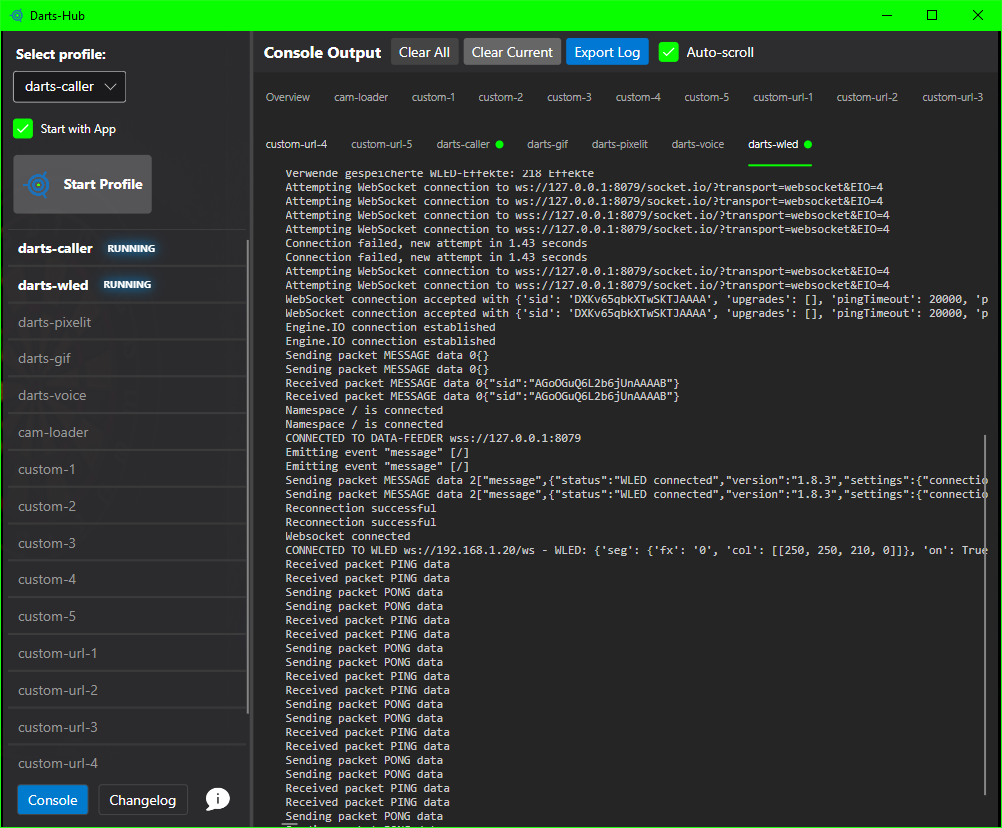
Profiles representing different play-scenarios, whether you only want to use darts-caller or playing extern by using darts-extern. Every app in a profile can be marked for start by checking it. Apps that are mandantory for particular profile can't be unchecked. To start a selected profile click the button next to profile selection. On profile-start the application will check every included app for existence, installs it or updates it if it isn't up-to-date. If an app needs configuration, darts-hub will display a configuration window to organize that. Configuration is explained in the next section. To close a running app use the ecks-symbol. To see an apps output click the monitor-symbol that should appear after a short time since app-start. It shows full details of app events in realtime. You can also rename every app: use a right click for that; you can always return to the default name by entering an empty value.
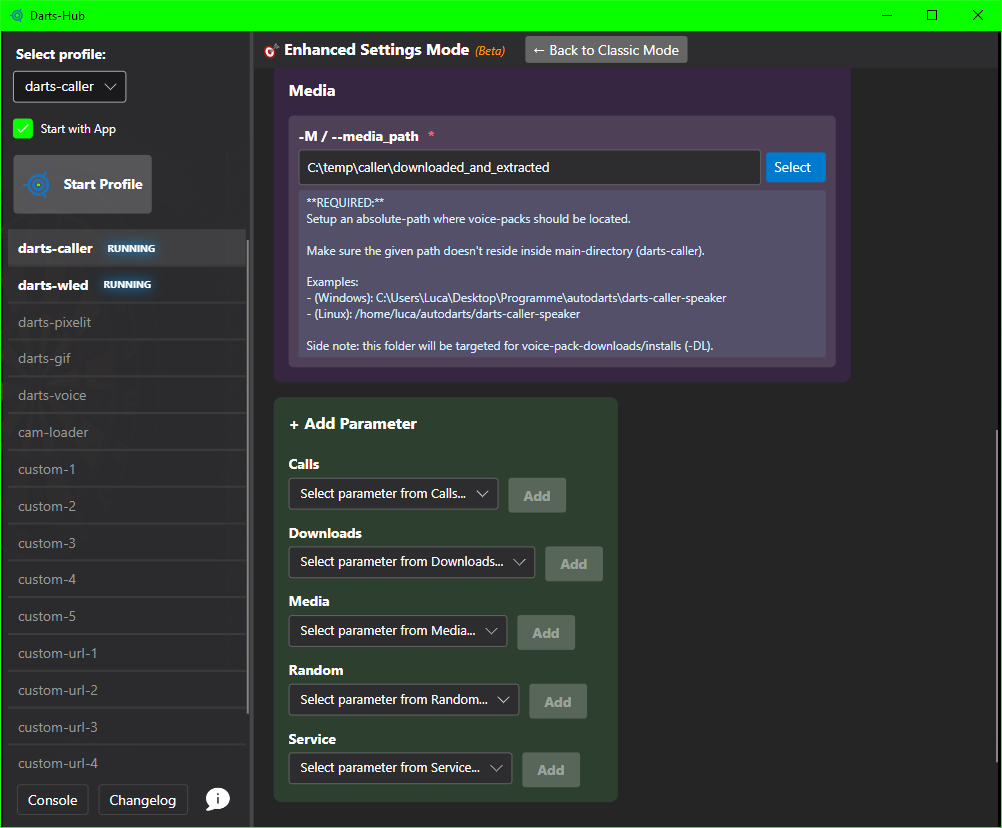
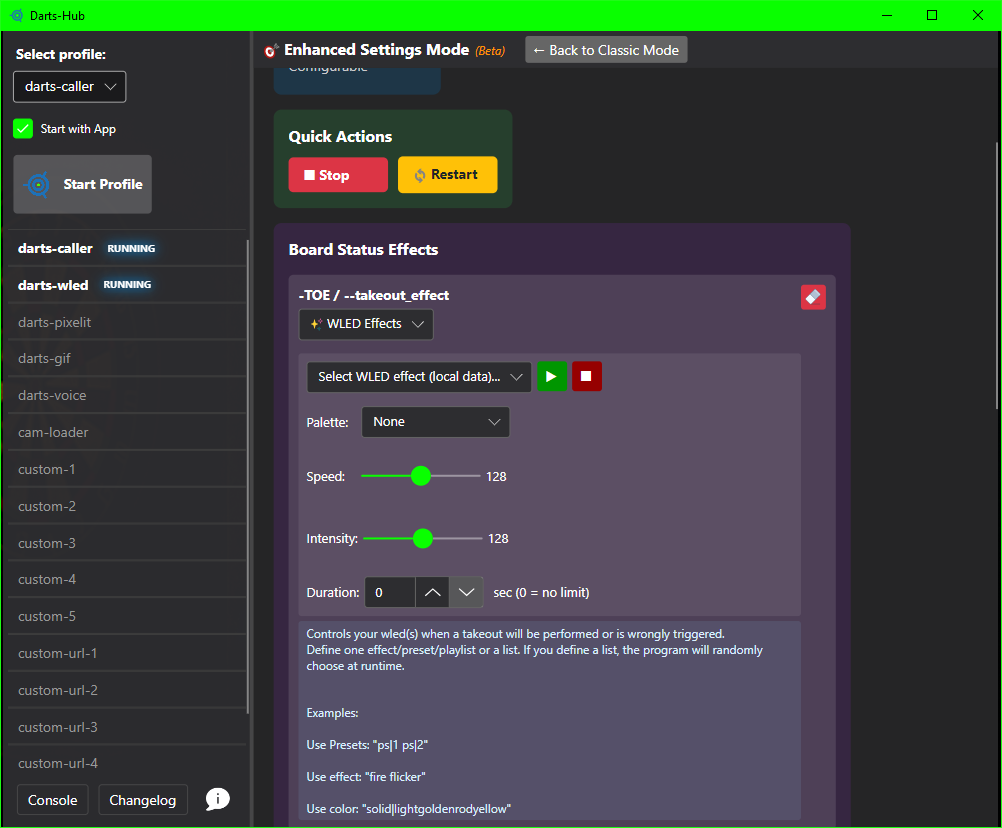
Some Apps have mandatory configuration fields to work properly. You can also spot a mandatory field by asterik character (*) at the end of the particular field-name. To reset a field-value click on the rubber-symbol or the X behind an Argument to delete it. After Changing a configuration field, you have to restart the extension to apply changes.
Side note: a grayed out configuration field means, that it uses the default value of the app itself. The displayed value doesn't match the app`s default value necessarily. If you would like to know which default value will be used, have a look at specific app README.
Imagine you could start your individual favorite apps. That is what custom-apps are made for. As an example: You could start OBS, to stream an autodarts game.. or trigger a Home-Assistant-hook to turn on your Autodarts-Build.. or just some lights.
If you would like to stay on specific app-version, create an empty file called "my_version.txt" in particular app dir. That file will stop future app-updates, until you remove the file.
Disclaimer: If you're using a specific version of an app with configuration, like the darts-caller and the current darts-hub version doesn't fit to app`s configuration, there's a chance the app might not start properly.
If you're running darts-hub on windows the affected app is probably classified as a virus. The easiest way to verify this is to close darts-hub. After that, add the main folder (darts-hub) as an exception for screening. Restart darts-hub and try to start the app.
| Command | Short | Description |
|---|---|---|
--help |
-h |
Shows help information |
--version |
-v |
Shows version information (from Updater.cs) |
--info |
Shows detailed application information | |
--system-info |
--sysinfo |
Shows system and environment information |
| Command | Alias | Description |
|---|---|---|
--list-profiles |
--profiles |
Lists all available dart profiles |
| Command | Description |
|---|---|
--backup [name] |
Creates full backup (configuration, profiles, logs) |
--backup-config [name] |
Creates configuration-only backup |
--backup-list |
Lists all available backups |
--backup-restore <file> |
Restores backup from file |
--backup-cleanup [count] |
Deletes old backups (keeps the last N) |
| Command | Description |
|---|---|
--test-updater |
Starts interactive updater test menu |
--test-full |
Runs complete updater test suite |
--test-version |
Tests version checking |
--test-retry |
Tests retry mechanism |
--test-logging |
Tests logging system |
| Command | Short | Description |
|---|---|---|
--verbose |
-vv |
Enables verbose logging (starts GUI) |
--beta |
Enables beta tester mode (starts GUI) |
For more information, run darts-hub --help or darts-hub -h in your terminal Or have a look at the command-line-interface.md file.
Darts-hub now includes a powerful configuration export/import system that allows you to:
- Backup your settings: Create full or partial backups of your extension configurations
- Share configurations: Export settings to share with friends or the community
- Move to new devices: Easily transfer your complete setup to a new computer
- Test different setups: Create multiple configuration exports for different scenarios
- Protect your credentials 🆕: Automatic prompt to exclude sensitive Autodarts credentials when exporting
When exporting configurations containing darts-caller, the system automatically prompts:
⚠ WARNING: Your configuration includes 'darts-caller'
   This extension contains sensitive Autodarts credentials

Do you want to EXCLUDE these credentials from export? (y/N):
- Answer 'y' to safely share exports with others (excludes Email, Password, Board ID)
- Answer 'n' for personal backups (includes everything)
For Windows users, we provide an easy-to-use interactive tool:
config-manager.bat - Double-click to open an interactive menu for:
- Creating exports (Full / Extensions / Parameters)
- Importing configurations (Merge / Replace modes)
- Viewing available exports
- Checking export information before importing
- Built-in help and safety features
📖 Config Manager Documentation
For Linux and macOS users:
config-manager.sh - Run the shell script for the same interactive experience:
chmod +x config-manager.sh  # First time only
./config-manager.sh
Features:
- Complete feature parity with Windows version
- Color-coded interface for better visibility
- Automatic permission handling
- All 15 menu options available
- Backup & Restore, Testing, System Info
For advanced users and automation:
# Windows
.\darts-hub.exe --export my-backup
.\darts-hub.exe --export-ext darts-caller darts-wled
.\darts-hub.exe --import my-backup.json

# Linux/macOS
./darts-hub --export my-backup
./darts-hub --export-ext darts-caller darts-wled
./darts-hub --import my-backup.json

# List available exports
darts-hub --list-exports
For detailed documentation, see:
- Icon by Ognjen Vukomanov on freeicons.io
- Icon by Muhammad Haq on freeicons.io
- Icon by Mubdee Ashrafi on freeicons.io
- Icon by Flatart on freeicons.io