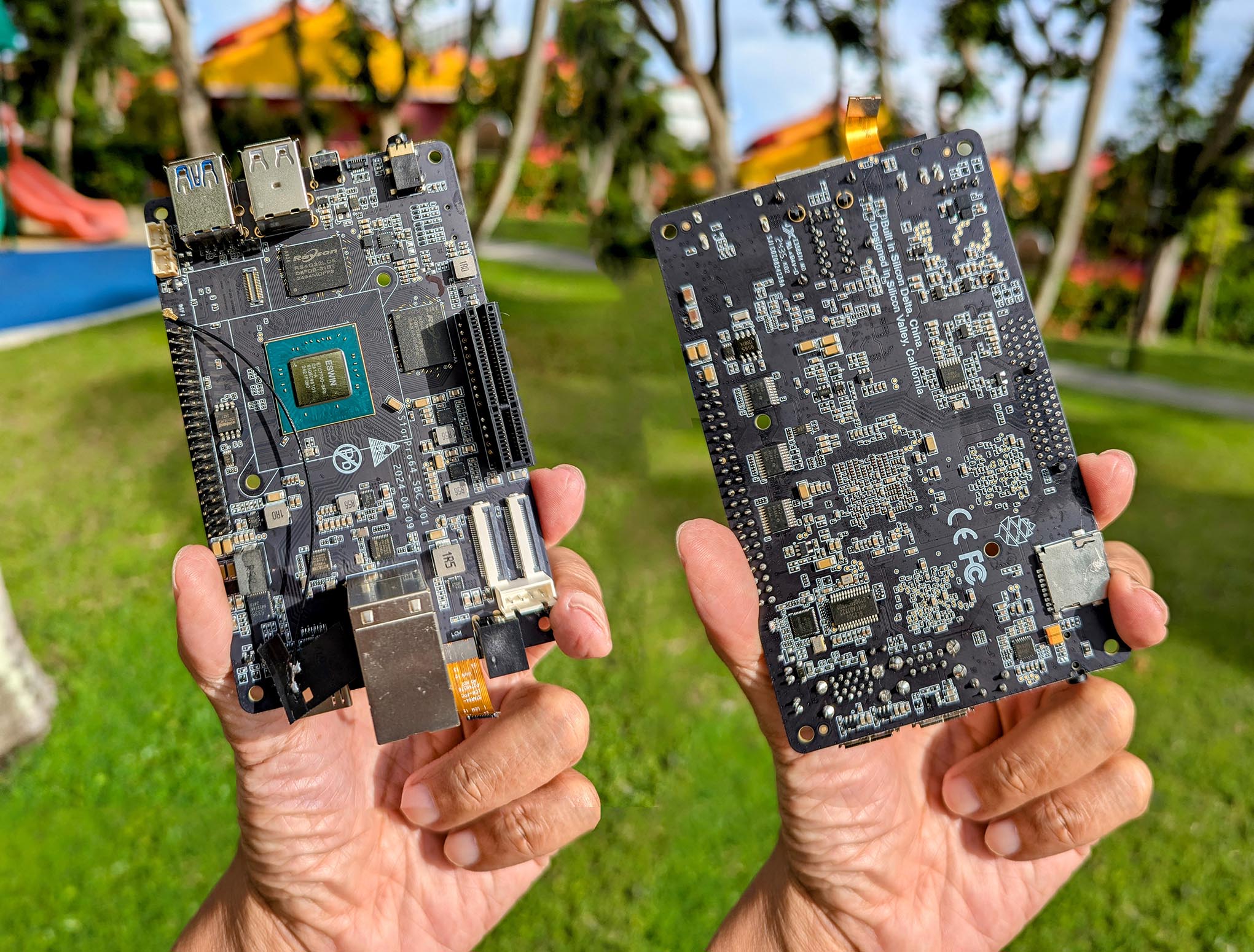
Read the article...
Work in progress...
git clone https://github.com/lupyuen2/wip-nuttx nuttx --branch starpro64
git clone https://github.com/lupyuen2/wip-nuttx-apps apps --branch starpro64
cd nuttx
tools/configure.sh milkv_duos:nsh

## Build the NuttX Kernel and Apps
make -j
make -j export
pushd ../apps
./tools/mkimport.sh -z -x ../nuttx/nuttx-export-*.tar.gz
make -j import
popd

## Generate Initial RAM Disk
## Prepare a Padding with 64 KB of zeroes
## Append Padding and Initial RAM Disk to NuttX Kernel
genromfs -f initrd -d ../apps/bin -V "NuttXBootVol"
head -c 65536 /dev/zero >/tmp/nuttx.pad
cat nuttx.bin /tmp/nuttx.pad initrd \
  >Image

## Copy NuttX Image to TFTP Server
scp Image tftpserver:/tftpboot/Image-starpro64
ssh tftpserver ls -l /tftpboot/Image-starpro64

## In U-Boot: Boot NuttX over TFTP
## setenv tftp_server 192.168.31.10 ; dhcp ${kernel_addr_r} ${tftp_server}:Image-starpro64 ; tftpboot ${fdt_addr_r} ${tftp_server}:jh7110-star64-pine64.dtb ; fdt addr ${fdt_addr_r} ; booti ${kernel_addr_r} - ${fdt_addr_r}NuttX boots a tiny bit on StarPro64 yay!
sdhci_transfer_data: Transfer data timeout
Low power features will not be supported!
Net:   eth0: ethernet@50400000
Working FDT set to ed4ecb90
starting USB...
Bus usb1@50490000: Register 2000140 NbrPorts 2
Starting the controller
USB XHCI 1.10
scanning bus usb1@50490000 for devices... pll config ok
die_num:0,die_ordinal:0
Firmware version:1.4;disable ECC
PHY0 training process:100%
PHY1 training process:100%
DDR type:LPDDR5;Size:32GB,Data Rate:6400MT/s
DDR self test OK

OpenSBI v1.5
   ____                    _____ ____ _____
  / __ \                  / ____|  _ \_   _|
 | |  | |_ __   ___ _ __ | (___ | |_) || |
 | |  | | '_ \ / _ \ '_ \ \___ \|  _ < | |
 | |__| | |_) |  __/ | | |____) | |_) || |_
  \____/| .__/ \___|_| |_|_____/|____/_____|
        | |
        |_|

Platform Name             : ESWIN EIC7700 EVB
Platform Features         : medeleg
Platform HART Count       : 4
Platform IPI Device       : aclint-mswi
Platform Timer Device     : aclint-mtimer @ 1000000Hz
Platform Console Device   : uart8250
Platform HSM Device       : ---
Platform PMU Device       : ---
Platform Reboot Device    : eswin_eic770x_reset
Platform Shutdown Device  : eswin_eic770x_reset
Platform Suspend Device   : ---
Platform CPPC Device      : ---
Firmware Base             : 0x80000000
Firmware Size             : 357 KB
Firmware RW Offset        : 0x40000
Firmware RW Size          : 101 KB
Firmware Heap Offset      : 0x4f000
Firmware Heap Size        : 41 KB (total), 2 KB (reserved), 11 KB (used), 27 KB (free)
Firmware Scratch Size     : 4096 B (total), 416 B (used), 3680 B (free)
Runtime SBI Version       : 2.0

Domain0 Name              : root
Domain0 Boot HART         : 1
Domain0 HARTs             : 0*,1*,2*,3*
Domain0 Region00          : 0x0000000002000000-0x000000000200ffff M: (I,R,W) S/U: ()
Domain0 Region01          : 0x0000000080000000-0x000000008007ffff M: (R,W) S/U: ()
Domain0 Region02          : 0x000000c000000000-0x000000d000000000 M: () S/U: (R,W)
Domain0 Region03          : 0x0000001000000000-0x0000008000000000 M: () S/U: ()
Domain0 Region04          : 0x0000000000000000-0xffffffffffffffff M: () S/U: (R,W,X)
Domain0 Next Address      : 0x0000000080200000
Domain0 Next Arg1         : 0x00000000f8000000
Domain0 Next Mode         : S-mode
Domain0 SysReset          : yes
Domain0 SysSuspend        : yes

Boot HART ID              : 1
Boot HART Domain          : root
Boot HART Priv Version    : v1.11
Boot HART Base ISA        : rv64imafdchx
Boot HART ISA Extensions  : sscofpmf,zihpm,sdtrig
Boot HART PMP Count       : 8
Boot HART PMP Granularity : 12 bits
Boot HART PMP Address Bits: 39
Boot HART MHPM Info       : 4 (0x00000078)
Boot HART Debug Triggers  : 4 triggers
Boot HART MIDELEG         : 0x0000000000002666
Boot HART MEDELEG         : 0x0000000000f0b509

Hardware Feature[7C1]: 0x4000
Hardware Feature[7C2]: 0x80
Hardware Feature[7C3]: 0x104095c1be241
Hardware Feature[7C4]: 0x1d3ff


U-Boot 2024.01-gaa36f0b4 (Jan 23 2025 - 02:49:59 +0000)

CPU:   rv64imafdc_zba_zbb
Model: ESWIN EIC7700 EVB
DRAM:  32 GiB (effective 16 GiB)
Core:  143 devices, 31 uclasses, devicetree: separate
Warning: Device tree includes old 'u-boot,dm-' tags: please fix by 2023.07!
MMC:   sdhci@50450000: 0, sd@50460000: 1
Loading Environment from SPIFlash... SF: Detected w25q128fw with page size 256 Bytes, erase size 4 KiB, total 16 MiB
OK
[display_init]Eswin UBOOT DRM driver version: v1.0.1
In:    serial,usbkbd
Out:   vidconsole,serial
Err:   vidconsole,serial
Success to initialize SPI flash at spi@51800000
Bootspi flash write protection enabled
Get board info from flash
ERROR: There is no valid hardware board information!!!
Cpu volatge need boost above 1.6 Ghz!
sdhci_transfer_data: Transfer data timeout
Low power features will not be supported!
Net:   eth0: ethernet@50400000
Working FDT set to ed4ecb90
starting USB...
Bus usb1@50490000: Register 2000140 NbrPorts 2
Starting the controller
USB XHCI 1.10
scanning bus usb1@50490000 for devices... 2 USB Device(s) found
       scanning usb for storage devices... 0 Storage Device(s) found
No SATA device found!
Autoboot in 5 seconds
ethernet@50400000 Waiting for PHY auto negotiation to complete..... done
BOOTP broadcast 1
BOOTP broadcast 2
*** Unhandled DHCP Option in OFFER/ACK: 43
*** Unhandled DHCP Option in OFFER/ACK: 43
DHCP client bound to address 192.168.31.194 (713 ms)
Using ethernet@50400000 device
TFTP from server 192.168.31.10; our IP address is 192.168.31.194
Filename 'Image-starpro64'.
Load address: 0x84000000
Loading: #################################################################
         #################################################################
         #################################################################
         ############################################################
         1.2 MiB/s
done
Bytes transferred = 3738121 (390a09 hex)
Using ethernet@50400000 device
TFTP from server 192.168.31.10; our IP address is 192.168.31.194
Filename 'jh7110-star64-pine64.dtb'.
Load address: 0x88000000
Loading: ####
         1.1 MiB/s
done
Bytes transferred = 50235 (c43b hex)
Working FDT set to 88000000
Moving Image from 0x84000000 to 0x80200000, end=84200000
## Flattened Device Tree blob at 88000000
   Booting using the fdt blob at 0x88000000
Working FDT set to 88000000
   Using Device Tree in place at 0000000088000000, end 000000008800f43a
Working FDT set to 88000000

Starting kernel ...

123Hello NuttX!
00ABCnx_start: Entry
uart_register: Registering /dev/console
uart_register: Registering /dev/ttyS0
work_start_lowpri: Starting low-priority kernel worker thread(s)
nxtask_activate: lpwork pid=1,TCB=0x8040a738
nxtask_activate: AppBringUp pid=2,TCB=0x8040a8c8
nx_start_application: Starting init task: /system/bin/init
nxtask_activate: /system/bin/init pid=3,TCB=0x8040bb58
nxtask_exit: AppBringUp pid=2,TCB=0x8040a8c8
nx_start: CPU0: Beginning Idle Loop
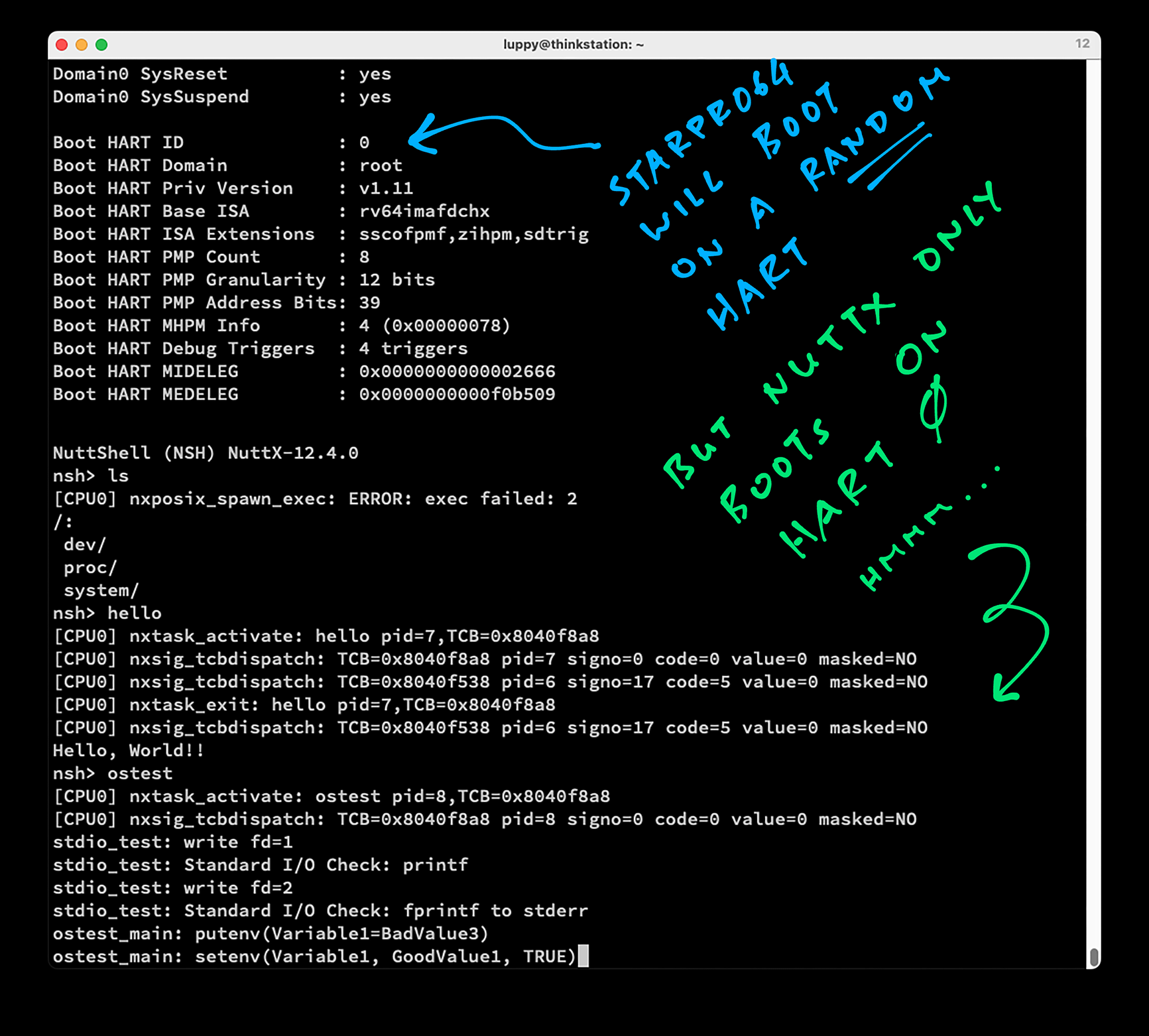
StarPro64 will boot on a Random Hart: 0 to 3. But NuttX only boots on Hart 0!
We need to fix the PLIC Driver in NuttX, which only works on Hart 0...
-
Boot HART ID : 0 ... [CPU0] nx_start: Entry [CPU0] nx_start: CPU0: Beginning Idle Loop NuttShell (NSH) NuttX-12.4.0 nsh> hello Hello, World!! -
NuttX won't boot on other Harts
Boot HART ID              : 2
...
[CPU0] nx_start: Entry
[CPU0] nx_start: CPU0: Beginning Idle Loop
[ Stuck here ]
Here's the fix, we support only One Hart right now (the Boot Hart)...
And it boots!
Now OSTest is stuck at Semaphore. Maybe it's waiting for a Hart that hasn't booted?
waiter_func: Thread 2 waiting on semaphore
nsh> ostest
user_main: semaphore test
sem_test: Initializing semaphore to 0
sem_test: Starting waiter thread 1
sem_test: Set thread 1 priority to 191
sem_test: Starting waiter thread 2
sem_test: Set thread 2 priority to 128
waiter_func: Thread 2 Started
waiter_func: Thread 2 initial semaphore value = 0
waiter_func: Thread 2 waiting on semaphore
[ Stuck here ]
PThreads won't work correctly with SMP, since we're running on One Single Core.
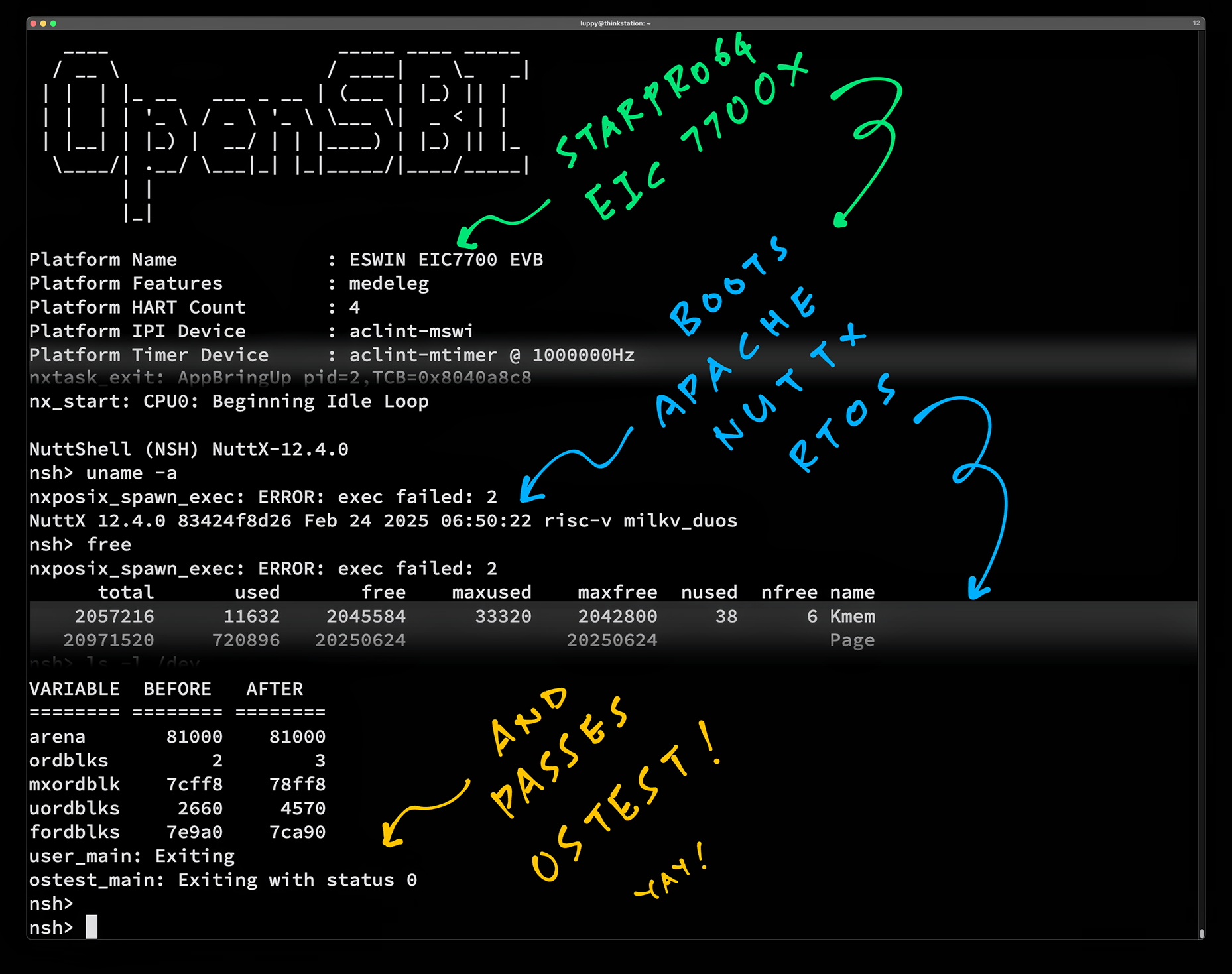
After disabling SMP: OSTest completes successfully yay!
Something is smelling like barbecue?
Whoa StarPro64 is on fire: Drop it, stop it and power off! StarPro64 will show PLL Errors when it overheats...
pll failed.
pll failed.
pll failed.
Also watch for Thermal Errors when booting Linux...
thermal thermal_zone0: thermal0:
critical temperature reached, shutting down
reboot: HARDWARE PROTECTION shutdown (Temperature too high)
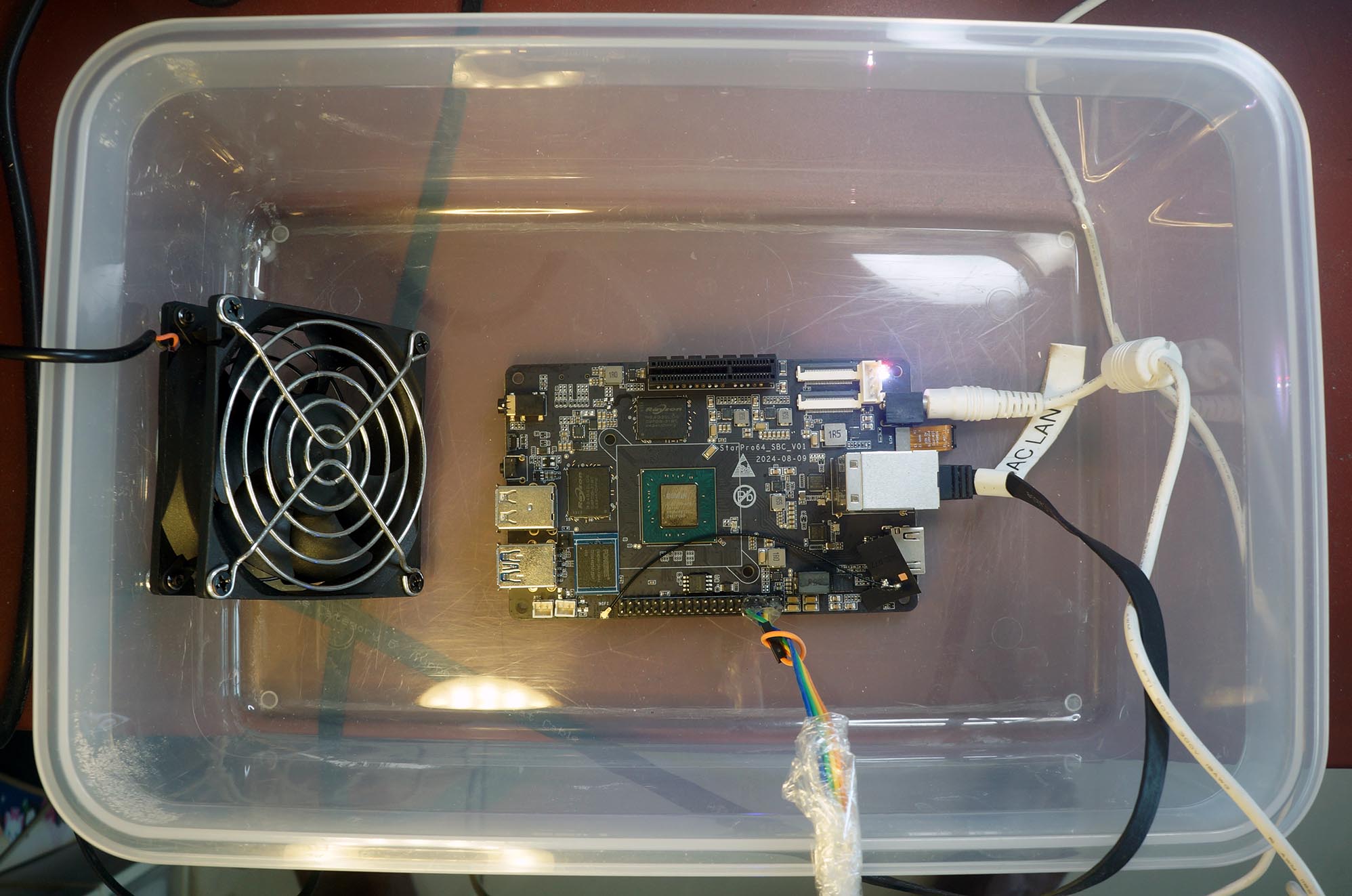
Install a USB Fan. But don't power it with USB Port on StarPro64! (Pic above)
Anything else we should worry about?
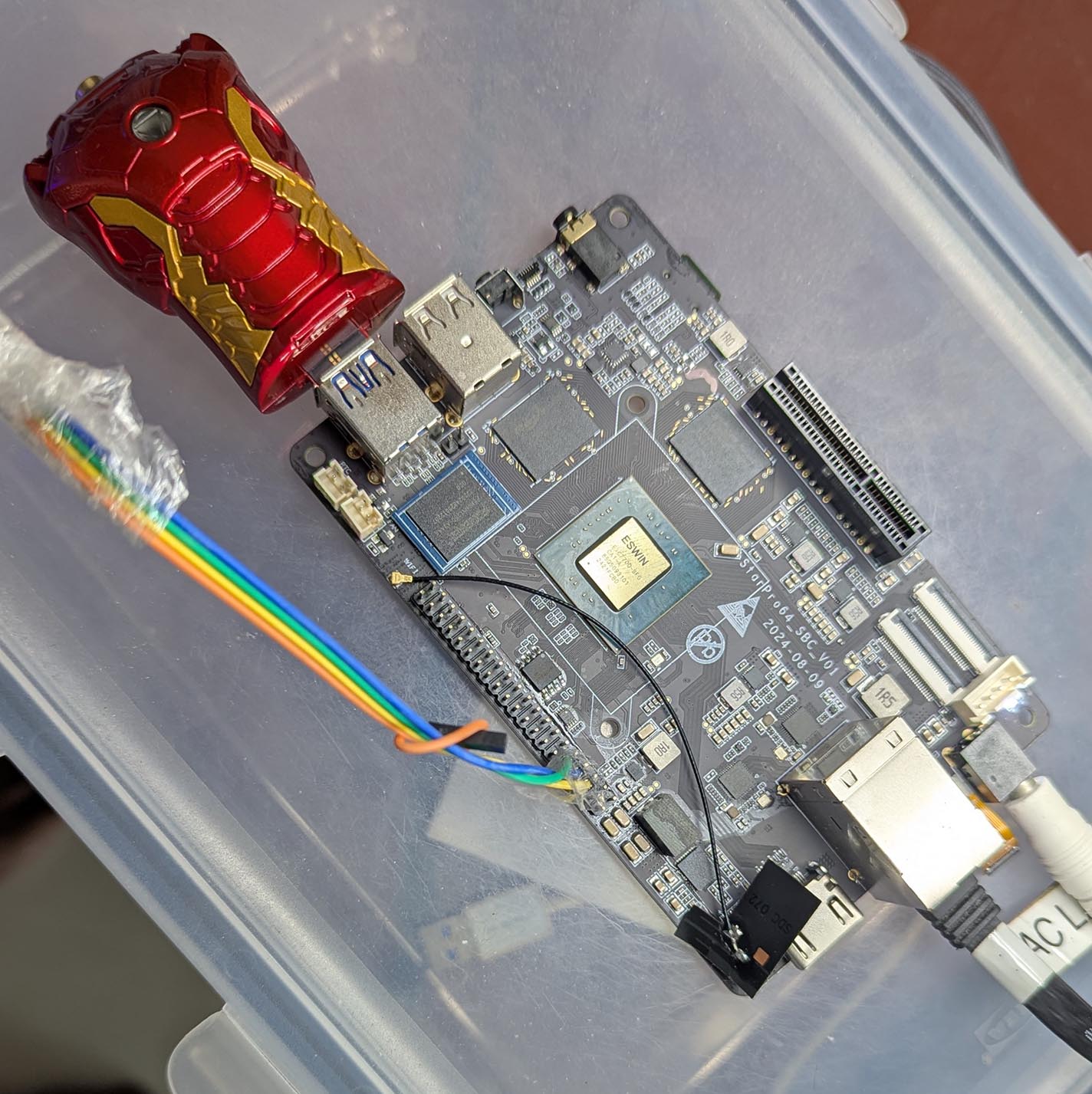
The MicroSD Interface wasn't working well on our Prototype StarPro64. The MicroSD Card deactivated itself after a bit of U-Boot Access.
Hence the Headless Ironman: USB Drive on StarPro64...
How to undo Auto-Boot for StarPro64?
Earlier we did this...
## Remember the Original Boot Command: `bootflow scan -lb`
setenv orig_bootcmd "$bootcmd"

## Prepend TFTP to the Boot Command: `run bootcmd_tftp ; bootflow scan -lb`
setenv bootcmd "run bootcmd_tftp ; $bootcmd"

## Save it for future reboots
saveenv
To undo the changes: Press Ctrl-C when U-Boot boots. Enter these commands...
## Will show the Original Boot Command: `bootflow scan -lb`
printenv orig_bootcmd

## Restore the Boot Command
setenv bootcmd $orig_bootcmd

## Will show the Restored Boot Command: `bootflow scan -lb`
printenv bootcmd

## Save it for future reboots
saveenv
How to use a Static IP with Auto-Boot?
See this...