Docker Development Environment Manager
Encapsulate zsh, vi, tmux installation and configuration within an easy to replicate Docker container for local development. A cross between dotfiles and venv/rvm. Works well with iTerm2 and Solarized Dark.
After installing Docker, install with a simple curl command:
curl -L 'https://raw.githubusercontent.com/mandrews/denv/master/bin/install.sh' | bash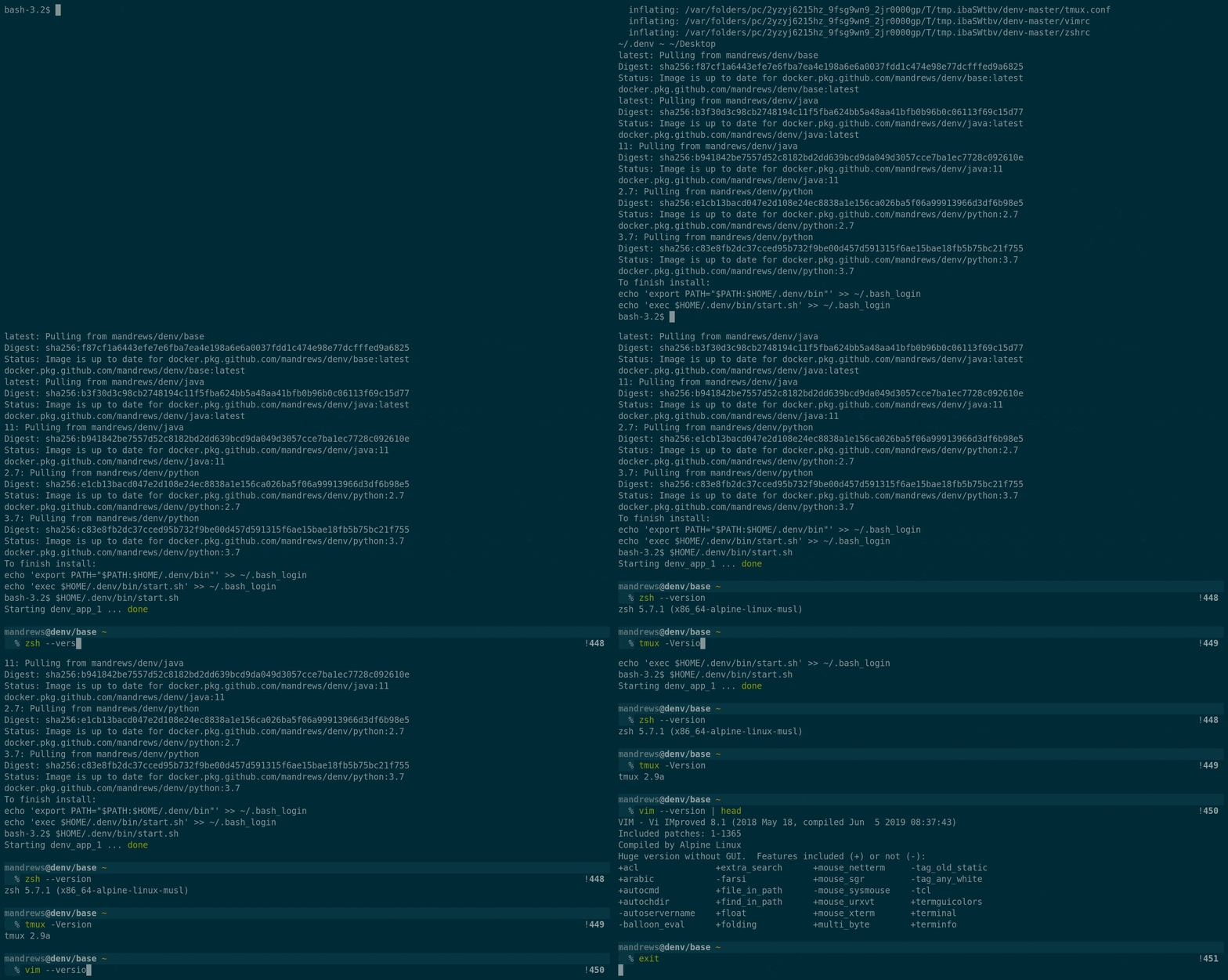
To switch development environments, simply type the name of the Docker Image and Tag.
Example:
# Switch to Python 2.7 environment
denv python:2.7

# Switch to Python 3.7 environment
denv python:3.7

# Switch to Java 11 environment
denv java:11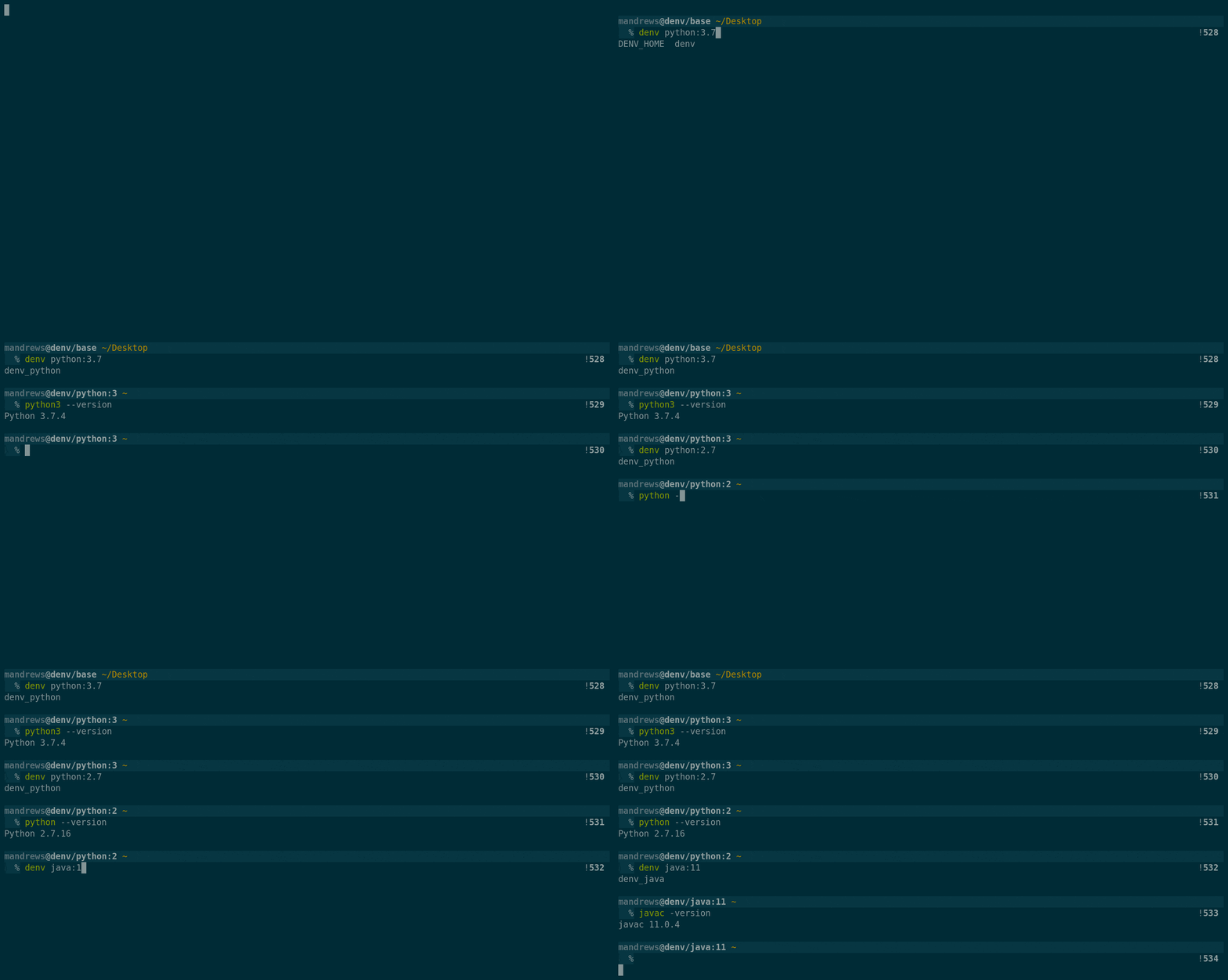
Data in development environments can be persisted using Docker volumes. To create a new Docker volume, include the volume name as the second argument. This can effectively replace RVM Gemsets or VEnv Virtual Environments.
Example:
# Switch to Python environment with volume projectA
denv python projectA

# Switch to Python environment with volume projectB
denv python projectB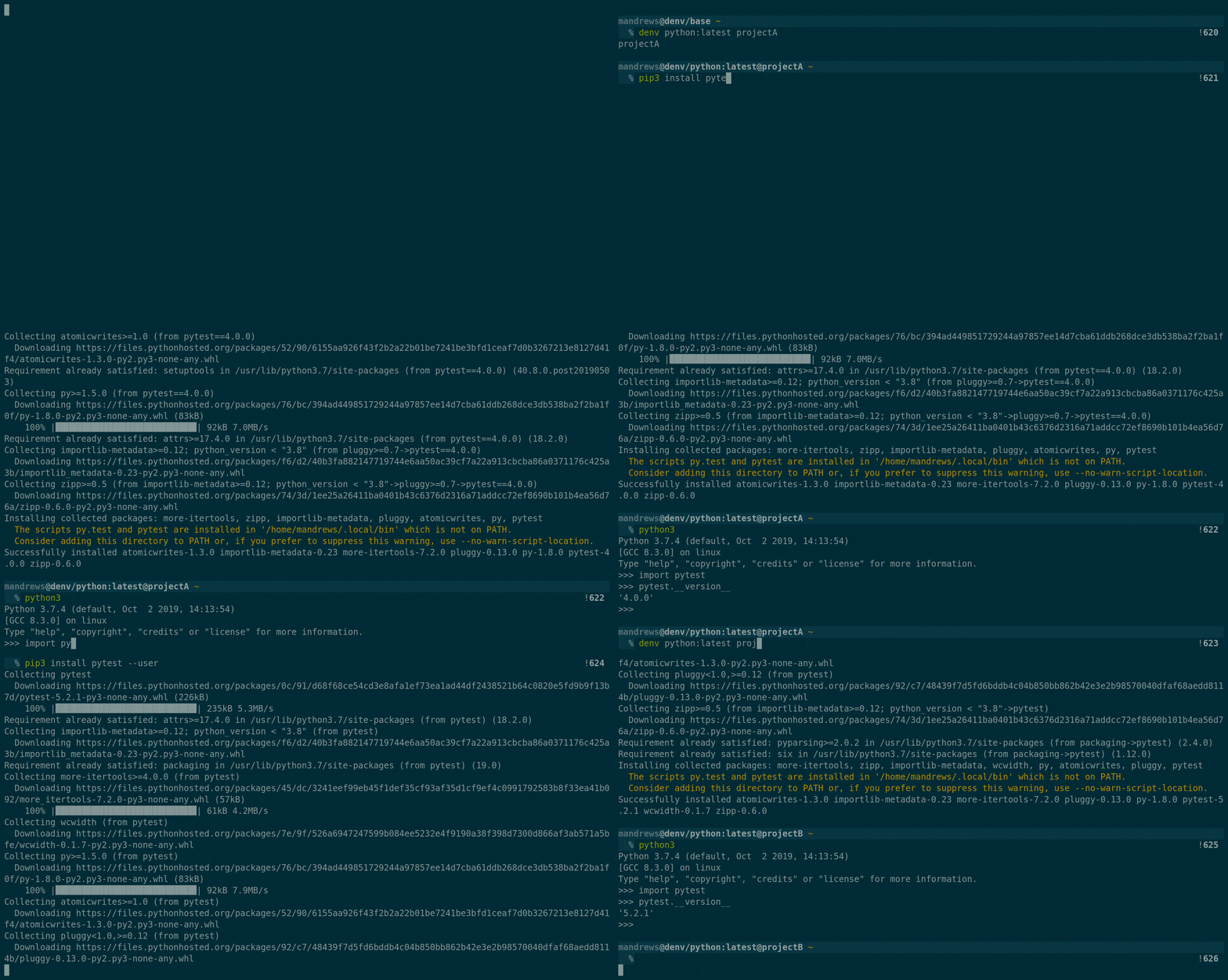
Each Development environment can open any number of ports.
Example:
# Switch to new environment with port 5000 and 5001 open
denv -p '5000 5001'