A cli tool to share files temporarily without any hassle, directly from your terminal. No login. No setup. Just share the short code to download on the other machine. Ensures some privacy (refer to Useful tips )
it interacts with the file-sharing service filebin.net.
- Useful tips
- Features
- Installation
- Quick Start & Examples
- 🧾 Command Reference
- 🔧 Requirements
- 🧑💻 Author
- LICENSE
- Bins are like folders where you can upload files. They can be downloaded, updated with files, locked and deleted
- Short code is a mapping for bins that allows to remember your bin. eg: sweet-mango16 for binid A904hbhu897SAD4Q
- Bins are auto deleted after 7 days, that is if not deleted by the user himself
- Ensures some level of privacy because the bins are made with 16 digit unique alhpanumeric id and only the people having the link(or short code) can access the content
- Upload : one or multiple files to a new or existing bin.
- Shortcode Access :: Use human-readable shortcodes like
good-apple81orsweet-mango37instead of remembering long bin IDs to interact with bins and files. - Download : As simple files or download complete bin as archive (tar and zip supported)
- List : the contents of any bin with basic or detailed metadata.
- Lock : a bin to make it read-only.
- Delete : an entire bin permanently.
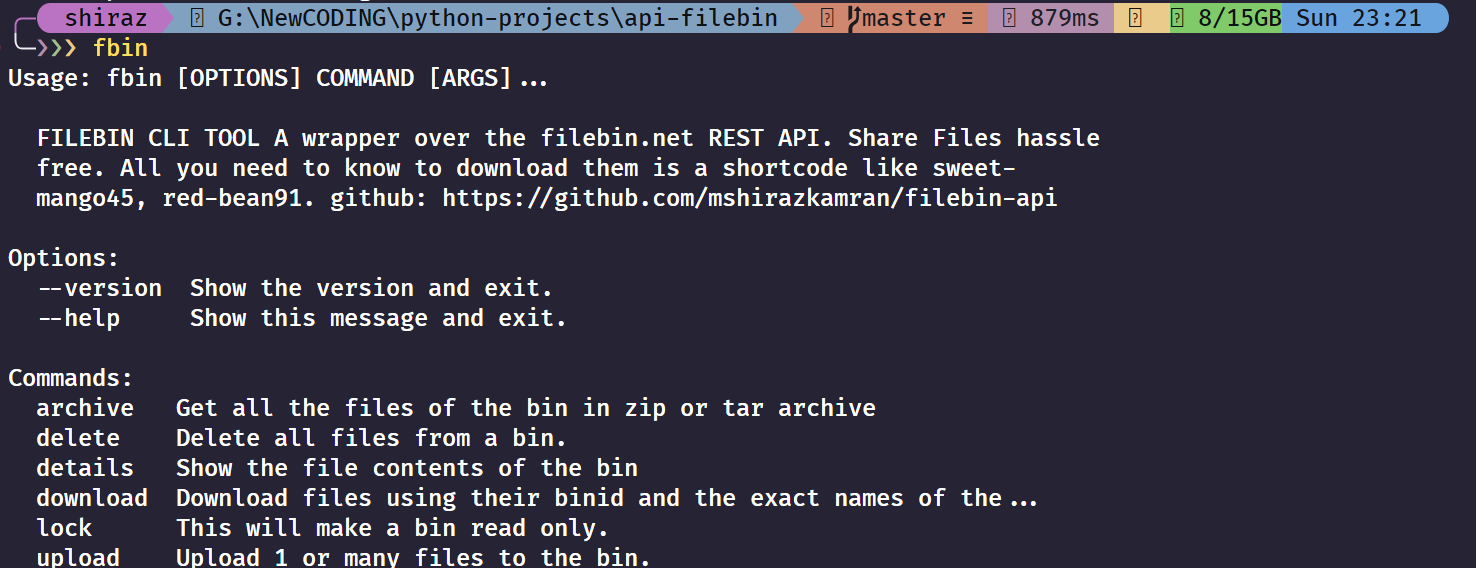
Install the tool from PyPI using pip:
pip install filebin-cli
-
Upload a single file to a new bin:
fbin upload document.pdf
-
Upload multiple files to a new bin:
fbin upload image.jpg report.docx archive.zip
-
Upload a file to a specific, existing bin using a bin ID:
fbin upload --binid 3s8h9gqz2d new-file.txt
-
Upload a file using a shortcode:
fbin upload -b good-apple81 new-file.txt
-
List the files in a bin using a bin ID:
fbin details 3s8h9gqz2d
-
List the files using a shortcode:
fbin details good-apple81
-
Get detailed metadata:
fbin details -d sweet-mango37
-
Download a single file from a bin using bin ID:
fbin download --binid 3s8h9gqz2d document.pdf
-
Download a single file using shortcode:
fbin download --binid sweet-mango37 document.pdf
-
Download multiple files:
fbin download good-apple81 image.jpg report.docx
-
Download files to a specific directory:
fbin download good-apple81 main.py -p /path/to/my/downloads
-
Download all files from a bin as a ZIP archive (default):
fbin archive A5yv3s8h9gqz2d
-
Download all files from a bin as a TAR archive (using shortcode):
fbin archive --type tar good-orange92
-
Specify a custom output directory for the archive:
fbin archive --type zip --path ./downloads white-cat12
-
Lock a bin (permanent action):
fbin lock good-apple81
-
Delete a bin and all contents (permanent action):
fbin delete sweet-mango37
Uploads one or more files. If no --binid is provided, a new bin is created automatically.
Usage:
fbin upload [OPTIONS] [PATHS]...Arguments:
PATHS...: One or more paths to the files you want to upload.
Options:
--binid TEXT: Specify an existing bin ID or shortcode to upload to.
Fetches and displays the metadata for all files in a specified bin.
Usage:
fbin details [OPTIONS] BINID_OR_SHORTCODEArguments:
BINID_OR_SHORTCODE: The ID or shortcode of the bin you want to inspect.
Options:
-d, --details: Display detailed metadata, including timestamps and MD5 hash.
Downloads one or more files from a bin.
Usage:
fbin download [OPTIONS] BINID_OR_SHORTCODE [FILENAMES]...Arguments:
BINID_OR_SHORTCODE: The ID or shortcode of the bin to download from.FILENAMES...: The exact name(s) of the file(s) to download.
Options:
-p, --path TEXT: The local directory path where files should be saved. Defaults to the current directory.
Permanently locks a bin, making it read-only. No new files can be uploaded.
Usage:
fbin lock BINID_OR_SHORTCODEArguments:
BINID_OR_SHORTCODE: The ID or shortcode of the bin to lock.
Downloads all files in a bin as a .zip or .tar archive.
Usage:
fbin archive [OPTIONS] BINIDArguments:
BINID: The ID of the bin to archive.
Options:
--path, -p TEXT: The destination directory to save the archive (default:root).--type, -t [tar|zip]: The archive format to use (required, default:zip).
Permanently deletes a bin and all of its contents.
Usage:
fbin delete BINID_OR_SHORTCODEArguments:
BINID_OR_SHORTCODE: The ID or shortcode of the bin to delete.
clickrequests
refer to requirements.txt for more info
Made and managed by @mshirazkamran
This tool is Licensed under the MIT license.