


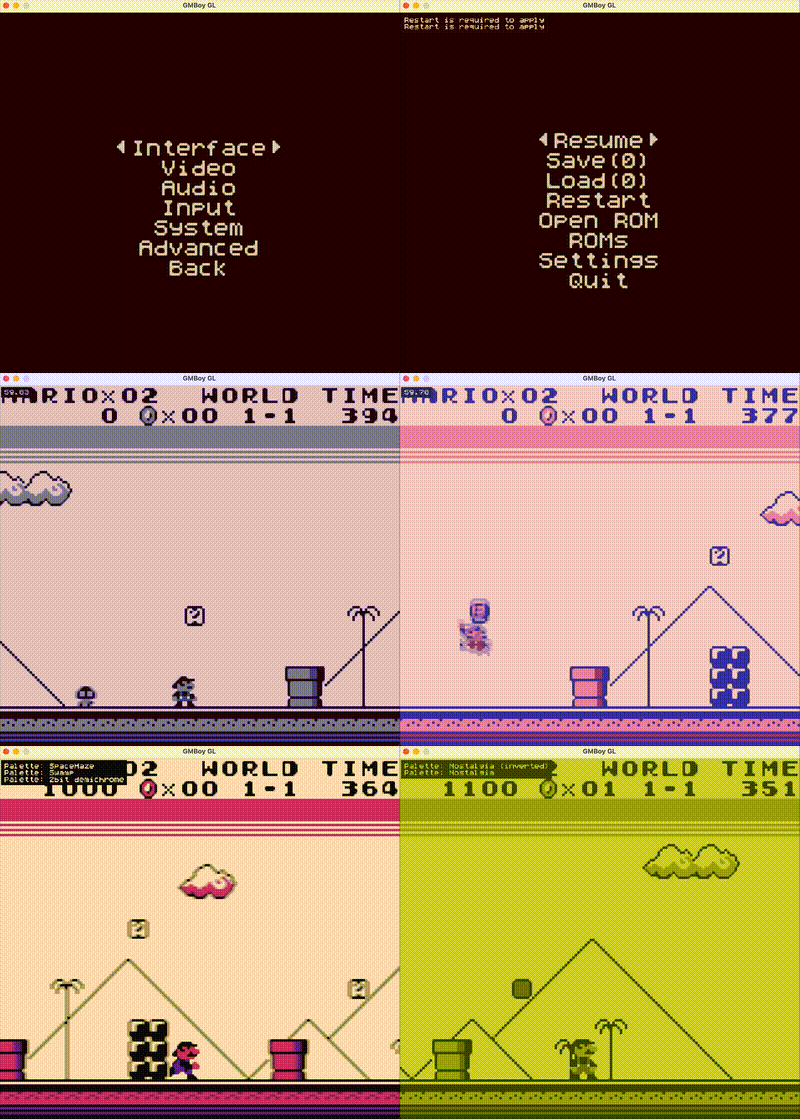
GMBoy is a Game Boy emulator written in Rust. What began as an exploratory project has evolved into a more ambitious effort.
The goal of the project is to provide a well-engineered emulator that balances accuracy and performance while incorporating modern features and long-term maintainability.
Here are some highlights:
- Cross-platform: Windows, macOS, Linux, Android; SDL2 with optional OpenGL
- Modern features: save states, filters and shaders, re-bindable controls, and more
- Accuracy-focused: sub-instruction CPU timing, dot-based PPU, and synchronized components; validated against Blargg and Mooneye test suites
- Performance-conscious: capable of running up to 10× speed on low-power ARM handhelds (tested on H700)
Work in progress: while most games run correctly, some issues may still occur.
- Save States – Save and resume progress with multiple slots; optional auto-save on exit and startup
- Rewind – Configurable rewind for undoing gameplay actions
- Speed Control – Configure the emulator’s base running speed and dynamically apply Slow or Turbo modes to temporarily decrease or increase it. All speed changes are available via settings and hotkeys.
- Frame Blending – Configurable blending modes to emulate LCD ghosting (e.g., flicker reduction in Gun ZAS)
- Visual Filters – Grid, subpixel, scanline, dot-matrix, and vignette
- Rendering Backends - SDL2 software renderer and optional OpenGL backend with shader support
- ROM Scanning – Automatic ROM directory scanning with menu-based launching
- Built-in File Browser – Load ROMs and manage directly from the UI
- Custom Controls – Fully rebindable inputs with support for button combinations
- Palettes – Multiple built-in color palettes and user extendable by editing
palettes.json - GUI & Configuration – Configuable through GUI with optional manual editing
config.json
- Automated Testing – Integrated SM83 JSON tests, Blargg, and Mooneye test suites which are executed on CI via
cargo test - Tile Viewer – Real-time background and sprite tile inspection
- CPU: Complete Sharp LR35902 instruction set with accurate timing
- PPU (Graphics): Background, window, and sprite rendering
- APU (Audio): All 4 audio channels (Square 1 & 2, Wave, Noise)
- Cartridge MBCs: MBC0, MBC1, MBC1M, MBC2, MBC3, MBC5
- Battery-backed SRAM: Persistent save data
- Input: Full Game Boy button support (D-Pad, A, B, Start, Select)
The emulator is continuously validated against comunity made test suites:
- SM83 JSON Tests – Passes all 356,000 tests
- Blargg Tests – Passes all tests
- Mooneye Acceptance Tests – Passes most of the tests
For the complete, up-to-date results, see TESTS.md.
| Action | ⌨️ Keyboard | 🎮 Gamepad |
|---|---|---|
| D-pad Up | Arrow Up | D-pad Up |
| D-pad Down | Arrow Down | D-pad Down |
| D-pad Left | Arrow Left | D-pad Left |
| D-pad Right | Arrow Right | D-pad Right |
| B | Z | B |
| A | X | A |
| Start | Enter or S | Start |
| Select | Backspace or A | Select |
| Rewind (hold) | R | Y |
| Turbo mode (hold) | Tab | RB |
| Slow mode (hold) | Space | LB |
| Main menu | Esc or Q | Select + Start |
| Screen scale Up and Down | + (Equals) and - (Minus) | |
| Fullscreen Toggle | F10 | |
| Mute audio | M | |
| Invert palette | I | Select + X |
| Next palette | P | X |
| Load save state (1–9) | F1–F19 | RT or Select + RB |
| Create save state (1–9) | 1–9 | LT or Select + LB |
| Volume Up and Down | F12 and F11 | Start + D-pad Up and Start + D-pad Down |
| Prev and Next Save State Slot | Start + D-pad Right and Start + D-pad Left | |
| Prev and Next Shader | [ and ] | Select + B and Select + A |
First, make sure you have Rust installed. If you don't, install it with:
curl --proto '=https' --tlsv1.2 -sSf https://sh.rustup.rs | sh
Then, install dependencies:
Arch Linux:
sudo pacman -S sdl2After that, you should be able to build:
cargo build --releaseThis project is licensed under the terms of the GNU General Public License v3.0 (GPLv3). See the LICENSE file for the full text.
Here are some useful resources for Game Boy development and emulation:
- Game Boy Complete Technical Reference
- Gekkio's Complete Technical Reference
- Game Boy CPU Opcodes
- Gbops, an accurate opcode table for the Game Boy
- RGBDS GBZ80 Assembly Documentation
- A curated list of Game Boy development resources
This project makes use of the following resources:
- SM83 Tests - CPU instruction tests
- GB Test ROMs - general accuracy tests
- mooneye test suite - general accuracy tests
- DMG acid2 Test - PPU testing
- SameBoy - shaders (modified for compatibility with GLES)