You can use Slack-like emoji shortcuts on textarea! 🦸♂️⌨️
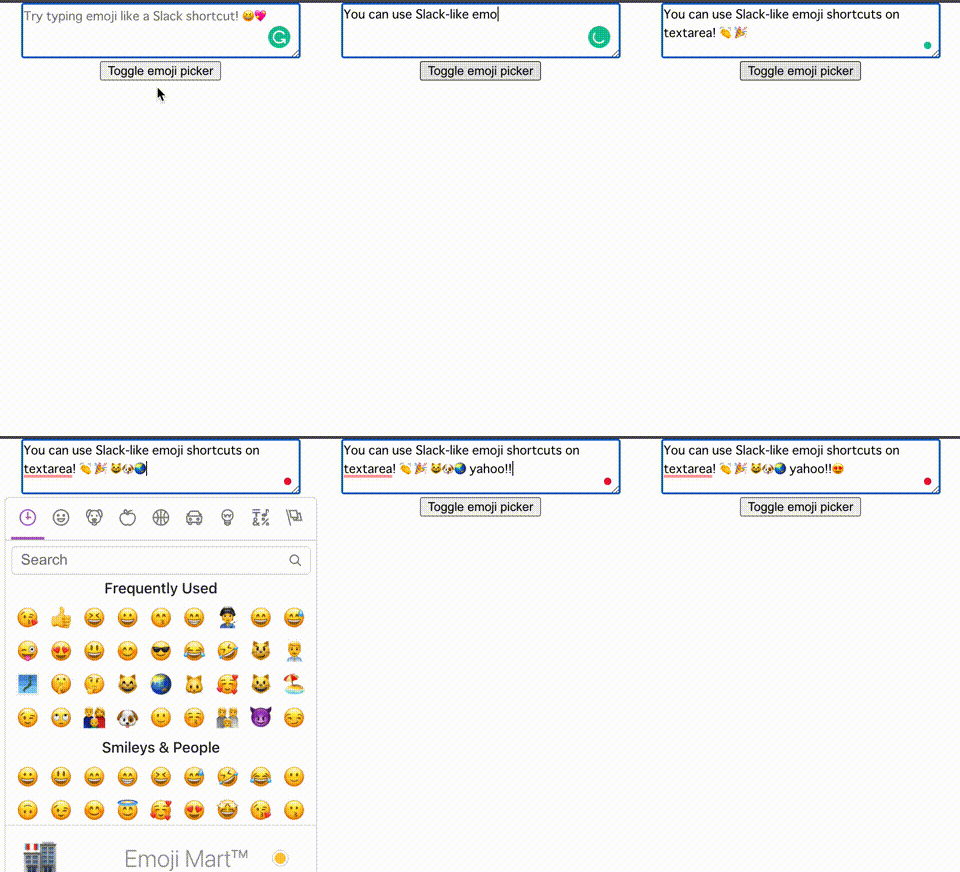
Install the plugin via Yarn (recommended)
yarn add @nikaera/react-emoji-textareaor via NPM
npm i @nikaera/react-emoji-textareaimport ReactEmojiTextArea from '@nikaera/react-emoji-textarea';<ReactEmojiTextArea
style={{ fontSize: '1em' }}
ref={textAreaEl}
onChange={(text) => console.log(text)}
placeholder={'Try typing emoji like a Slack shortcut! 😆💖'}
emojiPickerProps={{
showSkinTones: true,
}}
/>Props for ReactEmojiTextArea include the following, which you can customize as you see fit. 🤵
export interface EmojiTextAreaProps {
  ref?: React.RefObject<HTMLTextAreaElement>;
  rows?: number;
  cols?: number;
  style?: React.CSSProperties;
  placeholder?: string;
  showPicker?: boolean;
  emojiPickerProps?: PickerProps;
  onClick?: (e: React.MouseEvent<HTMLTextAreaElement>) => void;
  onSuggesting?: (val: boolean) => void;
  onChange: (val: string) => void;
}| Attribute | Required | Type | Default | Description |
|---|---|---|---|---|
| ref | - | React.RefObject<HTMLTextAreaElement> |
null |
Use this when you want to refer to a textarea element. |
| rows | - | number |
3 | Specifying rows for textarea. |
| cols | - | number |
40 | Specifying cols for textarea. |
| style | - | React.CSSProperties |
null |
Specifying the style of a textarea. |
| placeholder | - | string |
null |
Specifying a placeholder for a textarea. |
| showPicker | - | boolean |
false |
Toggle the display of emoji-mart's Picker. |
| emojiPickerProps | - | PickerProps |
null |
Specify the props for emoji-mart's Picker. onSelect is used in react-emoji-textarea. |
| onClick | - | function |
null |
Function to determine that a textarea field has been clicked. |
| onSuggesting | - | function |
null |
Function to determine while an emoji input candidate is displayed. |
| onChange | ✅ | function |
null |
Function used to get the content of the textarea. |
- Use create-react-app to create a typescript project for
react-emoji-textareadevelopment. - Clone
react-emoji-textareawithgit clone git@github.com:nikaera/react-emoji-textarea.git. - Go into the
react-emoji-textareafolder and runyarnornpm installto install the necessary libraries. - Run
npm linkoryarn linkto link from the project you created in step1.for development. - Add
"react-emoji-textarea": "link:<1.'s project path>"todependenciesinpackage.jsonof the project created in1.. - Go into the
react-emoji-textareafolder and runyarn build:watchornpm run build:watchto continue to be compiled for development. - Run
yarn startornpm startin the project folder created in1.to developreact-emoji-textarea.
If you have any questions, please feel free to create an Issue or PR for you! 🙌