Production-ready multi-cluster Apache NiFi deployment with complete isolation, automated configuration, shared PKI infrastructure, and unified CLI management.
# Create first cluster (3 nodes, ports 30xxx)
./cluster create cluster01

# Validate configuration
./cluster validate cluster01

# Start cluster
./cluster start cluster01

# Wait for cluster to be ready
./cluster wait cluster01

# Test cluster health
./cluster test cluster01

# Access NiFi UI
open https://localhost:30443/nifi
Default Credentials: admin / changeme123456
- Unified CLI Management: Single
clustercommand for all operations (create, start, stop, test, validate, etc.) - Multi-Cluster Support: Run multiple independent clusters on one host with automatic port allocation
- Complete Isolation: Separate networks, volumes, configurations, and docker-compose files per cluster
- Shared PKI Infrastructure: Single Certificate Authority for all clusters enables inter-cluster communication
- Automated Setup: One-command cluster creation with full validation and testing
- Auto-Detection: Scripts automatically detect cluster parameters (node count, ports, certificates)
- Production Ready: TLS/SSL enabled, configurable JVM settings, comprehensive health checks
- Site-to-Site Ready: Pre-configured for secure inter-cluster data transfer
Video Tutorial: Learn how to build and connect multiple NiFi clusters with Site-to-Site communication:
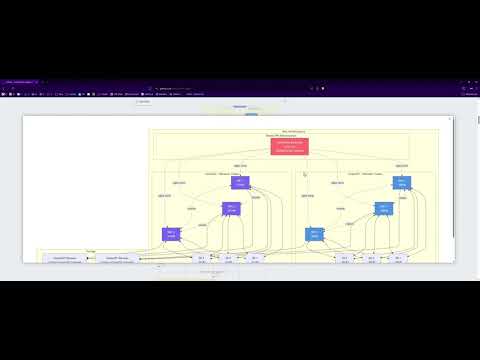
Watch: Apache NiFi 2.x — Build and Connect Clusters with Site-to-Site (S2S) Communication
This comprehensive tutorial covers the complete architecture of this project, including:
- Building multiple independent NiFi clusters
- Shared PKI infrastructure and certificate management
- Site-to-Site protocol configuration
- Secure inter-cluster communication
- Load balancing and high availability
graph TB
    subgraph "Cluster01 - Ports 30xxx"
        subgraph "NiFi Cluster"
            N1[NiFi Node 1<br/>:30443 HTTPS<br/>:30100 S2S]
            N2[NiFi Node 2<br/>:30444 HTTPS<br/>:30101 S2S]
            N3[NiFi Node 3<br/>:30445 HTTPS<br/>:30102 S2S]
        end

        subgraph "ZooKeeper Ensemble"
            Z1[ZooKeeper 1<br/>:30181]
            Z2[ZooKeeper 2<br/>:30182]
            Z3[ZooKeeper 3<br/>:30183]
        end

        N1 <--> Z1
        N1 <--> Z2
        N1 <--> Z3
        N2 <--> Z1
        N2 <--> Z2
        N2 <--> Z3
        N3 <--> Z1
        N3 <--> Z2
        N3 <--> Z3

        N1 <-.Cluster Protocol.-> N2
        N2 <-.Cluster Protocol.-> N3
        N3 <-.Cluster Protocol.-> N1
    end

    subgraph "Storage"
        V1[Node 1 Volumes<br/>content, flowfile,<br/>provenance, database]
        V2[Node 2 Volumes]
        V3[Node 3 Volumes]
    end

    N1 --> V1
    N2 --> V2
    N3 --> V3

    subgraph "PKI"
        CA[Shared CA<br/>certs/ca/]
        CERT1[Node 1 Cert<br/>CN=cluster01.nifi-1]
        CERT2[Node 2 Cert<br/>CN=cluster01.nifi-2]
        CERT3[Node 3 Cert<br/>CN=cluster01.nifi-3]
    end

    CA -.signs.-> CERT1
    CA -.signs.-> CERT2
    CA -.signs.-> CERT3

    USER[User Browser] --> N1
    USER --> N2
    USER --> N3

    style N1 fill:#4a90e2,color:#fff
    style N2 fill:#4a90e2,color:#fff
    style N3 fill:#4a90e2,color:#fff
    style Z1 fill:#50c878,color:#fff
    style Z2 fill:#50c878,color:#fff
    style Z3 fill:#50c878,color:#fff
    style CA fill:#ff6b6b,color:#fff
graph TB
    subgraph "Host Infrastructure"
        subgraph "Cluster01 - Network: cluster01-network"
            C1N1[NiFi 1<br/>:30443]
            C1N2[NiFi 2<br/>:30444]
            C1N3[NiFi 3<br/>:30445]
            C1Z1[ZK 1<br/>:30181]
            C1Z2[ZK 2<br/>:30182]
            C1Z3[ZK 3<br/>:30183]

            C1N1 <--> C1Z1
            C1N1 <--> C1Z2
            C1N1 <--> C1Z3
            C1N2 <--> C1Z1
            C1N2 <--> C1Z2
            C1N2 <--> C1Z3
            C1N3 <--> C1Z1
            C1N3 <--> C1Z2
            C1N3 <--> C1Z3
            C1N1 <-.cluster.-> C1N2
            C1N2 <-.cluster.-> C1N3
            C1N3 <-.cluster.-> C1N1
        end

        subgraph "Cluster02 - Network: cluster02-network"
            C2N1[NiFi 1<br/>:31443]
            C2N2[NiFi 2<br/>:31444]
            C2N3[NiFi 3<br/>:31445]
            C2Z1[ZK 1<br/>:31181]
            C2Z2[ZK 2<br/>:31182]
            C2Z3[ZK 3<br/>:31183]

            C2N1 <--> C2Z1
            C2N1 <--> C2Z2
            C2N1 <--> C2Z3
            C2N2 <--> C2Z1
            C2N2 <--> C2Z2
            C2N2 <--> C2Z3
            C2N3 <--> C2Z1
            C2N3 <--> C2Z2
            C2N3 <--> C2Z3
            C2N1 <-.cluster.-> C2N2
            C2N2 <-.cluster.-> C2N3
            C2N3 <-.cluster.-> C2N1
        end

        subgraph "Shared PKI Infrastructure"
            CA[Certificate Authority<br/>certs/ca/<br/>Trusted by ALL clusters]
        end

        CA -.signs certs.-> C1N1
        CA -.signs certs.-> C1N2
        CA -.signs certs.-> C1N3
        CA -.signs certs.-> C2N1
        CA -.signs certs.-> C2N2
        CA -.signs certs.-> C2N3
    end

    subgraph "Storage"
        C1VOL[Cluster01 Volumes<br/>clusters/cluster01/volumes/]
        C2VOL[Cluster02 Volumes<br/>clusters/cluster02/volumes/]
    end

    C1N1 & C1N2 & C1N3 --> C1VOL
    C2N1 & C2N2 & C2N3 --> C2VOL

    style C1N1 fill:#4a90e2,color:#fff
    style C1N2 fill:#4a90e2,color:#fff
    style C1N3 fill:#4a90e2,color:#fff
    style C2N1 fill:#7b68ee,color:#fff
    style C2N2 fill:#7b68ee,color:#fff
    style C2N3 fill:#7b68ee,color:#fff
    style CA fill:#ff6b6b,color:#fff
sequenceDiagram
    participant C1N1 as Cluster01 NiFi-1<br/>:30100 (S2S)
    participant C1N2 as Cluster01 NiFi-2<br/>:30101 (S2S)
    participant C2N1 as Cluster02 NiFi-1<br/>:31100 (S2S)
    participant C2N2 as Cluster02 NiFi-2<br/>:31101 (S2S)
    participant CA as Shared CA<br/>certs/ca/

    Note over C1N1,C2N2: All nodes trust same CA

    C1N1->>CA: Verify own cert signed by CA
    C2N1->>CA: Verify own cert signed by CA

    Note over C1N1,C2N1: Remote Process Group (RPG) Setup

    C1N1->>C2N1: TLS Handshake (mutual auth)
    C2N1-->>C1N1: Certificate (signed by shared CA)
    C1N1->>C1N1: Verify C2N1 cert against CA
    C2N1->>C2N1: Verify C1N1 cert against CA

    Note over C1N1,C2N1: Secure connection established

    C1N1->>C2N1: GET /nifi-api/site-to-site/peers
    C2N1-->>C1N1: Return peer list [N1, N2, N3]

    Note over C1N1,C2N2: Load-balanced data transfer

    C1N1->>C2N1: Send FlowFiles (batch 1)
    C1N2->>C2N2: Send FlowFiles (batch 2)

    Note over C1N1,C2N2: All traffic encrypted with TLS
    Note over C1N1,C2N2: Mutual authentication via shared CA
Key Points:
- Shared CA: All clusters trust the same Certificate Authority (certs/ca/)
- Mutual TLS: Both sides authenticate using certificates signed by shared CA
- Site-to-Site Protocol: NiFi's secure data transfer protocol (ports 30100-30102, 31100-31102, etc.)
- Load Balancing: Automatically distributes across available peers
- No Extra Config: Works out-of-the-box because all clusters share the same PKI
nifi-cluster/
├── cluster                          # Unified CLI (main entry point)
├── lib/                             # Library scripts
│   ├── cluster-utils.sh             # Shared utility functions
│   ├── create-cluster.sh            # Cluster creation implementation
│   ├── delete-cluster.sh            # Cluster deletion implementation
│   ├── check-cluster.sh             # Health checking
│   └── generate-docker-compose.sh   # Docker Compose generator
├── validate                         # Configuration validation (auto-detects)
├── test                             # Comprehensive testing (auto-detects)
│
├── certs/                           # Shared PKI for ALL clusters
│   ├── ca/                          # Certificate Authority (SHARED)
│   │   ├── ca-key.pem               # CA private key (CRITICAL)
│   │   ├── ca-cert.pem              # CA certificate (TRUSTED BY ALL)
│   │   └── truststore.p12           # CA truststore
│   ├── generate-certs.sh            # Certificate generation
│   └── README.md                    # PKI documentation
│
├── clusters/                        # All cluster workspaces
│   ├── cluster01/                   # Cluster01 isolated workspace
│   │   ├── certs/                   # Node certificates (signed by shared CA)
│   │   │   ├── ca/                  # Copy of shared CA
│   │   │   ├── cluster01.nifi-1/    # Node 1 cert (CN=cluster01.nifi-1.DOMAIN)
│   │   │   ├── cluster01.nifi-2/    # Node 2 cert
│   │   │   ├── cluster01.nifi-3/    # Node 3 cert
│   │   │   └── cluster01.zookeeper-{1,2,3}/
│   │   ├── conf/                    # Node configurations
│   │   │   ├── cluster01.nifi-1/    # Node 1 config
│   │   │   │   ├── nifi.properties
│   │   │   │   ├── keystore.p12
│   │   │   │   ├── truststore.p12
│   │   │   │   ├── authorizers.xml
│   │   │   │   ├── bootstrap.conf
│   │   │   │   └── ... (all NiFi config files)
│   │   │   ├── cluster01.nifi-2/
│   │   │   └── cluster01.nifi-3/
│   │   └── volumes/                 # Runtime data (gitignored)
│   │       ├── cluster01.nifi-1/
│   │       │   ├── content_repository/
│   │       │   ├── flowfile_repository/
│   │       │   ├── provenance_repository/
│   │       │   ├── database_repository/
│   │       │   ├── state/
│   │       │   └── logs/
│   │       ├── cluster01.nifi-2/
│   │       ├── cluster01.nifi-3/
│   │       └── cluster01.zookeeper-{1,2,3}/
│   │
│   └── cluster02/                   # Cluster02 (same structure)
│       └── ... (mirrors cluster01 structure)
│
├── conf/                            # Configuration templates
│   └── templates/                   # Base templates for new clusters
│       ├── authorizers.xml
│       ├── bootstrap.conf
│       ├── logback.xml
│       ├── login-identity-providers.xml
│       └── zookeeper.properties
│
├── docker-compose-cluster01.yml     # Cluster01 compose file (auto-generated)
├── docker-compose-cluster02.yml     # Cluster02 compose file (auto-generated)
│
├── backlog/                         # Project management
│   ├── docs/                        # Design documents
│   └── tasks/                       # Task tracking
│
├── CLAUDE.md                        # Project instructions for AI
└── README.md                        # This file
Key Principles:
- All cluster-specific data is in
clusters/<CLUSTER_NAME>/(gitignored) - Shared CA enables inter-cluster communication
- Each cluster has its own Docker network and docker-compose file
- Scripts auto-detect cluster parameters from workspace structure
BASE_PORT = 29000 + (CLUSTER_NUM × 1000)
| Service | Port Offset | Example (cluster01) | Example (cluster02) |
|---|---|---|---|
| NiFi HTTPS (Node 1) | +443 | 30443 | 31443 |
| NiFi HTTPS (Node 2) | +444 | 30444 | 31444 |
| NiFi HTTPS (Node 3) | +445 | 30445 | 31445 |
| Site-to-Site (Node 1) | +100 | 30100 | 31100 |
| Site-to-Site (Node 2) | +101 | 30101 | 31101 |
| Site-to-Site (Node 3) | +102 | 30102 | 31102 |
| ZooKeeper (Node 1) | +181 | 30181 | 31181 |
| ZooKeeper (Node 2) | +182 | 30182 | 31182 |
| ZooKeeper (Node 3) | +183 | 30183 | 31183 |
| Cluster Name | Cluster # | HTTPS Ports | S2S Ports | ZK Ports |
|---|---|---|---|---|
| cluster01 | 1 | 30443-30445 | 30100-30102 | 30181-30183 |
| cluster02 | 2 | 31443-31445 | 31100-31102 | 31181-31183 |
| cluster03 | 3 | 32443-32445 | 32100-32102 | 32181-32183 |
| production05 | 5 | 34443-34445 | 34100-34102 | 34181-34183 |
The cluster script provides a unified interface for all cluster operations.
IMPORTANT: Cluster names MUST follow the pattern [text][two-digits]
- Valid:
cluster01,cluster05,production02,test10 - Invalid:
cluster1(one digit),cluster11(>10),cluster_01(underscore) - The two digits (01-10) determine the cluster number for port allocation
# Cluster Lifecycle
./cluster create <name> [nodes]      # Create cluster (default: 3 nodes)
./cluster start <name>               # Start cluster
./cluster stop <name>                # Stop cluster
./cluster restart <name> [node]      # Restart cluster or node
./cluster delete <name> [--force]    # Delete cluster

# Status & Monitoring
./cluster status <name>              # Show detailed status
./cluster health <name>              # Quick health check
./cluster wait <name>                # Wait for cluster ready
./cluster info <name>                # Show cluster details
./cluster ports <name>               # Show port mappings
./cluster url <name> [node]          # Get NiFi UI URL

# Testing & Validation
./cluster validate <name>            # Validate configuration (31 checks)
./cluster test <name>                # Run comprehensive tests (32 tests)

# Logs & Debugging
./cluster logs <name> [service]      # View logs
./cluster follow <name> [service]    # Follow logs in real-time
./cluster shell <name> <node>        # Interactive shell
./cluster exec <name> <node> <cmd>   # Execute command

# Utilities
./cluster list                       # List all clusters
./cluster help [command] # Show helpScripts automatically detect cluster parameters:
- Node count from workspace structure
- Base port from cluster number
- Certificate paths from cluster name
- Docker Compose file location
No need to specify these parameters repeatedly!
# Create cluster01 with 3 nodes (default)
./cluster create cluster01

# Start cluster
./cluster start cluster01

# Validate configuration (31 checks)
./cluster validate cluster01

# Wait for cluster to be ready (auto-detects timeout)
./cluster wait cluster01

# Test cluster health (32 comprehensive tests)
./cluster test cluster01

# Get cluster info
./cluster info cluster01

# Access NiFi UI
open $(./cluster url cluster01)# Create two clusters
./cluster create cluster01
./cluster create cluster02
# Start both
./cluster start cluster01
./cluster start cluster02
# Wait for both to be ready
./cluster wait cluster01 &
./cluster wait cluster02 &
wait
# Test both
./cluster test cluster01
./cluster test cluster02
# List all clusters
./cluster list
# Check status
./cluster status cluster01
./cluster status cluster02
# View logs
./cluster follow cluster01 nifi-1 # Terminal 1
./cluster follow cluster02 nifi-1 # Terminal 2
# Stop both
./cluster stop cluster01
./cluster stop cluster02# Single-node cluster (development)
./cluster create cluster03 1
# Five-node cluster (production)
./cluster create cluster04 5
# Seven-node cluster
./cluster create cluster05 7# 1. Ensure both clusters are running and healthy
./cluster health cluster01
./cluster health cluster02
# 2. Get cluster02 S2S endpoint
CLUSTER02_S2S="https://cluster02.nifi-1.ymbihq.local:31100"
# 3. In cluster01 NiFi UI:
# - Add Remote Process Group (RPG)
# - Set URL to: https://cluster02.nifi-1.ymbihq.local:31443/nifi
# - Enable input/output ports on cluster02
# - Create connection from cluster01 processor to RPG
# 4. Verify S2S connectivity
curl -k -s \
--cert clusters/cluster01/certs/cluster01.nifi-1/server-cert.pem \
--key clusters/cluster01/certs/cluster01.nifi-1/server-key.pem \
-H "x-nifi-site-to-site-protocol-version: 1" \
https://cluster02.nifi-1.ymbihq.local:31443/nifi-api/site-to-site/peers | jq .
# 5. Data flows automatically between clusters via S2S protocolWhy it works: Both clusters trust the same CA (certs/ca/), enabling mutual TLS authentication without additional certificate configuration.
# Check cluster status
./cluster status cluster01

# View recent logs
./cluster logs cluster01 nifi-1 --tail 100

# Follow logs in real-time
./cluster follow cluster01

# Execute command in container
./cluster exec cluster01 1 cat /opt/nifi/nifi-current/logs/nifi-app.log

# Interactive shell
./cluster shell cluster01 1

# Check ZooKeeper
./cluster exec cluster01 zookeeper-1 zkCli.sh get /nifi/components

# Verify certificates
./cluster exec cluster01 1 openssl x509 -in conf/keystore.p12 -text -noout

# Restart specific node
./cluster restart cluster01 2# 1. Create cluster
./cluster create cluster01 3
# 2. Validate before starting
if ./cluster validate cluster01; then
echo "Validation passed!"
else
echo "Validation failed. Check configuration."
exit 1
fi
# 3. Start cluster
./cluster start cluster01
# 4. Wait up to 5 minutes for readiness
if ./cluster wait cluster01 --timeout 300; then
echo "Cluster ready!"
else
echo "Cluster failed to start. Check logs."
./cluster logs cluster01
exit 1
fi
# 5. Run comprehensive tests
if ./cluster test cluster01; then
echo "All tests passed!"
else
echo "Tests failed. Check cluster health."
./cluster status cluster01
exit 1
fi
# 6. Get access URL
URL=$(./cluster url cluster01)
echo "Access NiFi at: $URL"
echo "Credentials: admin / changeme123456"
# 7. Open in browser
open "$URL"The validate script performs comprehensive pre-deployment validation:
./cluster validate cluster01Validation Categories:
-
Directory Structure (6 checks)
- Volumes directories exist
- Certificates directories exist
- Configuration directories exist
-
Certificate Chain (9 checks)
- CA certificate valid
- Node keystores exist and valid
- Node truststores exist and valid
- Certificate chain integrity
-
Configuration Files (7 checks)
- nifi.properties exists for all nodes
- authorizers.xml, bootstrap.conf, etc.
- Required properties set correctly
-
Node Addresses (3 checks)
- Cluster node addresses correct
- Site-to-Site hosts configured
- ZooKeeper connect string valid
-
Docker Compose (4 checks)
- File exists and valid YAML
- Service count matches node count
- Port mappings correct
- No port conflicts
-
Port Availability (2 checks)
- No duplicate ports
- Ports not in use
The test script runs comprehensive runtime tests:
./cluster test cluster01Test Categories:
-
Prerequisites (4 tests)
- curl, jq, docker installed
- CA certificate accessible
-
Container Status (6 tests)
- All containers running
- NiFi nodes healthy
- ZooKeeper nodes healthy
-
Web UI Access (3 tests)
- HTTPS endpoints responding
- SSL/TLS handshake successful
- Login page accessible
-
Authentication (3 tests)
- Single-user credentials work
- JWT token generation
- Authenticated API access
-
Backend API (3 tests)
- Cluster summary accessible
- All nodes connected
- System diagnostics available
-
Cluster Status (2 tests)
- Cluster coordinator elected
- All nodes reporting to coordinator
-
ZooKeeper Health (3 tests)
- All ZK nodes responding
- Ensemble healthy
- NiFi registered in ZooKeeper
-
SSL/TLS Validation (3 tests)
- Certificate chain valid
- Server certificates trusted
- Mutual TLS working
-
Flow Replication (5 tests)
- Create processor on node 1
- Verify replication to node 2
- Verify replication to node 3
- Flow consistency across cluster
- Cleanup test processors
Customize cluster behavior via .env file (created automatically):
# NiFi Configuration
NIFI_VERSION=latest                       # NiFi Docker image version
NIFI_SINGLE_USER_USERNAME=admin           # Default username
NIFI_SINGLE_USER_PASSWORD=changeme123456  # Default password (CHANGE THIS!)
NIFI_JVM_HEAP_INIT=2g                     # Initial JVM heap
NIFI_JVM_HEAP_MAX=2g                      # Maximum JVM heap

# ZooKeeper Configuration
ZOOKEEPER_VERSION=3.9                     # ZooKeeper Docker image version

# Network Configuration
DOMAIN=                                   # Optional: Custom domain (e.g., ymbihq.local)

# Site-to-Site Configuration (auto-configured)
# Ports calculated automatically based on cluster number
To customize:
# Edit before starting cluster
vim .env

# Or regenerate configuration
./cluster reconfig cluster01 --config
./cluster restart cluster01All clusters share the same Certificate Authority (CA), enabling secure Site-to-Site (S2S) communication without additional certificate configuration.
-
Verify Both Clusters Running
./cluster health cluster01
./cluster health cluster02
-
In Source Cluster (cluster01) NiFi UI:
- Add Remote Process Group (RPG)
- Set URL:
https://cluster02.nifi-1.ymbihq.local:31443/nifi - The RPG will automatically discover all cluster02 nodes via S2S protocol
-
In Target Cluster (cluster02) NiFi UI:
- Create Input Port (for receiving data)
- Or Output Port (for sending data)
- Give it a name (e.g., "Data from Cluster01")
-
Connect Source to RPG:
- In cluster01, create connection from processor to RPG
- Select the target port (will appear in RPG)
- Data now flows securely between clusters
# Test S2S peer discovery from cluster01 to cluster02
curl -k -s \
  --cert clusters/cluster01/certs/cluster01.nifi-1/server-cert.pem \
  --key clusters/cluster01/certs/cluster01.nifi-1/server-key.pem \
  -H "x-nifi-site-to-site-protocol-version: 1" \
  https://cluster02.nifi-1.ymbihq.local:31443/nifi-api/site-to-site/peers | jq .
Expected Response:
{
  "peers": [
    {
      "hostname": "cluster02.nifi-1.ymbihq.local",
      "port": 31100,
      "secure": true,
      "flowFileCount": 0
    },
    {
      "hostname": "cluster02.nifi-2.ymbihq.local",
      "port": 31101,
      "secure": true,
      "flowFileCount": 0
    },
    {
      "hostname": "cluster02.nifi-3.ymbihq.local",
      "port": 31102,
      "secure": true,
      "flowFileCount": 0
    }
  ]
}- Protocol: Site-to-Site (S2S) over TLS
- Ports: Dedicated S2S ports (30100-30102, 31100-31102, etc.)
- Security: Mutual TLS authentication using shared CA
- Load Balancing: Automatic distribution across cluster nodes
- Compression: Optional data compression in transit
- Batching: Efficient batch transfers
For a detailed walkthrough of Remote Process Groups and Site-to-Site communication, watch this video tutorial:
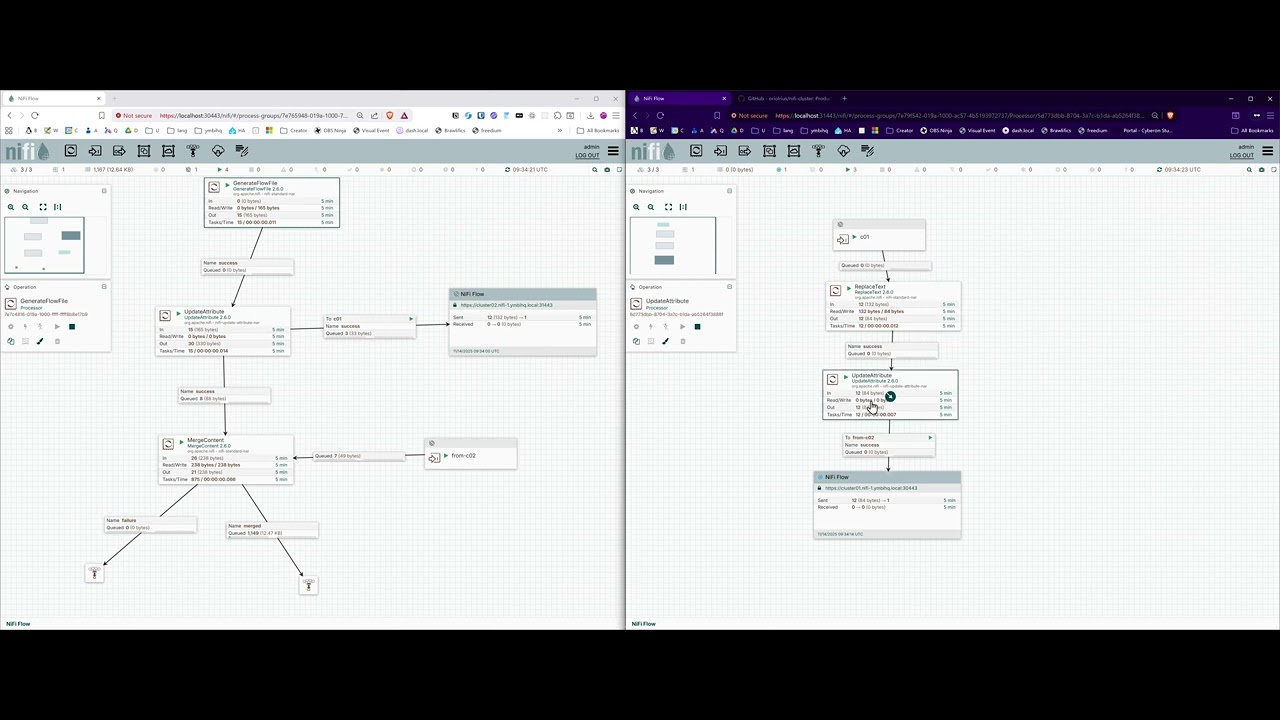
Watch: Understanding Remote Process Groups in Apache NiFi
This tutorial covers:
- What Remote Process Groups are and how they work
- Setting up Site-to-Site connections between NiFi instances
- Configuring input and output ports
- Security considerations for S2S communication
- Load balancing across cluster nodes
Without shared CA:
- Each cluster would need to import the other cluster's CA
- Complex certificate exchange process
- Manual trust relationship setup
With shared CA:
- All clusters automatically trust each other
- No additional certificate configuration
- Secure by default
# Stop cluster first
./cluster stop cluster01

# Backup entire cluster workspace
tar -czf cluster01-backup-$(date +%Y%m%d-%H%M%S).tar.gz \
    docker-compose-cluster01.yml \
    clusters/cluster01/

# Start cluster again
./cluster start cluster01# Backup CA (affects ALL clusters)
tar -czf ca-backup-$(date +%Y%m%d-%H%M%S).tar.gz certs/ca/
# Store securely off-site
# Without this, you cannot recreate clusters with same PKI# Extract backup
tar -xzf cluster01-backup-YYYYMMDD-HHMMSS.tar.gz
# Start cluster
./cluster start cluster01
# Verify
./cluster test cluster01#!/bin/bash
# automated-backup.sh
DATE=$(date +%Y%m%d-%H%M%S)
BACKUP_DIR="/backups/nifi-clusters"
# Backup CA (once per backup cycle)
tar -czf "$BACKUP_DIR/ca-backup-$DATE.tar.gz" certs/ca/
# Backup each cluster
for cluster in $(./cluster list --quiet); do
echo "Backing up $cluster..."
./cluster stop "$cluster"
tar -czf "$BACKUP_DIR/${cluster}-backup-$DATE.tar.gz" \
"docker-compose-${cluster}.yml" \
"clusters/${cluster}/"
./cluster start "$cluster"
done
# Rotate old backups (keep last 30 days)
find "$BACKUP_DIR" -name "*.tar.gz" -mtime +30 -delete# Check container status
./cluster status cluster01
# View logs
./cluster logs cluster01 nifi-1 --tail 100
./cluster logs cluster01 zookeeper-1
# Check for port conflicts
./cluster validate cluster01
# Check Docker resources
docker system df
docker stats --no-stream# Check cluster logs for specific node
./cluster follow cluster01 nifi-2 | grep -i cluster
# Verify ZooKeeper connectivity
./cluster exec cluster01 nifi-2 nc -zv cluster01.zookeeper-1 2181
# Check cluster coordinator
./cluster exec cluster01 nifi-1 \
cat /opt/nifi/nifi-current/logs/nifi-app.log | grep -i coordinator
# Restart problematic node
./cluster restart cluster01 2# Verify DNS resolution (if using custom DOMAIN)
./cluster exec cluster01 nifi-1 nslookup cluster02.nifi-1.ymbihq.local
# Test S2S port connectivity
./cluster exec cluster01 nifi-1 nc -zv cluster02.nifi-1.ymbihq.local 31100
# Verify certificate trust
./cluster exec cluster01 nifi-1 \
openssl s_client -connect cluster02.nifi-1.ymbihq.local:31443 \
-CAfile conf/truststore.p12 -showcerts
# Check S2S peer discovery
curl -k -s \
--cert clusters/cluster01/certs/cluster01.nifi-1/server-cert.pem \
--key clusters/cluster01/certs/cluster01.nifi-1/server-key.pem \
-H "x-nifi-site-to-site-protocol-version: 1" \
https://cluster02.nifi-1.ymbihq.local:31443/nifi-api/site-to-site/peers | jq .# Verify CA certificate
openssl x509 -in certs/ca/ca-cert.pem -text -noout
# Verify node certificate
openssl x509 -in clusters/cluster01/certs/cluster01.nifi-1/server-cert.pem -text -noout
# Check certificate chain
./cluster exec cluster01 nifi-1 \
openssl verify -CAfile conf/truststore.p12 conf/keystore.p12
# Regenerate cluster certificates (preserves CA)
./cluster delete cluster01 --force
./cluster create cluster01 3# Check resource usage
docker stats
# Check disk space
df -h
du -sh clusters/cluster01/volumes/*
# Increase JVM heap (edit .env)
vim .env
# Set: NIFI_JVM_HEAP_INIT=4g
# NIFI_JVM_HEAP_MAX=4g
# Restart cluster
./cluster restart cluster01
# Monitor NiFi logs for GC issues
./cluster logs cluster01 nifi-1 | grep -i "garbage collection"-
Change Default Passwords
vim .env # Update NIFI_SINGLE_USER_PASSWORD ./cluster reconfig cluster01 --config ./cluster restart cluster01 -
Protect CA Private Key
chmod 600 certs/ca/ca-key.pem
chown root:root certs/ca/ca-key.pem
-
Use Strong Passwords
- Minimum 12 characters
- Mix of uppercase, lowercase, numbers, symbols
-
Regular Updates
# Update NIFI_VERSION in .env vim .env ./cluster stop cluster01 docker compose -f docker-compose-cluster01.yml pull ./cluster start cluster01 -
Firewall Rules
# Only allow access from specific IPs sudo ufw allow from 192.168.1.0/24 to any port 30443 proto tcp -
Production Authentication
- Replace single-user authentication with LDAP or OIDC
- Configure in authorizers.xml
- See NiFi documentation for details
-
Regular Backups
- Daily automated backups
- Test restore procedures quarterly
- Store CA backup off-site
-
Monitor Security Logs
./cluster logs cluster01 nifi-1 | grep -i "authentication\|authorization"
Each cluster operates on its own Docker network:
# List cluster networks
docker network ls | grep cluster

# Inspect cluster01 network
docker network inspect cluster01-nifi-cluster_cluster01-network

# View connected containers
docker network inspect cluster01-nifi-cluster_cluster01-network \
--format '{{range .Containers}}{{.Name}} {{end}}'Set custom domain in .env for FQDN-based addressing:
# Edit .env
echo "DOMAIN=ymbihq.local" >> .env

# Regenerate configuration
./cluster reconfig cluster01 --config

# Restart cluster
./cluster restart cluster01

# Node addresses become:
# cluster01.nifi-1.ymbihq.local
# cluster01.nifi-2.ymbihq.local
# cluster01.nifi-3.ymbihq.local# Create with different node counts
./cluster create cluster03 1 # Single node (dev)
./cluster create cluster04 5 # 5 nodes (production)
./cluster create cluster05 7 # 7 nodes (high availability)
# Note: Changing node count requires cluster recreation
./cluster delete cluster01 --force
./cluster create cluster01 5 # Now has 5 nodes instead of 3- Change default passwords in
.env - Set appropriate JVM heap sizes (4g+ recommended)
- Configure custom DOMAIN for FQDN addressing
- Run validation:
./cluster validate <name> - Run comprehensive tests:
./cluster test <name> - Set up automated backups (CA + clusters)
- Configure firewall rules
- Set up monitoring and alerting
- Document cluster access procedures
- Test disaster recovery procedures
- Configure production authentication (LDAP/OIDC)
- Enable audit logging
- Set up log aggregation (ELK, Splunk, etc.)
- Apache NiFi Documentation
- NiFi Clustering Guide
- Site-to-Site Protocol
- ZooKeeper Documentation
- Docker Compose Reference
CLAUDE.md- Comprehensive project instructions for AI assistantsbacklog/docs/- Design documents and architecture decisionslib/- Implementation scripts and utilities
# General help
./cluster help

# Command-specific help
./cluster help create
./cluster help test
./cluster help validate

# View cluster information
./cluster info cluster01# Create and start
./cluster create cluster01 && ./cluster start cluster01 && ./cluster wait cluster01
# Test cluster
./cluster test cluster01
# Get URL
open $(./cluster url cluster01)
# Monitor logs
./cluster follow cluster01
# Check status
./cluster status cluster01
# Stop cluster
./cluster stop cluster01
# Delete cluster
./cluster delete cluster01 --forceDefault Credentials: admin / changeme123456
Note: This platform is designed for production use with proper security configuration. The shared CA architecture simplifies multi-cluster deployments and enables seamless inter-cluster communication.