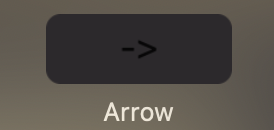
Simple right arrow key widget for Pock based on ESC key widget from https://github.com/pock/esc-widget
This handy widget was created to resolve problem with not working physical button on mac book pro.
This project could be used as base for any other key. Simply edit in ArrowWidget hex key code to another one if needed. Replace also title to other one with would be displayed on button.
private let key: KeySender = KeySender(keyCode: Int32(0x7C), isAux: false)

        required init() {
            self.view = PKButton(title: "->", maxWidth: 64, target: self, action: #selector(tap))
        }
Ex. -> and hex code 0x7C
Key code could be found here: https://eastmanreference.com/complete-list-of-applescript-key-codes
Remeber to convert decimal code to hex.