Simple Windows utility to compute hash checksums for files and check them using the Windows Explorer context menu
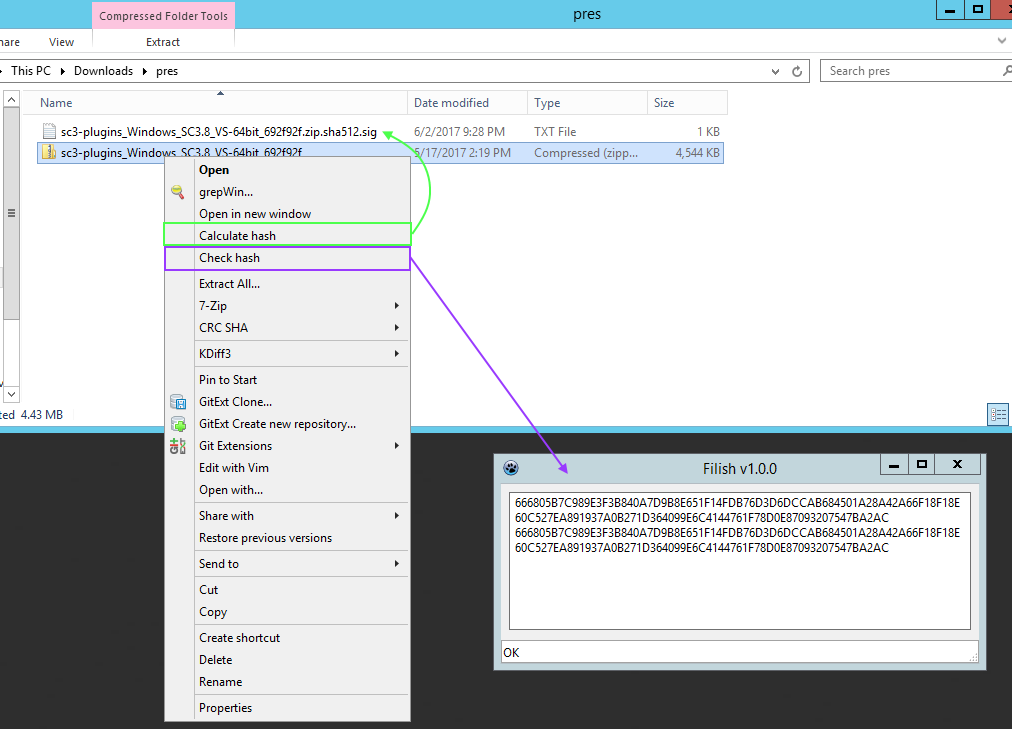
- Download a release, and unzip it.
- Put the
Filishfolder inC:\Program Files\ - Import the
install.regfile (adds two entries in the Windows Explorer context menu) - Done.
- Import the
uninstall.reg, to delete the registry keys added byinstall.reg - Delete the
C:\Program Files\Filishfolder - Done.
use lazbuild or build from lazarus directly.
filish.exe [mode] [file]

where [mode] can be
- generate
  computes the hash of the given file, and writes it to "[file].sha512.sig.txt"
- check
  computes the hash of the file and compares the result with the contents of
  "[file].sha512.sig.txt" and reports whether it is a match or not.


and [file] is an absolute path to a file