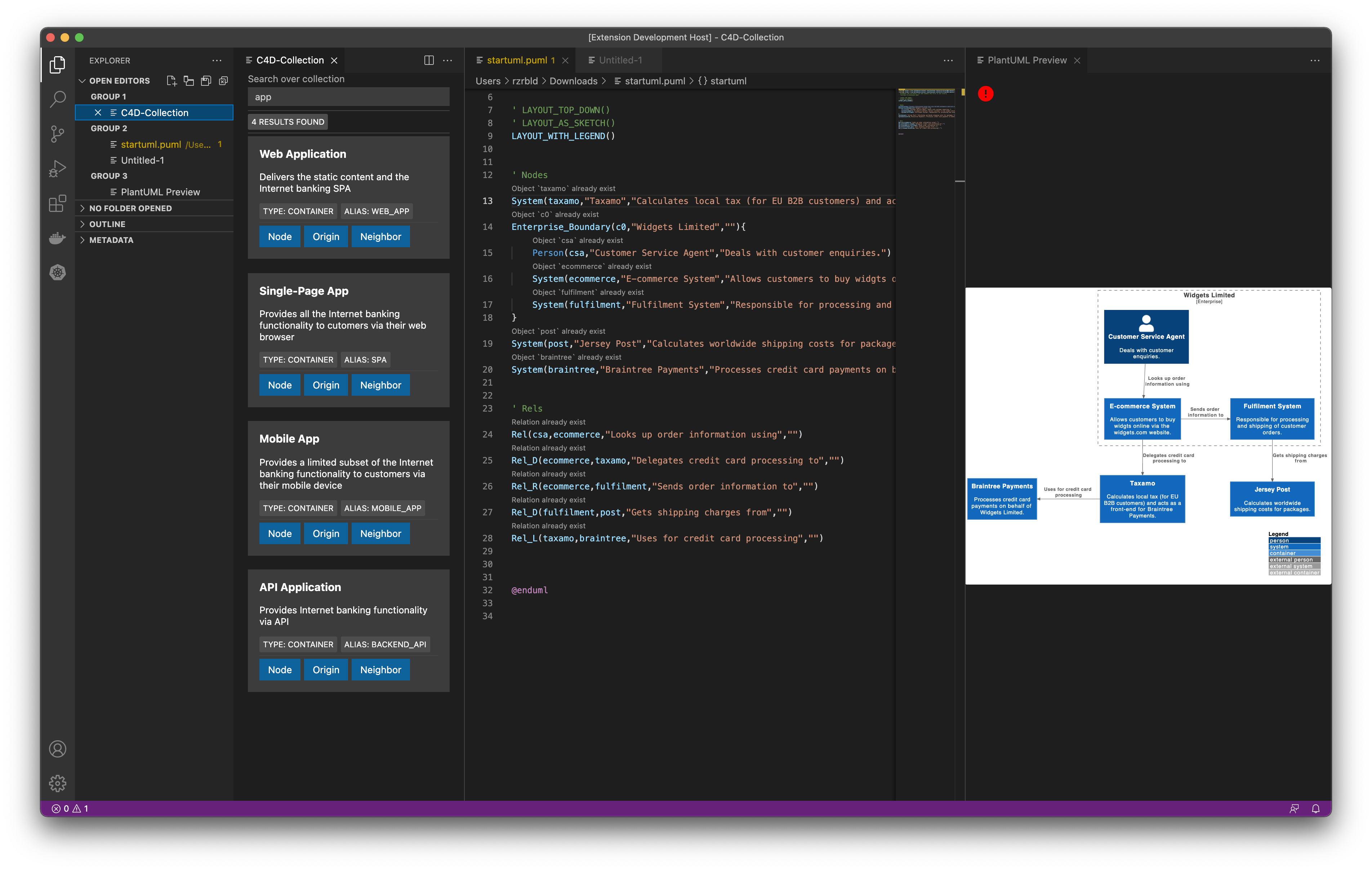
- git-webhook
- collection-api
- vscode 1.60^
- code --install-extension systemticks.c4-dsl-extension
- code --install-extension c4d-vscode-extension/c4dcollection-0.6.0.vsix
- code --install-extension vincent-ledu.adr-tools (optional)
-
run docker compose
docker-compose -f docker-compose.yml up -
goto gogs (http://localhost:3000) and perfom basic setup:
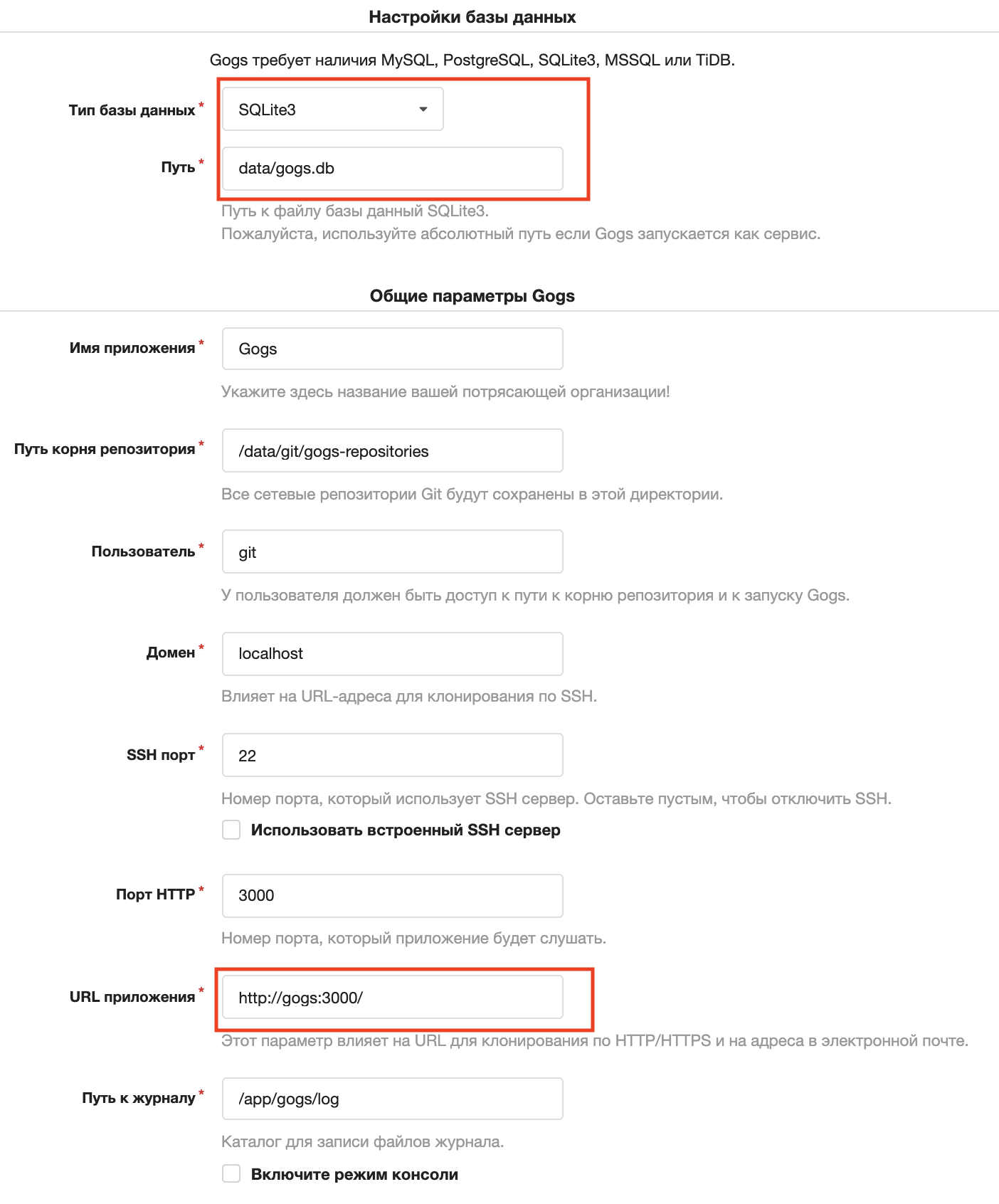
-
set default user, password and email
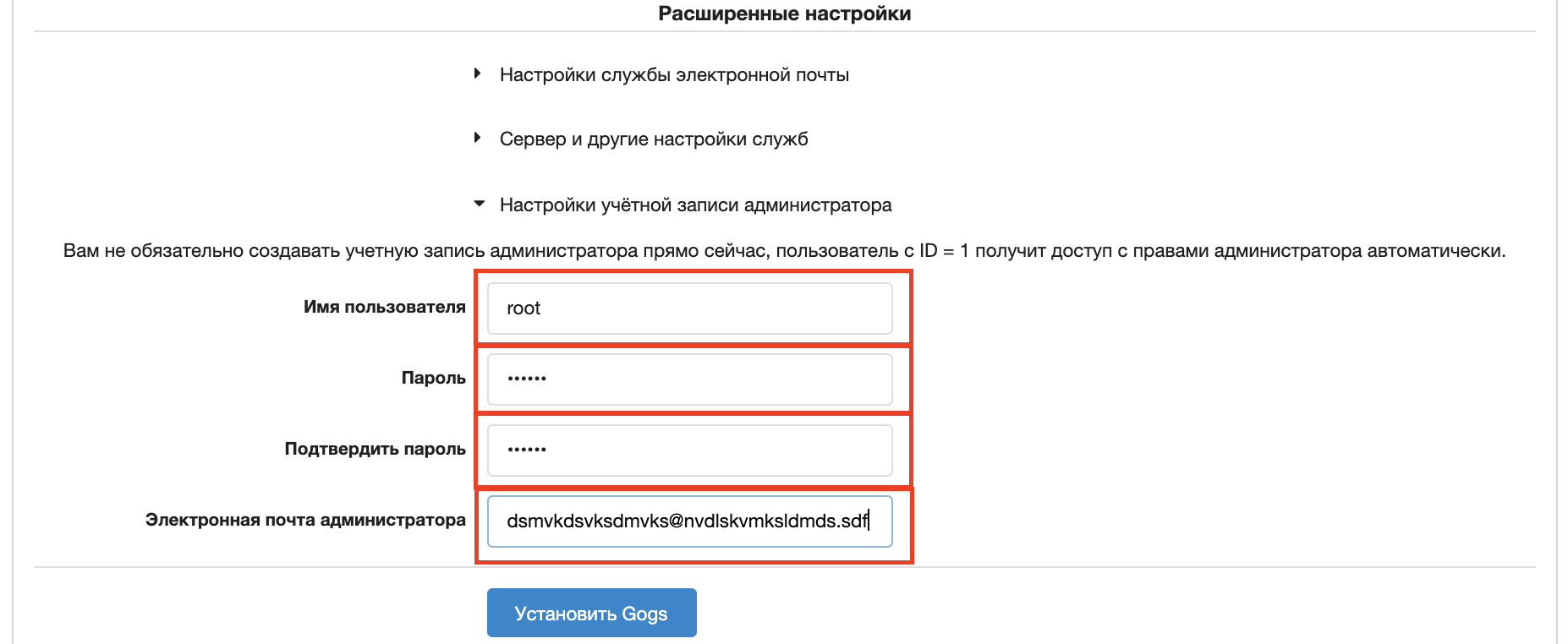
-
click
install gogs -
you will be redirected to
http://gogs:3000/user/loginwhich is obviously won't open. so just replacegogstolocalhost(http://localhost:3000/user/login) -
create repository and setup webhook on push
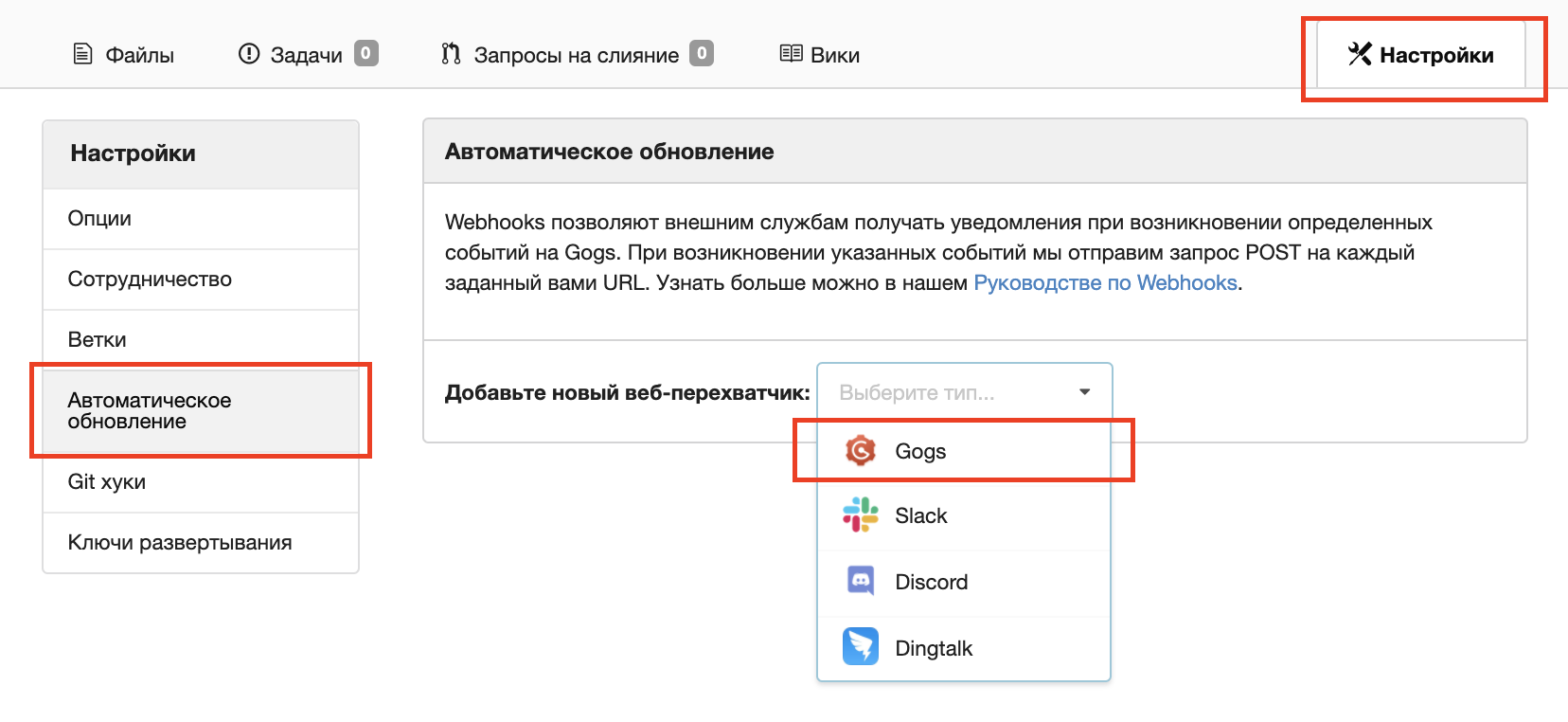
-
set webhook endpoint to:
http://webhook:3333/webhook/event
-
commit puml-c4 file (for example: C4_Container Diagram Sample - bigbankplc.puml)
-
run vscode
-
create new file
-
press
command+shift+pand typeC4D, pick"C4D: Init puml C4 file" -
press
command+shift+pand typeC4D, pick"C4D: Collection"and try search elements from puml file -
press
command+shift+pand typePlantUML, pick"PlantUML: Preview Current Diagram"and try search elements from puml file