To make this assignment, I utilized many circles and polygons, as well as a couple line and one rectangle.
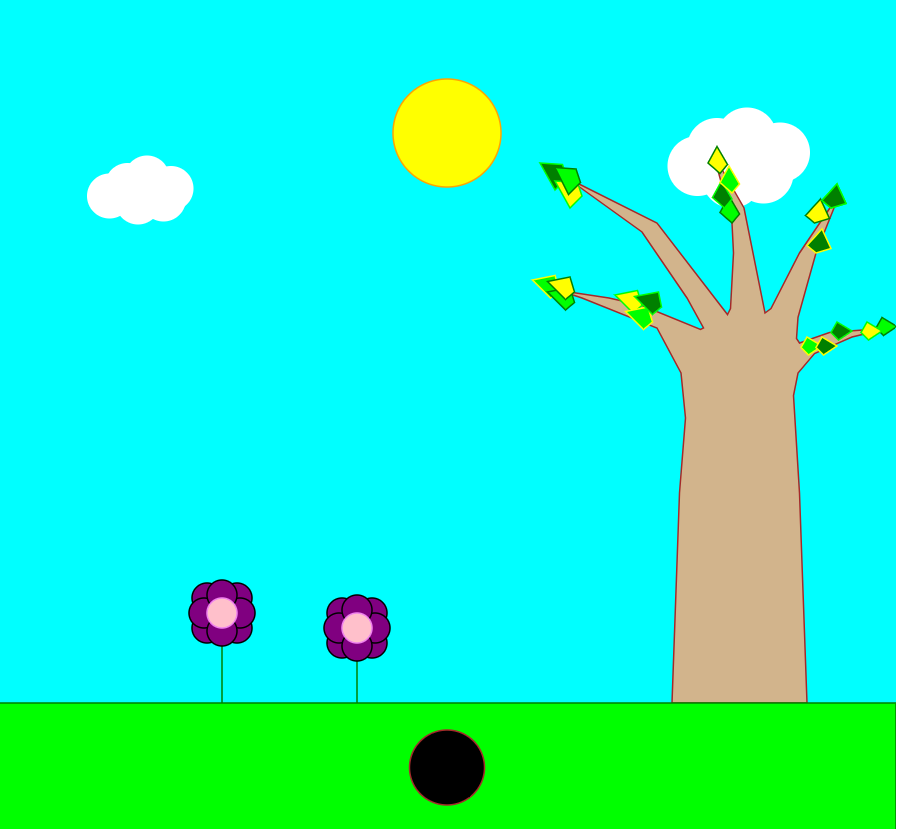
The goal was to create a little landscape design. I wanted to do this because I thought it would be cool and a bit of a challenge since I have no previous knowledge of d3 or any coding remotely similar (not really any webpage work either). It ended up being very tedious because I made each shape, but I am happy with the interactiveness that came out of it. The svg background was 600 x 600 and made cyan to represent the sky. The rectangle made up the grass, with a lime fill and a green outline. The lines were the two green flower stems for the two flowers. The circles were the sun, the flower petals, the hole, and the clouds. The sun was created first, modeled after the code from class. I then utilized the idea of the "click" to change size from class to move the sun to imply it is setting. More will be explained about this later. The flower petals were created in a circle around the two lighter circles, and the clouds were a bunch of white circles of different sizes respectively. The hole was outlined in brown and black filled. The polygons were the tree, the leaves, and the bunny.
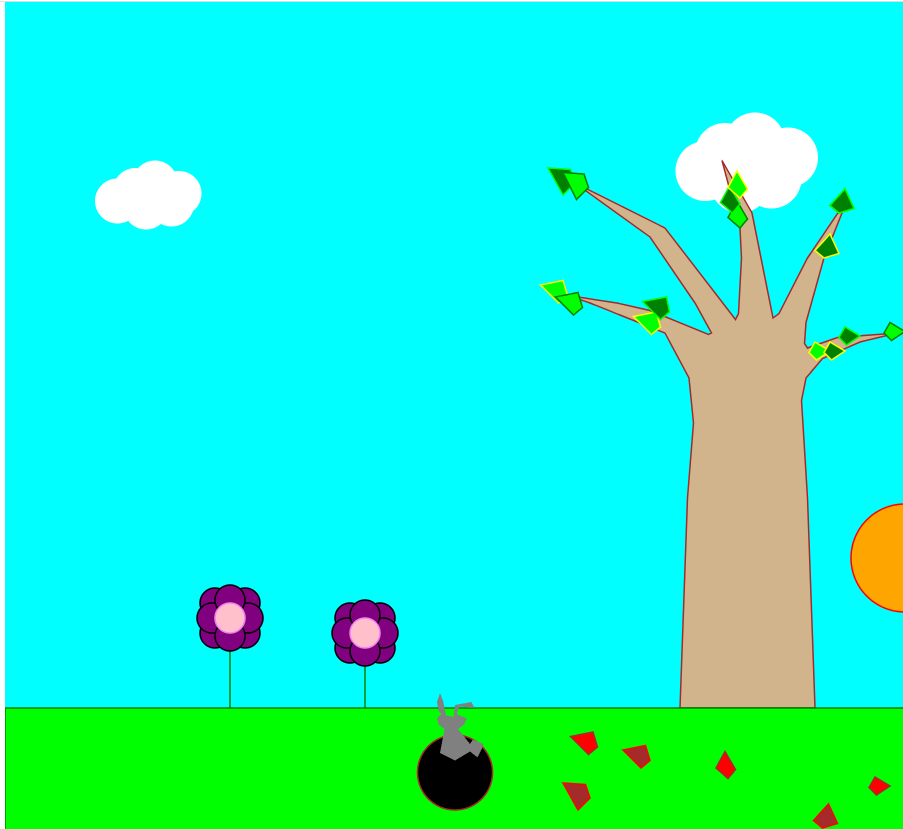
There are different interactions that occur depending on what you push: 1. Click on the sun and turns from yellow to orange while moving to the bottom right 2. Double click the sun and it then disappears (fully setting). 3. Click the yellow leaves and they will turn red and brown, dying, and fall to the grass. 4. Click on the hole and a gray bunny will emerge! It will get lighter as it gets out of the dark hole.
In order to create these functions: 1. Svg, circles and rectangles were based off the code from our first class, I just modified it. 2. The line and polygon I looked up. I tried for both to find it on the d3 website but severely struggled. Instead I found some examples on stack overflow I was able to adapt to work for what I was doing. I changed it in points, number of points, colors, and added the animation on click from class. a. Line: b. Polygon:
Before the sun is moved, leaves fall, or the bunny emerges:
After sun sets (but has not fully disappeared), the leaves fall, and the bunny emerges:
The secondary goal is to introduce you to coding on GitHub, including creating a gh-pages branch to host your visualizations.
Link to the file here: https://github.com/samora9/a1-ghd3/blob/master/index.html
Technical Achievements: While my achievements weren't super extensive, I honestly had no clue how to use d3 and struggled greatly with even setting something up. I was able to figure out how to make a working link and then was able to create different shapes, including the polygon and the line that I was more confused about. I ended up also making certain things be able to move, change color, or change size, which I am proud of. I am still confused about functions and know I need to work on better understanding them. I probably could have had a less tedious time using functions. I am proud that I was able to figure out how to use d3 at all and that I am now using github at the moment because github was a bit baffling too.
Design Achievements: I am really proud of my design. While the tree and bunny and leaves could definitely be more convincing, I used an insane number of points for the tree, and used over 20 for the bunny, mapping it out on paint for an idea of the shape beforehand. The leaves were simpler but since I made so many on the tree it was incredibly tedious but I'm happy that I did keep adding more leaves, I originally almost stopped with only a few, but it looked so weird to only have one branch with leaves. I also thought the yellow leaves being the only ones that fell was something that made sense, since the green leaves would not be close to dying yet. I made a couple of them move slightly left or right when they fell too because I thought it would be cool to model possible "wind".