Tabstrip
- Drop on the tabstrip layout control (found in layout mode under the Controls header)
- In widget mode, add the Tabstrip to the top Config section of the new layout
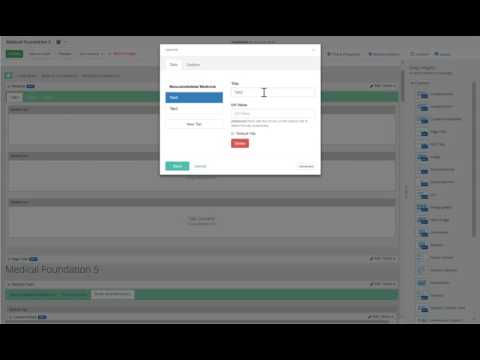
- Edit the widget and setup your tabs
- Back in layout mode drop in the amount of Tab layouts you need. So if you want 4 tabs, you need 4 tab layouts.
In the config widget you can use the checkbox to select which loads by default
In the config widget options tab, set the "Key", then in each tab set it's value. So when the widget loads it'll check the url for that key, if it finds it, it'll then search the tabs for any matching value and select it (if need be)
- Open /Sitefinity/Administration/Settings/Advanced/SitefinitySteveMVC
- Enter Bootstrap or Kendo
- Open /Sitefinity/Administration/Settings/Advanced/SitefinitySteveMVC
- Enter your new theme name (no spaces)... example: Foundation
- In ~\MVC\Views\TabStrip create the file of the same name. Example ~\MVC\Views\TabStrip\Foundation.cshtml
- Checkout the existing kendo or bootstrap templates and scripts to get an idea on what to do.