
A simple WYSIWYG rich text engine. According to classification, it belongs to L2 level.
This project is still under development and there are many bug
The document was written on February 22, 2023
- WYSIWYG(What you see is what you get)
- High degree of customization
- DSL
- Behavior before and after element activation
- Behavior of cursor
- State-driven architecture
- Focus/Unfocus

- Input

- Delete
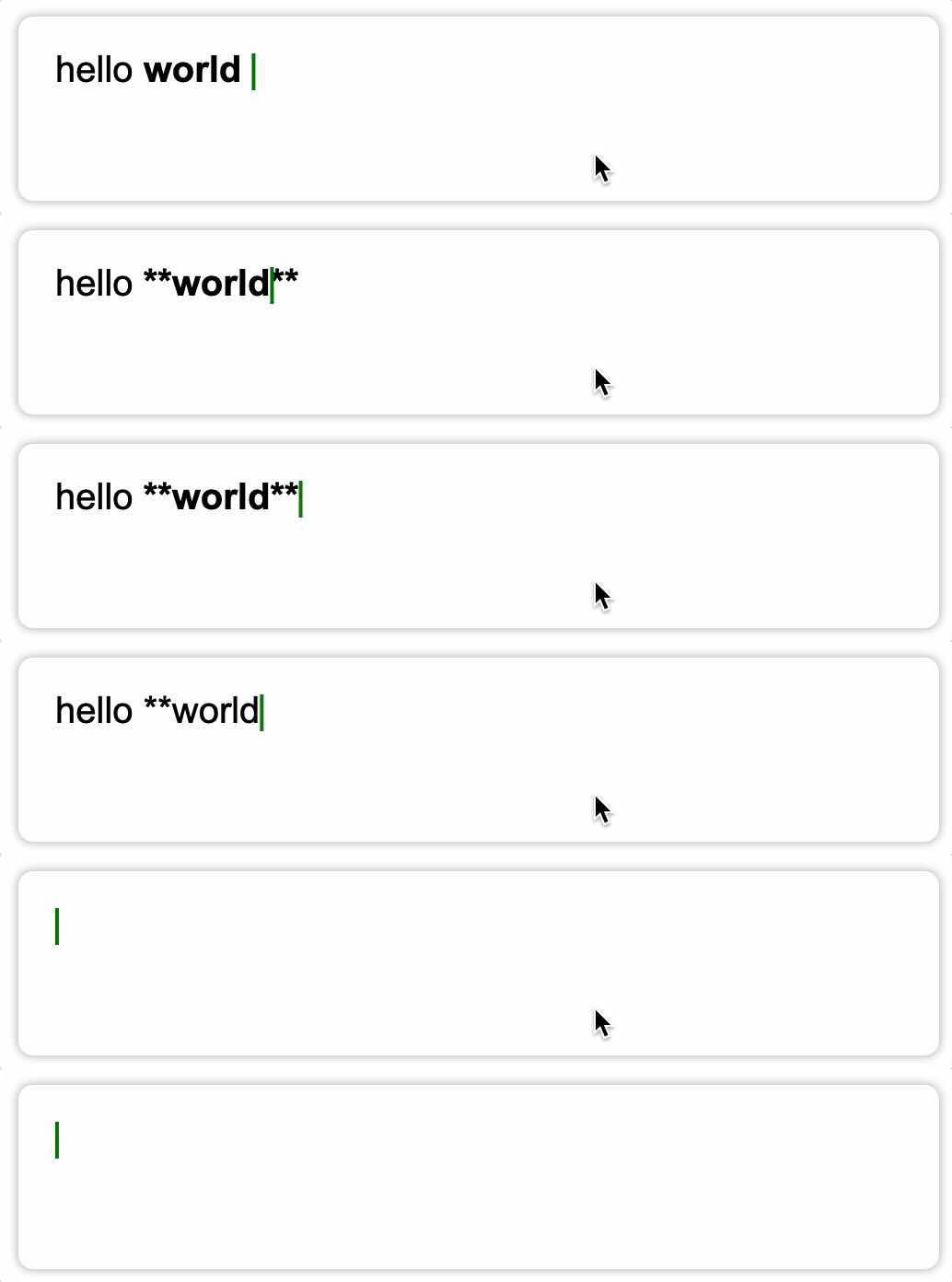
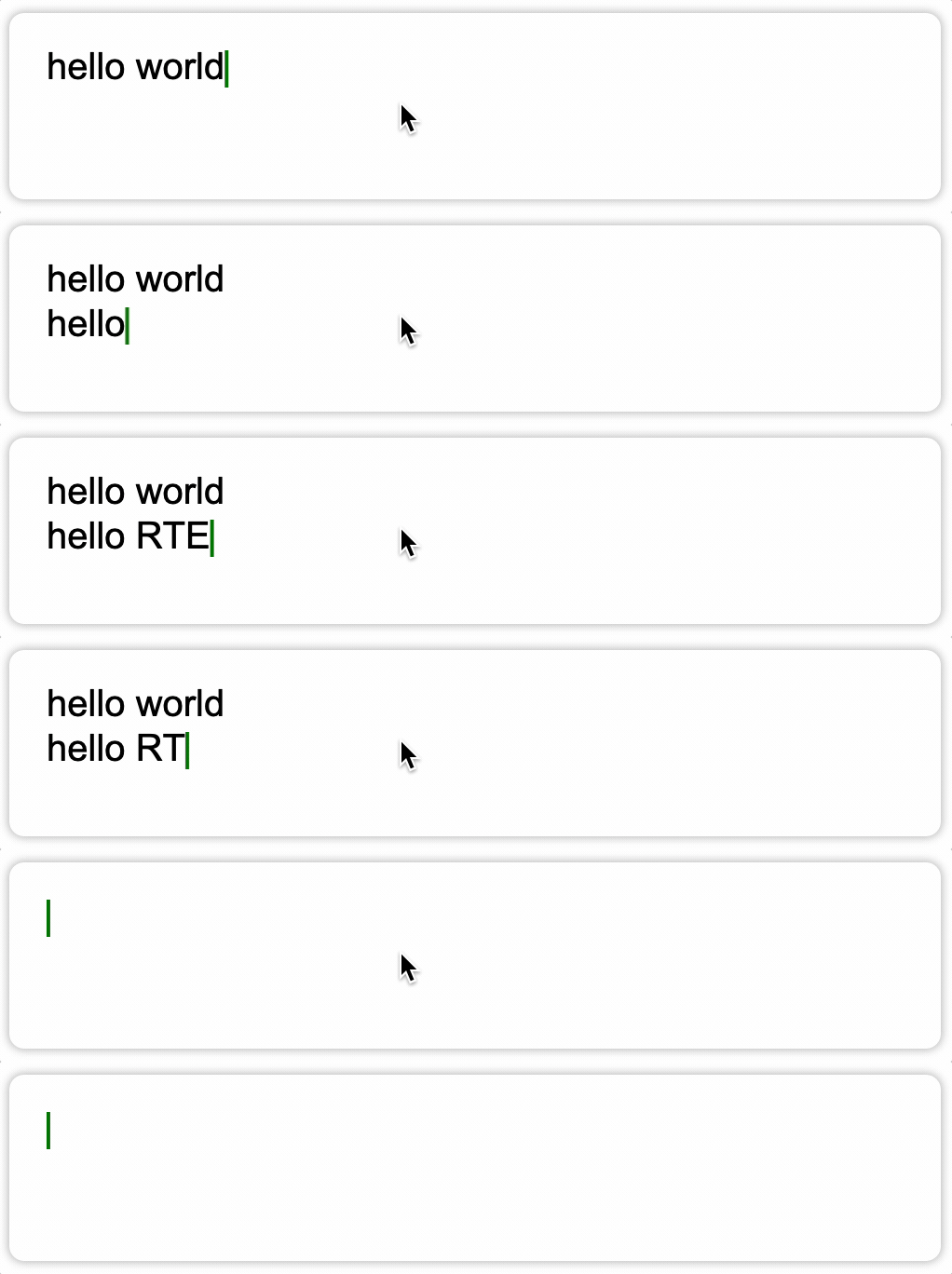
- NewLine
Still in development process, can not be intalled by npm.
For more information, see the example folder.
const defaultConfig: EditorConfig = {
  font: {
    size: 20,
    family: 'Arial, Helvetica, sans-serif',
    bold: false,
    italic: false,
    color: '#000',
    textBaseline: 'bottom',
    textAlign: 'left',
  },
  page: {
    padding: 20,
    rowSpacing: 4,
  },
  container: '#editor',
};RTE allows users to define the DSL they want.
Let's take defining bold syntax as an example.
enum NodeType {
  BOLD,
}

export const inline: SchemaConfig['inline'] = (text, syntax) => {
  return {
    bold: {
      reg: /(?<prefix>\*\*|__)(?=\S)(?<content>[\s\S]+?)(\\*)\k<prefix>(?!(\*|_))/,
      render(groups, parsingRecursively) {
        const marker = text(
          // content
          groups.prefix,
          // font config
          { bold: true },
          // marker is not displayed when the cursor is not active
          { beforeActived: { show: false } }
        );
        const content = parsingRecursively(
          // the part that needs recursive parsing
          groups.content,
          // override font settings for content nodes
          { bold: true }
        );

        return syntax(NodeType.BOLD, [marker, ...content, marker]);
      },
    },
  };
};
This configuration means that RTE does not care whether the syntax conforms to the markdown standard at all. As long as users need it, they can configure the DSL they want.
Moreover, because the architecture of RTE is very flexible, users can even configure the runtime model of syntax nodes to customize the interaction logic between page elements and cursors.
This has not been realized yet😅, but it does support it in terms of architecture.
RTE adopts a state-driven architecture and introduces a virtual-node system to better abstract the business model.
Before introducing the architecture, you need to know what OperableNode is.
OperableNode is a interface that carries the ability to interact with the cursor, which means that all page elements need to implement it, that is, as long as it is implemented, it can interact with the cursor.
Let's look at the main part of it
export abstract class OperableNode {
  abstract focusOn(prevState: Snapshot | null, curOffset: number): Snapshot;
  abstract unFocus(prevState: Snapshot): void;

  abstract left(prevState: Snapshot, step: number): Snapshot | null;
  abstract right(prevState: Snapshot, step: number): Snapshot | null;
  abstract up(prevState: Snapshot, step: number): Snapshot | null;
  abstract down(prevState: Snapshot, step: number): Snapshot | null;

  abstract newLine(
    prevState: Snapshot,
    parse: (src: string) => SyntaxNode
  ): Snapshot;

  abstract update(
    prevState: Snapshot,
    char: string,
    parse: (src: string) => SyntaxNode
  ): Snapshot;

  abstract delete(
    prevState: Snapshot,
    parse: (src: string) => SyntaxNode
  ): Snapshot;
}
These methods will be called by the cursor, and the user does not need to care about unnecessary problems.
So you only need to implement this interface, and you can freely expand the runtime model you want.
State-driven design is mainly reflected in cursor(Selection) and elements(OperableNode).
Only need to change the internal state to map to the page in real time
When the state of a node changes, a special data structure is generated to save the node state, called Snapshot.
The global context(Page) captures the change in state through the proxy and then notify to the renderer to render.
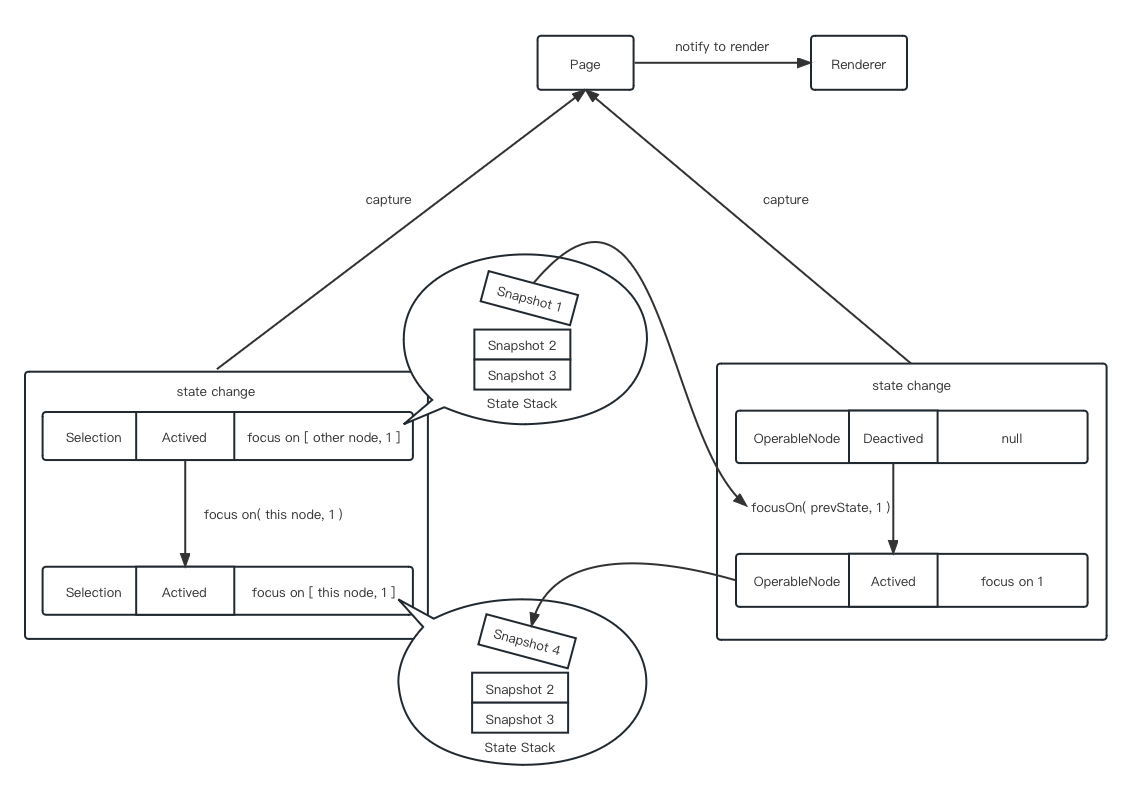
As can be seen here, each operation of the cursor generates a snapshot, which is centrally maintained by the state stack.
PS: Thanks to this, the state stack can be extracted directly into the history stack at a later stage, which can support the undo operation easily.
RTE uses a tree-like virtual node system to abstract page elements.
Virtual nodes are divided into the following two categories:
- SyntaxNode
- type
- current activation status
- TextNode
- text
- style, font
- the behavior of this node when it is activated and not activated
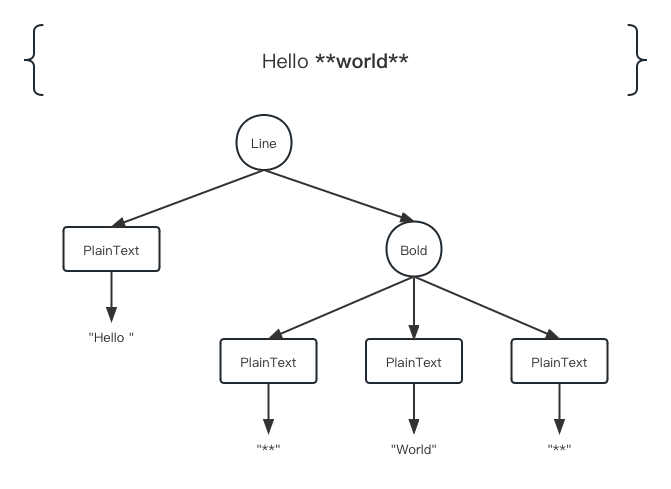
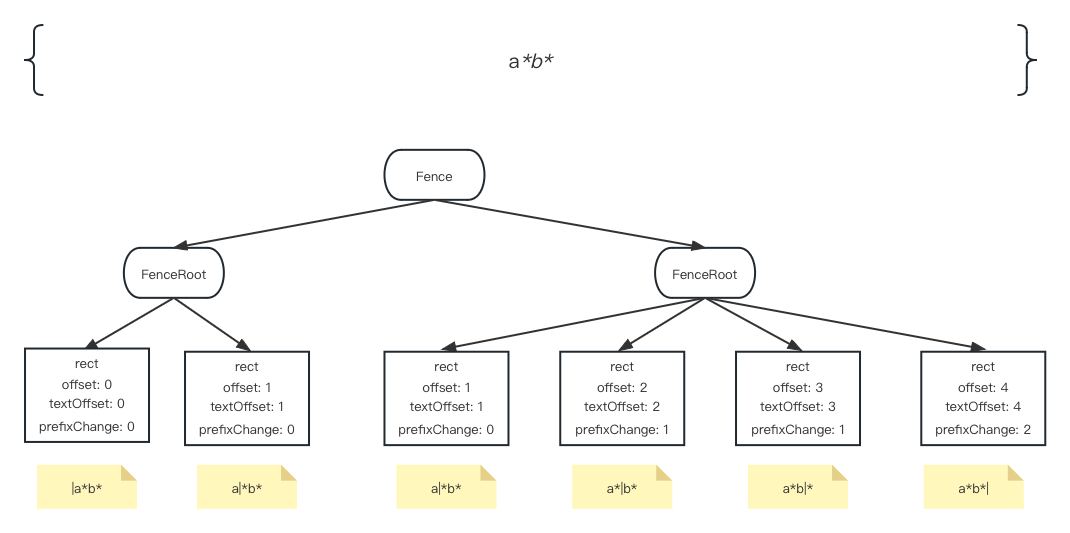
However, the tree structure is very troublesome to deal with, so in the actual implementation, a special data structure is introduced to flatten the virtual node, it called fence.
Fence is essentially a forest, made up of trees with a fixed height of 2, each of these leaf nodes represents a location where the cursor can be inserted and it carries the required information.
Just like this
- Wechat: D1345118870
- Mailbox: