


A powerful toolkit featuring a web-based designer and an ultra-fast Node.js script to create stunning custom artwork on your GitHub contribution graph.
⚠️ A Note on Responsible Use This tool is designed for educational and artistic purposes. Please be aware that generating a high volume of automated commits may be against the spirit of GitHub's contribution graph and could potentially violate their Terms of Service. It should not be used to misrepresent your work history or activity level. Please use this tool responsibly and at your own risk.
This guide is broken into two main parts. Part A is a one-time setup to prepare your GitHub account and local environment. Part B is where you'll create and deploy your art.
Follow these steps carefully to ensure everything works perfectly.
First, you need a private and empty "canvas" on GitHub where your art will be stored.
- On GitHub, click the
+icon in the top right and select New repository. - Give it a simple name, like
commit-art-canvas. - Select the Private option. This is essential to keep the commit history hidden.
- Important: Do NOT initialize it with a README or any other files. It must be completely blank.
- Click Create repository.
This step makes your private art visible on your public profile graph.
- Go to your main GitHub profile page.
- Click the Contribution settings dropdown menu above your graph.
- Ensure the Private contributions option is checked.

Your computer needs to know which GitHub account to make commits for.
- Open your terminal (Git Bash, PowerShell, or your editor's terminal).
- Check your current Git configuration:
git config --global user.name
git config --global user.email
- If the output does not match your GitHub username and email exactly, update them:
git config --global user.name "YourGitHubUsername"
git config --global user.email "your-github-email@example.com"
Now for the fun part!
We will now copy the entire GoGreener-CommitArt toolkit into the private repository you just created.
- First, clone this public project but with a special
--bareflag:git clone --bare https://github.com/zSayf/GoGreener-CommitArt-.git cd GoGreener-CommitArt-.git - Now, push a mirror of it to your private repository. Replace
YOUR-USERNAMEandYOUR-PRIVATE-REPO-NAMEwith your own details.git push --mirror https://github.com/YOUR-USERNAME/YOUR-PRIVATE-REPO-NAME.git
- You can now safely delete the local folder we just used.
cd ..
rm -rf GoGreener-CommitArt-.git
Now, clone the private repository (which contains the tools) to your machine. This is the folder you will work in.
git clone https://github.com/YOUR-USERNAME/YOUR-PRIVATE-REPO-NAME.git
cd YOUR-PRIVATE-REPO-NAMEIn your terminal, inside your new private repo folder, run:
npm install- Open the
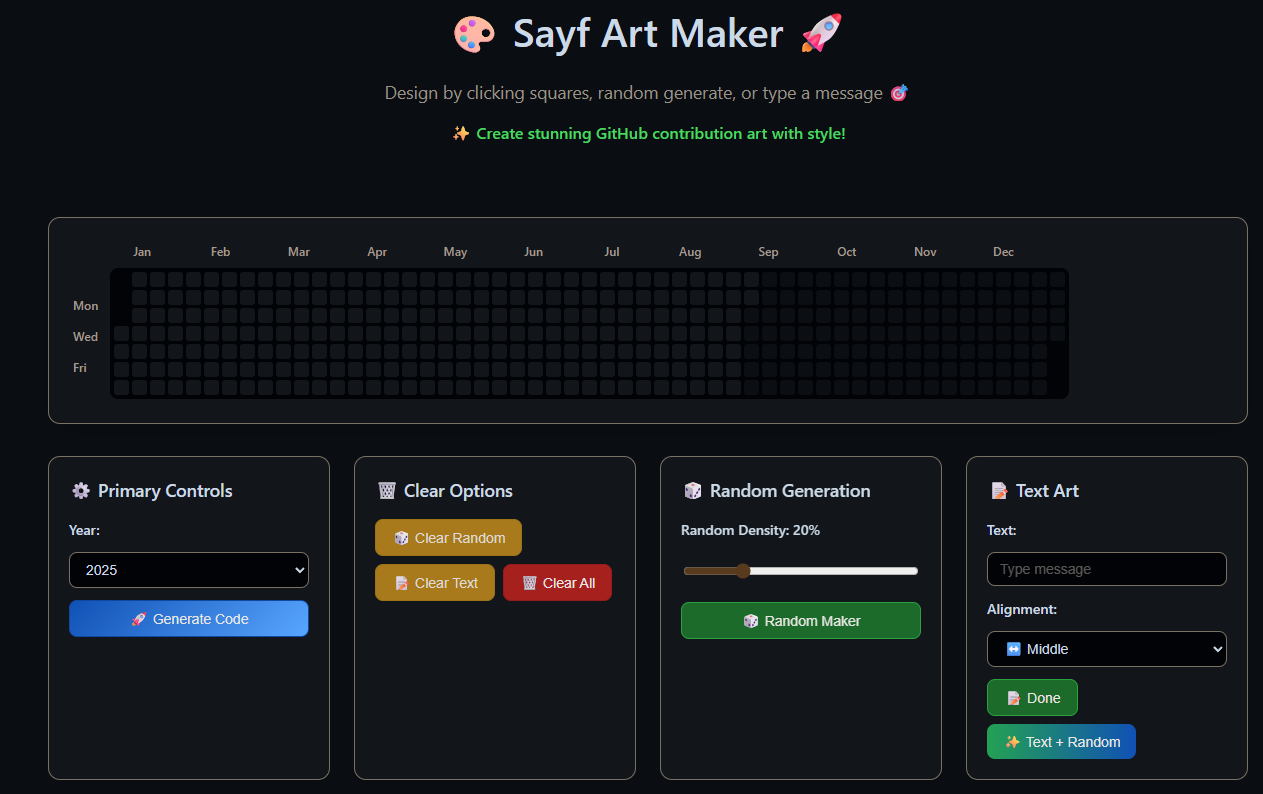
Sayf Art Maker.htmlfile in your web browser. - Create your design and click 🚀 Generate Code.
- Copy the entire script from the text area.
- Paste the copied code into your local
index.jsfile, replacing its contents. - Save the file and run the script from your terminal:
node index.js
Your script will now run and push the art to your private repository, and the contributions will appear on your public graph.
This project was inspired by and adapted from the excellent video tutorial created by Fenrir. The original repository is fenrir2608/goGreen.
This project is licensed under the MIT License - see the LICENSE file for details.